
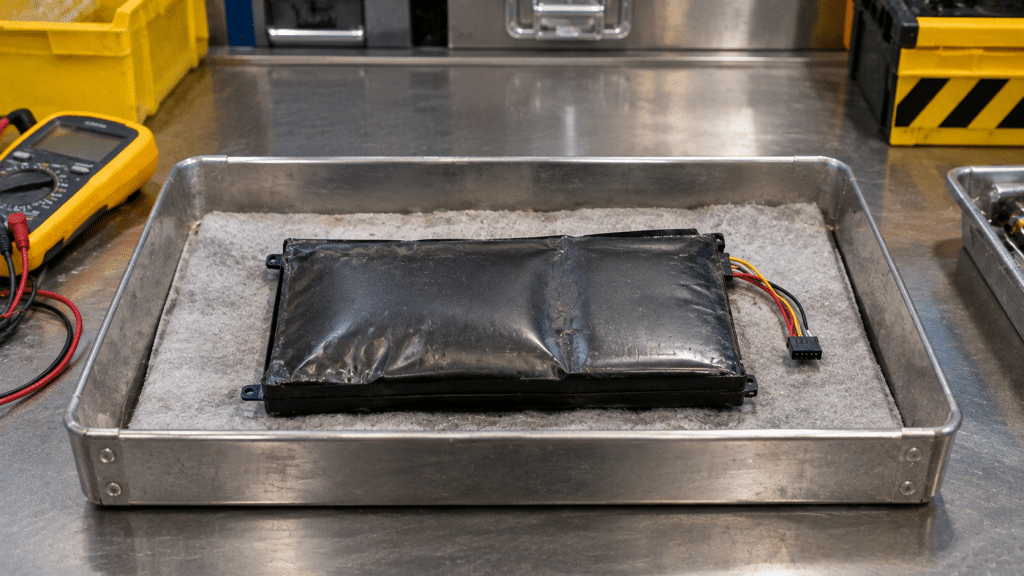
Noticing a laptop trackpad lifting or a phone screen separating from its frame can be alarming. One possible cause is a swollen lithium-ion battery. Swelling indicates internal battery damage and can create a fire hazard. Devices showing these signs should be taken out of use and handled with care.
Lithium-ion batteries store and release energy through chemical reactions involving the movement of lithium ions between the anode and cathode. Over time, exposure to heat, aging, physical damage, or internal chemical changes can cause unwanted reactions inside the cell. These reactions may generate gas that accumulates inside the sealed battery.
Gas accumulation
Internal chemical reactions can produce gases that become trapped inside the sealed battery cell.
Battery expansion
As gas accumulates, pressure can cause the battery casing or flexible pouch to expand, sometimes pushing against the device’s screen, keyboard, or outer frame.
Fire and thermal runaway risk
A damaged or swollen battery can overheat and release flammable gases. Puncturing, crushing, or continuing to charge it can increase the risk of fire.
A swollen battery requires careful handling. Follow these safety precautions while arranging professional guidance:
eSmart Recycling helps individuals and businesses manage retired electronic equipment through appropriate reuse and recycling channels. If you have a laptop, phone, or other device with a swollen or damaged battery, contact our team before bringing it to the facility. We can help clarify whether the item can be accepted and what steps to take next.
Fill out the form below to request your electronics recycling pickup.
We’ll coordinate the schedule logistics and follow up with next steps.
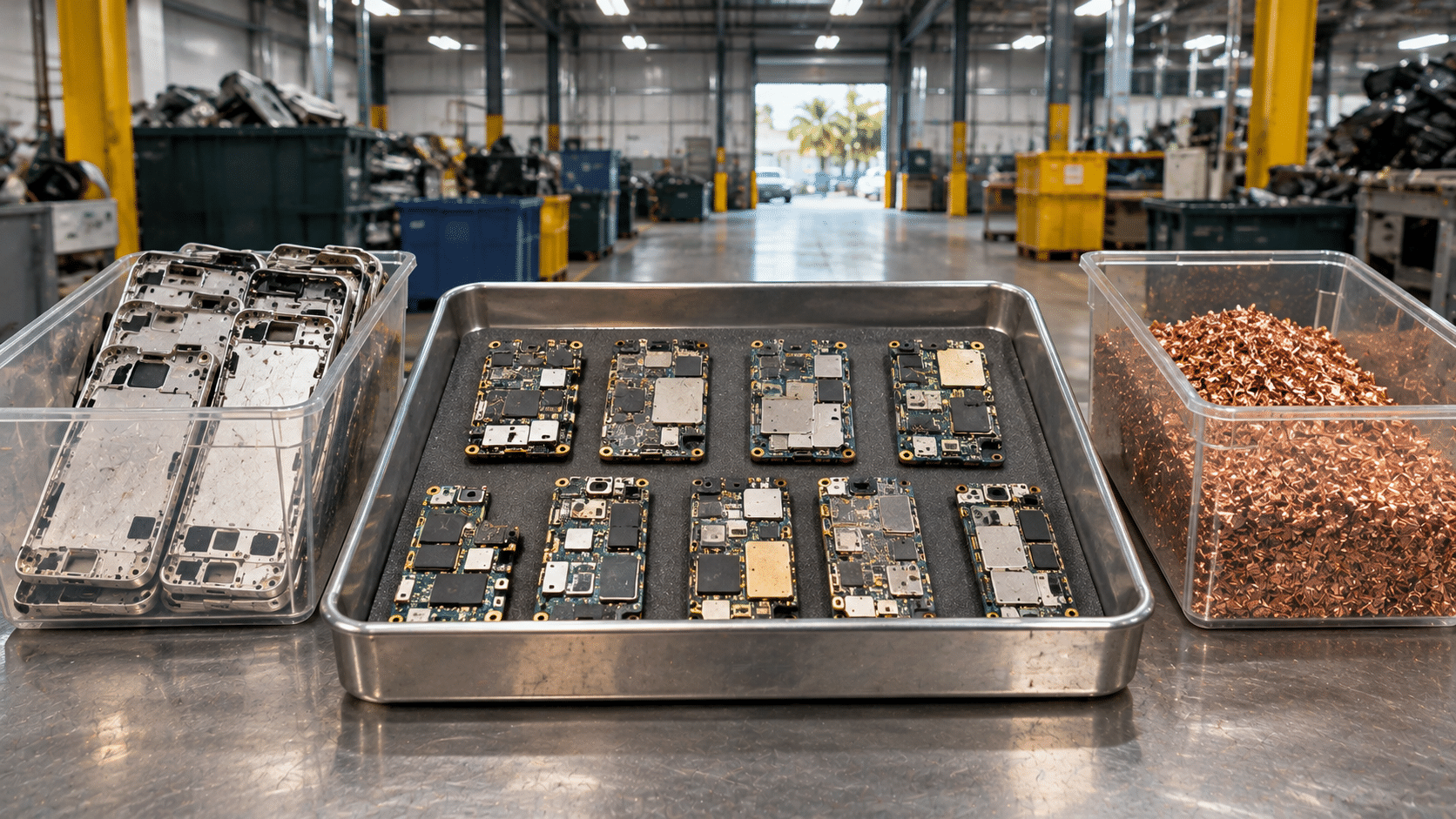
When you bring an old smartphone to an electronics recycling program in Tampa, what happens next? A phone that has been sitting in a drawer for years may still contain reusable components and materials that can serve a purpose elsewhere. Before those materials can be recovered, each device needs to be directed toward the right next step based on its condition, design, and handling requirements.
The process begins when used smartphones arrive through a collection program. Devices can vary widely: some have cracked screens but still function, others have damaged charging ports, and some no longer turn on. Their condition helps determine whether continued use, refurbishment, or material recovery may be appropriate.
An initial assessment can consider the phone’s exterior condition, visible damage, model, and general usability. A device with a minor issue may still have parts worth recovering or may be suitable for repair. A phone with extensive damage may need to enter an electronics recycling stream instead.
Sorting matters because smartphones contain several different materials and components. Sending a usable device directly to material processing can end its service life earlier than necessary. On the other hand, equipment that is no longer suitable for use needs an appropriate route for handling its electronic components.
Most modern smartphones contain rechargeable lithium-ion batteries. These batteries store energy in a compact space and require careful handling during collection, storage, and processing. A damaged or swollen battery can present a fire and safety hazard, so devices should be handled according to procedures appropriate for their condition.
Battery removal and internal disassembly should be left to trained personnel with suitable equipment. The phone should remain intact when it is handed in unless the recycling program provides different instructions. Never puncture, bend, crush, heat, or attempt to remove an internal battery at home.
If a phone is swollen, unusually hot, leaking, or visibly damaged, contact the collection program before transporting it. If a battery begins smoking, hissing, or releasing an unusual odor, move away from the device and call 911.
A smartphone that still works, or can be repaired with suitable parts, may be considered for refurbishment. This can include checking the screen, buttons, cameras, charging connection, speakers, and other basic functions. The exact work depends on the device and the resources available to the refurbishment program.
Refurbishment can extend the useful life of electronics and help make devices available to people who have limited access to technology. For students and families, a working smartphone can support communication, online learning, access to information, and everyday tasks. Reuse also helps delay the need to manufacture a replacement device and reduces the amount of equipment entering the recycling stream.
At eSmart Recycling, collected technology supports a broader reuse and donation effort. The company has distributed close to 3,000 devices, benefiting more than 12,000 children and families. Devices must still be assessed for their condition and suitability before they can be considered for another user.
Smartphones that cannot be reused may enter appropriate electronics recycling channels. Their compact design brings together many materials in a small space, including:
Specialized downstream processors use different methods to separate and recover materials from electronic equipment. The exact process depends on the device, the materials being handled, and the equipment available at each facility. Recovered materials can then become inputs for manufacturing and other industrial uses.
Keeping phones out of ordinary household trash also helps prevent electronic components and rechargeable batteries from entering waste streams that are not designed to handle them. Proper collection gives these materials a route toward reuse or specialized processing.
A few preparation steps can make handing in a phone easier. Before taking it to a collection program, review the manufacturer’s instructions and your own data and privacy requirements.
Businesses and institutions should also follow their internal IT and privacy procedures before releasing devices. Each organization is responsible for determining how its information should be handled before equipment leaves its control.
Every smartphone contains materials that took resources to produce. When a device is collected through a suitable program, it can be assessed for continued use, refurbishment, or material recovery. These steps help reduce electronic waste and keep useful resources in circulation.
Have old phones stored at home, in an office, or in a storage room? eSmart Recycling collects used technology and supports reuse, refurbishment, and responsible electronics recycling. Contact the team to confirm accepted devices and available collection options before bringing your smartphones or other electronics to the facility.
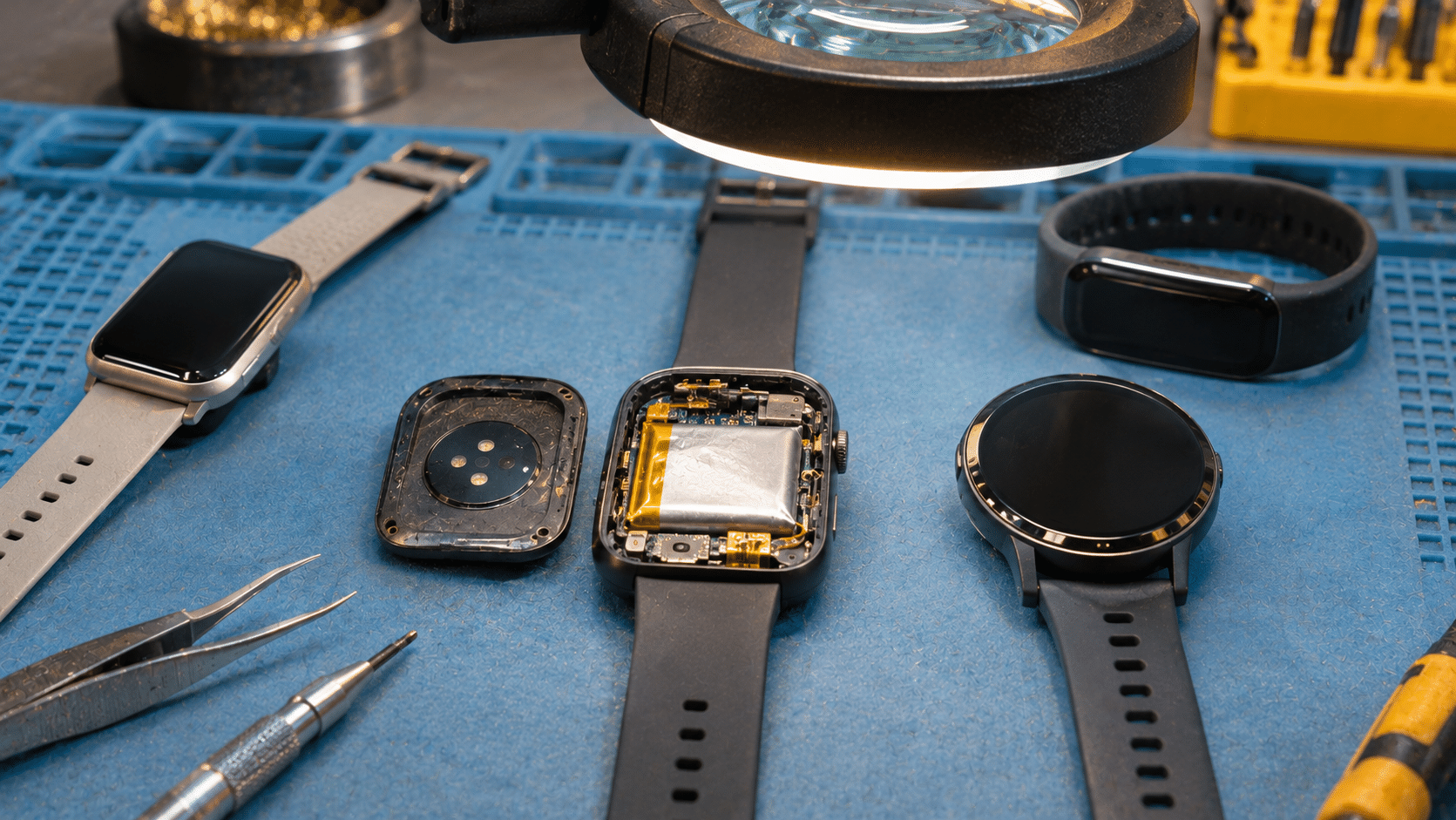
Smartwatches and biometric fitness trackers undergo intensive daily operation. Constant wrist movement, pulse monitoring, and daily charging cycles inevitably deplete their miniature lithium pouch cells after 24 to 36 months of continuous wear.
Navigating the end-of-life choices for personal wearable devices:
Waterproof adhesive gaskets and tightly packed micro-components make third-party battery replacement challenging, often costing more than the device’s secondary market value.
High-end wearables contain rare materials: aerospace-grade titanium cases, ceramic sensor backs, synthetic sapphire crystal displays, and gold bonding wire contacts.
Prior to disposition, always initiate a hardware unpairing via your companion smartphone app. This action wipes saved GPS running trails, payment token keys, and personal heart rate logs from internal memory.
Bring smartwatches, fitness bands, wireless earbuds, and chargers to eSmart Recycling for verified R2v3 recovery.
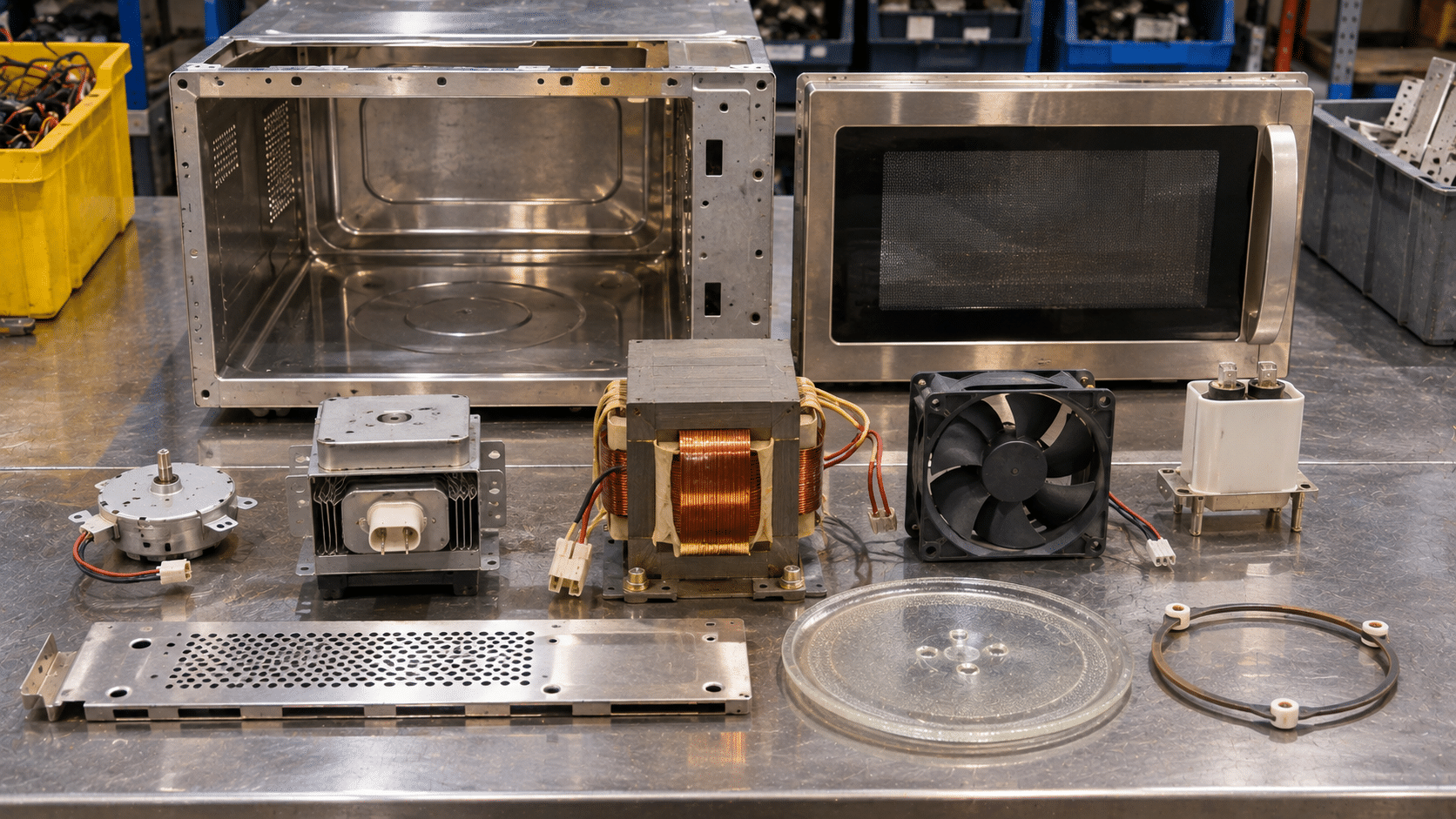
A common question at community collection drives involves kitchen appliances: should a countertop microwave oven be treated as scrap metal, or does it belong in an electronics recycling program?
A microwave oven has a metal outer cabinet, but its internal components make it more than a sheet-metal item. Depending on the model, it may contain several materials and electrical assemblies that require appropriate handling:
Microwave ovens can contain capacitors that retain a dangerous electrical charge even after the appliance has been unplugged. Never open, dismantle, or attempt to repair a microwave oven for recycling. Keep the unit intact and contact an appropriate recycling program to confirm its handling and collection requirements.
Countertop appliances contain a combination of metal, plastic, wiring, and electronic components. eSmart Recycling supports responsible electronics collection and material recovery. Contact the team before bringing a microwave, blender, espresso machine, or other kitchen appliance to confirm accepted items and available collection options.
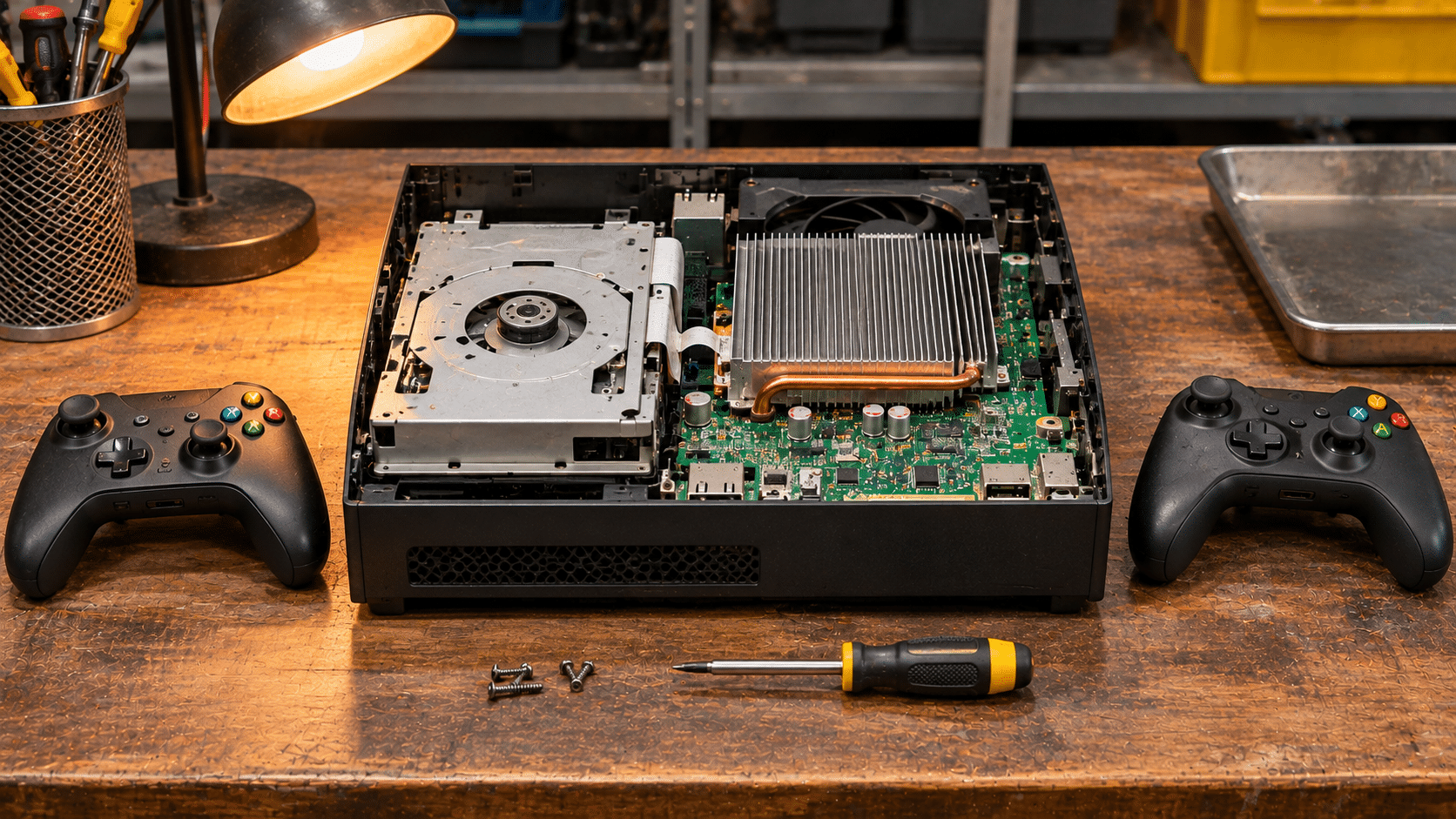
Video game consoles hold years of memories for many households. From older disc-based systems to modern gaming platforms, retired consoles often spend years in closets and storage rooms after players upgrade to newer models. These devices contain electronic components and reusable materials that deserve proper handling when they reach the end of their useful life.
When a gaming console is retired, its condition helps determine the next step. Devices that still work may be suitable for continued use, while damaged or outdated equipment can enter an appropriate electronics recycling process.
Functional consoles may be evaluated for repair, cleaning, and continued use. Depending on their condition and compatibility, suitable devices may find another home through resale or community donation programs.
Consoles that cannot be reused may be directed to specialized recycling facilities, where equipment is sorted and processed to recover materials such as copper, steel, aluminum, and other electronic components.
Wireless controllers contain several small electronic and mechanical components. Even when buttons stop responding or thumbsticks develop drift, the materials inside the device may still have value in appropriate recycling processes.
Before dropping off gaming equipment, separate loose batteries when they are designed to be removed safely. Keep controllers, cables, charging docks, and accessories together when possible. If a rechargeable battery is swollen or damaged, contact the collection facility before bringing it in.
Have an old gaming console, handheld system, controller, or gaming accessory? Contact eSmart Recycling to confirm accepted items and available collection options. Our Tampa team works with individuals and businesses to direct retired electronics toward appropriate reuse and recycling channels.
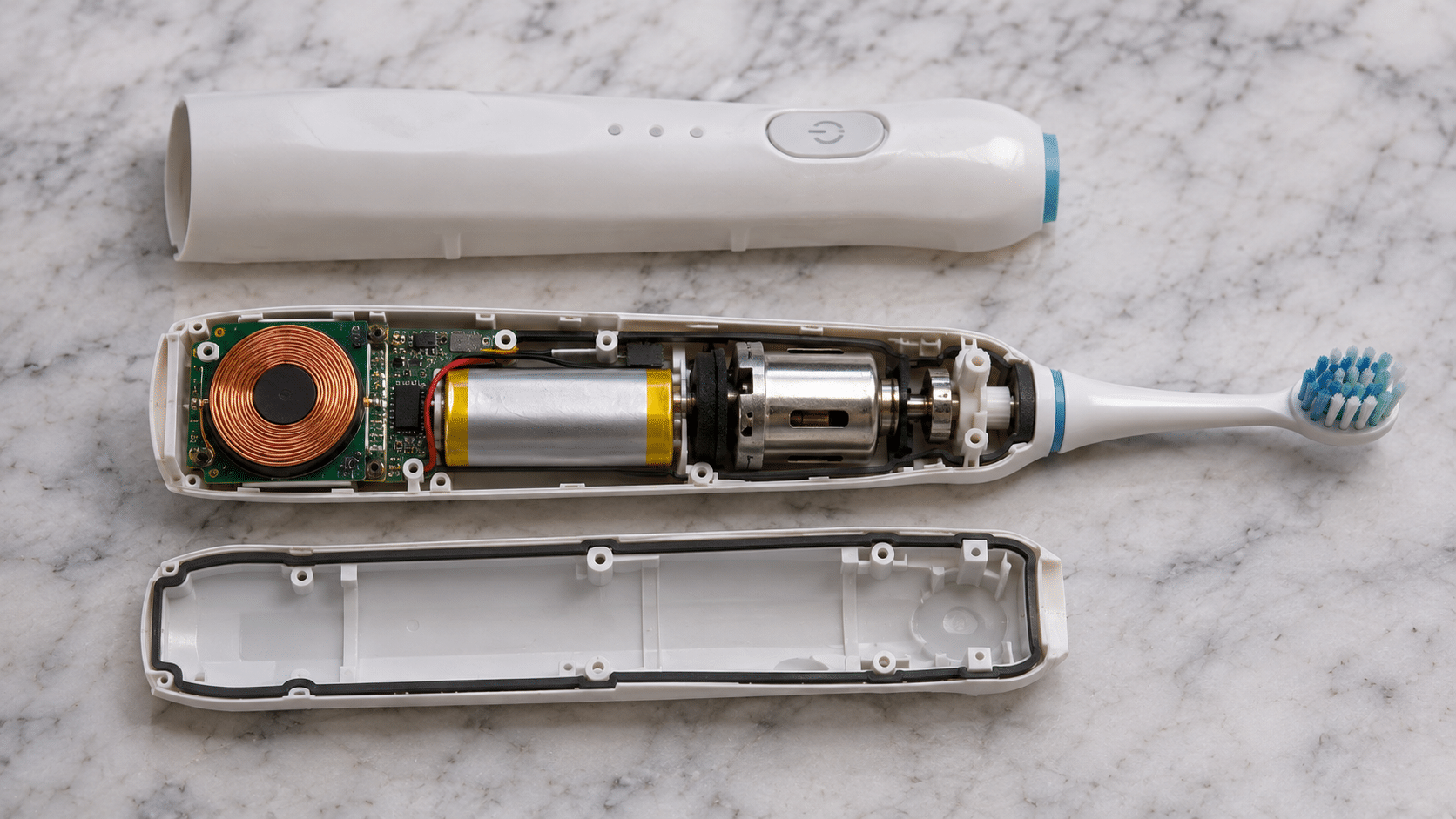
Electric personal care devices often end up in bathroom trash bins when they stop working. Electric toothbrushes, water flossers, and hair trimmers contain electronic components and rechargeable batteries that require appropriate handling when the devices reach the end of their useful life.
Electric toothbrushes combine several components inside a compact, water-resistant housing. Their internal design varies by manufacturer and model, but many include the following parts:
Many rechargeable toothbrushes use a copper coil to receive energy from a compatible charging base through electromagnetic induction. This allows the device to charge without exposed electrical contacts.
Depending on the model, an electric toothbrush may contain a lithium-ion, nickel-metal hydride (NiMH), or another rechargeable battery. The battery supplies power to the motor and electronic controls.
An internal motor converts electrical energy into mechanical movement. Depending on the toothbrush design, it may produce oscillating, rotating, or sonic brushing motion.
Small rechargeable batteries can become damaged when household waste is compacted during collection and processing. If a lithium-ion battery is crushed, punctured, or otherwise damaged, it can overheat and cause a fire. Electric toothbrushes and other battery-powered personal care devices should be directed to an appropriate electronics or battery collection program.
Have an old electric toothbrush, hair trimmer, water flosser, or another battery-powered device? Contact eSmart Recycling to confirm accepted items and available collection options. Our Tampa team works with individuals and businesses to direct retired electronics toward appropriate reuse and recycling channels.
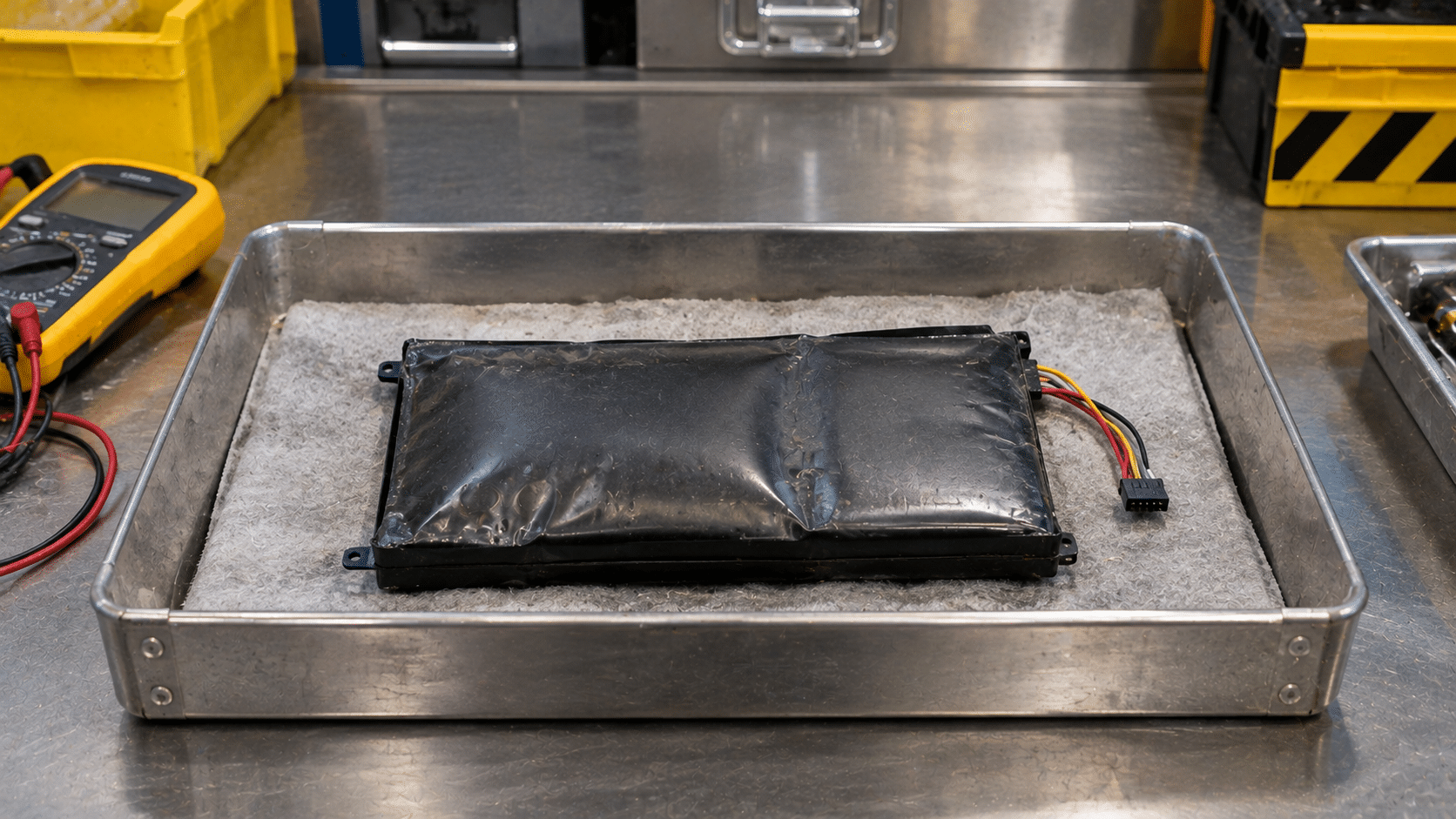
Noticing a laptop trackpad lifting or a phone screen separating from its frame can be alarming. One possible cause is a swollen lithium-ion battery. Swelling indicates internal battery damage and can create a fire hazard. Devices showing these signs should be taken out of use and handled with care.
Lithium-ion batteries store and release energy through chemical reactions involving the movement of lithium ions between the anode and cathode. Over time, exposure to heat, aging, physical damage, or internal chemical changes can cause unwanted reactions inside the cell. These reactions may generate gas that accumulates inside the sealed battery.
Gas accumulation
Internal chemical reactions can produce gases that become trapped inside the sealed battery cell.
Battery expansion
As gas accumulates, pressure can cause the battery casing or flexible pouch to expand, sometimes pushing against the device’s screen, keyboard, or outer frame.
Fire and thermal runaway risk
A damaged or swollen battery can overheat and release flammable gases. Puncturing, crushing, or continuing to charge it can increase the risk of fire.
A swollen battery requires careful handling. Follow these safety precautions while arranging professional guidance:
eSmart Recycling helps individuals and businesses manage retired electronic equipment through appropriate reuse and recycling channels. If you have a laptop, phone, or other device with a swollen or damaged battery, contact our team before bringing it to the facility. We can help clarify whether the item can be accepted and what steps to take next.







Did you enjoy our latest blog articles just above?
Subscribe to receive new stories, insights, and impact updates straight to your inbox.
We’ll send you curated content about our partners, recycling strategies, success stories, and how your involvement is driving change through technology access and digital empowerment.
💡 No spam, just the smart stuff.