

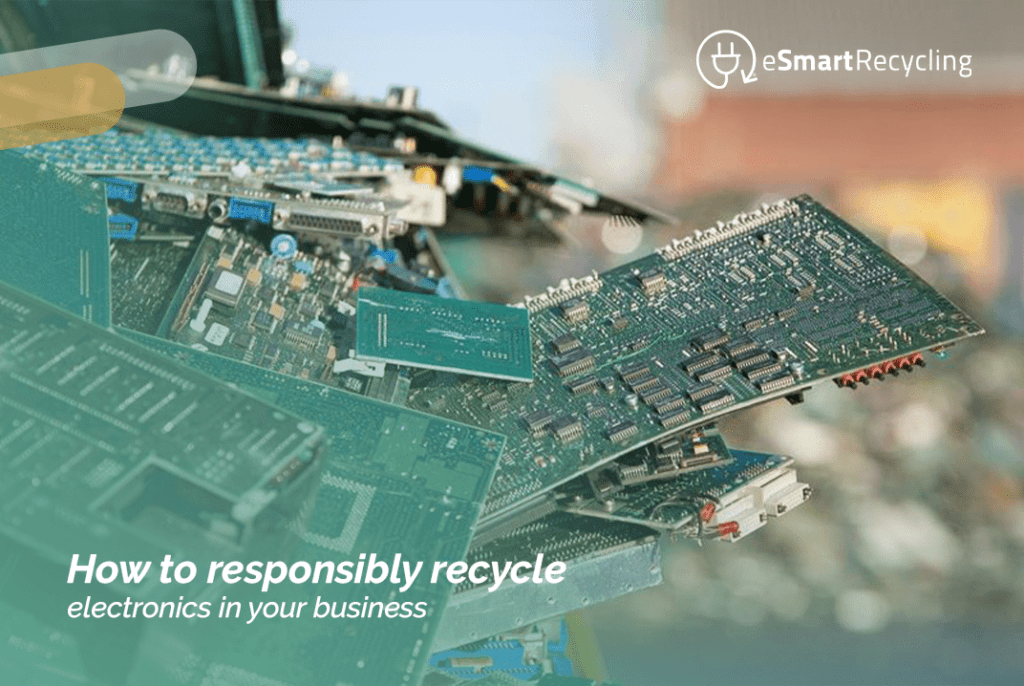
As technology advances exponentially, so does the number of unwanted electronic devices cluttering our homes. Televisions, audio equipment, laptops, and even smart home devices are updated every few years to keep up with the latest market features and capabilities. As a result, many of us have electronics gathering dust that we no longer use. One of the best ways to deal with these electronics and reduce our environmental impact is to repurpose or recycle them properly. This article will discuss responsible electronic recycling in business and how to make the most of old devices.
Responsible electronic recycling in business is repurposing or recycling old electronic devices to minimize the waste they generate. This can be done in several ways, such as selling unwanted electronics for cash, donating them to charities, or sending them to a commercial recycling plant. Internal recycling also includes finding new uses for old home electronics, such as repurposing an old computer to turn it into a home media center.
One of the main reasons to recycle old electronics is to help reduce your environmental impact. Electronics contain various hazardous materials, such as lead, mercury, cadmium, and DDT. When electronics are not recycled or disposed of properly, these materials can leach into the soil, water, and air, polluting the environment. Additionally, electronic waste constitutes a large part of our landfills’ total waste, and it can take hundreds of years to decompose completely.
Recycling also offers the opportunity to divert old electronics from landfills and reuse the materials to create new products. For example, the materials from a laptop can be recovered and used to develop new electronic devices. Additionally, recycling old electronics can help you save money. Many electronic recycling centers offer cash in exchange for your old devices, and donating electronics to charities can provide a tax deduction.
You can choose from several effective methods to manage the recycling of your obsolete devices. A standard procedure is to take your devices to a commercial recycling center, where they will be dismantled to extract valuable materials. Many well-known stores, such as Best Buy and Staples, have specific drop-off points for this purpose. Additionally, at eSmart Recycling, we offer accessible and responsible solutions; we have various community collection points that you can consult on our page.
Consider repurposing your electronics at home if you have the time and resources. For example, an old computer can be transformed into a home media center. If the devices still work, many recycling centers might even offer you monetary compensation for them. Another valuable option is donating to charities, which use these devices to fund and support their programs. At eSmart Recycling, we are committed to providing options that promote recycling and strengthen our communities’ social fabric.
There has been a growing movement towards internal electronics recycling in recent years. Many people are opting to repurpose their old devices in their homes. Some innovative organizations are also looking for new ways to reuse and refurbish old electronics. For example, Apple launched a new program called Apple Renew, in which customers can send their old devices for the company to renovate and sell at a discount.
The potential for internal electronics recycling is endless. It allows us to reduce our environmental impact while saving money. When done correctly, internal electronics recycling can help divert old devices from landfills and give them a new life. So, the next time you upgrade your electronics, do your part and recycle them properly.
Responsible internal recycling of electronics is reusing or recycling old electronic devices to minimize the waste they generate. There are several methods for recycling old electronics, such as sending them to a commercial recycling plant, repurposing them in your home, or donating them to charities. The future of home electronics recycling offers a wide range of possibilities, and it provides us with the opportunity to reduce our environmental impact while saving money. By doing your part and recycling your old electronics properly, you can help minimize the ecological impact of manufacturing and disposing of electronic devices.
Fill out the form below to request your electronics recycling pickup.
We’ll coordinate the schedule logistics and follow up with next steps.
Microsoft ended support for Windows 10 on October 14, 2025. You stopped receiving security updates, patches, technical support. Nothing.
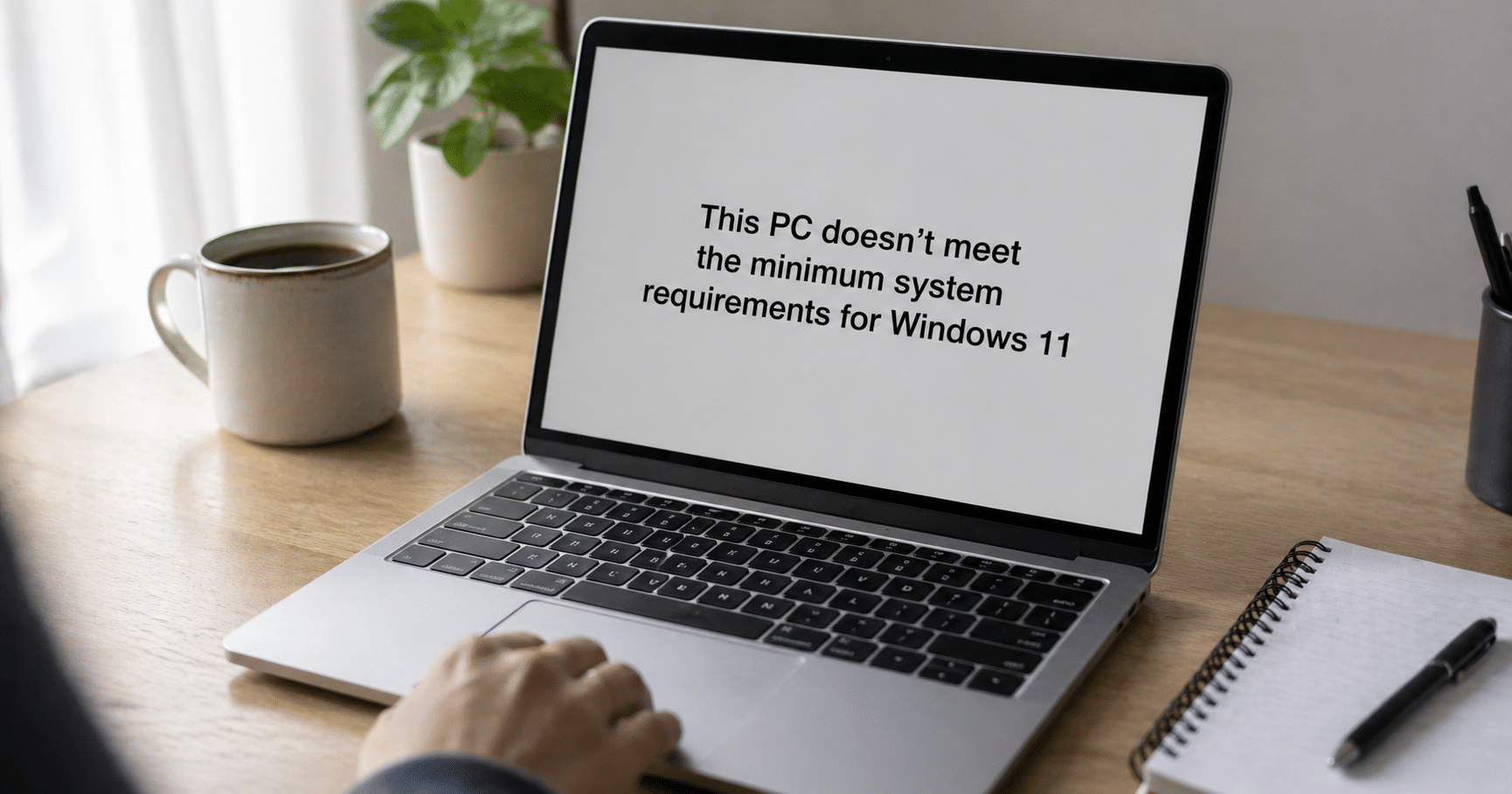
The logical move was to upgrade to Windows 11 and move on. But you opened the update menu, clicked, and got the message: “this PC doesn’t meet the minimum requirements.” Your PC is five years old, works fine, has never failed you. And now Microsoft tells you it’s no longer usable.
You’re not alone. At the time support ended, there were more than 400 million PCs worldwide running Windows 10, and a huge portion of those can’t upgrade to Windows 11 due to hardware requirements like TPM 2.0 or a compatible CPU.
Here are the four real options you have in Tampa, ordered from most conservative to most radical.
Microsoft offers the Extended Security Updates (ESU) program for consumers. It gives you security patches until October 13, 2026. One extra year, nothing more.
Three ways to access it:
Free if you agree to sync your PC settings with a Microsoft account
1,000 Microsoft Rewards points
One-time payment of $30 per Microsoft account (covers up to 10 devices)
What you get: critical and security patches. No new features, no technical support, no fixes for other bugs. It’s a delay, not a solution.
For companies it’s different: corporate ESU runs until October 2028, but pricing starts at $61 per device in the first year and doubles each following year. For an office with 50 machines, the math gets ugly fast.
If your device is already five or six years old, it probably doesn’t just fail Windows 11 requirements. Degraded battery, slow drive, noisy fans, insufficient memory for current workloads. ESU only delays the inevitable.
Buying new solves the problem at the root, but opens the next question: what do you do with the old machine?
Never throw it in the trash. PCs contain lithium in batteries, mercury in some displays, lead in board solder. Throwing them in the gray bin is illegal in Florida and contaminates soil and water. On top of that, the hard drive holds years of your data: accounts, photos, documents, saved passwords in your browser.
The clean option: take it to one of our Community Collection Partners in Tampa Bay. These are local businesses partnered with the eSmart program that accept devices with no paperwork, no ID. We destroy data following NIST SP 800-88 standards, and anything that can’t be reused goes to certified R2v3 recycling.
List of locations: esmartrecycling.com/community-collection-partner-program
If your PC works fine mechanically and only Windows is the issue, Linux is a real alternative. Distributions like Ubuntu, Linux Mint or Zorin OS run smoothly on hardware up to 10 years old, are free, and receive continuous security updates.
This path has trade-offs: a learning curve, incompatibility with some specific software (Adobe Creative Cloud, certain games, some US accounting software). But for browsing, email, documents, video calls, and streaming, it’s more than enough.
This route extends the device’s lifespan by 3 to 5 more years. It’s the most sustainable option if your usage is basic.
A Windows 10 PC without support can still work for tasks where security is not critical: a media center connected to your TV, a retro gaming console, a dedicated office printing machine with no internet access.
That said: disconnect it from public networks and your personal email. Without security patches, every new vulnerability discovered stays open.
Here the calculation changes completely. An office in Tampa with 50 Windows 10 machines is looking at three numbers at once: the cost of corporate ESU ($61 per PC year one, $122 year two), the cost of replacing hardware, and compliance risk if handling sensitive data under HIPAA, GLBA, or FERPA.
At eSmart, we help Tampa Bay companies make a structured transition: audit which machines can migrate to Windows 11, certified data destruction for those being retired, documentation for audits, and R2v3 recycling for what can’t be reused.
All four options are valid depending on your case. If your device is relatively new and works well, Linux gives you extra years without spending money. If you rely on it for everything and security matters, replacing it is the sensible move. If you’re not ready, ESU buys you time. If you want to turn it into a media center, go ahead.
The only bad option is leaving it connected to the internet, with your data inside, using it normally, and hoping nothing happens. Every month without security patches is another month of exposure.
Pick your path, execute it, move on. And if you decide to retire the device, don’t leave it in a drawer for another three years. Stop by a Community Collection Partner and close the loop.
This week, Costco pulled nearly 208,000 pairs of heated socks after reports of first- and second-degree burns. If you have a pair at home, you already know they need to be returned. But there’s one question the recall doesn’t answer: what should you do with the battery pack once the textile goes back to the store?
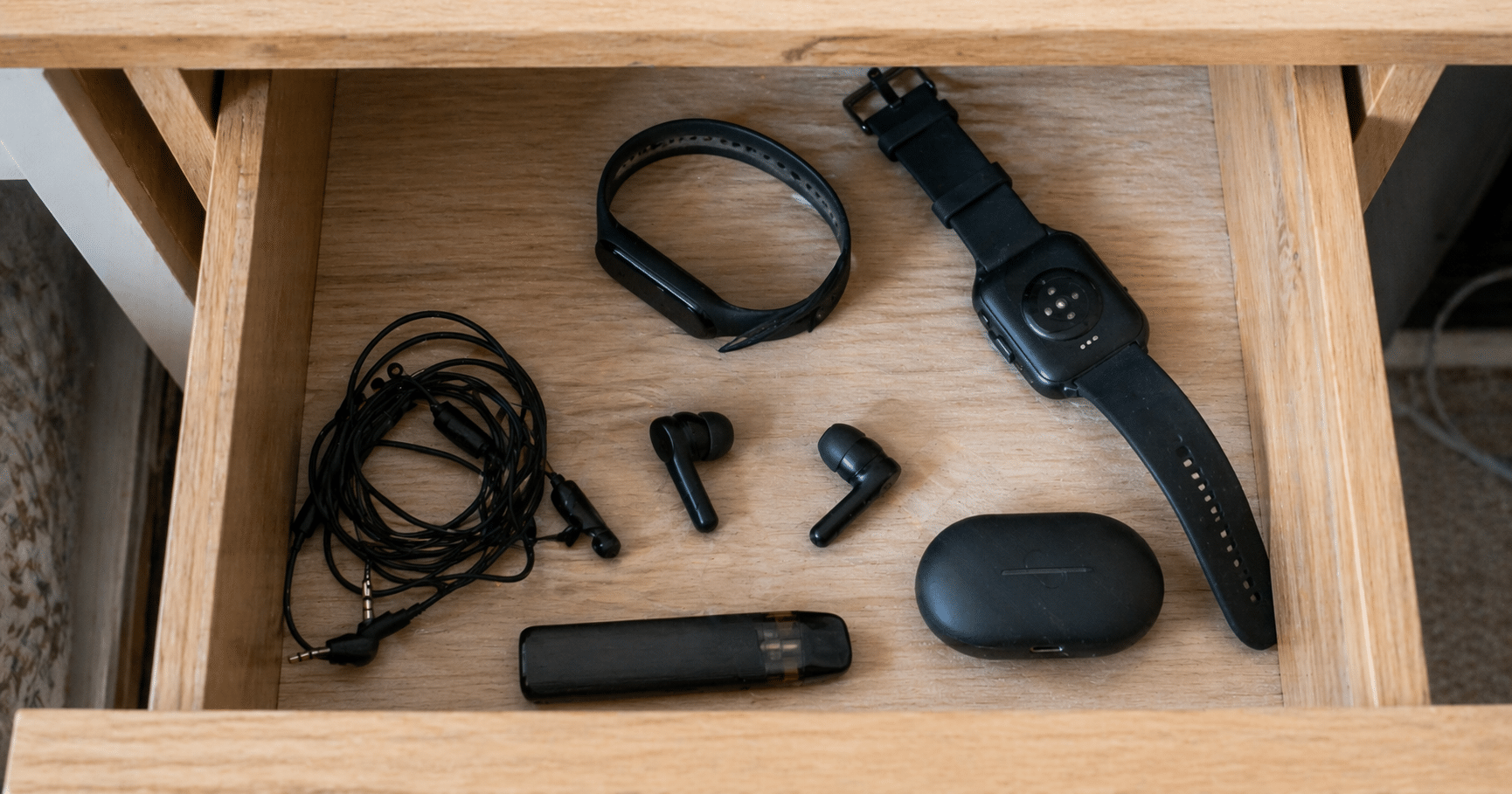
And if you open the drawer, the problem gets bigger. A smartwatch that won’t turn on, earbuds that no longer hold a charge, a fitness tracker from 2021 that no one uses. They’re all battery-powered wearables with lithium batteries. And all of them are a headache to dispose of properly.
Here’s how to do it in Hillsborough County without fines, without fires, and without leaving it for “someday.”
Lithium batteries are not regular waste. If they’re crushed, get wet, or are hit inside a garbage truck, they can catch fire. And it’s not theoretical: Hillsborough County Solid Waste reported more than 30 fires in garbage and recycling trucks over the past three years, all caused by improperly disposed batteries.
That’s why in October 2025 the county launched the Fire Prevention & Battery Recovery Campaign, the first program of its kind in the region. The rule is simple: rechargeable batteries never go in the gray or blue bin. Period.
If it has an integrated lithium battery or a battery pack, it falls into this category. Some examples so you can recognize them:
One detail: if the battery is removable (like in the recalled socks), separate it. If it’s integrated and sealed, like in a smartwatch, don’t try to remove it. Bring the whole device.
The easiest, fastest, no-paperwork option: take them to one of our Community Collection Partners.
These are local businesses and organizations in Tampa Bay that joined the eSmart program to receive electronic devices from residents. You can drop off your dead smartwatch, earbuds that no longer charge, the battery pack from the Costco recall, or any other battery-powered wearable. No ID, no tax receipt, no process. You just show up and leave it.
And there’s one key difference compared to other options in Hillsborough: the Partners are located in central areas of the city, with extended hours that fit any routine. Many are cafés, offices, or shops you already visit.
Updated list of locations: esmartrecycling.com/community-collection-partner-program
Three very concrete steps to make transport safe:
If it’s a wearable with a sealed battery, skip to step 2: individual bag and done. Do not force it open. Damaged batteries are the most dangerous.
The sock and the battery pack are separate pieces. The recommendation is to return the full set to Costco for a refund, as required by the official recall. But if for any reason you end up keeping the battery pack (lost packaging, store too far, whatever), that pack can be taken to any of our Community Collection Partners. Do not throw it in the trash.
Here the calculation changes. An office with 50 corporate smartwatches retired from a wellness program, or a gym with obsolete trackers, can’t simply bag each one and make multiple trips.
When volume increases, other considerations appear: certified data destruction if the devices were synced with sensitive information, documentation for audits, pickup logistics. At eSmart, we receive these types of inventories from Tampa Bay companies every week. Audit, data destruction, certificate, responsible recycling. All within 48 hours.
If you have one or two wearables: stop by a Community Collection Partner. If your company has dozens: contact us and we’ll coordinate pickup. Either path works. What doesn’t work is leaving them in the drawer.
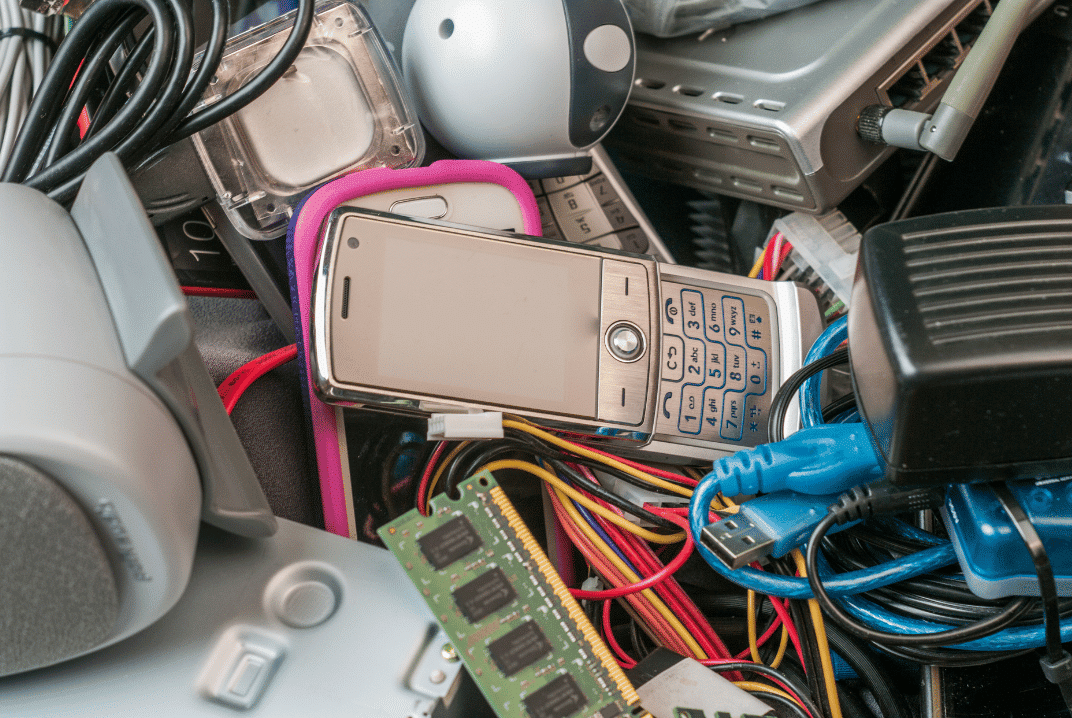
That 2015 laptop you’ve been keeping in the closet for two years weighs around 2 kilos. It looks harmless, sitting there collecting dust.
But if it ends up in a landfill, it can contaminate soil and groundwater for decades. Lead from the solder seeps out. Mercury from the screen spreads. Flame retardants in plastics slowly break down, releasing chemicals.
One laptop. Two kilos. Pollution that lasts longer than the device’s lifespan multiplied by ten.
Now multiply that by the 50 million tons of e-waste generated globally every year.
Laptops look simple on the outside. Metal, plastic, glass. But inside, there’s a complex mix of materials that shouldn’t end up in the ground.
Lead in circuit board solder. It leaches into soil and contaminates groundwater. Causes neurological problems in humans, especially children.
Mercury in LCD screens. Highly toxic. Persists in the environment and accumulates in the food chain.
Cadmium in older batteries and some components. Carcinogenic. Stays in the soil for decades.
Brominated flame retardants in plastics and circuits. Designed to prevent fires, but when they break down, they release dioxins that affect the hormonal system.
Beryllium in connectors and switches. Causes chronic lung disease when inhaled as dust.
None of these materials disappears. They remain, slowly leaking, moving through the soil, eventually reaching water sources.
Modern landfills in the United States have containment systems. Liners that prevent direct leakage into the soil. Leachate collection systems.
But no system is perfect long-term. Liners degrade over time. Leaks happen. And when they do, contaminants from e-waste start to move.
The biggest problem isn’t in Tampa or Florida. It’s in countries where e-waste ends up without regulation.
Around 80% of e-waste generated in developed countries is exported to developing countries. There, it ends up in informal landfills or is processed manually without protection.
Workers burn cables to recover copper. They inhale toxic smoke. Children dismantle circuit boards with their bare hands. The soil around these sites is so contaminated that nothing grows.
Ghana, Nigeria, India, China. Entire cities are dedicated to processing e-waste from the rest of the world. The pollution levels are so high that they affect the health of entire communities.
The ironic part of e-waste is that it contains valuable materials that get thrown away.
A ton of laptops contains more gold than a ton of gold ore. It also includes copper, silver, palladium, and platinum. Precious metals require energy and resources to extract.
When a laptop goes to a landfill, those materials are lost. More gold, copper, and silver need to be mined to produce new devices.
Proper recycling recovers these materials. They are melted, refined, and reused. The cycle closes instead of restarting over and over.
Beyond the economic value, there’s the environmental cost of mining. Extracting metals requires moving tons of earth, using chemicals, and consuming water. Recovering metals from e-waste is significantly less harmful than extracting them again.
When a laptop arrives at our warehouse in Tampa, it does not go to a landfill. It is fully dismantled.
Metals are separated by type: aluminum, copper, and steel. They go to certified smelters that process and reintroduce them as raw materials.
Plastics are also separated. Some can be recycled directly. Others require specialized processing.
Lithium batteries go to authorized hazardous material processors. They are handled under strict regulations because they can be dangerous.
Circuit boards that contain precious metals go to specialized refiners. They recover gold, silver, and palladium through controlled chemical processes.
LCD screens are processed to recover glass and safely remove mercury.
Each component has a certified destination. Nothing ends up in landfills. Everything is documented. You receive reports showing exactly how many kilos of each material were processed and where they went.
We are R2v3 certified for this reason. The R2 (Responsible Recycling) standard ensures that e-waste is handled in an environmentally responsible way at every step of the chain.
If your company has sustainability goals, e-waste is part of your environmental footprint.
Those 50 laptops sitting in a closet for two years represent around 100 kilos of material. If you recycle them properly, you prevent contamination, recover reusable metals, and reduce the need for new mining.
There’s also reputational value. Companies that document responsible e-waste recycling can include it in ESG (Environmental, Social, Governance) reports.
Investors, clients, and employees increasingly value environmental practices. Proper e-waste recycling is one of the most direct and measurable actions a company can take.
And if you work with us, you receive full documentation: weight of recycled materials, breakdown by category, and compliance certificates. Everything ready for audits or public reporting.
Not all e-waste ends up being broken down into components. Some equipment still works and can have a second life.
Through the Digital Education Foundation, we redistribute refurbished equipment to underserved communities. Laptops that a company in Tampa no longer uses can still be useful for a student without access to a computer.
We have distributed around 3,000 devices, benefiting more than 12,000 people. Those devices did not go to landfills or get dismantled. They were cleaned, reinstalled, and put into the hands of someone who needed them.
Extending the lifespan of a device is the most direct way to reduce e-waste. Before recycling, we ask: Does this still work? Can someone use it?
If yes, it gets refurbished. If not, it gets properly recycled.
If you have old laptops piling up in your company in Tampa, recycling them properly is simpler than it seems.
You don’t need to research what materials they contain or how they’re processed. You just need to call a certified provider that does it right.
We handle everything: pickup at your office, component separation, certified processing, and full documentation. You receive reports showing exactly what happened with every kilo of material.
We’re at 5100 Vivian Place, Tampa. You can contact us at (813) 501-7768 or info@esmartrecycling.com.
Those laptops in your closet are not going to recycle themselves. But you don’t need to become an e-waste expert to do the right thing.
You just need to take the step of calling. We handle the rest.

You’ve been saying for months that you’re going to recycle those old devices. Today is Monday. What if by next Friday, they’re already out of your office?
You don’t need weeks of planning or endless approvals. In one week, you can coordinate everything and get those devices out of the building.
You don’t need a detailed inventory yet. Just an estimate: 40 laptops, 15 monitors, 3 servers. It takes 30 minutes.
With that, call us at (813) 501-7768 or email us at info@esmartrecycling.com. Tell us how many devices you have and when you need the pickup.
We’ll give you a quote the same day. Total price, what’s included, and when we can schedule. Straightforward.
IT needs to confirm that data destruction meets compliance requirements. We are R2v3 certified and comply with NIST 800-88 and DoD 5220.22-M standards. That’s usually enough.
Finance needs to approve the expense. You send them our quote with a full breakdown.
Legal may want to review something. We can share the terms of service if needed.
Most companies can approve this in a day if someone pushes it forward. It’s not a complex purchase.
Once approved, you confirm with us, and we schedule for the following Friday.
Notify security if they need to authorize entry for our truck. Let facilities know if elevators need to be coordinated. Move boxes that block access to the equipment.
If some devices are in occupied offices, give a heads-up that we’ll be picking them up. Two minutes of notice avoids confusion.
We confirm the exact time on Thursday. We usually arrive between 9 and 11 AM to avoid disrupting operations.
We arrive with the truck and secure bins if needed. We go up to wherever the equipment is.
We count everything as we load. You receive a receipt with the number of items collected. You sign. The equipment leaves for our warehouse at 5100 Vivian Place.
It takes between 30 minutes and 2 hours, depending on volume.
After that, we handle the rest: full audit, physical hard drive destruction, component separation, and certified recycling. Within 7 to 10 days, you will receive certificates of destruction and environmental reports.
Assign a process owner from day one. One person is coordinating with us. It can be IT, facilities, or operations. Someone who says “I’ll take care of it” and moves things internally.
That person doesn’t do everything. They coordinate approvals, confirm with us, and notify internally. The project moves because someone pushes it.
Without a clear owner, one week turns into two, then a month, then “we’ll do it next quarter.”
One week is a comfortable time. But if you’re in a hurry, we can shorten the process.
You call on Monday, need pickup by Wednesday. We can coordinate if internal approvals are quick and the equipment is ready.
What doesn’t work well is calling on Friday, saying, “I need pickup on Monday.” It’s technically possible, but unnecessarily stressful for everyone.
Two or three weeks give you room to build a detailed inventory, evaluate resale value, and compare quotes.
More time doesn’t always mean a better outcome. But if you want everything perfectly organized, the extra time helps.
We work with your timeline. If you’re in a rush, we adapt. If you prefer two weeks, that works too.
The process feels more complex than it actually is.
You think you need a perfect inventory before starting. You think approvals will take weeks. You think coordinating pickup requires complex logistics.
The reality is simpler. You count equipment, request a quote, get approval, and schedule pickup. Each step takes hours, not weeks.
The hardest part is deciding to start.
If today is Monday and you want those devices out by next Friday, start counting now.
Then call us. We’ll give you a quote the same day and schedule based on your timeline.
We’re at 5100 Vivian Place, Tampa. (813) 501-7768 or info@esmartrecycling.com.
One week. Seven days from “we need to do something with these devices” to “they’re out of the building.”
You don’t need a perfect plan. You just need to start on Monday.

If the answer is “I don’t know” or “I guess IT,” you’ve already found the problem.
Old technology builds up because no one owns the problem. IT says it belongs to facilities. Facilities says IT needs to handle the data first. Finance says someone needs to approve the expense. Meanwhile, the equipment just sits there.
The person who makes the decision takes on real risk.
What if there was sensitive data and a breach happened? What if someone needed something from those devices later? What if the process doesn’t meet regulations?
When the risk is high and ownership is unclear, delaying the decision becomes the safest option. That 2015 laptop can sit in the closet for another two years, and no one complains.
IT’s biggest concern isn’t the space old equipment takes up. It’s a data breach.
Those laptops contain corporate emails, access to internal systems, employee information, and maybe client data. Manually deleting files doesn’t work. Formatting isn’t enough either. There is software that can recover data you thought was gone.
IT knows this. That’s why they prefer keeping equipment locked away rather than risking it ending up in the wrong hands.
The problem is that IT doesn’t always have the budget to hire certified destruction services. And even if they did, coordinating pickups and certificates isn’t a priority when they have 50 open tickets and a system down.
IT can guarantee proper data destruction. Running the full process is another story.
Facilities sees the problem in terms of wasted square footage.
That room full of old equipment could be useful for storage, a meeting room, or just open space. But it’s occupied by technology no one uses.
Facilities coordinates pickups and manages vendors. But they don’t have authority over data security or budget for specialized services.
They can move boxes around. Approving certified hard drive destruction requires involving other departments.
Someone has to pay. And that someone reports to finance.
Finance wants to know: how much does it cost? Is there a return? Is it an operating expense or capital expense? Can we deduct anything?
These are valid questions. But while finance waits for a full business case, the equipment keeps piling up in that third-floor closet.
Finance approves the expense when they have the numbers. Inventorying laptops and coordinating pickups is not part of their role.
Recycling old technology crosses multiple departments, and no one has full ownership.
IT needs to ensure data security. Facilities need to free up space. Finance needs to approve the budget. Legal needs to verify compliance. Procurement needs to hire certified vendors.
When something requires five different people to act, the project stalls. Each one waits for someone else to take the first step.
Someone needs to own the process. Not every technical step, but making sure it gets completed from start to finish.
It can be IT, facilities, operations, or even sustainability if that role exists in your company. One person says, “I’ll take care of this,” and has the authority to involve other departments when needed.
That person coordinates. They don’t do everything.
IT defines the level of data destruction required based on compliance.
Facilities coordinates pickup logistics without disrupting operations.
Finance approves the budget with a clear quote from a certified vendor.
Procurement hires the vendor that meets technical and legal requirements.
One person moves the project forward. Everyone else contributes their part. The cycle gets completed.
We’ve worked with companies in Tampa that go years with equipment piling up. Then someone takes ownership, and the problem gets resolved in two weeks.
The difference isn’t budget or urgency. It’s having someone who asks what’s missing, involves the right people, and closes the loop.
At eSmart Recycling, we make this easier. Once there’s a clear point of contact in your company, we handle the technical and logistical side: transparent quotes, pickup coordination, full inventory, certified physical data destruction, component separation for recycling, compliance certificates, and environmental documentation.
Your point of contact just needs to approve the start and sign off at the end.
If you have old technology piling up in your company in Tampa, the first step is not inventorying equipment or requesting quotes. It’s assigning an owner.
It can be a 30-day project on someone’s calendar. It doesn’t have to become a permanent responsibility. Just someone who coordinates until the equipment leaves the building and the certificates are delivered.
Once it’s done, you can make it recurring. Every six months or once a year, the same person coordinates recycling for equipment that has been retired. It becomes routine instead of a crisis.
We’re located at 5100 Vivian Place, Tampa. You can contact us at (813) 501-7768 or info@esmartrecycling.com. We work directly with whoever you assign as your point of contact and simplify every step of the process.
Those devices are not going to disappear on their own. You also don’t need five departments agreeing on every detail.
You just need someone to own the process. The rest gets handled step by step.

There are 50 laptops piled up in that third-floor closet. Or maybe 80. No one has counted them in months. Someone suggested recycling them last year, but the conversation stopped there. Meanwhile, they take up space, collect dust, and still hold data from employees who no longer even work at the company.
If this sounds familiar, you’re not alone. Companies in Tampa deal with this constantly, and most don’t know where to start.
It’s not a lack of environmental awareness. It’s not just disorganization either. The real issue is simpler: no one wants to be the person responsible for making that decision.
What if we delete something important? What if someone needs those devices later? How do we know the data was properly destroyed? Who coordinates the pickup? Do we have to pay for this?
Each question leads to another meeting that never turns into action. Meanwhile, the equipment stays there.
First, take a breath. You don’t need a perfect plan. You just need to start.
Assign an owner for the process. One person who coordinates everything. It can be someone from IT, facilities, or even finance. What matters is that someone says, “I’ll take care of it,” and follows through.
Create a basic inventory. You don’t need serial numbers yet. Just count how many laptops, desktops, monitors, printers, and servers you have. An estimate is enough.
Decide what to do with each category. Some equipment may have resale value. Others go straight to recycling. Some require certified data destruction for compliance. Group them by type and condition.
Schedule a pickup. We at eSmart Recycling handle large volumes all the time. You don’t need to move anything yourself. We pick up at your office, audit everything, and document the entire process.
Let’s be honest. The real blocker isn’t space or logistics. It’s the fear of a data breach.
Those laptops contain emails, employee files, financial information, and client data. Deleting files manually is not enough. Data recovery software can bring back information you thought was gone.
Physical hard drive destruction is the only way to guarantee that data cannot be recovered. We shred drives into pieces smaller than a coin. Literally impossible to reconstruct.
If your company handles medical, financial, or regulated data, this is not optional. HIPAA, SOX, and other regulations require certificates of destruction. We are R2v3 certified, meet these standards, and document every step of the process.
The process is more straightforward than you think.
Day 1: We coordinate pickup at your office. We bring secure bins if needed. We collect the full volume in one trip.
Day 2–3: We audit and inventory every item in our Tampa warehouse. If resale is agreed for some equipment, we evaluate and assign value.
Day 3–5: We physically destroy hard drives. We separate components for certified recycling. Metals, plastics, circuit boards—everything is processed according to environmental standards.
Day 5–7: We deliver certificates of data destruction, compliance reports, and environmental documentation. Everything ready for audits.
You don’t need to be present at every step. We handle the full process.
It depends on volume, type of equipment, and whether you need additional services like urgent pickup or specific certifications.
We work with transparent pricing. You request a quote, we give you the exact cost, you schedule, and that’s it. No surprises later.
What may seem expensive at first can save you thousands in fines if there’s a data breach, or in storage costs if you keep using valuable space.
Recycling this equipment frees more than just physical space. It frees mental space, too.
The IT manager stops worrying about that closet. Facilities recover usable square footage. Finance closes that pending inventory line. And if your company tracks sustainability goals, this contributes to ESG reporting.
Also, through the Digital Education Foundation, we redistribute refurbished equipment to underserved communities. We’ve delivered around 3,000 devices, benefiting more than 12,000 people. Your old technology can have a second life.
If you have 50 or more old computers in your company in Tampa, the first step is simple: call us and request a quote.
You don’t need everything figured out before reaching out. We guide you through the process, explain options, and help you decide what to do with each category of equipment.
We’re located at 5100 Vivian Place, Tampa. You can contact us at (813) 501-7768 or info@esmartrecycling.com.
The hardest part is deciding to start. After that, the process takes care of itself.
Those 50 laptops are not going to disappear on their own. But you don’t need a perfect plan to deal with them. You just need to take the first step.
Recycling old technology isn’t complicated. It’s a call, a pickup, and a set of certificates. Everything else gets handled along the way.







Did you enjoy our latest blog articles just above?
Subscribe to receive new stories, insights, and impact updates straight to your inbox.
We’ll send you curated content about our partners, recycling strategies, success stories, and how your involvement is driving change through technology access and digital empowerment.
💡 No spam, just the smart stuff.