

Today, it’s hard to imagine life without computers, smartphones, or tablets. However, every device we use carries a hidden cost: its carbon footprint. Manufacturing, using, and disposing of electronic devices account for about 3.7% of global greenhouse gas emissions, and experts predict this figure could double by 2040.
From the moment minerals are extracted for a phone until it ends up in a landfill or a recycling center, every stage has an environmental impact. With the fast turnover of devices, this footprint keeps growing.
Not all the impact comes from daily use. More than 80% of a smartphone’s carbon footprint comes from the manufacturing process (source). This includes:
In short, most of the environmental damage is already done before you even turn the device on.
The good news? There are real, practical ways to cut down this footprint without giving up technology. Here are the key strategies:
The most effective way to reduce your carbon footprint is to use your devices as long as possible. According to a United Nations University study, extending a smartphone’s life by just one year can reduce its annual emissions by up to 30% (source).
Concrete tips:
Some brands are taking real steps toward sustainability. For example, Apple claimed that its entire global operations would become carbon-neutral by 2020, and they aim for every product to be 100% carbon-neutral by 2030.
When buying new devices, research:
Proper disposal is crucial to closing the loop. At eSmart Recycling, we offer certified (R2v3) solutions that guarantee secure data destruction and ethical recycling of components. We also help bridge the digital divide by donating refurbished technology to underserved communities, turning electronic waste into real social impact.
If your device still works, consider:
While devices are in use, switching to renewable energy can make a major difference. Switching to green energy providers or installing solar panels where possible helps lower your technology’s day-to-day carbon footprint.
New materials, the circular economy, and clean energy innovations offer hope. But our best tool is still conscious consumption: extending the life of devices, repairing them, recycling properly, and supporting responsible companies.
Every device you choose to repair, donate, or recycle is a chance to leave a positive footprint.
Fill out the form below to request your electronics recycling pickup.
We’ll coordinate the schedule logistics and follow up with next steps.

Corporate ESG and Corporate Social Responsibility programs often include ambitious goals around community support and digital inclusion. The challenge is making those efforts tangible for employees, families, and the communities they serve.
At the same time, many organizations have dozens of computers and laptops sitting in storage rooms. The equipment still works, but it has been replaced simply because it no longer fits the company’s three-year technology refresh cycle.
This is where circular technology can make a real difference. Outgoing corporate equipment can become educational technology for children, young people, and families facing the digital divide in our communities.
Access to a computer with reliable internet can significantly expand a household’s academic and career opportunities.
However, moving corporate technology into community settings requires a rigorous model that protects the donating company’s security while delivering equipment that is genuinely useful to the receiving organization:
Connecting IT asset management with community social initiatives can provide measurable benefits:
Evaluation committees and international investors value programs where corporate resources contribute directly to measurable human development, including the number of students trained, hours of digital access provided, and community labs established.
Employees can feel a strong connection when they see the tools they used in their day-to-day work receive a second life as educational resources in community centers and local schools.
Every computer refurbished for a digital classroom represents several kilograms of electronic waste that remain in productive use, reducing the need to manufacture new equipment and conserving valuable water and energy resources globally.
Through our Florida program, organizations can channel their technology retirements toward co-funding and equipping digital classrooms (Tech Hubs) in collaboration with community organizations and digital education foundations.
We handle the entire technical and documentation process: asset tracking, data destruction, refurbishment, and social impact reports ready for your sustainability report.
Extending the useful life of corporate hardware through educational initiatives connects operational excellence with tangible social benefits. Turning an infrastructure refresh into real opportunities for digital learning strengthens your company’s purpose and creates a lasting contribution to the community.
Visit the Digital Education Foundation’s channels to learn how partner companies are turning computer refreshes into fully equipped community digital classrooms.
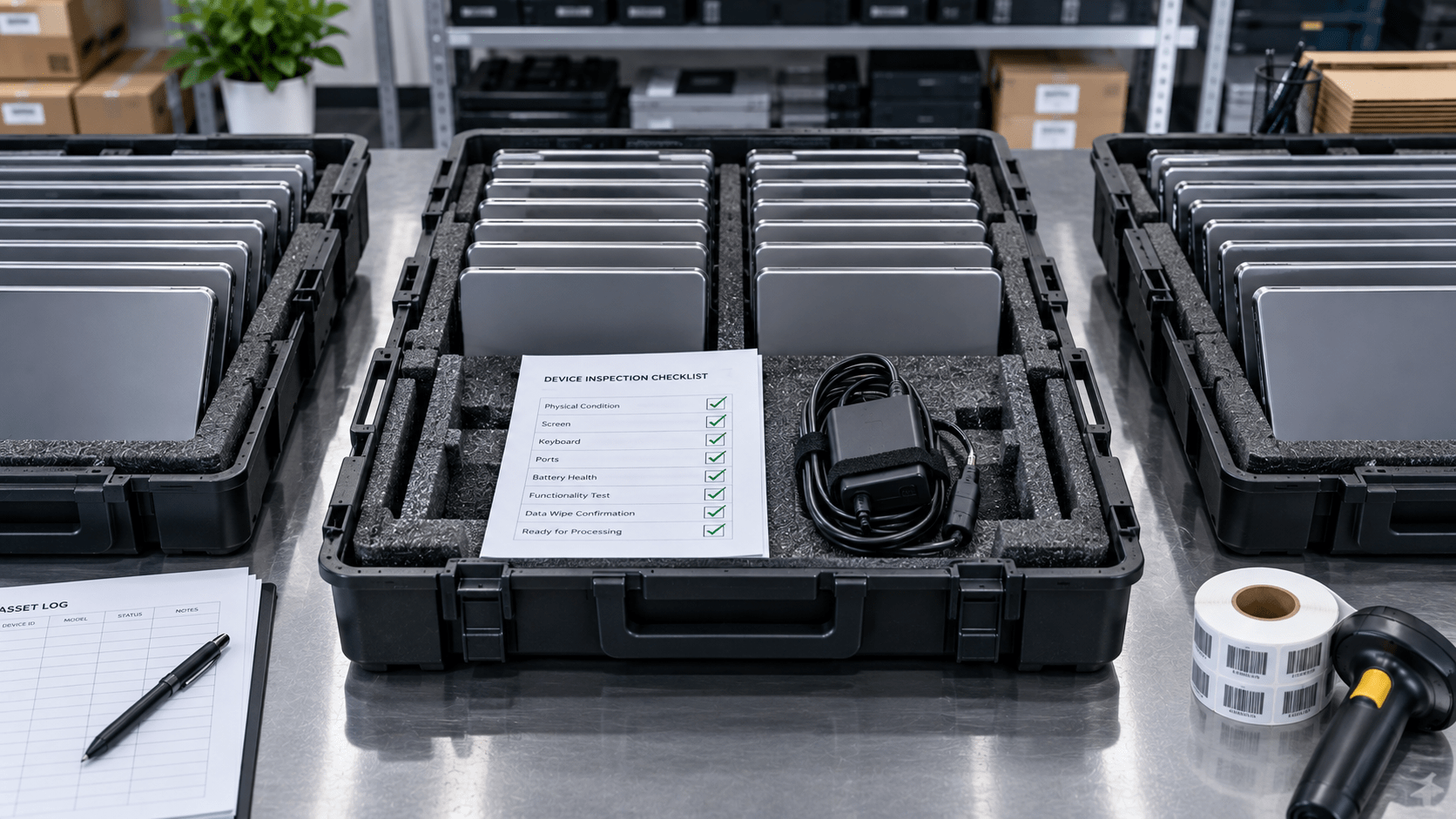
If your company finances its IT infrastructure through operating lease agreements, you know the dilemma that comes up when the 36- or 48-month contract ends: formally returning the equipment to the leasing company, or Lease Return.
Returning hundreds of laptops, servers, and displays in the condition specified by the contract can quickly become an administrative challenge. Any discrepancy in serial numbers, missing accessories such as chargers, adapters, or original cables, or cosmetic damage can result in costly financial penalties or unwanted automatic extensions of lease payments.
Leasing companies conduct detailed receiving inspections. The most common reasons for additional charges include:
Implementing a preventive protocol 60 days before the contract expiration helps ensure a clean and complete return:
Compare the original lease contract list with the assets actually located at your offices and with remote employees. Identify missing accessories in advance so they can be replaced with approved, cost-effective alternatives before the final delivery.
Remove BIOS security locks and administrative credentials, and deactivate endpoint management tools such as Microsoft Intune or Jamf. Perform certified data erasure while preserving the base operating system if required by the contract.
Improper transportation is responsible for many cosmetic-damage penalties. Use boxes with individual air-suspension inserts or padded rolling cages to help ensure the hardware arrives intact at the leasing company’s facility.
Document the cosmetic condition of each batch with photographs before sealing the containers. This evidence file supports your organization in the event of any dispute raised by the leasing company’s receiving center.
At eSmart Recycling, we support financial and IT leaders throughout the Lease Return process, handling cosmetic inspection, accessory completion, secure data sanitization, and scheduled transportation to the leasing company’s facilities.
Planning an IT hardware lease return with a professional protocol protects corporate cash flow and helps streamline the closeout of financial contracts. A pre-return technical review and certified packaging make the end of a lease more predictable, organized, and less likely to result in unexpected charges.
Contact us or schedule a preventive technical call 60 days before your IT lease expires to audit your equipment and help ensure a penalty-free return.
Let’s be honest when it comes to physical safety in the office: in the drawer of practically every IT support department, there are retired laptops whose batteries have started to visibly swell, deforming the keyboard or the lower aluminum chassis.
Lithium-ion (Li-ion) batteries that power executive laptops, corporate tablets, and smartphones represent remarkable energy technology, but informal storage and careless transportation create real thermal risks that IT and Facility Management teams need to manage according to professional standards.
Lithium-ion cells store high energy density in a small space. Several conditions require operational attention:
To protect your employees and comply with environmental regulations, adopt these guidelines:
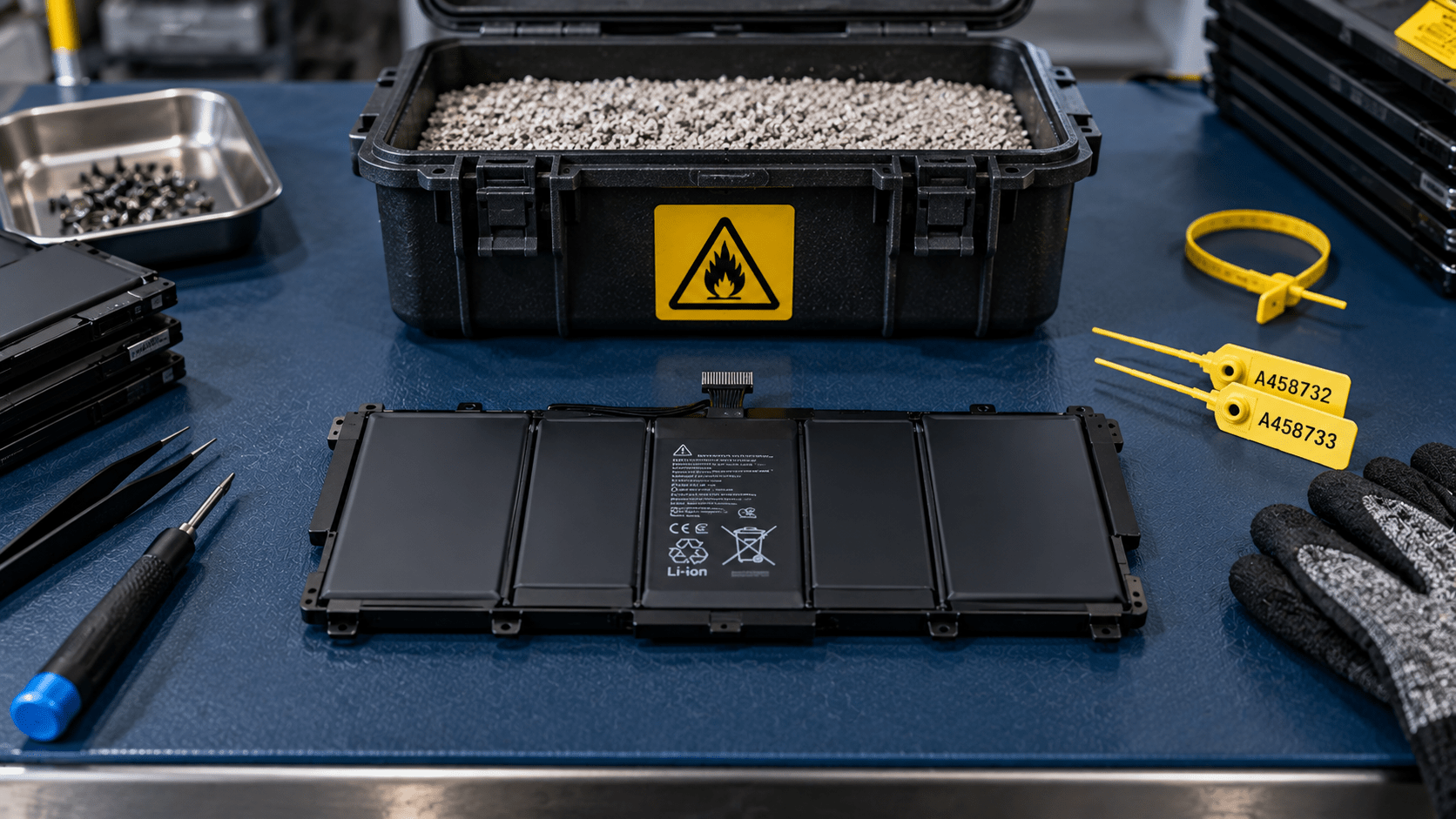
Immediately separate any device showing visible chassis swelling or unusual heat. Use fire-resistant metal containers with expanded vermiculite or non-combustible mineral absorbent material, placing them in ventilated areas away from flammable materials.
For removed batteries, seal exposed electrical contacts with non-conductive insulating tape. This simple measure helps prevent accidental short circuits during handling and consolidation of equipment in storage.
Large-scale battery transportation should be carried out under specialized hazardous-waste transportation guidelines and through qualified operators. At eSmart Recycling, we provide approved technical drums and manage collection with personnel trained in safe transportation regulations.
Professional lithium battery recycling allows valuable elements such as cobalt, nickel, lithium, and high-purity copper to be returned to the production chain. This recovery helps reduce the environmental burden associated with extractive mining and significantly lowers the carbon footprint associated with producing new technology.
Implementing safety and formal recycling protocols for lithium-ion batteries protects the integrity of corporate facilities and strengthens the company’s environmental management policy. Working with certified channels ensures that every battery cell receives safe, legally compliant treatment while supporting the recovery of strategic minerals.
Follow us on social media (@esmartrecycling) to see visual demonstrations and infographics about fire-resistant storage and regulated lithium battery transportation.
If you lead IT infrastructure or systems, you eventually reach a familiar moment: a platform reaches the end of support, and the organization needs to move an entire computer fleet to newer systems with updated security requirements, such as TPM 2.0 and Secure Boot.
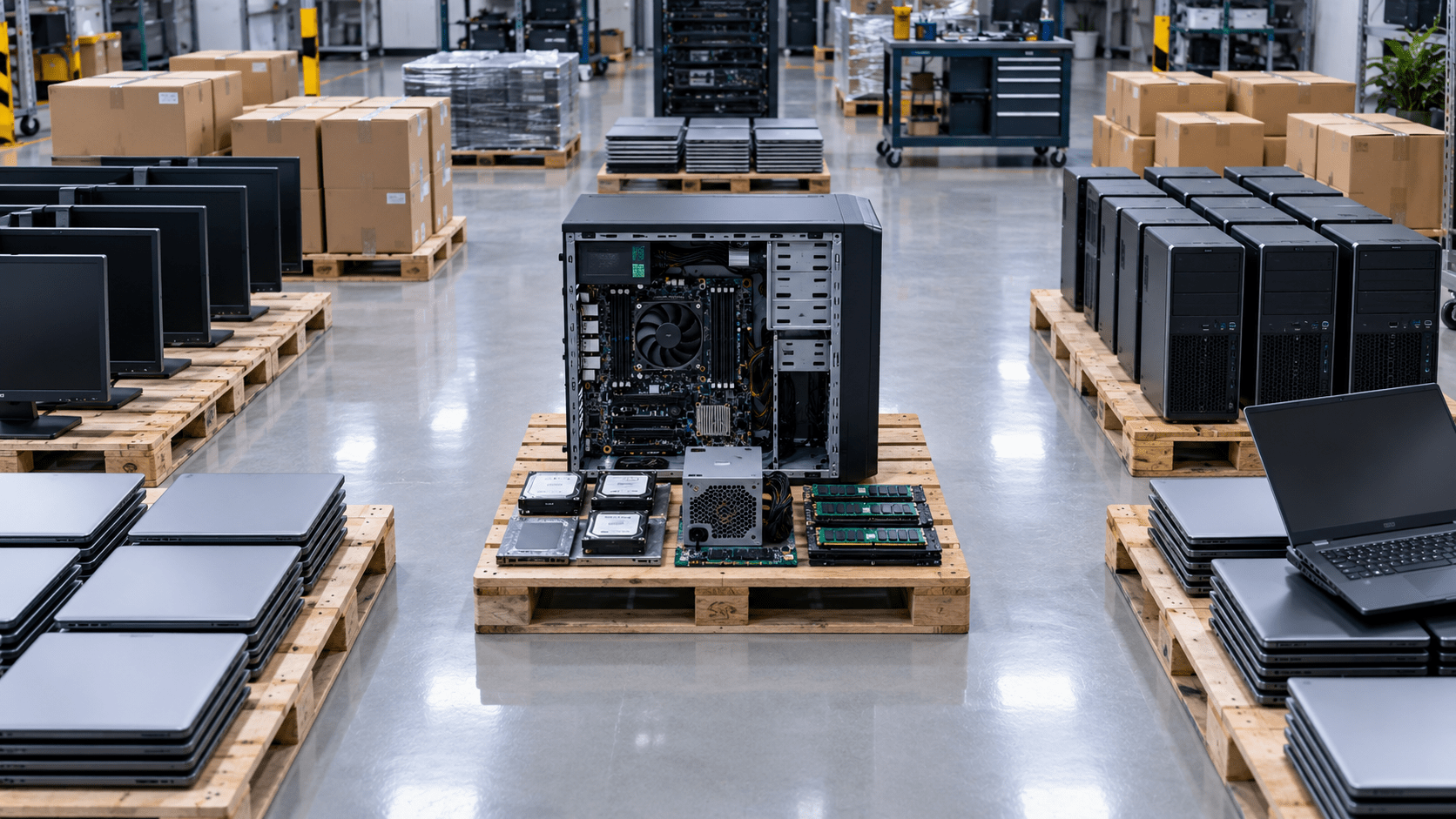
Deploying hundreds or thousands of new devices takes careful planning. At the same time, someone has to deal with the outgoing fleet: collecting replaced workstations, sanitizing their data, and recovering value from the hardware before its market value declines further.
A major hardware refresh across multiple offices or a hybrid workforce can create several problems at once:
Running the retirement process alongside the deployment of new equipment keeps both sides of the refresh moving together.
Start by sorting the current fleet according to age, specifications, and condition.
Devices that still have enough performance for everyday business tasks can be prepared for remarketing. Older or heavily worn equipment can be directed toward parts recovery or material recycling.
Plan equipment collection around the deployment of new devices.
An employee can return the previous computer as the replacement device is delivered and configured, keeping the retired asset under documented custody from the start.
Apply data sanitization procedures based on NIST 800-88 at a centralized processing facility.
When appropriate, cryptographic erasure can preserve the storage drive for continued use, allowing the device to retain more of its resale value.
Refurbished equipment can be directed toward institutional buyers and qualified distribution channels.
Recovered funds can then support licenses, peripherals, or other technology infrastructure needs.
A large fleet refresh becomes easier to manage when collection, packaging, processing, and disposition are coordinated as one operation.
eSmart Recycling coordinates high-volume collections for companies across Tampa Bay, Florida, and the Southeast, including on-site industrial packaging and streamlined disposition of replaced hardware.
A well-planned ITAD program keeps the hardware retirement process moving at the same time as the technology rollout.
The new devices arrive.
Employees transition to the updated systems.
The previous equipment is collected, documented, sanitized, and evaluated for its next destination.
That sequence helps protect corporate information, clear valuable workspace, and recover value from equipment while the organization moves forward with its technology refresh.
Planning a large-scale IT fleet refresh? Contact our team to discuss hardware collection, data sanitization, and disposition for your next migration.
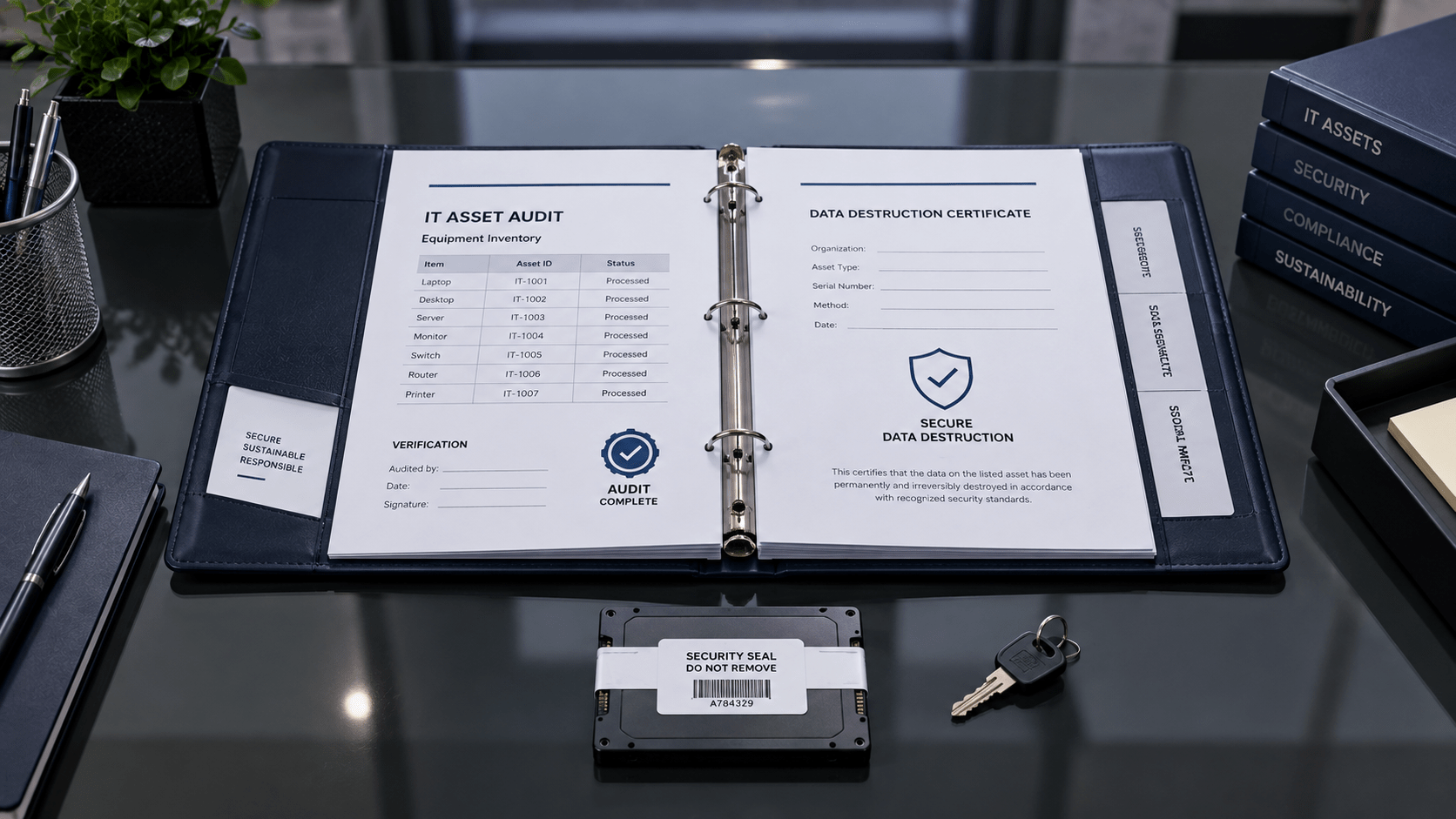
There is a point in almost every security audit when the conversation moves away from policies and systems and gets very physical.
The auditor asks about the laptops that were retired last quarter. The servers that left the data center. The storage drives that were removed during a hardware refresh.
And then comes the question: Where is the record showing what happened to them?
Your team may have strong access controls, encryption policies, and cloud security procedures. But retired hardware still needs a clear paper trail. Who had it? Where did it go? How was the data removed? Was the device destroyed, refurbished, recycled, or resold?
That is where chain-of-custody documentation becomes especially important.
Security programs often revolve around digital systems, but physical assets still carry information long after they leave active service.
SOC 2 and ISO/IEC 27001 include controls related to physical access, asset management, and the secure handling and disposal of information and storage media.
For organizations preparing for an audit, that means having a documented process for retired equipment can make it much easier to show how information was protected throughout the asset’s lifecycle.
A good audit file should tell the story of each retired asset from beginning to end.
Your initial retirement inventory should match the final disposition records.
Serial numbers, MAC addresses, and asset tags give your team a simple way to connect the equipment that left your facility with what happened to it afterward.
If a laptop appears on the retirement list, you should be able to find that same laptop in the final disposition documentation.
Once equipment leaves your facility, the record should continue.
Pickup manifests, receiving records, transportation documentation, and tamper-evident seals can help establish who handled the equipment and when.
For security teams, this answers a basic but important question: what happened to the asset after it left our building?
A certificate of destruction or data sanitization should provide more than a date and an asset count.
Depending on the process used, documentation can identify the applicable sanitization standard, such as NIST 800-88 Rev. 1, and the method applied to the storage media.
That could include cryptographic erasure, logical erasure, or physical destruction.
The important part is having a record that connects the method to the specific assets processed.
Some organizations need another layer of documentation.
For highly sensitive equipment, video records of physical destruction and technician logs can provide additional evidence of what happened inside the processing facility.
These records can become particularly useful when an external auditor wants to verify the controls surrounding the destruction process.
Your auditor is ultimately reviewing your organization’s controls, but your ITAD provider becomes part of the evidence trail.
That makes vendor selection important.
Working with an R2v3-certified provider gives your security and compliance teams access to established procedures and documentation for handling retired electronics.
At eSmart Recycling, our Tampa Bay operations support corporate hardware retirement with asset tracking, data sanitization documentation, and records covering the final disposition of equipment.
That information can then become part of your organization’s vendor records and audit documentation.
Think of it as a simple story:
A laptop is retired.
Its serial number is recorded.
The equipment is collected and transported under documented custody.
The storage media is sanitized or physically destroyed according to the applicable procedure.
The final disposition is recorded.
The documentation stays with the asset record.
When an auditor asks what happened to that laptop months later, your team has an answer backed by records.
SOC 2 and ISO 27001 audits can bring plenty of attention to digital controls, but retired hardware deserves the same level of care.
A clear chain of custody, accurate asset reconciliation, documented sanitization, and certificates of destruction give your security and compliance teams something valuable during an audit: a record they can actually follow.
Preparing for a SOC 2 or ISO 27001 audit? Talk with our team about your hardware retirement process and the documentation your organization can keep for future audits.
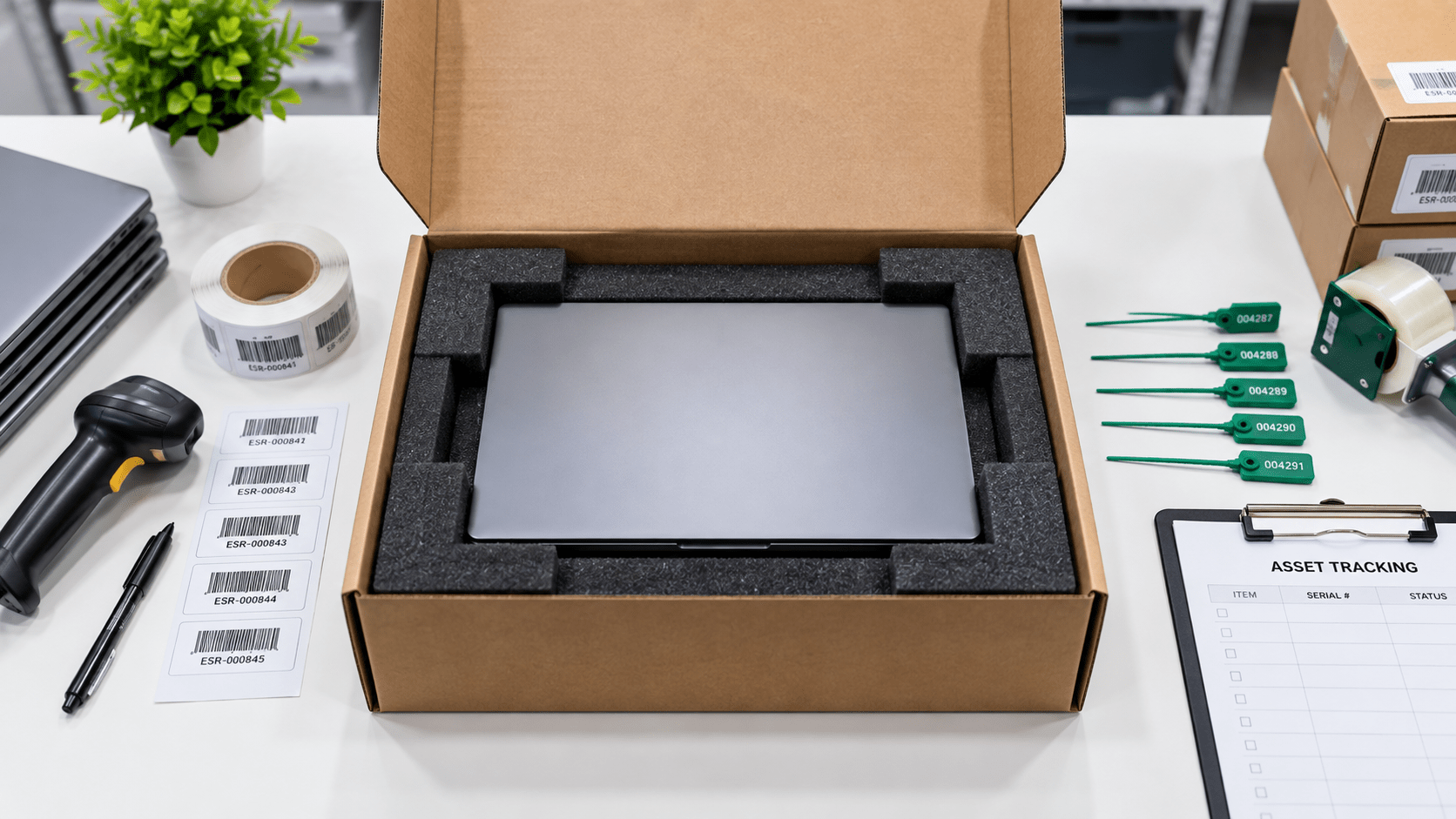
The shift toward hybrid and remote work has reshaped IT operations. A laptop replacement that once happened in a corporate hallway can now involve coordinating individual shipments with employees spread across dozens of cities across the country.
When an employee leaves the organization or a device reaches the end of its refresh cycle, a critical operational challenge appears: IT asset reverse logistics. Building a reliable process to recover, sanitize, and redeploy these computers helps maintain productivity while protecting corporate information and network security.
Managing devices outside central offices creates several recurring challenges:
A structured system can make remote device recovery faster and easier to manage:
A well-structured reverse logistics program reduces the administrative workload associated with packaging devices, tracking shipments, and reconciling asset records. IT support teams can spend more time on systems architecture and supporting active users.
eSmart Recycling supports companies across Florida and throughout the U.S. with secure remote-device recovery solutions, providing asset traceability and certified data sanitization throughout each shipment.
A structured reverse logistics program helps maintain continuous custody of corporate information while accelerating the return of devices into the productive asset cycle. Standardized recovery and sanitization procedures reduce operational delays and create a smoother experience for distributed workforces.
Simplify your remote device lifecycle: Contact us or complete our form to learn about our corporate reverse logistics solution and secure device recovery services.






Did you enjoy our latest blog articles just above?
Subscribe to receive new stories, insights, and impact updates straight to your inbox.
We’ll send you curated content about our partners, recycling strategies, success stories, and how your involvement is driving change through technology access and digital empowerment.
💡 No spam, just the smart stuff.