


The day it went into production. And the day it needs to be retired.
The first one is usually well-documented: rack number, configuration, IP address, and purpose. The second one rarely is. When it’s time to decommission servers in a company in Tampa, the uncomfortable questions show up. Who validates that the data was destroyed? What happens with drives in RAID? Do we have an auditable certification? Does the recycling vendor comply with HIPAA, GLBA, or SOX, depending on what applies?
This blog organizes the process so next time you don’t improvise. Server by server, step by step, with the standards your auditor will ask for.
A lot of people treat server retirement like a laptop with more RAM. That’s a mistake that gets expensive.
Servers have specific characteristics that change the entire sanitization process:
Treating a server with the same protocol as a laptop is the perfect recipe for a breach you won’t detect until the next audit.
NIST Special Publication 800-88 Revision 1 is the federal standard for media sanitization and the compliance base for HIPAA, GLBA, SOX, and PCI-DSS. It defines three levels:
For retired corporate servers, the practical rule is simple: if the drives are leaving your control, use Purge or Destroy. The exact level depends on data sensitivity. If you handle PHI under HIPAA, financial data under GLBA, or classified information under CMMC, Destroy is the path.
This is the workflow we follow at eSmart Recycling with clients in Tampa Bay:
Step five is the one your auditor checks first. If you don’t have certificates connecting each serial to the original server, everything else becomes questionable.
Before signing with any ITAD provider in Tampa, demand clear answers to this:
If any answer is vague, find another provider. The difference between a proper process and an improvised one is measured in fines that start in six figures when there’s a breach.
A B2B client in Tampa Bay, in the financial sector, contacted eSmart Recycling after a refresh cycle. Twelve Dell PowerEdge servers in production for six years, RAID 10 with enterprise SSDs, customer data under GLBA. The company had considered donating the servers to a regional office to extend their use.
Initial audit showed the SSDs did not support verifiable cryptographic erase and that the iDRAC consoles still had active credentials from three administrators who were no longer with the company. Donating them without full sanitization was not viable.
Final process: physical destruction of 48 SSDs at the eSmart Recycling warehouse, sanitization of iDRAC and BMC, R2v3 recycling of remaining hardware, and per-server certificates with each drive’s serial. Total time: 72 hours from pickup to documentation delivery.
Retiring servers costs time, money, and coordination. Doing it wrong costs fines, lawsuits, lost clients, and sleepless nights. The math is simple.
If your company in Tampa Bay has servers at end of life, hardware sitting from a past refresh cycle, or a datacenter being consolidated, the time to plan is now. The longer drives sit in a closet, the higher the chance someone moves them without protocol.
At eSmart Recycling, we handle everything from single-server retirements to full datacenter migrations. Audit, NIST 800-88 sanitization, serial-level certificates, R2v3 recycling, fully documented. Reach out before that closet turns into an audit finding.
Fill out the form below to request your electronics recycling pickup.
We’ll coordinate the schedule logistics and follow up with next steps.
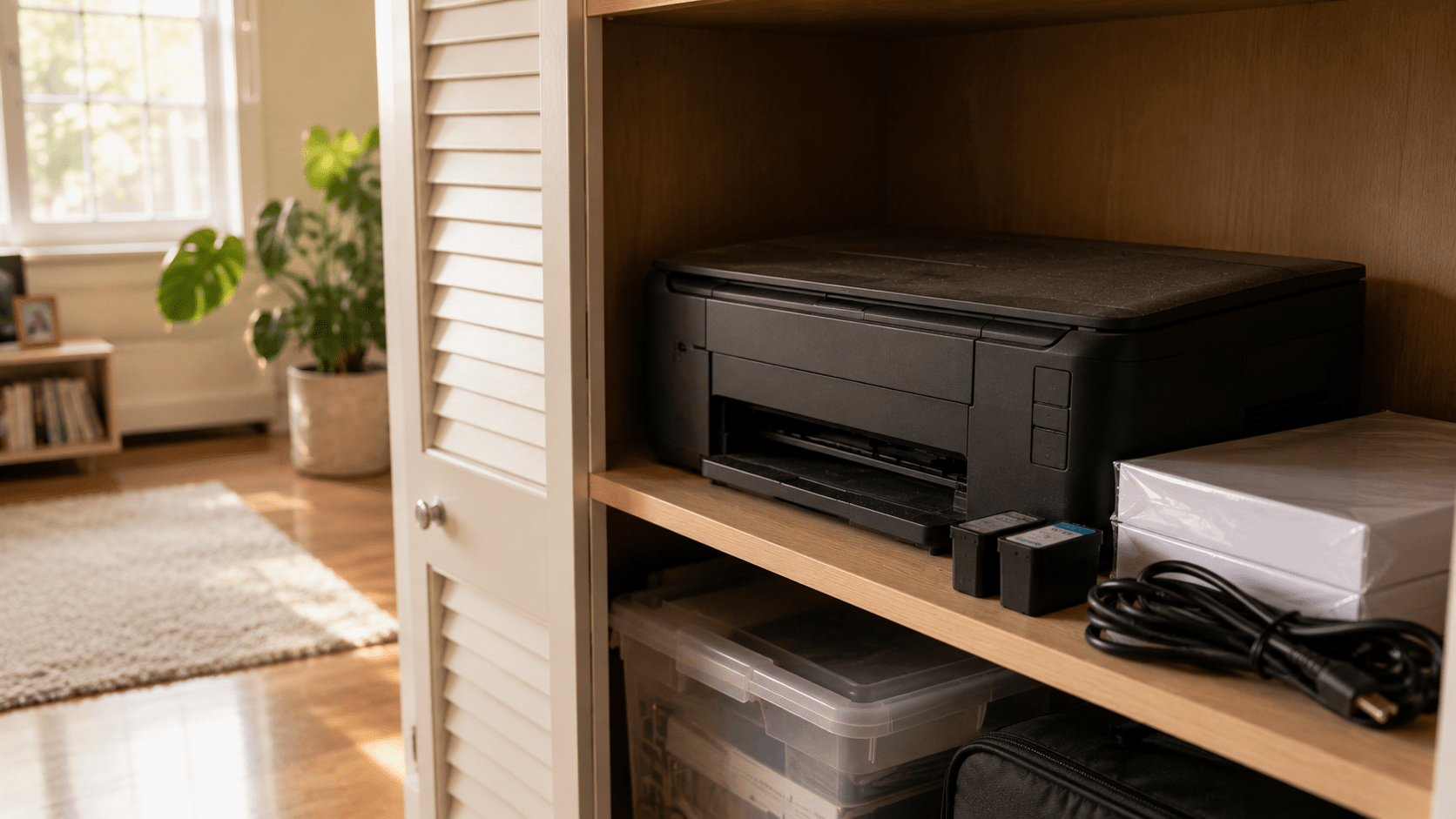
A printer that still works doesn’t automatically need to be replaced. The better question is whether it still has a place in your daily routine. Many printers spend years sitting in closets or garages as the way we work and study changes. If yours hasn’t been used in a long time, it may be time to decide whether it belongs in your home—or whether it’s ready for its next chapter.
Walk into almost any garage or storage closet, and there’s a good chance you’ll find a printer quietly waiting on a shelf.
The power cable is still wrapped around it. There’s probably a stack of unused paper nearby and maybe even a few unopened ink cartridges. Nothing appears to be wrong with it. If you plugged it in today, it would probably print just as it did years ago.
And yet it hasn’t been part of your routine for a very long time.
Unlike a broken appliance, a working printer creates a different kind of question. Throwing it away doesn’t seem right, but keeping it forever doesn’t feel like the perfect answer either.
There was a time when printers were essential in almost every home. Homework, travel itineraries, recipes, tax documents, family photos, and permission slips all seemed to pass through them at one point.
Then, everyday habits slowly changed.
Cloud storage replaced filing cabinets. Digital signatures became widely accepted. Schools and businesses adopted online platforms, and many forms that once required paper moved to a screen instead. Even airline tickets and restaurant menus became something we carried on our phones instead of in our hands.
The printer didn’t stop working.
Our routines simply stopped asking for it every day.
That’s why so many households still own perfectly functional printers that haven’t been turned on in years. They weren’t retired because they failed. They were quietly left behind as everyday life evolved.
The answer depends less on the printer and more on your routine.
Some families still print school assignments every week. Home offices regularly need invoices, contracts, shipping labels, or signed paperwork. Photographers, artists, and small businesses may rely on printed materials every day.
For those situations, keeping a reliable printer makes complete sense.
For many other households, however, printing has become an occasional task. A nearby shipping center, office supply store, library, or workplace may already cover those needs. If your printer hasn’t been used for several years, it’s worth asking whether you’re keeping it because it’s useful—or simply because nobody has decided what to do with it.
Many people are surprised to learn that some printers store information.
Depending on the model, a printer may contain Wi-Fi settings, saved network credentials, print history, scanned documents, address books, or internal memory used to process print jobs. Business printers and multifunction devices often store even more information than home models.
Before letting a printer leave your home or office, it’s worth reviewing the manufacturer’s instructions to reset or erase stored data whenever that option is available.
Once that’s done, the next step is deciding where the printer should go.
At eSmart Recycling, we accept inkjet printers, laser printers, all-in-one printers, commercial office printers, and multifunction devices, along with computers, laptops, networking equipment, monitors, phones, cables, and many other electronics. Every printer is evaluated individually to determine whether it can continue serving another purpose or whether its materials should be responsibly recovered. For devices that store information, secure data handling is also part of the process.
Many people assume the story ends once the printer leaves the house.
In reality, that’s where a different process begins.
Some printers still have years of useful life ahead of them and may be suitable for refurbishment. Others contain metals, plastics, and electronic components that can be recovered and returned to manufacturing instead of remaining in storage or ending up in a landfill.
Giving a printer a responsible destination isn’t only about clearing shelf space. It’s also about making sure the materials and information it contains are handled appropriately.
A printer that still works isn’t automatically a printer you still need.
Technology changes alongside our habits, and a device that once played an important role may quietly become something we rarely think about. That doesn’t mean it has lost its value. It simply means its purpose may have changed.
If your printer still supports your work, your business, or your family’s daily routine, it has earned its place. If it has spent years collecting dust on a shelf, it may be time to let it begin a different chapter.
Sometimes the best question isn’t “Does it still work?”
It’s “Does it still have a job to do?”

Most people would answer with their smartphone or laptop. Yet the device that quietly supports much of daily life is usually the one that receives the least attention. A Wi-Fi router connects phones, computers, TVs, security cameras, and dozens of other devices at the same time. As long as it works, nobody thinks about it. The moment it stops, the entire routine begins to change.
Try a simple exercise.
Look around your home and ask yourself which device matters the most. Your first answer will probably be your smartphone. Maybe it’s your laptop because you work from it every day. Some people might even choose the television because it’s where the family gathers at the end of the day.
All of those answers make sense. They’re the devices we interact with the most, the ones we touch, carry, and rely on from morning until night.
But there’s another device quietly sitting on a shelf, behind a piece of furniture, or next to your modem. You probably haven’t looked at it today. In fact, you may not remember the last time you thought about it at all.
Few pieces of technology have become as central to everyday life as the smartphone. It wakes us up in the morning, checks the weather, guides us through traffic, stores our boarding passes, lets us pay for groceries, keeps us in touch with family, and captures thousands of photos along the way.
Because it’s always within reach, it naturally feels like the center of our digital lives.
Yet many of those everyday actions depend on something we rarely notice. Maps need an internet connection. Video calls rely on stable networks. Streaming music, cloud backups, smart home controls, and countless apps all work best when another device quietly keeps everything connected.
That invisible partner is the Wi-Fi router.
The router succeeds because it stays out of the spotlight.
Unlike a phone or laptop, it isn’t designed to attract attention. Its entire purpose is to create connections between every internet-enabled device inside the house. Phones, computers, gaming consoles, streaming services, printers, smart speakers, security systems, and tablets all depend on it without ever acknowledging its role.
Then one afternoon, the connection disappears.
The television stops buffering. Video meetings freeze. Security cameras go offline. Smart speakers suddenly become silent. Even the phone in your pocket begins to lose many of the features you rely on every day.
That’s usually the moment people remember exactly where the router is located.
While smartphones became the tool for quick interactions, laptops remained the place where ideas take shape.
Reports are written there. Businesses are managed there. Students complete assignments, designers edit images, developers build software, and professionals spend hours working on projects that simply feel more comfortable on a larger screen with a physical keyboard.
Rather than competing with smartphones, laptops complement them. Each device serves a different purpose, and together they create the workflow many households depend on every day.
Remove one, and adjustments become necessary.
Remove all three, and the rhythm of the day changes completely.
There may not be a single correct answer.
If the question is based on usage, the smartphone probably wins. If productivity matters most, many people would choose the laptop. But if the goal is keeping every connected device working together, the router quietly becomes one of the most important pieces of technology in the entire house.
Perhaps the better question isn’t which device matters most.
Perhaps it’s which one you notice only after it’s gone.
That answer says a great deal about the way modern homes work.
Eventually, every device reaches the end of its everyday role. A new phone replaces the old one. A faster laptop arrives. A more powerful router takes over as more connected devices fill the house.
The previous equipment rarely leaves immediately.
Instead, it finds a place inside a drawer, a closet, or a storage box alongside cables and accessories collected over the years. Many of those devices still contain family photos, work documents, saved passwords, network settings, or other personal information. Some still work perfectly well and could continue serving another purpose.
At eSmart Recycling, we help families, businesses, schools, and organizations throughout Tampa Bay securely manage those retired devices. Every piece of equipment goes through data handling and technical evaluation before determining whether it can be refurbished or responsibly recycled.
The answer to this question will probably be different in every home.
Some people will always choose their smartphone because it never leaves their side. Others will point to their laptop because it’s where they study, work, or create. Yet there’s another device quietly supporting all of them without asking for recognition.
The Wi-Fi router rarely appears in conversations about technology, but it makes much of modern life possible.
Sometimes the most important device isn’t the one you use the most.
It’s the one that keeps everything else connected.
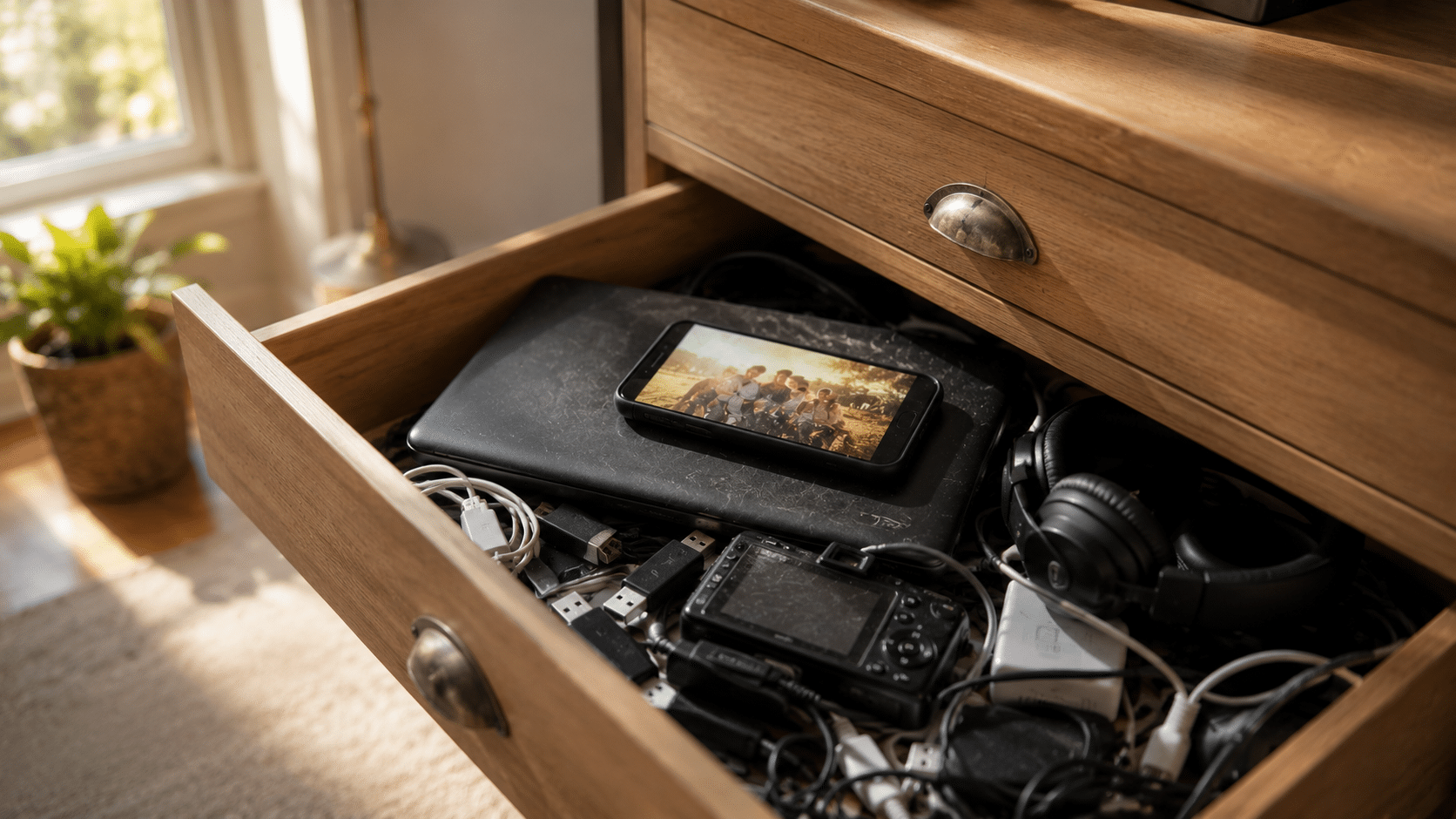
Holding onto an old phone or a retired laptop rarely has anything to do with the space it takes up. These devices often hold photos, documents, conversations, and memories that have become part of our lives. They also represent a significant investment and the feeling that they might still be useful someday. Together, those reasons explain why millions of electronic devices remain tucked away in drawers and closets for years.
You’re looking for a spare battery when you come across an old smartphone you had completely forgotten about. Out of curiosity, you press the power button. The screen lights up, and within seconds, you’re looking at photos from nearly a decade ago. A few more taps reveal old conversations, family trips, birthdays, and people you haven’t spoken to in years.
In that moment, the phone stops feeling like a piece of technology.
It becomes a small time capsule.
Scenes like this happen every day in homes across the country. They also explain why getting rid of old technology often feels much harder than expected, even when those devices haven’t been used in years.
At first glance, it looks like we’re keeping an old phone, a laptop, or a digital camera.
In reality, we’re often holding onto the moments that happened while those devices were part of our lives. A laptop may contain the first résumé we ever wrote, college assignments, or thousands of family photos. A smartphone may hold years of conversations, contacts, and milestones that helped shape important chapters of our lives.
That’s why an old phone rarely feels like an ordinary object.
Its value isn’t measured by the materials it’s made from. It’s measured by the memories attached to it.
Even when those files have already been backed up somewhere else, the original device often carries an emotional weight that’s difficult to explain.
Almost every forgotten device shares the same story.
“I’ll keep it… just in case.”
The decision makes perfect sense. Technology represents a meaningful purchase, and if a device still works, keeping it feels like the responsible choice. Maybe a family member will need it. Maybe it will become a backup computer. It may be useful for a future project.
Then life moves on.
A newer phone replaces the old one. A faster laptop arrives. The internet provider installs a new router. The previous device quietly moves from the desk to a drawer, from the drawer to a closet, and eventually into a storage box.
Without realizing it, many households begin building a quiet collection of technology that no longer plays a role in everyday life.
Absolutely.
Many people know their old devices still contain personal information, but they aren’t sure how to remove it safely. Family photos, financial records, work documents, saved passwords, emails, and personal accounts may all remain inside a laptop or smartphone that hasn’t been powered on in years.
That uncertainty often delays the decision.
Leaving the device in a drawer feels easier than figuring out what to do next.
The problem is that time doesn’t erase the information stored inside. Even after years of sitting untouched, those files are often still there, waiting for someone to decide their future.
For many people, the answer is simple.
During a move.
Or while cleaning out a garage.
Or when renovating a home.
That’s when forgotten smartphones, dusty laptops, retired Wi-Fi routers, external hard drives, and boxes full of tangled cables suddenly return to view. What seemed like a single forgotten device turns out to be years of technology quietly stored away.
It’s also the moment when one question naturally comes to mind.
Do I really need to keep all of this?
At eSmart Recycling, we hear that question every day. Families and businesses throughout Tampa Bay often arrive with boxes filled with electronics they’ve been meaning to sort through for years. Every device undergoes secure data handling and technical evaluation to determine whether it can be refurbished or responsibly recycled.
Perhaps the reason it’s so difficult to let go of old technology has very little to do with technology itself.
A smartphone represents a chapter of life. A laptop may hold years of work, learning, creativity, and family memories. Even an old Wi-Fi router can remind us of the time our home first became filled with connected devices.
Keeping those items for a while is perfectly understandable. The challenge begins when “for a while” quietly turns into years, and drawers slowly fill with devices that have already completed their purpose.
The next time you discover an old phone at the back of a drawer, you probably won’t just remember the moments you shared with it.
You may also start thinking about what the next chapter should be.
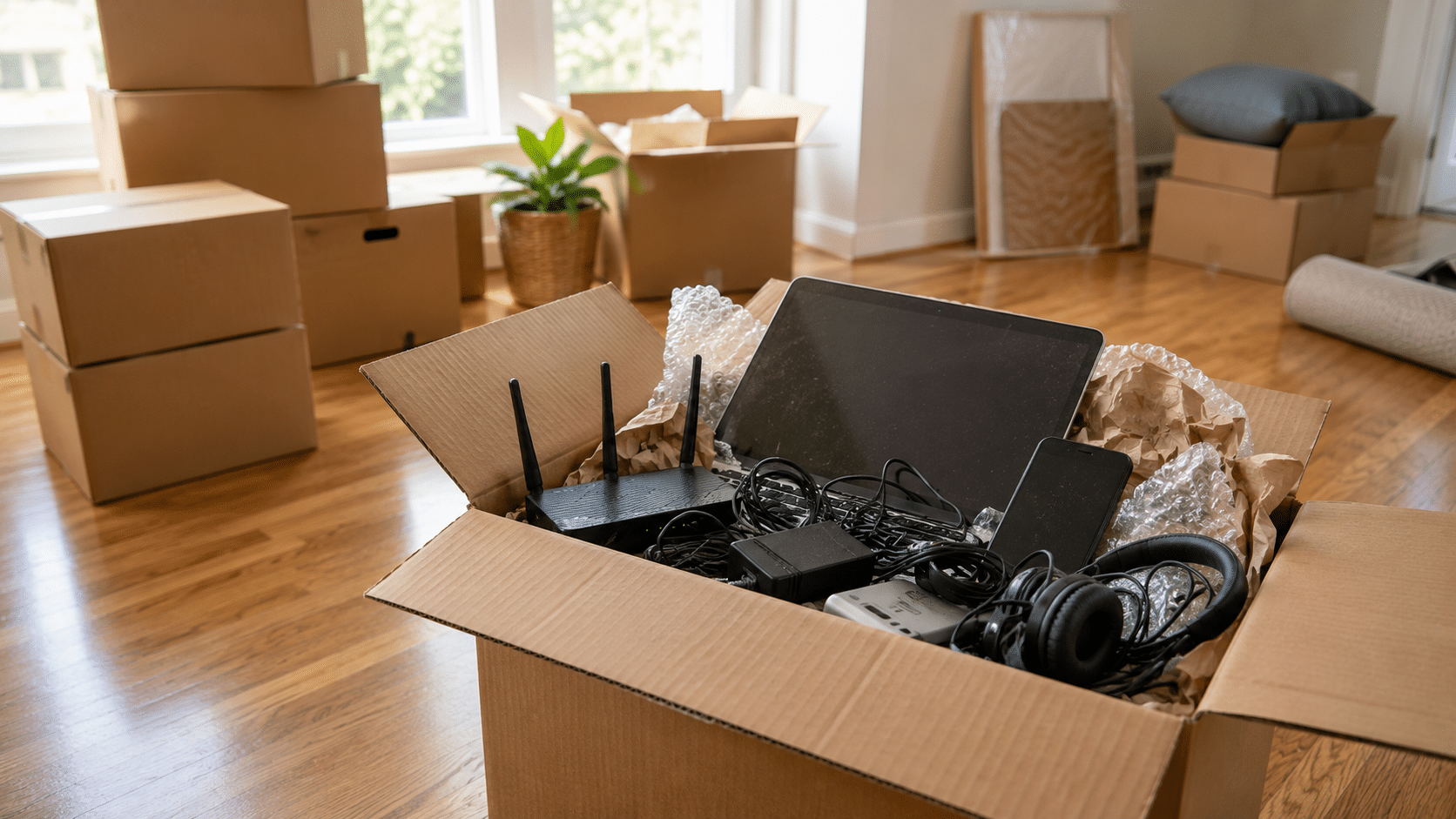
Moving has a way of bringing forgotten technology back into view. As closets, drawers, and storage shelves are emptied, old phones, Wi-Fi routers, laptops, cables, and printers suddenly reappear. These forgotten devices tell the story of how our technology changes over time—and they also remind us that every piece of tech eventually needs a new destination.
Moving to a new home has an unexpected side effect.
As furniture is pulled away from the walls and storage boxes come down from the highest shelves, objects that haven’t been touched in years suddenly return to everyday life. A forgotten box in the back of a closet. A drawer that hasn’t been opened since the last renovation. A shelf where old electronics quietly waited while newer devices took their place.
Before long, technology you had completely forgotten about is sitting on the floor, waiting to be packed.
It’s a familiar scene. Almost everyone who has moved recognizes it.
Moving changes the way we look at our belongings.
Instead of seeing individual objects, we begin noticing everything we’ve accumulated over the years. Electronics often become one of the biggest surprises.
Every phone upgrade, every new laptop, and every internet service replacement usually leaves another device behind. Rather than leaving the house immediately, those devices are placed in a drawer or closet with the idea that they might be useful someday.
That “someday” often turns into several years.
Packing everything into boxes simply forces us to ask a question we’ve postponed for a long time.
Do I still need to keep all of this?
It usually appears inside a drawer alongside old chargers and headphones that no longer match any current device. Many people kept it because it still worked or because it contained photos, messages, and personal files they never got around to organizing.
Changing internet providers or upgrading home networking equipment often leaves an older router behind. After a few years, it’s easy to forget where it came from or why it was saved in the first place.
It handled work projects, school assignments, family photos, and countless everyday tasks before a newer computer took its place. Even after years in storage, many of these laptops still contain important documents and personal information.
Almost every household has one.
Inside are HDMI cables, USB cables from different generations, power adapters, charging bricks, extension cords, and connectors whose original purpose is impossible to remember. Somehow, that box survives every move.
For years, it was an essential part of the home office. Then digital signatures, cloud storage, and paperless workflows became more common. The printer was unplugged one day with every intention of using it again, but it never returned to the desk.
Each one represents a different chapter of daily life.
An old phone may still hold photos from family vacations. A laptop might contain the first résumé someone ever wrote or documents from a business that no longer exists. Even an outdated router reminds us of the moment the household first became filled with connected devices.
That emotional connection explains why these devices often remain in storage long after they stop being useful.
At the same time, many still contain sensitive information. Personal documents, saved passwords, financial records, work files, and private photos often remain stored on devices that haven’t been powered on for years.
A move becomes the perfect opportunity to decide what deserves to stay and what has already completed its purpose.
Once the boxes are unpacked, it’s surprisingly easy to place those forgotten devices back into another closet and promise to deal with them later.
Many people do exactly that.
However, spending a little time sorting through old electronics can free up valuable storage space while ensuring that personal information is handled responsibly. Some devices may still have useful life left, while others contain materials that can be properly recovered instead of remaining forgotten for another decade.
At eSmart Recycling, we help households, businesses, schools, and organizations throughout Tampa Bay responsibly manage retired electronics. Smartphones, laptops, routers, printers, monitors, cables, and many other devices go through secure data handling and technical evaluation before determining whether they can be refurbished or responsibly recycled.
Moving doesn’t just change your address.
It also gives you the chance to rediscover pieces of your own digital history.
The forgotten phone tucked away in a drawer, the dusty laptop sitting on a shelf, and the mysterious box of cables all represent moments when new technology entered your life and quietly pushed something older aside.
Some of those devices still hold valuable memories. Others may still be useful. Many are simply waiting for someone to decide what comes next.
The next time a move uncovers a pile of forgotten electronics, the most interesting question may not be “Why did I keep this?” but “What should its next chapter be?”
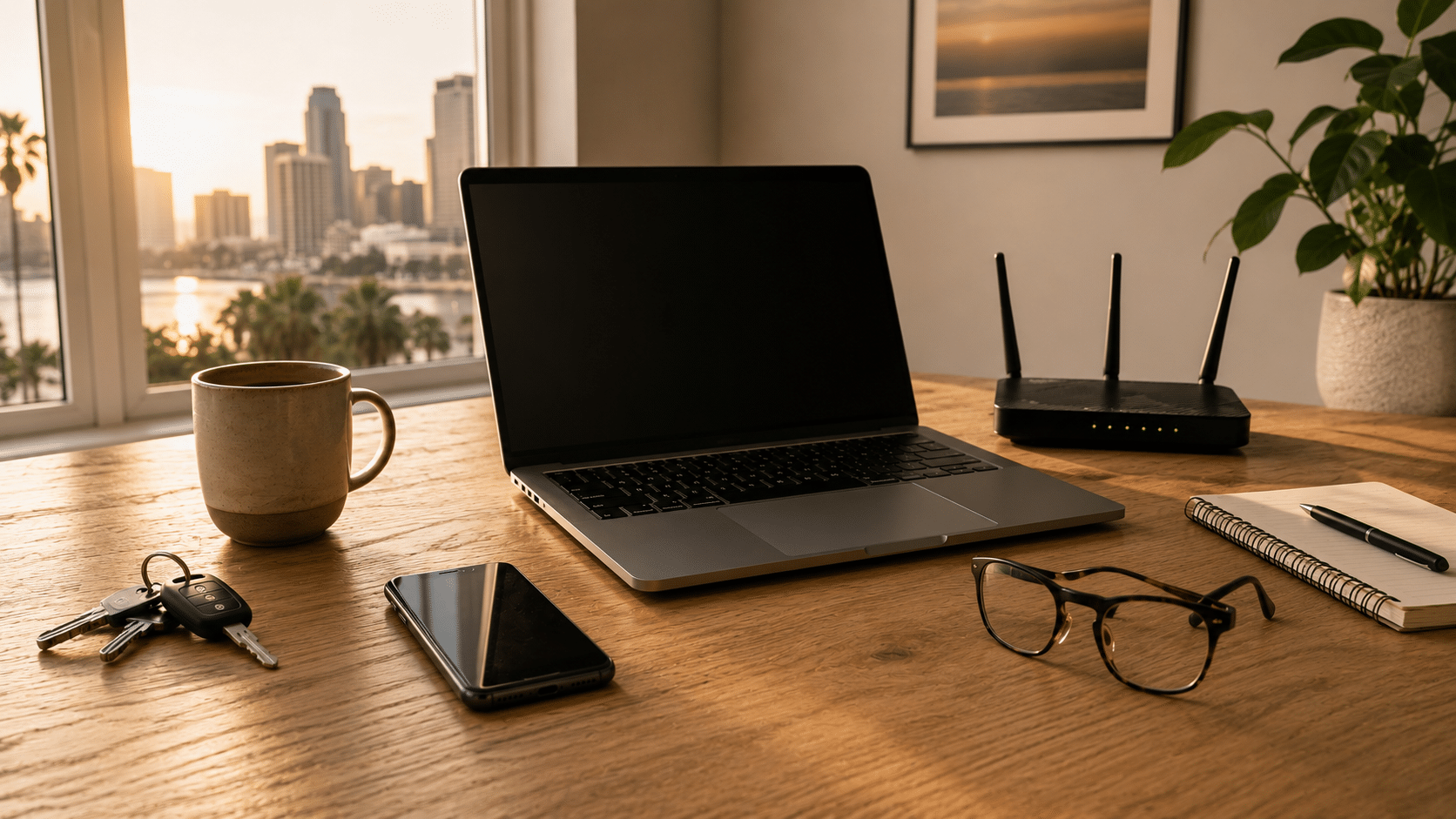
Yes, you could spend a day without them. But that day would look very different from the one you’re used to. Your smartphone, Wi-Fi router, and laptop quietly support dozens of everyday activities, from the moment you wake up until the end of the day. Their importance becomes obvious only when they are no longer there.
It’s seven o’clock on a weekday morning in Tampa Bay, and a simple experiment is about to begin. For the next 24 hours, your smartphone stays in a drawer, the Wi-Fi router remains unplugged, and your laptop never leaves its bag.
At first, it doesn’t sound like much of a challenge.
Then the morning starts.
The alarm never rings because it was set on your phone. You wake up later than expected and instinctively reach toward the nightstand, only to remember the experiment. There’s no weather forecast before getting dressed, no overnight messages waiting to be read, no traffic update before leaving the house. The day continues, but it already feels slightly unfamiliar.
That’s when something interesting happens.
You don’t necessarily miss the devices themselves. You miss the small habits that quietly formed around them over the years.
Most people think of their smartphone as a communication device, but it quietly handles much more than calls and messages. It serves as an alarm clock, calendar, GPS, digital wallet, camera, music player, authentication key, calculator, flashlight, and gateway to countless services.
Many of those interactions last only a few seconds. They happen so naturally that they almost disappear from memory. Few people could accurately estimate how many times they unlock their phone during a typical day because the gesture has become part of everyday life.
Without it, none of those activities would become impossible. They simply require different solutions. Looking up directions takes longer. A quick payment becomes less convenient. A reminder stored inside an app no longer appears at the right moment. Small adjustments begin adding up until the rhythm of the day feels noticeably different.
By the time you return home, the second part of the experiment begins.
The router is still unplugged.
The television struggles to load a movie. Security cameras lose their connection. A scheduled video call never starts. Smart speakers remain silent, and several connected devices simply wait for a signal that never arrives.
The Wi-Fi router has an unusual role inside most homes. It does its job without asking for attention. As long as everything works, it’s easy to forget that it’s even there.
Yet that small box quietly coordinates much of the digital activity happening inside the house. It connects computers, streaming devices, phones, tablets, gaming consoles, printers, and countless smart home products that many families now rely on every day.
Its absence quickly reminds us how connected modern life has become.
For years, many people believed smartphones would eventually replace laptops.
Instead, each device found its own purpose.
Phones became the perfect tool for quick interactions, while laptops remained the preferred space for work that requires focus, larger screens, and the ability to manage multiple tasks at once.
Presentations are built there. Reports are written there. Businesses are managed there. Students complete assignments, designers create content, and professionals spend hours working on projects that simply feel more comfortable on a computer.
Even households where every family member owns a smartphone often continue sharing one or more laptops because they support activities that benefit from a keyboard, a larger display, and greater processing power.
During this experiment, many of those tasks would simply have to wait.
The answer is still yes.
People lived for generations without smartphones, wireless internet, or laptops.
The more interesting question is how many routines would quietly change during those twenty-four hours.
You might postpone a virtual meeting, delay responding to an important email, struggle to access documents stored online, or discover that a recipe, boarding pass, or medical appointment was saved inside a device that’s no longer available.
None of these situations would ruin the day on their own.
Together, however, they reveal how deeply these technologies have become woven into everyday life.
Perhaps that’s why replacing them isn’t always as simple as buying something new.
Every device eventually reaches a point where it is replaced by something newer.
The smartphone moves into a drawer. The laptop is stored in a closet “just in case.” The old router ends up inside a box filled with cables that nobody remembers collecting.
Months become years, and those forgotten devices begin telling the story of how technology accumulates inside our homes.
Many still contain family photos, financial information, work documents, passwords, or personal files. Some continue working perfectly well and could serve another purpose. Others have reached the end of their useful life but still contain valuable materials that deserve proper recovery.
At eSmart Recycling, we receive these devices every day from homes, businesses, schools, and organizations throughout Tampa Bay. Each one goes through secure data handling and technical evaluation before determining whether it should be refurbished or responsibly recycled.
Every device deserves a thoughtful ending, just as it once played an important role in someone’s everyday life.
The question that opened this article seemed simple: Could you spend a day without these three devices?
After following that experiment from morning to night, the answer remains yes. Yet it also becomes clear that our routines have quietly adapted to the presence of these technologies over many years.
Your phone, router, and laptop are more than electronic devices. They help organize schedules, connect families, support education, enable remote work, and make hundreds of everyday tasks feel effortless. Their greatest achievement may be that they work so seamlessly we rarely stop to notice them.
That same familiarity often explains why old devices remain stored away long after they’ve been replaced. A forgotten laptop may still hold years of memories. An old smartphone may contain personal information. A router that once connected an entire household becomes another object sitting on a shelf.
Technology shapes our daily lives while we use it, but its story doesn’t end when we unplug it.
Choosing what happens next is part of that story, too.
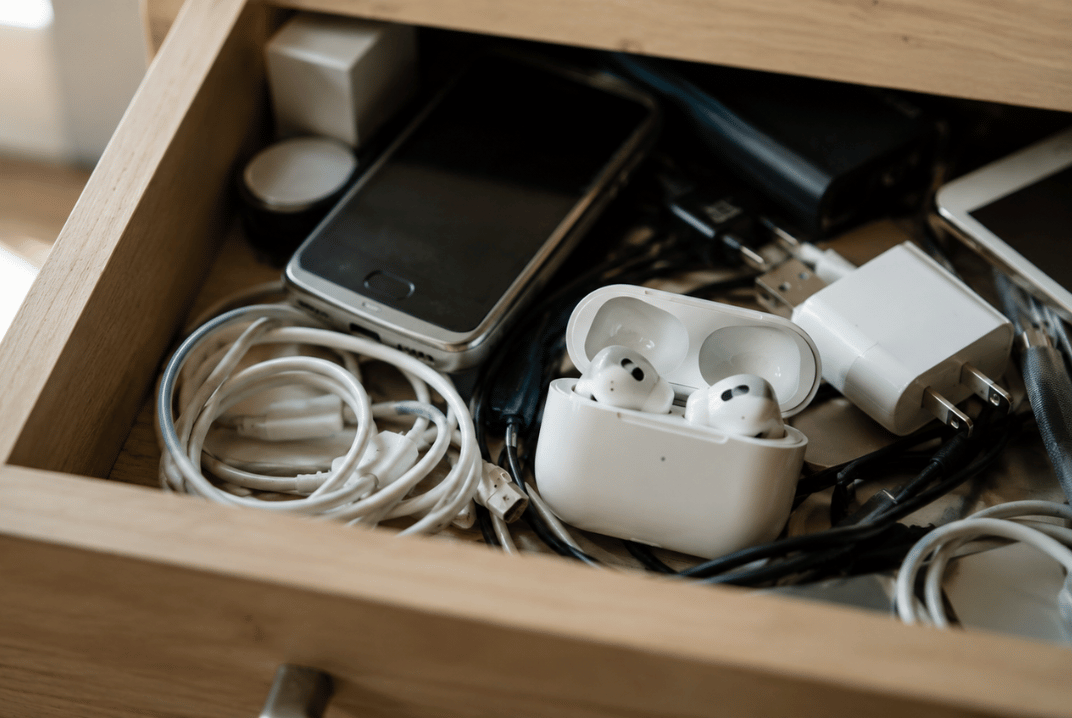
If your earbuds have stopped charging, it may be worth checking a few things before replacing them. In many cases, the issue is related to the charging case, the charging contacts, or normal battery wear over time. And when it finally comes time to part with them, earbuds can be recycled alongside other electronics you no longer use.
Earbuds have one major advantage over most devices: they’re small, lightweight, and easy to carry everywhere.
They also come with a small drawback.
Because they’re so easy to carry, they tend to become part of everyday life without us giving them much thought.
They travel in pockets, backpacks, gym bags, and car cup holders. They come to work, on trips, and on daily walks. That’s why it feels a little surprising when one suddenly stops charging. It worked perfectly yesterday, and today it seems to have completely given up.
The first reaction is usually the same. Try a different cable. Switch outlets. Check the case. Give it one more try.
And honestly, that makes sense. Sometimes the problem is exactly one of those things.
The most common causes are often less dramatic than people expect.
Over time, dust and debris can build up on the charging contacts where the earbuds connect to the case. It’s a normal consequence of carrying them around every day.
The charging case can also be part of the story. After all, it contains a battery too, and that battery works every time you use your earbuds.
Then there’s simple battery aging. Earbuds go through hundreds of charging cycles during their lifetime. Eventually, the batteries begin holding less energy than they once did. The same thing happens with phones, tablets, laptops, and virtually every portable electronic device.
When people stop using their earbuds, they rarely make a big decision about them.
Most of the time, they end up in a drawer.
What’s interesting is that they rarely end up there alone.
At eSmart Recycling, we see the same situation all the time. Someone decides to clean out a room, organize a closet, or clear space in a home office. They start looking for an old laptop or monitor and end up discovering much more than they expected.
Old smartphones show up. Forgotten tablets. Charging cables. Power adapters. Routers. Keyboards. Accessories from devices that haven’t been used in years.
And somewhere in that collection, there is often a pair of earbuds that quietly disappeared from daily life a long time ago.
Small electronics have a remarkable ability to stay with us simply because they take up so little space.
Yes, and many people are surprised to learn that.
Even though they are small, earbuds contain batteries and electronic components that should be handled properly when they reach the end of their useful life. The same applies to the charging case.
Many people associate electronics recycling with computers, monitors, or printers. In reality, a large portion of the devices we receive are everyday electronics and accessories that gradually accumulated over the years.
That’s why it’s common to find earbuds in the same box as old phones, tablets, chargers, and cables.
If they still work, they may be useful to someone else.
If they have reached the end of their lifespan, they can be recycled along with other electronics you have stored at home.
And if you haven’t looked through that drawer in a while, there’s a good chance your earbuds aren’t the only devices waiting there.
It can be caused by dirty charging contacts, battery wear, or issues with the charging case.
Yes. The case contains electronic components and its own battery, so it can experience wear over time.
Yes. Most earbuds use lithium-ion batteries.
We accept computers, laptops, phones, tablets, monitors, printers, routers, cables, chargers, and many other electronic devices.
You can bring them to eSmart Recycling along with other electronics for proper end-of-life management.
Earbuds are often one of the first things people find when they start going through old electronics at home. And more often than not, they become a reminder of something bigger: how much technology we keep long after we’ve stopped using it.







Did you enjoy our latest blog articles just above?
Subscribe to receive new stories, insights, and impact updates straight to your inbox.
We’ll send you curated content about our partners, recycling strategies, success stories, and how your involvement is driving change through technology access and digital empowerment.
💡 No spam, just the smart stuff.