

Many people might not realize it, but when electronic devices are discarded or recycled, they can have a significant impact on the environment. Electronic recycling is an excellent way to reduce soil pollution and its effects on the environment. If electronic devices are not disposed of properly, the toxic chemicals they contain can seep into the soil, causing severe environmental damage. In this article, we will explore how electronic recycling can help reduce soil pollution and its impact on the environment.
Electronic recycling, also known as e-waste recycling, is the practice of recovering useful materials from old or broken electronic devices and recycling them for use in new products. Electronics, such as computers, mobile phones, and televisions, contain materials like lead, mercury, cadmium, and other hazardous substances that can contaminate the environment if not disposed of properly. Electronic recycling helps prevent these materials from entering the environment and causing harm.
When electronic devices are not disposed of correctly, their hazardous materials can contaminate the soil. Electronic recycling helps prevent this by recovering useful materials from old devices and processing them for use in new products. This saves energy and keeps toxic materials out of the soil.
Soil pollution has a range of negative environmental impacts. When toxic materials leach into the soil, they can harm plants, wildlife, and human health. Some of the most common toxic chemicals found in electronics, such as lead, cadmium, and mercury, can cause various health problems, including respiratory issues, developmental delays in children, and cancers.
To help reduce soil pollution from electronic waste, several e-waste management solutions have been implemented. Many companies now have recycling programs that allow citizens to recycle their old electronic devices. These programs typically involve dropping off old electronics at local collection points or using mail-back services to properly dispose of them.
Electronic devices contain many hazardous materials that, if not disposed of properly, can contaminate the soil and cause significant environmental and human health damage. Electronic recycling is an excellent way to help reduce soil pollution from electronic waste and its associated impacts. Companies can help by offering e-waste recycling programs, and consumers can take advantage of these programs by properly disposing of their electronic devices. By practicing responsible e-waste management, we can help reduce soil pollution and protect the environment for future generations.
Fill out the form below to request your electronics recycling pickup.
We’ll coordinate the schedule logistics and follow up with next steps.
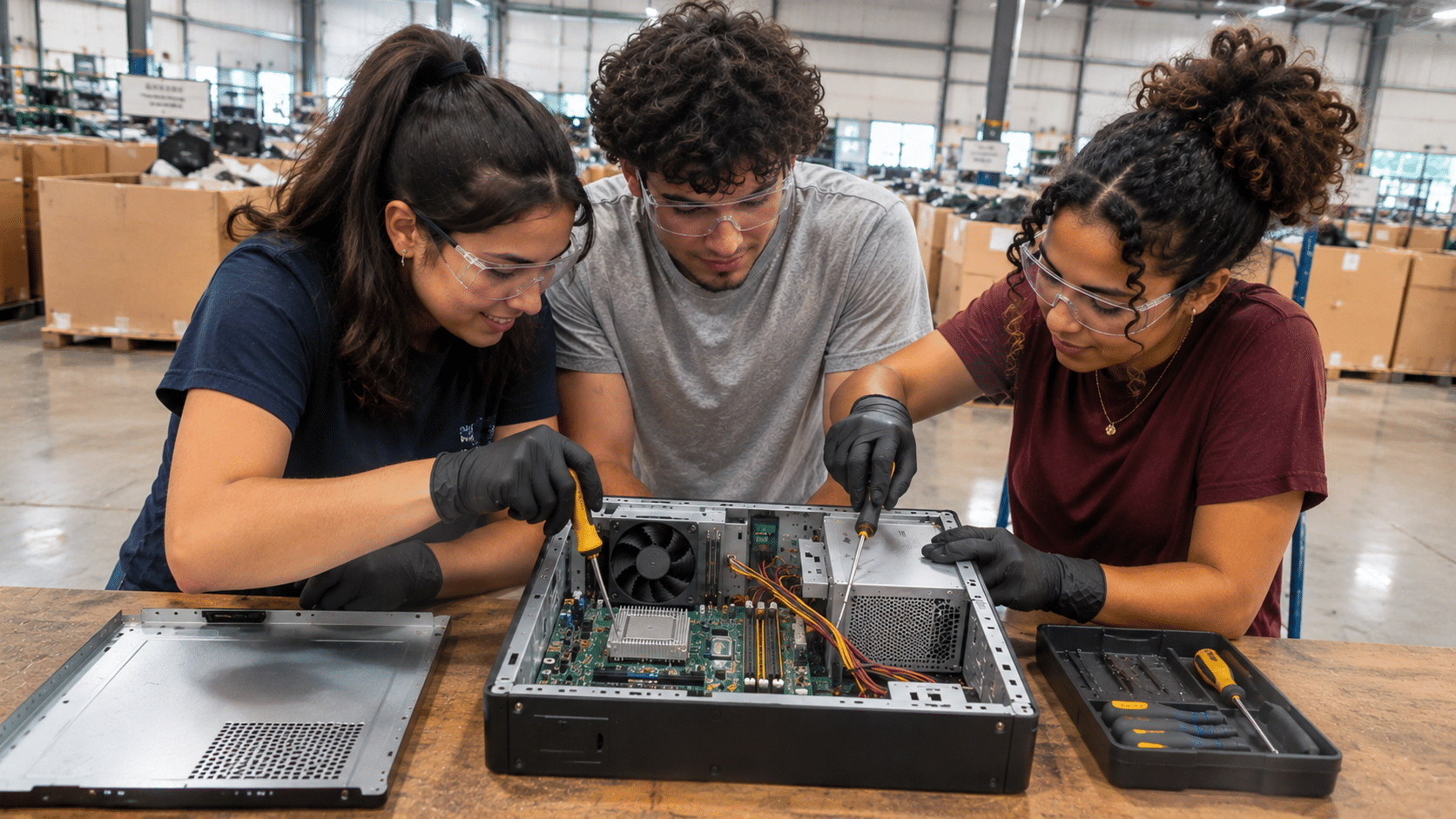
Science education seniors from the University of South Florida (USF) College of Education recently visited our R2v3-certified electronics recycling facility in Tampa to see what happens when technology reaches the end of its corporate lifecycle. Organized by Stephanie Arthur, assistant professor of instruction in science and STEM education, the visit connected classroom learning with electronics recycling, IT asset disposition (ITAD), material recovery, and access to technology in local communities.
With screwdrivers in hand, students—including science education seniors Emma Van Hook, Kristen Vasquez, Leighton Krohn, and Katelyn Turner—took apart retired computers and examined motherboards, processors, memory, storage drives, and power supplies. Each component offered a closer look at the materials inside everyday technology and the work involved in handling retired equipment responsibly.
Science education often raises questions that reach beyond the classroom. What happens to the devices people replace? Which materials can be recovered? How do everyday decisions about technology affect communities and the environment?
Stephanie Arthur organized the visit to bring these questions into a working electronics recycling facility. The discussion drew on socioscientific issues, an area of education research associated with USF professor Dana Zeidler. Students could examine actual computer components while discussing the social and environmental questions connected to electronic waste.
“We all carry a phone or some kind of device, yet few of us ever think about where that device goes when we are done with it.”
— Stephanie Arthur, Assistant Professor of Instruction, USF College of Education
Inside our Tampa facility, students learned how responsible electronics management covers several stages of a device’s next life. eSmart Recycling’s R2v3 certification includes requirements for data sanitization, testing and repair, downstream vendor management, and material recovery. These practices help guide how equipment is assessed, prepared for possible reuse, and directed to appropriate recycling processes.
For data-bearing devices, the R2v3 scope includes logical and physical sanitization processes. The relevant methods depend on the media and the equipment’s intended next use. Students also saw how retired computers contain materials such as copper, aluminum, steel, plastics, and electronic components that can enter specialized recovery streams. The SERI R2 Standard sets requirements for responsible electronics reuse and recycling, while the U.S. EPA’s sustainable materials management guidance explains the broader value of responsible electronics management.
“E-Smart Recycling literally proves the idiom ‘One man’s trash is another man’s treasure’ by recycling discarded gold.”
— Leighton Krohn, USF Science Education Senior
Taking apart a computer gives future educators a practical way to explore subjects they may later bring into their own classrooms. Students can connect lessons about materials, engineering, natural resources, and responsible consumption with objects they use every day.
During the visit, senior Katelyn Turner also reflected on the technology careers students may discover through experiences like this one. Seeing the people, equipment, and activities involved in electronics recycling introduced the group to work that connects science, technical skills, and environmental responsibility.
“It is important that teachers also experience these real-world opportunities so we can understand what it’s like for our students to participate in these activities as well as for us to be able to analyze the potential benefits or pitfalls the activity might have for our students.”
— Emma Van Hook, USF Science Education Senior
For Stephanie Arthur, the value of the visit also lies in what students can carry into their future classrooms:
“When future teachers experience hands-on, community-connected science for themselves, they gain the confidence and the vision to create those experiences for their own students.”
— Stephanie Arthur, Assistant Professor of Instruction, USF College of Education
Welcoming future educators to our Tampa facility gives them a chance to see the life of electronic equipment beyond the point of purchase. They can take those observations into classroom conversations about resource use, repair, reuse, recycling, and the role technology plays in daily life.
“Teachers have the biggest reach of anyone I know. They are multipliers of ideas. Once you open it up, it makes sense. And I hope they take that same experience back to their own classrooms one day.”
— Tony Selvaggio, CEO of eSmart Recycling
The visit also introduced students to the community side of electronics reuse. Through the Digital Education Foundation (DEF), refurbished computers can reach students and families who need devices for learning and everyday activities.
This work connects the responsible handling of retired equipment with access to technology. A computer that is no longer needed by one organization may still be useful to another person after its condition has been assessed and any necessary refurbishment has been completed.
The visit brought together university learning, electronics recycling, and community access to computers. By examining retired hardware firsthand, USF science education seniors had a chance to connect scientific ideas with practical questions about the devices people use and eventually replace.
For eSmart Recycling, hosting these future teachers was a meaningful way to share what happens to electronics after their first useful life. We appreciate Stephanie Arthur and the USF students for spending time with our team and bringing their questions into the conversation.
Interested in a corporate collection or educational visit? Email our team at info@esmartrecycling.com or contact us online.
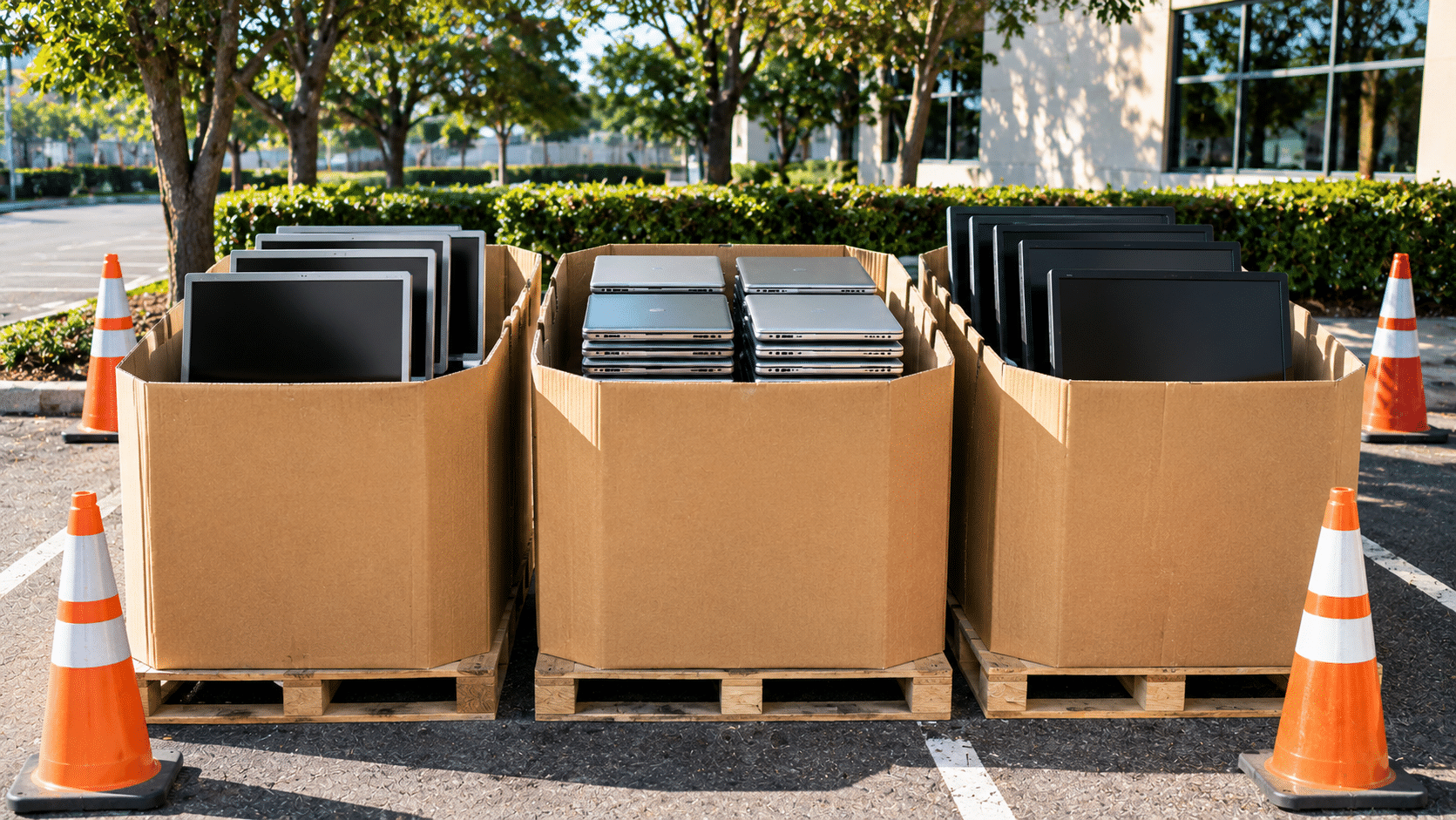
Pre-Thanksgiving weekends can be a great time for neighborhood associations, schools, and local businesses to organize a community electronics collection drive. Families often have unused devices stored at home, and a local collection event gives residents a convenient way to ask about responsible reuse and electronics recycling before the holiday season.
A successful collection starts with a clear plan. Before announcing the event, coordinate with your collection partner and make sure volunteers know what residents can bring and how items should be handled.
Schools, neighborhood associations, and local organizations can help residents find convenient ways to pass along unused electronics. A collection event also gives volunteers a chance to share practical information about reuse, refurbishment, and responsible material recovery.
A neighborhood electronics drive can bring residents, volunteers, and local organizations together around a shared activity. Start by choosing a date and location, estimate how many participants may attend, and confirm collection arrangements with eSmart Recycling. Our team can help you review the event details and discuss available options for your HOA, school, business, or community center. Contact eSmart Recycling to plan your collection.
Connect with our team through the Community Collection Partner Program to discuss accepted items, event logistics, and available collection arrangements.
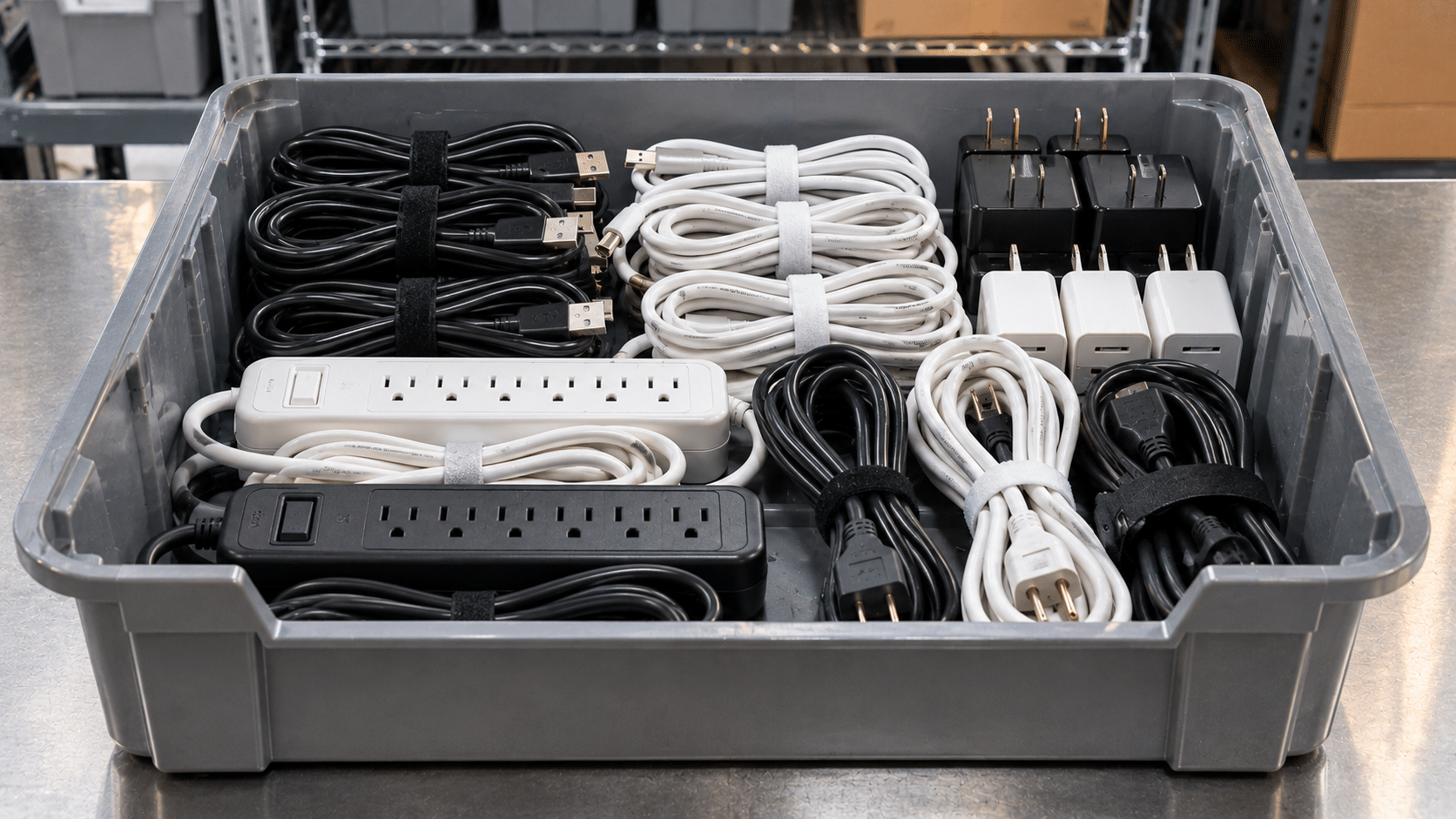
Pre-holiday home cleanups often uncover the same forgotten drawer: tangled USB cords, old micro-USB chargers, and power strips that no longer have a clear purpose. These accessories contain materials that may be recovered through appropriate electronics recycling channels. Before throwing them away, check the individual drop-off options available through eSmart Recycling.
A cable may look like a simple piece of plastic, but its internal construction includes several materials. Chargers and power strips contain additional electronic components. Their exact composition varies by product, and recovery depends on the recycling methods used by downstream facilities.
Copper wiring
Many charging and data cables contain copper conductors. Specialized recycling processes can separate metal from insulation so suitable copper can enter material recovery streams.
Power adapters and components
Wall adapters and laptop power supplies may contain copper, steel, ferrite, circuit boards, and other electronic components that require appropriate processing.
Power strip materials
Power strips can contain copper wiring, metal contacts, circuit components, and plastic housings. These materials may be separated through suitable electronics recycling processes.
A little sorting makes household electronics easier to handle. Gather loose cables in one place, keep chargers with their corresponding devices when possible, and separate power strips from smaller accessories. Avoid cutting cables or opening power adapters to remove internal materials.
Check cords and adapters for damaged insulation, exposed wiring, burn marks, or unusual heat. Set damaged items aside and ask the recycling program how they should be handled. Keep batteries separate when they are safely removable, and never force open a sealed device.
That drawer full of old chargers and tangled cords can be sorted in a few simple steps. Group the accessories, check their condition, and contact eSmart Recycling to confirm which items are accepted and what drop-off or collection options are available. Suitable equipment can be directed toward reuse or refurbishment, while items that have reached the end of their useful life may enter appropriate electronics recycling channels.
Contact eSmart Recycling to confirm accepted cords, adapters, power strips, and small electronics before visiting. You can also find updates on our YouTube channel.
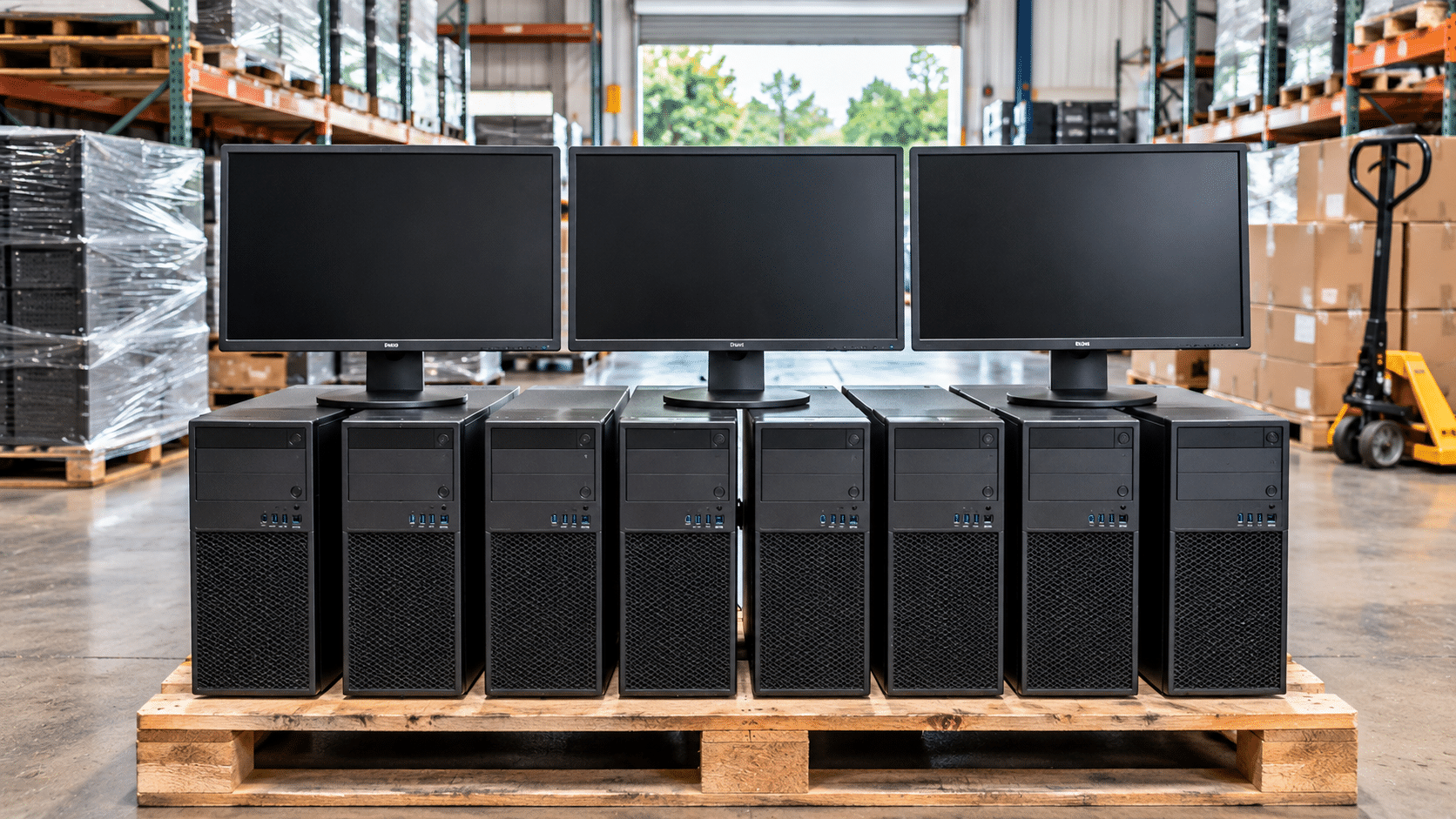
With Windows 10 support ending in October 2025, businesses across Florida are reviewing their desktop and laptop fleets and deciding which devices should stay in service, be reassigned, or be retired. A planned equipment transition can also help companies clear storage areas and send outdated electronics to responsible reuse and recycling channels. Learn more about eSmart Recycling’s electronics recycling services.
A fleet review helps IT teams distinguish equipment that can continue serving the organization from devices that are ready to leave the workplace. Before scheduling a collection, consider these three stages:
Retired computers can occupy valuable space in storage rooms, maintenance areas, and IT departments. Keeping an inventory of the equipment being removed helps teams organize the transition and identify which items are ready for collection.
Before arranging a pickup, group similar equipment together and note approximate quantities. Separate computers from monitors, printers, cables, and other accessories. Keep damaged or swollen batteries apart from ordinary equipment and contact a qualified program for handling instructions before moving them.
Once collected, equipment can be evaluated for possible reuse or refurbishment. Devices that have reached the end of their useful life can enter appropriate recycling channels, where materials such as metals, plastics, and electronic components may be recovered. The exact process depends on the equipment and the downstream recycling facilities.
A Windows 10 retirement plan may involve dozens or hundreds of devices across departments and locations. Organizing the inventory, preparing equipment for release, and arranging collection in advance can make the process easier for your IT and facilities teams. Contact eSmart Recycling to discuss your equipment list and confirm accepted items, pickup availability, and collection options in the Tampa area.
Contact our team to discuss your retired computers, estimated quantities, and available collection options through our business contact page.
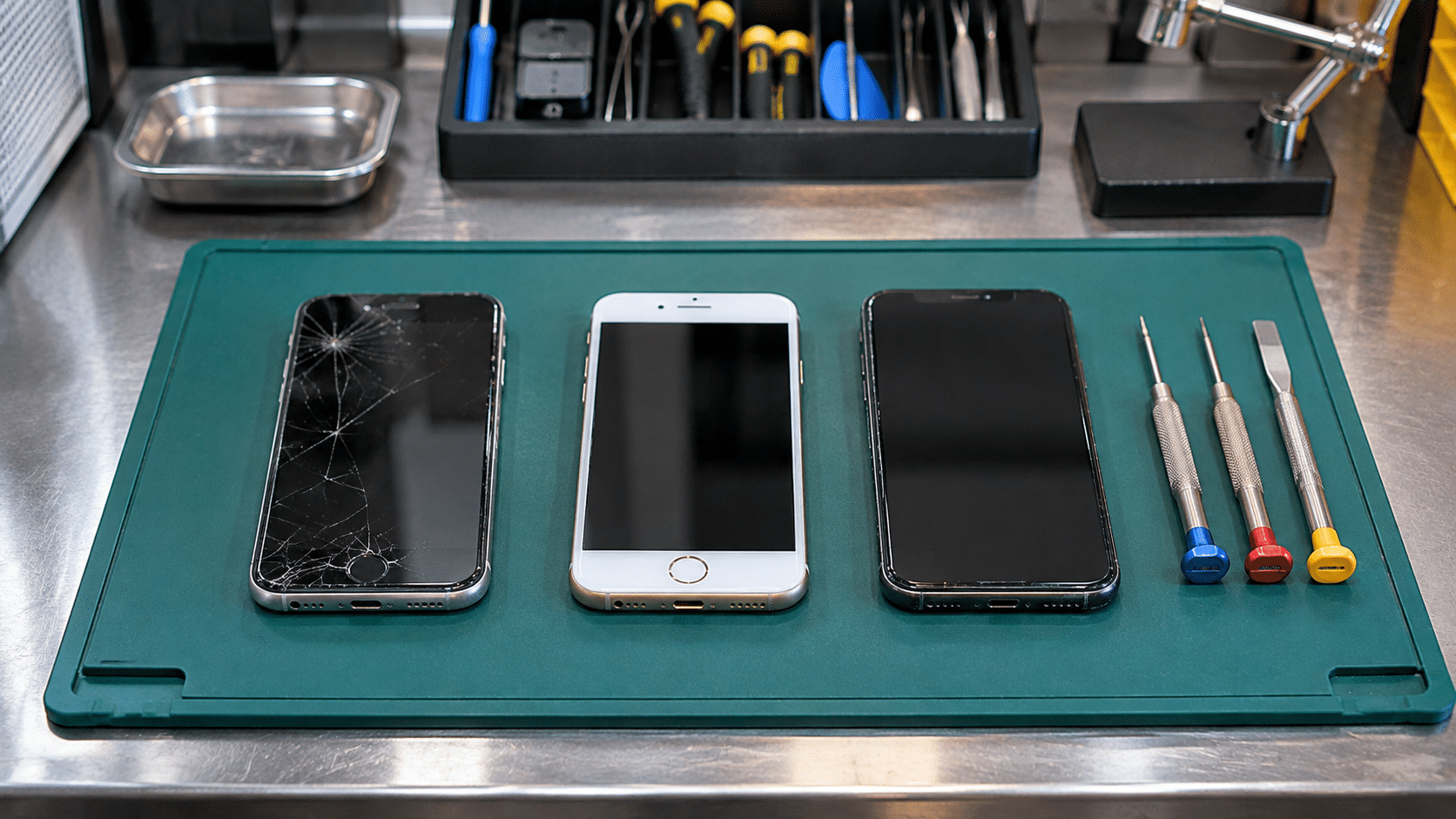
When software support changes, many iPhone XR, XS, and XS Max owners begin considering an upgrade. Some devices still work well enough for another person to use. Others have reached the end of their useful life. Before setting an old phone aside, take a few minutes to prepare it for reuse or responsible electronics recycling. Learn about eSmart Recycling’s individual drop-off options.
A smartphone is small, but its construction brings together a wide range of materials. Its battery, circuit boards, display, speakers, and metal frame each contain components that may be suitable for recovery through specialized recycling processes.
Lithium-ion battery materials
The battery contains lithium and other materials, which vary by chemistry. Specialized processors may recover selected materials for use in new products.
Circuit boards and connectors
Electronic boards and connectors can contain copper, gold, silver, and other metals. Recovery depends on the equipment and processes used by downstream recyclers.
Aluminum and steel
Metal parts in the frame and internal structure can enter material recovery streams, reducing the need for some newly extracted raw materials.
A few steps can help protect your information and make the phone easier to assess for possible reuse. Complete these steps before handing the device over.
After collection, a phone can be assessed for its condition and remaining useful life. A working device may be suitable for reuse or refurbishment. A phone that cannot be used again may enter an electronics recycling process, where selected materials can be recovered by specialized downstream facilities.
That distinction matters. A device with years of use left can continue serving someone else. A device that has reached the end of its useful life still contains materials worth handling responsibly.
An iPhone XR, XS, or XS Max may have finished its time in your pocket. Its next chapter depends on its condition and the care taken during collection. Prepare your device, keep its accessories together, and contact eSmart Recycling to confirm accepted items and available drop-off or collection options. Get in touch with eSmart Recycling.
Contact eSmart Recycling to confirm accepted devices and current drop-off or collection options. You can also follow our Instagram for community collection updates.
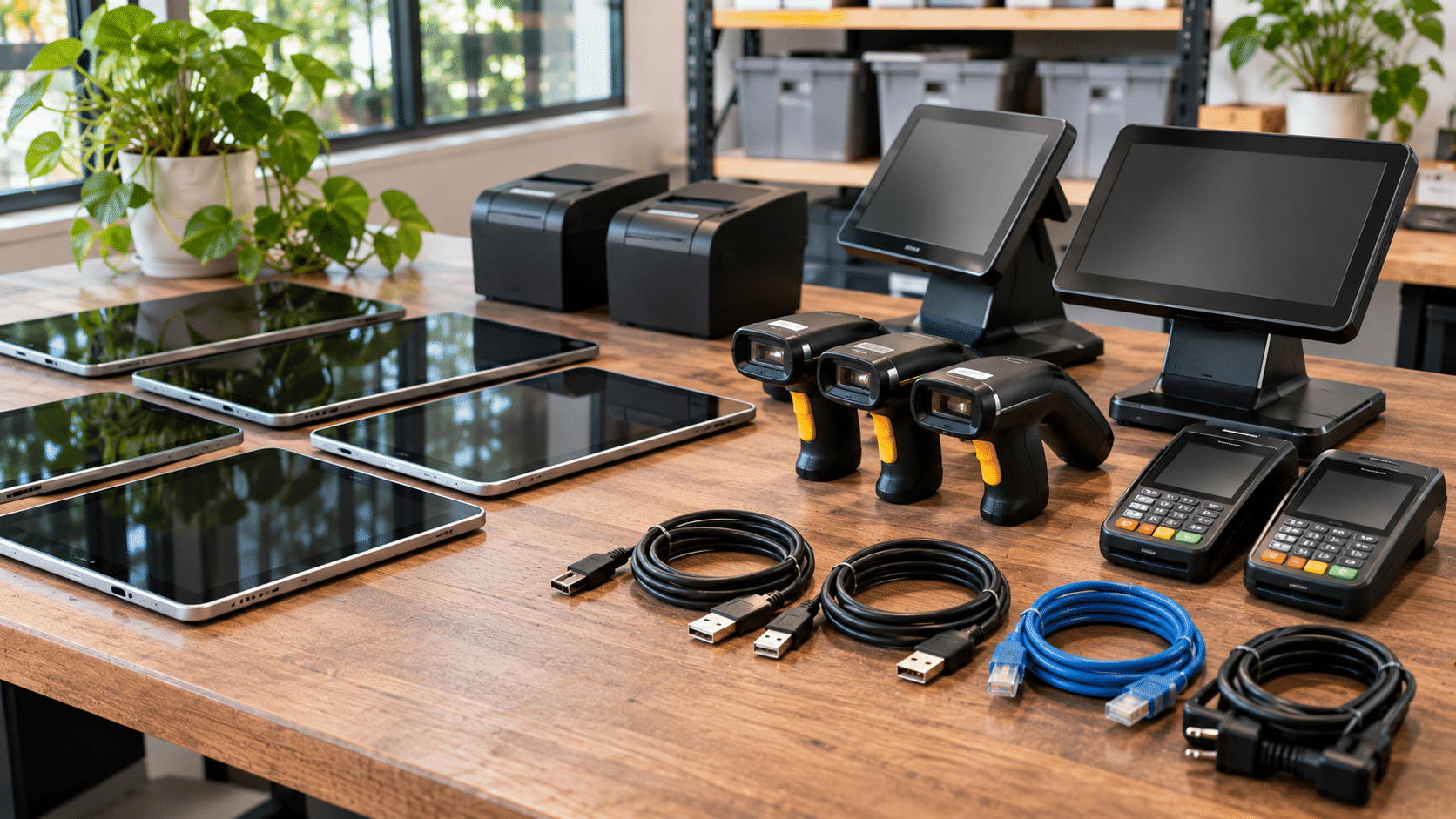
Retailers, warehouses, and hospitality businesses bring reserve tablets, barcode scanners, and POS terminals out of storage every November to prepare for seasonal demand. These devices help employees process transactions, manage inventory, coordinate orders, and serve customers. Before assigning stored equipment to seasonal teams, a technical inspection can help identify devices that are ready for use, those that need maintenance, and hardware that should be retired through responsible electronics recycling.
A few hours of preparation before the holiday rush can prevent unnecessary interruptions during busy shifts. It also gives businesses a chance to review older equipment, organize their technology inventory, and keep damaged electronics from accumulating in storage rooms.
Before distributing tablets, payment terminals, or handheld scanners, review their physical condition and basic functionality. The following checks can help your IT and operations teams decide which devices are ready for another season.
| Inspection area | What to verify | Action for devices that fail |
|---|---|---|
| Battery health and casing | Check for swollen batteries, screen separation, damaged casing, and unusually rapid battery drain. | Remove the device from service if damage is suspected. Request appropriate battery handling instructions before moving or transporting it. |
| Operating system and security support | Confirm that the operating system is supported, required updates are installed, and device management settings are working. | Refer unsupported or outdated devices to IT for review before assigning them to employees or customer-facing operations. |
| Charging ports and connections | Test USB-C or other charging ports, power adapters, Wi-Fi connections, and Bluetooth accessories. | Set aside equipment with loose connections, intermittent charging, or damaged ports for repair or retirement. |
| POS and scanning functions | Test barcode scanners, NFC readers, card terminals, touchscreens, and receipt printer connections where applicable. | Identify faulty peripherals and check whether replacement parts or compatible accessories are available. |
| Physical condition and accessories | Inspect screens, buttons, charging cradles, cables, protective cases, and mounting components. | Separate equipment with broken housings, missing parts, or damaged accessories for further evaluation. |
Testing should reflect how each device will be used. A tablet assigned to inventory management may have different requirements from a payment terminal used at a checkout counter. Businesses should also test their actual applications and accessories before distributing equipment to employees.
After inspection, divide the equipment into clear categories. Devices that pass testing can return to service, while equipment that needs repairs should remain separate until it has been evaluated. Hardware that is no longer supported or cannot be repaired economically can be prepared for retirement and electronics recycling.
Payment systems and handheld devices can remain in storage long after a business upgrades its main equipment. However, older hardware may no longer support current applications, operating system updates, payment requirements, or network configurations.
An outdated POS terminal may also lack compatibility with newer payment peripherals or software. A tablet with an aging battery can require frequent charging, while a barcode scanner with an unreliable connection can slow down inventory tasks. Identifying these problems before employees begin their seasonal shifts gives managers time to arrange repairs or replacements.
Businesses should also consider the environmental side of equipment retirement. Tablets, payment terminals, and scanners contain circuit boards, copper wiring, plastics, aluminum, and other materials. When devices can no longer serve their original purpose, appropriate electronics recycling channels can help recover selected materials for further processing.
Not every device discovered during a seasonal inspection needs to be discarded. Some equipment may be suitable for repair, while other units may still contain useful components. A basic evaluation can help determine whether continued use makes sense.
For equipment that has reached the end of its useful life, responsible collection is the next step. Specialized electronics recycling processors can handle different material fractions, including:
The materials recovered depend on the equipment and the capabilities of the downstream processors. Keeping retired devices out of ordinary waste streams gives these materials a route toward specialized recycling and potential reuse in manufacturing.
The annual holiday equipment inspection can also help businesses prepare for future technology purchases. Reviewing stored assets reveals which devices are still useful, which models frequently need repairs, and which accessories are no longer compatible with current systems.
Keeping basic records of equipment collected for recycling can also help companies document their electronics retirement activities. Depending on the collection program, available records may include quantities, equipment categories, collection dates, and information about reuse or recycling destinations.
These records can support internal asset management and provide useful information for sustainability reporting. Businesses should confirm the exact documentation available with their recycling provider rather than assume that every program offers the same reports or certifications.
A timely hardware inspection helps businesses identify equipment that is ready for another season and separate devices that need repair or responsible retirement. Organized collection also keeps outdated electronics from accumulating in offices, stockrooms, and warehouses.
When November arrives, every working tablet, scanner, and payment terminal matters to the teams serving customers. Taking time to inspect stored hardware before the busiest weeks can help employees start the season with dependable equipment. And when older devices can no longer do the job, giving them a proper route through electronics recycling is a responsible final step in managing your company’s technology.
Preparing to retire tablets, POS terminals, barcode scanners, or other business electronics? eSmart Recycling collects used technology and supports reuse, refurbishment, and responsible material recovery. Contact our team to discuss your equipment, confirm accepted items, and review available commercial collection options. You can also explore our recycling services or follow our updates on LinkedIn.







Did you enjoy our latest blog articles just above?
Subscribe to receive new stories, insights, and impact updates straight to your inbox.
We’ll send you curated content about our partners, recycling strategies, success stories, and how your involvement is driving change through technology access and digital empowerment.
💡 No spam, just the smart stuff.