

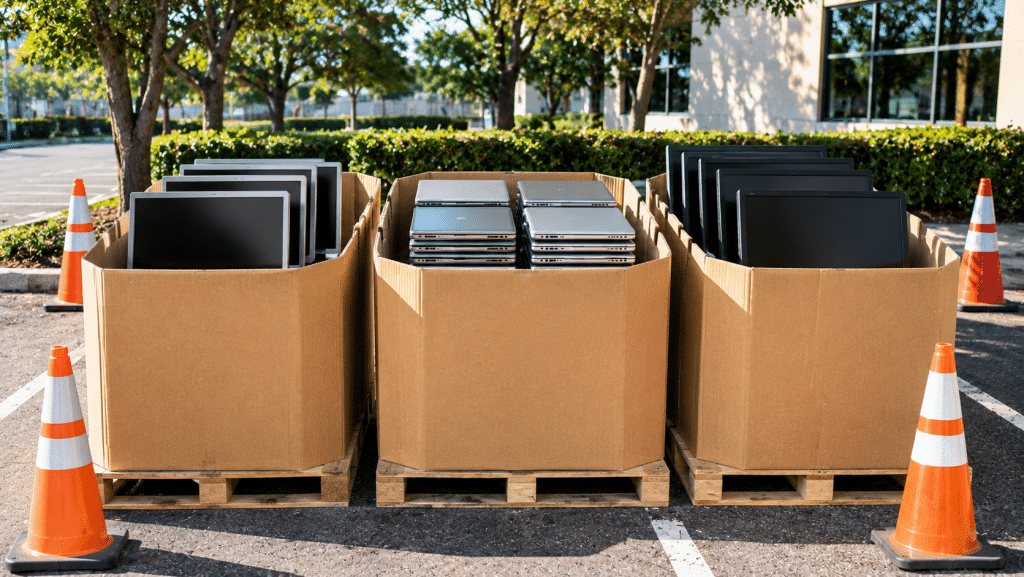
Pre-Thanksgiving weekends can be a great time for neighborhood associations, schools, and local businesses to organize a community electronics collection drive. Families often have unused devices stored at home, and a local collection event gives residents a convenient way to ask about responsible reuse and electronics recycling before the holiday season.
A successful collection starts with a clear plan. Before announcing the event, coordinate with your collection partner and make sure volunteers know what residents can bring and how items should be handled.
Schools, neighborhood associations, and local organizations can help residents find convenient ways to pass along unused electronics. A collection event also gives volunteers a chance to share practical information about reuse, refurbishment, and responsible material recovery.
A neighborhood electronics drive can bring residents, volunteers, and local organizations together around a shared activity. Start by choosing a date and location, estimate how many participants may attend, and confirm collection arrangements with eSmart Recycling. Our team can help you review the event details and discuss available options for your HOA, school, business, or community center. Contact eSmart Recycling to plan your collection.
Connect with our team through the Community Collection Partner Program to discuss accepted items, event logistics, and available collection arrangements.
Fill out the form below to request your electronics recycling pickup.
We’ll coordinate the schedule logistics and follow up with next steps.
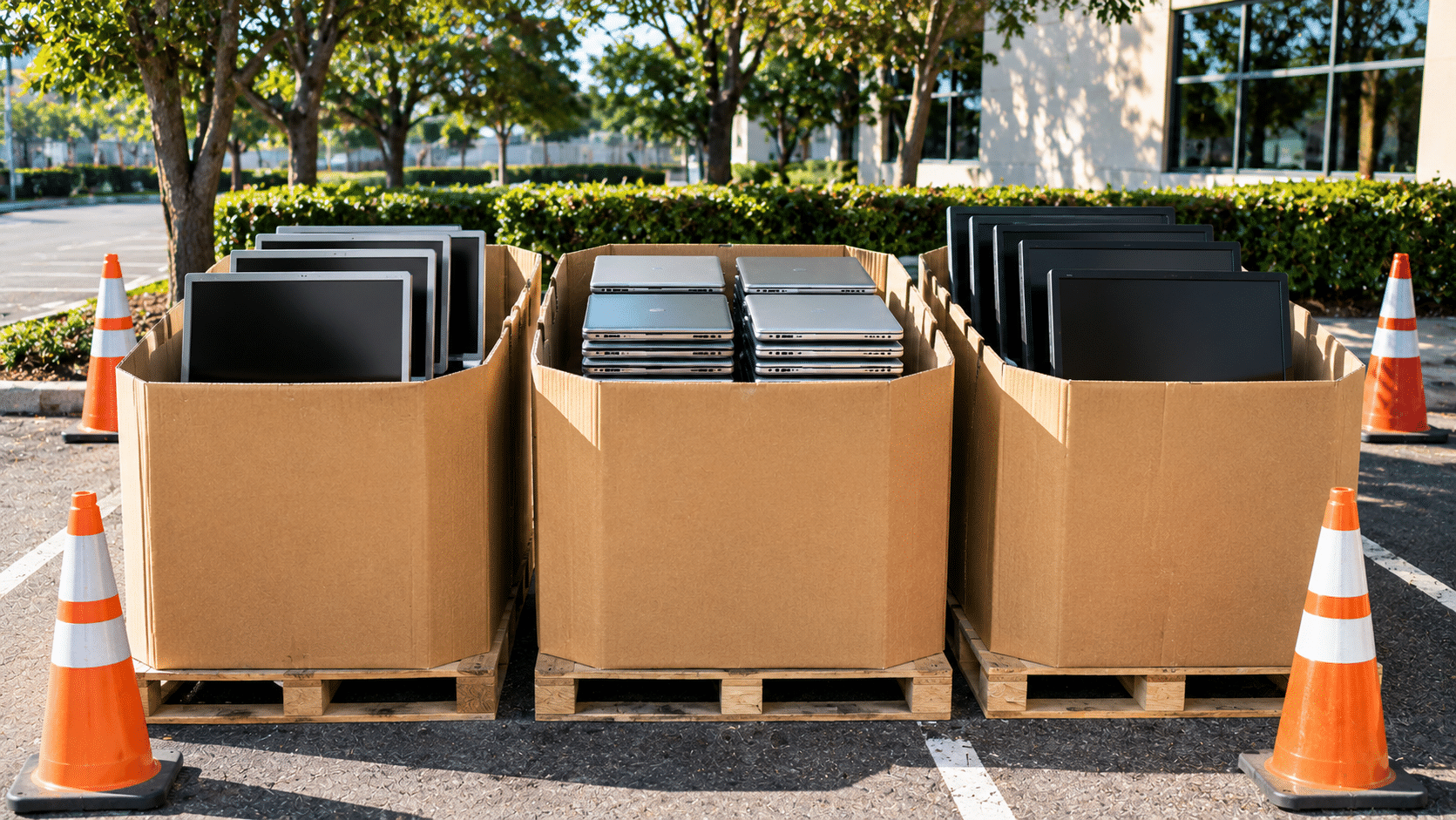
Pre-Thanksgiving weekends can be a great time for neighborhood associations, schools, and local businesses to organize a community electronics collection drive. Families often have unused devices stored at home, and a local collection event gives residents a convenient way to ask about responsible reuse and electronics recycling before the holiday season.
A successful collection starts with a clear plan. Before announcing the event, coordinate with your collection partner and make sure volunteers know what residents can bring and how items should be handled.
Schools, neighborhood associations, and local organizations can help residents find convenient ways to pass along unused electronics. A collection event also gives volunteers a chance to share practical information about reuse, refurbishment, and responsible material recovery.
A neighborhood electronics drive can bring residents, volunteers, and local organizations together around a shared activity. Start by choosing a date and location, estimate how many participants may attend, and confirm collection arrangements with eSmart Recycling. Our team can help you review the event details and discuss available options for your HOA, school, business, or community center. Contact eSmart Recycling to plan your collection.
Connect with our team through the Community Collection Partner Program to discuss accepted items, event logistics, and available collection arrangements.
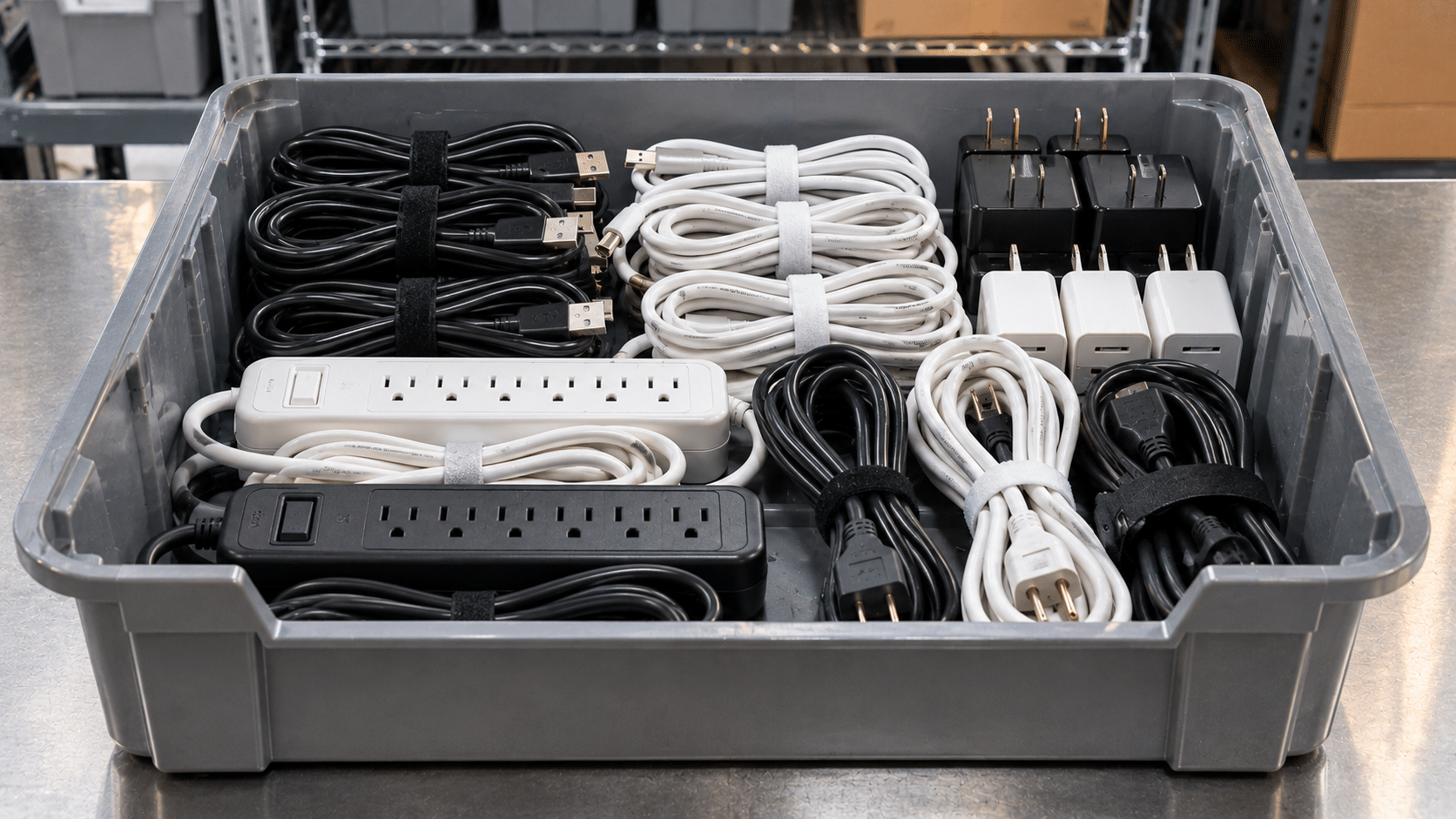
Pre-holiday home cleanups often uncover the same forgotten drawer: tangled USB cords, old micro-USB chargers, and power strips that no longer have a clear purpose. These accessories contain materials that may be recovered through appropriate electronics recycling channels. Before throwing them away, check the individual drop-off options available through eSmart Recycling.
A cable may look like a simple piece of plastic, but its internal construction includes several materials. Chargers and power strips contain additional electronic components. Their exact composition varies by product, and recovery depends on the recycling methods used by downstream facilities.
Copper wiring
Many charging and data cables contain copper conductors. Specialized recycling processes can separate metal from insulation so suitable copper can enter material recovery streams.
Power adapters and components
Wall adapters and laptop power supplies may contain copper, steel, ferrite, circuit boards, and other electronic components that require appropriate processing.
Power strip materials
Power strips can contain copper wiring, metal contacts, circuit components, and plastic housings. These materials may be separated through suitable electronics recycling processes.
A little sorting makes household electronics easier to handle. Gather loose cables in one place, keep chargers with their corresponding devices when possible, and separate power strips from smaller accessories. Avoid cutting cables or opening power adapters to remove internal materials.
Check cords and adapters for damaged insulation, exposed wiring, burn marks, or unusual heat. Set damaged items aside and ask the recycling program how they should be handled. Keep batteries separate when they are safely removable, and never force open a sealed device.
That drawer full of old chargers and tangled cords can be sorted in a few simple steps. Group the accessories, check their condition, and contact eSmart Recycling to confirm which items are accepted and what drop-off or collection options are available. Suitable equipment can be directed toward reuse or refurbishment, while items that have reached the end of their useful life may enter appropriate electronics recycling channels.
Contact eSmart Recycling to confirm accepted cords, adapters, power strips, and small electronics before visiting. You can also find updates on our YouTube channel.
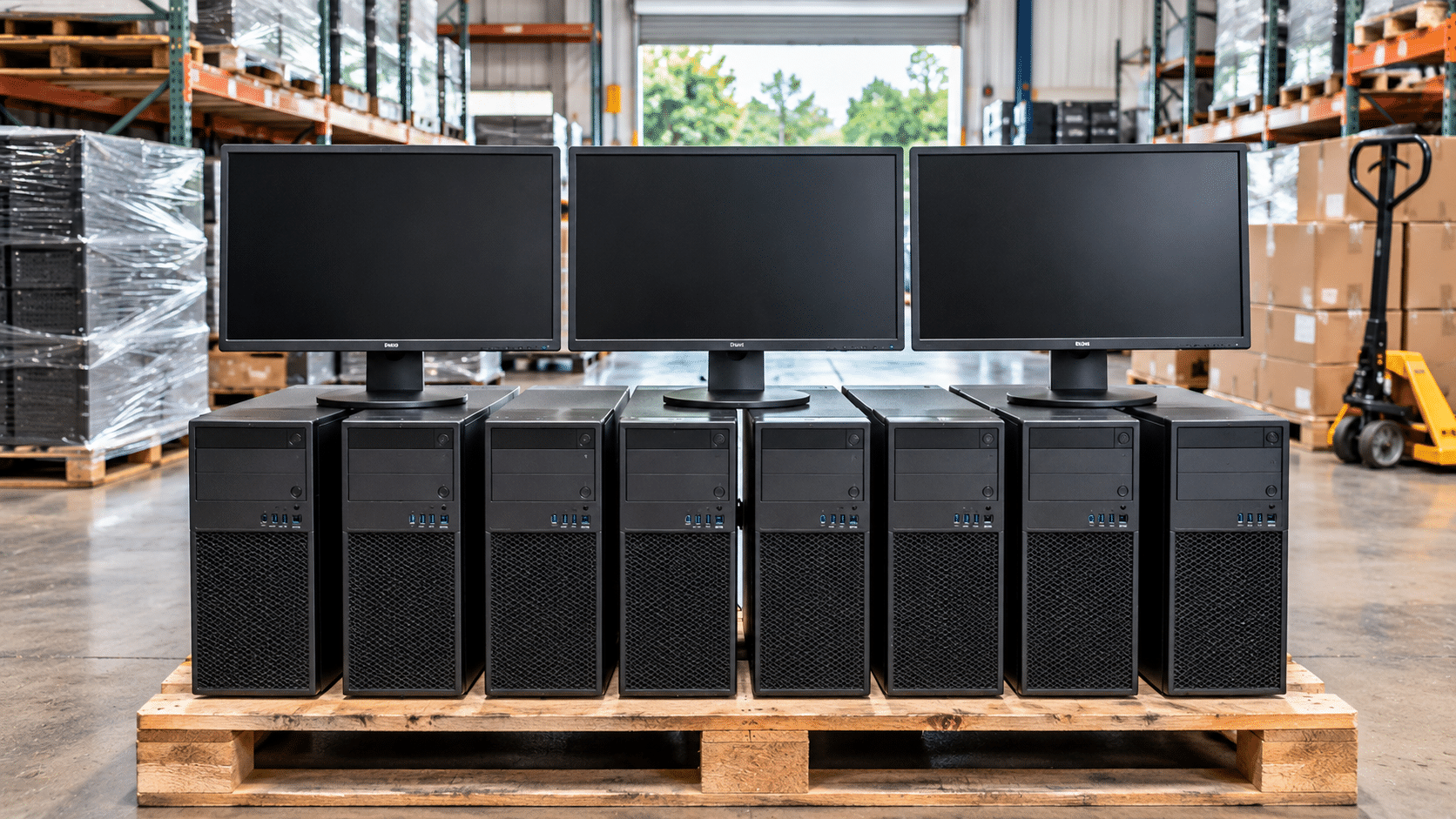
With Windows 10 support ending in October 2025, businesses across Florida are reviewing their desktop and laptop fleets and deciding which devices should stay in service, be reassigned, or be retired. A planned equipment transition can also help companies clear storage areas and send outdated electronics to responsible reuse and recycling channels. Learn more about eSmart Recycling’s electronics recycling services.
A fleet review helps IT teams distinguish equipment that can continue serving the organization from devices that are ready to leave the workplace. Before scheduling a collection, consider these three stages:
Retired computers can occupy valuable space in storage rooms, maintenance areas, and IT departments. Keeping an inventory of the equipment being removed helps teams organize the transition and identify which items are ready for collection.
Before arranging a pickup, group similar equipment together and note approximate quantities. Separate computers from monitors, printers, cables, and other accessories. Keep damaged or swollen batteries apart from ordinary equipment and contact a qualified program for handling instructions before moving them.
Once collected, equipment can be evaluated for possible reuse or refurbishment. Devices that have reached the end of their useful life can enter appropriate recycling channels, where materials such as metals, plastics, and electronic components may be recovered. The exact process depends on the equipment and the downstream recycling facilities.
A Windows 10 retirement plan may involve dozens or hundreds of devices across departments and locations. Organizing the inventory, preparing equipment for release, and arranging collection in advance can make the process easier for your IT and facilities teams. Contact eSmart Recycling to discuss your equipment list and confirm accepted items, pickup availability, and collection options in the Tampa area.
Contact our team to discuss your retired computers, estimated quantities, and available collection options through our business contact page.
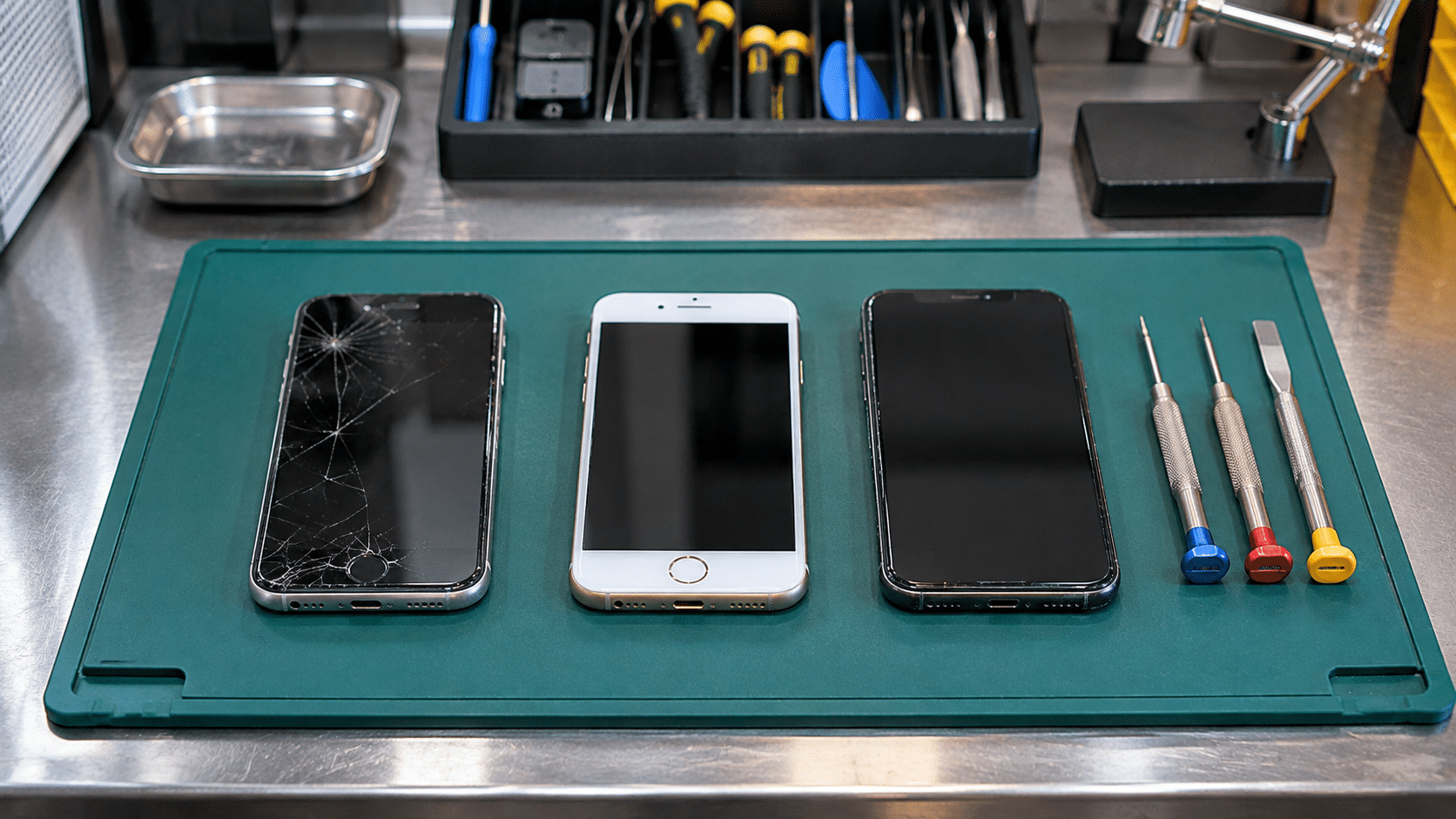
When software support changes, many iPhone XR, XS, and XS Max owners begin considering an upgrade. Some devices still work well enough for another person to use. Others have reached the end of their useful life. Before setting an old phone aside, take a few minutes to prepare it for reuse or responsible electronics recycling. Learn about eSmart Recycling’s individual drop-off options.
A smartphone is small, but its construction brings together a wide range of materials. Its battery, circuit boards, display, speakers, and metal frame each contain components that may be suitable for recovery through specialized recycling processes.
Lithium-ion battery materials
The battery contains lithium and other materials, which vary by chemistry. Specialized processors may recover selected materials for use in new products.
Circuit boards and connectors
Electronic boards and connectors can contain copper, gold, silver, and other metals. Recovery depends on the equipment and processes used by downstream recyclers.
Aluminum and steel
Metal parts in the frame and internal structure can enter material recovery streams, reducing the need for some newly extracted raw materials.
A few steps can help protect your information and make the phone easier to assess for possible reuse. Complete these steps before handing the device over.
After collection, a phone can be assessed for its condition and remaining useful life. A working device may be suitable for reuse or refurbishment. A phone that cannot be used again may enter an electronics recycling process, where selected materials can be recovered by specialized downstream facilities.
That distinction matters. A device with years of use left can continue serving someone else. A device that has reached the end of its useful life still contains materials worth handling responsibly.
An iPhone XR, XS, or XS Max may have finished its time in your pocket. Its next chapter depends on its condition and the care taken during collection. Prepare your device, keep its accessories together, and contact eSmart Recycling to confirm accepted items and available drop-off or collection options. Get in touch with eSmart Recycling.
Contact eSmart Recycling to confirm accepted devices and current drop-off or collection options. You can also follow our Instagram for community collection updates.
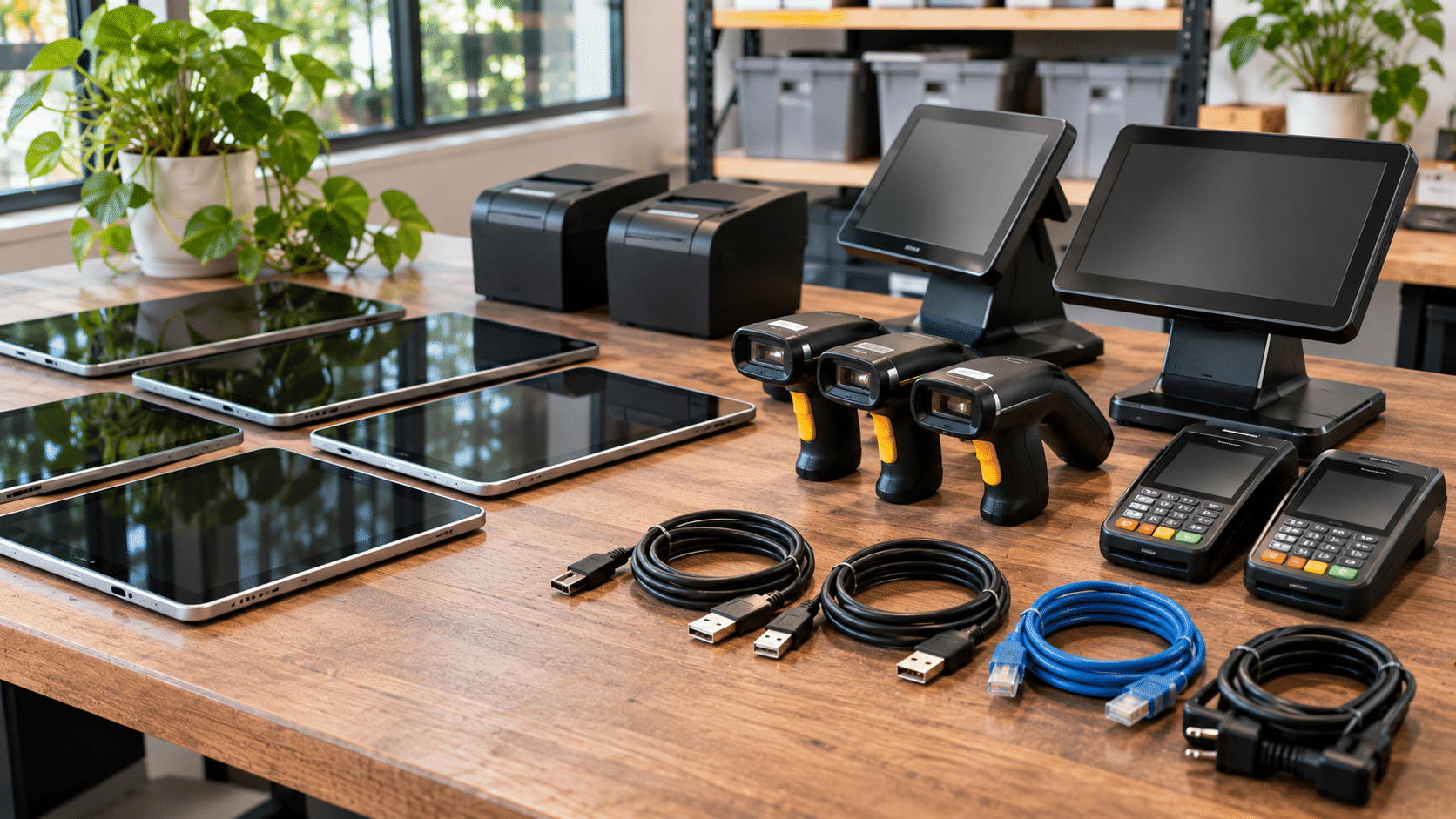
Retailers, warehouses, and hospitality businesses bring reserve tablets, barcode scanners, and POS terminals out of storage every November to prepare for seasonal demand. These devices help employees process transactions, manage inventory, coordinate orders, and serve customers. Before assigning stored equipment to seasonal teams, a technical inspection can help identify devices that are ready for use, those that need maintenance, and hardware that should be retired through responsible electronics recycling.
A few hours of preparation before the holiday rush can prevent unnecessary interruptions during busy shifts. It also gives businesses a chance to review older equipment, organize their technology inventory, and keep damaged electronics from accumulating in storage rooms.
Before distributing tablets, payment terminals, or handheld scanners, review their physical condition and basic functionality. The following checks can help your IT and operations teams decide which devices are ready for another season.
| Inspection area | What to verify | Action for devices that fail |
|---|---|---|
| Battery health and casing | Check for swollen batteries, screen separation, damaged casing, and unusually rapid battery drain. | Remove the device from service if damage is suspected. Request appropriate battery handling instructions before moving or transporting it. |
| Operating system and security support | Confirm that the operating system is supported, required updates are installed, and device management settings are working. | Refer unsupported or outdated devices to IT for review before assigning them to employees or customer-facing operations. |
| Charging ports and connections | Test USB-C or other charging ports, power adapters, Wi-Fi connections, and Bluetooth accessories. | Set aside equipment with loose connections, intermittent charging, or damaged ports for repair or retirement. |
| POS and scanning functions | Test barcode scanners, NFC readers, card terminals, touchscreens, and receipt printer connections where applicable. | Identify faulty peripherals and check whether replacement parts or compatible accessories are available. |
| Physical condition and accessories | Inspect screens, buttons, charging cradles, cables, protective cases, and mounting components. | Separate equipment with broken housings, missing parts, or damaged accessories for further evaluation. |
Testing should reflect how each device will be used. A tablet assigned to inventory management may have different requirements from a payment terminal used at a checkout counter. Businesses should also test their actual applications and accessories before distributing equipment to employees.
After inspection, divide the equipment into clear categories. Devices that pass testing can return to service, while equipment that needs repairs should remain separate until it has been evaluated. Hardware that is no longer supported or cannot be repaired economically can be prepared for retirement and electronics recycling.
Payment systems and handheld devices can remain in storage long after a business upgrades its main equipment. However, older hardware may no longer support current applications, operating system updates, payment requirements, or network configurations.
An outdated POS terminal may also lack compatibility with newer payment peripherals or software. A tablet with an aging battery can require frequent charging, while a barcode scanner with an unreliable connection can slow down inventory tasks. Identifying these problems before employees begin their seasonal shifts gives managers time to arrange repairs or replacements.
Businesses should also consider the environmental side of equipment retirement. Tablets, payment terminals, and scanners contain circuit boards, copper wiring, plastics, aluminum, and other materials. When devices can no longer serve their original purpose, appropriate electronics recycling channels can help recover selected materials for further processing.
Not every device discovered during a seasonal inspection needs to be discarded. Some equipment may be suitable for repair, while other units may still contain useful components. A basic evaluation can help determine whether continued use makes sense.
For equipment that has reached the end of its useful life, responsible collection is the next step. Specialized electronics recycling processors can handle different material fractions, including:
The materials recovered depend on the equipment and the capabilities of the downstream processors. Keeping retired devices out of ordinary waste streams gives these materials a route toward specialized recycling and potential reuse in manufacturing.
The annual holiday equipment inspection can also help businesses prepare for future technology purchases. Reviewing stored assets reveals which devices are still useful, which models frequently need repairs, and which accessories are no longer compatible with current systems.
Keeping basic records of equipment collected for recycling can also help companies document their electronics retirement activities. Depending on the collection program, available records may include quantities, equipment categories, collection dates, and information about reuse or recycling destinations.
These records can support internal asset management and provide useful information for sustainability reporting. Businesses should confirm the exact documentation available with their recycling provider rather than assume that every program offers the same reports or certifications.
A timely hardware inspection helps businesses identify equipment that is ready for another season and separate devices that need repair or responsible retirement. Organized collection also keeps outdated electronics from accumulating in offices, stockrooms, and warehouses.
When November arrives, every working tablet, scanner, and payment terminal matters to the teams serving customers. Taking time to inspect stored hardware before the busiest weeks can help employees start the season with dependable equipment. And when older devices can no longer do the job, giving them a proper route through electronics recycling is a responsible final step in managing your company’s technology.
Preparing to retire tablets, POS terminals, barcode scanners, or other business electronics? eSmart Recycling collects used technology and supports reuse, refurbishment, and responsible material recovery. Contact our team to discuss your equipment, confirm accepted items, and review available commercial collection options. You can also explore our recycling services or follow our updates on LinkedIn.
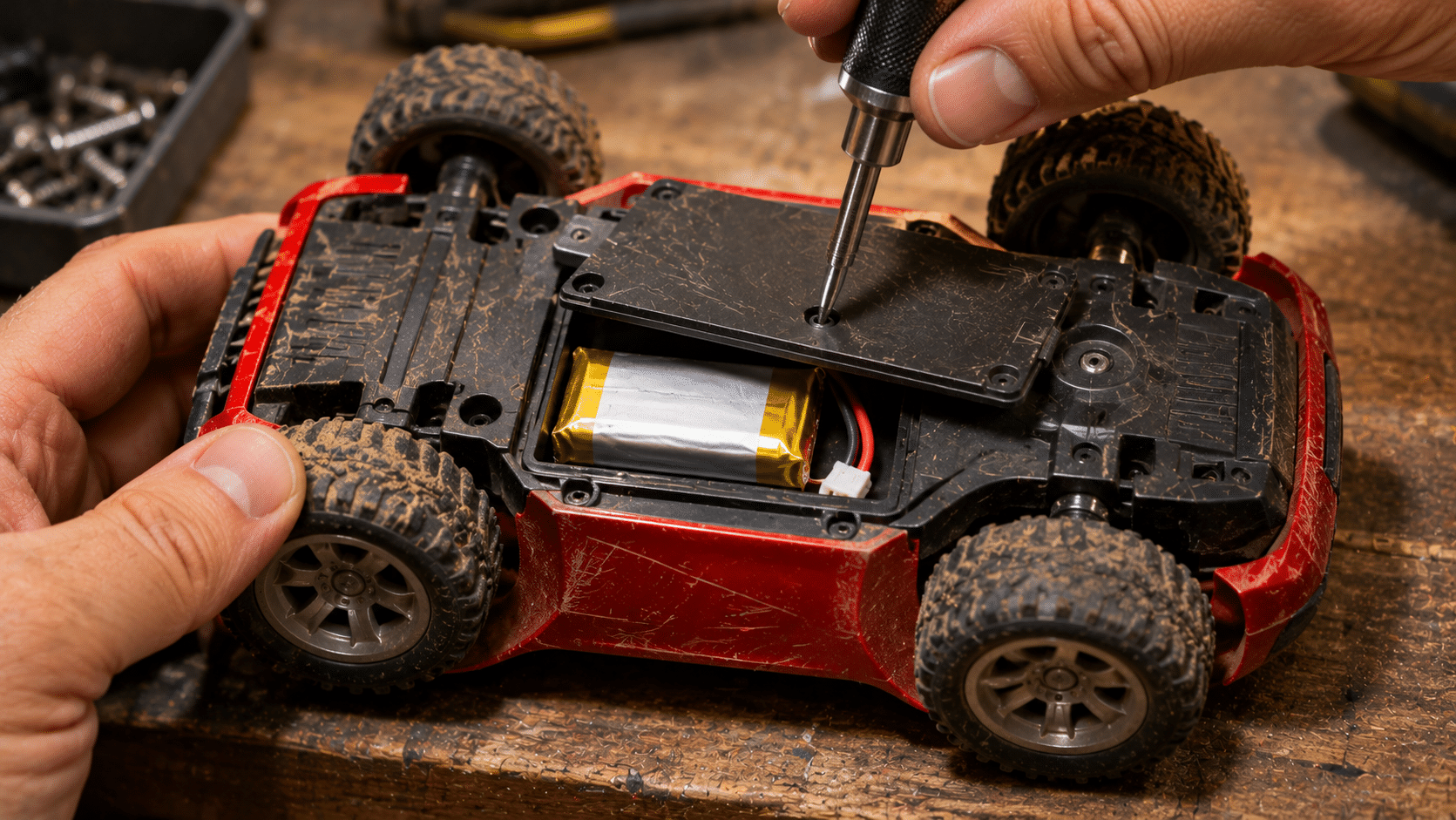
Holiday toy cleanouts are an annual tradition in many family households. As parents make room for new gifts, old toys often come out of closets, playrooms, and storage bins. Some are ready for another child to enjoy, while others have broken screens, damaged wires, or batteries that have reached the end of their useful life. Before placing everything in the trash, take a closer look. Many everyday toys contain electronic components and batteries that require appropriate collection and handling.
Electronic features are now common in toys for children of different ages. Sounds, lights, movement, remote controls, and interactive screens all rely on electrical components. Even a toy that looks like an ordinary stuffed animal or plastic playset may contain wiring, a small circuit board, or a battery compartment.
These toys can contain a combination of materials, including copper wiring, plastics, steel, circuit boards, speakers, and battery components. Their construction varies by manufacturer and model, so the appropriate recycling route depends on the specific item and the collection program’s requirements.
Many electronic toys contain batteries that can become damaged when crushed, punctured, or exposed to excessive heat. Rechargeable lithium-ion and lithium-polymer batteries deserve particular attention because physical damage can lead to overheating and fire.
When electronic toys are mixed with ordinary household waste, their batteries and internal components may enter disposal systems that are not designed to handle them. Separating these items for appropriate collection helps reduce battery-related risks and gives recoverable materials a chance to enter suitable recycling channels.
There is also a reuse consideration. A toy with a minor issue may still be repairable or suitable for another child, depending on its condition and safety. Keeping usable products in circulation can reduce unnecessary waste and extend the service life of the materials used to manufacture them.
Before bringing old toys to a collection program, sort them by type and check their condition. These steps can help families prepare their items safely:
Never use or charge a toy with a swollen, leaking, unusually hot, or visibly damaged rechargeable battery. Do not press, puncture, or attempt to remove the battery. Contact an appropriate battery collection program for handling instructions before transporting the item. If a battery begins smoking, hissing, or releasing an unusual odor, move away and call 911.
Not every toy removed during a holiday cleanout needs to become waste. Some items may still be in good working condition and suitable for donation or continued use. Others may have a minor issue that can be repaired, depending on the availability of replacement parts and the toy’s overall condition.
Before donating a toy, check that it is complete, clean, and safe for another child. Pay particular attention to loose parts, damaged wiring, exposed batteries, and broken plastic pieces. Electronic toys with damaged rechargeable batteries should not be passed along for use.
Items that cannot be reused may be directed to appropriate electronics recycling channels. Specialized processors can handle the different material fractions, including metals, plastics, circuit boards, and battery components. The exact recovery process depends on the item and the capabilities of the processing facility.
A holiday cleanout can also uncover small electronic items that have been stored alongside toys and decorations. Sorting them at the same time can help families organize their unwanted equipment and identify items that may need specialized collection.
Separate these items from ordinary toys and household waste. Some accessories may be accepted through electronics recycling programs, while batteries may need a separate collection route. Contact the facility to confirm its accepted items and preparation instructions.
Sorting electronic toys before throwing them away helps families identify reusable items, separate batteries, and direct unwanted devices toward appropriate recycling programs. Small household habits can support safer waste handling and better use of valuable materials.
As the holiday decorations come out and new gifts find their place under the tree, take a little time to review the toys already at home. That old remote-controlled car, talking teddy bear, or learning tablet may still be useful to another child. And when a toy has reached the end of its useful life, responsible collection gives its electronic components a better destination than the household trash. A safer, more organized playroom can also be the beginning of a more thoughtful approach to electronics recycling.
Cleaning out the playroom or sorting old household electronics? eSmart Recycling collects used technology and supports reuse, refurbishment, and responsible electronics recycling. Contact our team to confirm accepted items and available collection options before bringing electronic toys, devices, or accessories to our Tampa facility. You can also review our individual drop-off guidelines.







Did you enjoy our latest blog articles just above?
Subscribe to receive new stories, insights, and impact updates straight to your inbox.
We’ll send you curated content about our partners, recycling strategies, success stories, and how your involvement is driving change through technology access and digital empowerment.
💡 No spam, just the smart stuff.