


Recycling is one of the most crucial initiatives we can undertake to protect our environment and help future generations. However, the main problem and challenge of recycling initiatives is motivating people to adapt to recycling practices and change their behavior to recycle more. To overcome this resistance, it is necessary to provide clear and easy-to-understand information and resources that help people take action.
First, to truly make a difference and stop being part of the problem, we all must understand why there is resistance to recycling initiatives. People may think that their contribution is not enough to make a difference, or they may not understand how their habits and decisions can help or harm the environment. Recycling can also be seen as an extra task in a busy schedule, which can become a barrier for those who want to do more but have doubts about the effectiveness of their actions.
Once we understand the resistance, it is important to recognize that to overcome it and create positive change, we need to provide people with clear and easy-to-use information and resources. The key is to present recycling initiatives as something easy to do that does not require extra time in a busy schedule.
The first goal should be to convince people that their actions make a difference and that recycling truly has a positive impact. To do this, it is important to emphasize the importance of waste reduction how small actions can add up to make a big difference, and how behavior changes can lead to environmental changes.
Focusing on the positive aspects of recycling can also be a strong motivator. In campaigns and messages, companies and recycling organizations should highlight the benefits not only of recycling but also of waste reduction and management practices. For example, the company Smart Recycle, an online platform where people can sell their recyclable materials, campaigns for the economic benefits of recycling, focusing on the idea that earning money from unwanted materials is simple.
Lastly, it is essential to engage people on a more practical level to ensure the success of recycling initiatives. This involves creating easy-to-use recycling programs and systems that people can easily understand and follow. Recycling companies can make the process as simple as placing sorted recyclables in a specific bin, allowing people to contribute without it being an extra task in a busy schedule.
Some companies also offer their customers the option to mail in their recyclable materials in exchange for discounts and personalized offers. RecycleBank, for example, encourages people to recycle while rewarding them for doing so. It is a community-focused recycling solution that offers its members various rewards each time they contribute.
Recycling is a simple yet important way to help protect the environment and create a positive impact for future generations. It is the responsibility of companies and recycling organizations to provide easy-to-understand information, resources, and incentives to make the process as simple as possible, maximizing their customers’ commitment to a better and greener world.
By working together, we can overcome resistance to change in recycling initiatives and make a positive difference in our world.
Fill out the form below to request your electronics recycling pickup.
We’ll coordinate the schedule logistics and follow up with next steps.
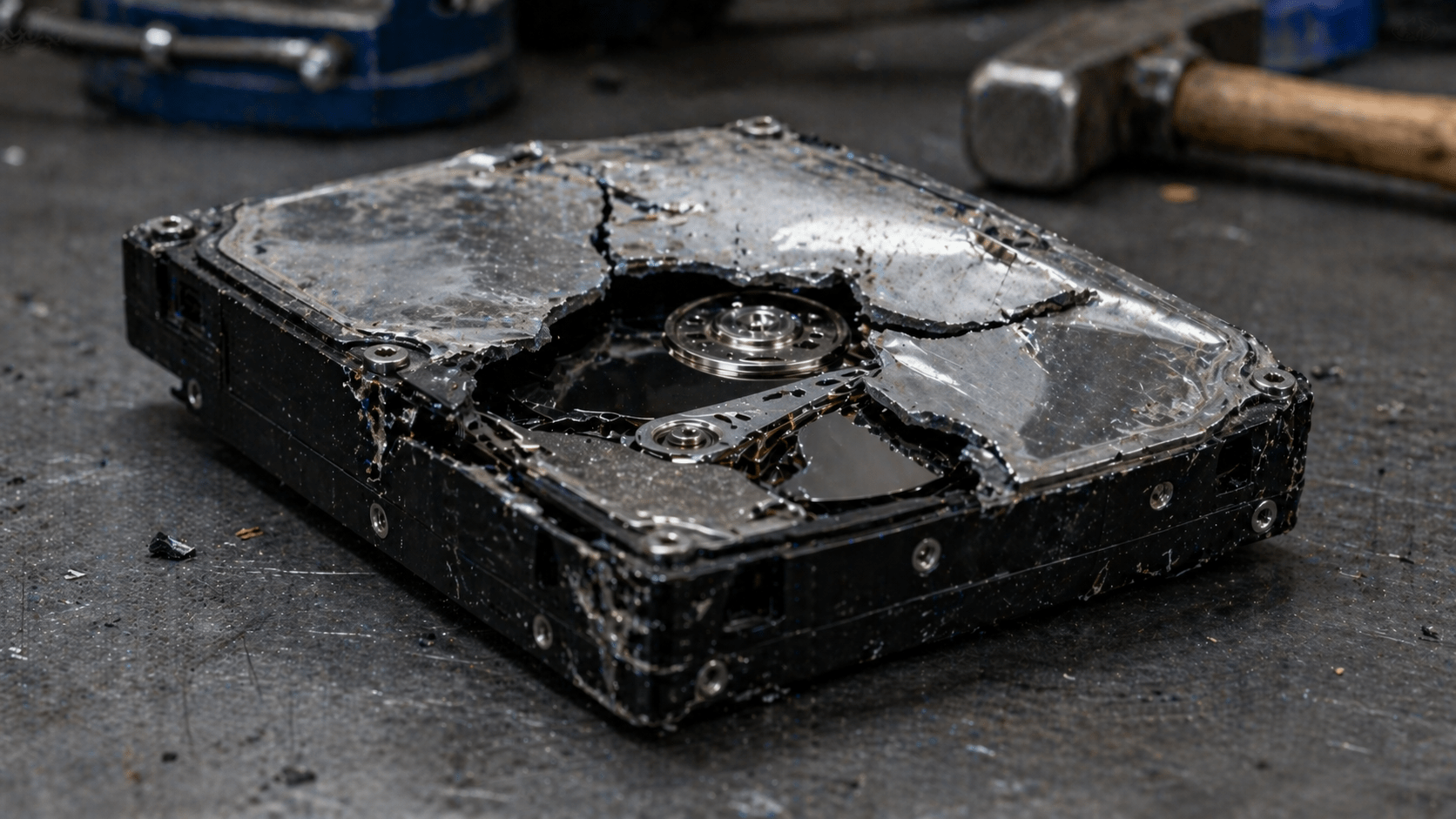
Talking with IT departments about data destruction is a consistent experience. Most have good intentions. Almost all believe they are doing the right thing. And many are operating under myths that wouldn’t survive five minutes in an audit.
This is not an attack on the field. It’s the reality of a space where information changes fast, standards get updated, and what was true seven years ago may be false today. The problem is when those myths stick, and a company in Tampa Bay discovers, in the middle of an audit, a breach, or a lawsuit, that their “data destruction” didn’t destroy anything.
These are the five myths we see most often, and why each one is a silent risk.
What many people believe: move files to the trash, empty it, and that’s it. Data gone.
The reality: deleting a file only removes the reference the operating system uses to find it. The data still physically exists on the disk until something new overwrites it. Any free recovery software can read it in minutes.
It’s like crossing out an entry in a book’s index. The page is still there. You just removed the direction to find it.
What NIST 800-88 says: deleting files does not even qualify as “Clear,” the lowest level of sanitization. To meet Clear, every storage block must be overwritten with new data.
What many people believe: a full disk format leaves everything clean, ready to resell or recycle.
The reality: a standard format (quick format) does the same as deleting files at scale. It removes the tables that index where each piece of data is, but leaves the data intact in the physical sectors. A “full format” in recent Windows versions does overwrite, but not in a verifiable way under audit standards.
The real test: if, after formatting, you can run software like Recuva or PhotoRec and recover files, you didn’t destroy anything. You just hid it poorly.
What NIST 800-88 says: formatting is not recognized as a sanitization method. For Purge level, you need verified overwriting or cryptographic erase. For the Destroy level, you need certified physical destruction.
What many people believe: restoring to factory settings equals data destruction. This applies to smartphones, laptops, and corporate tablets.
The reality: there is an important nuance here, because the answer changed in the last five years.
For modern devices with hardware encryption enabled (iPhone post-2014, Android 6 and above with file-based encryption, Macs with T2 or Apple Silicon), a factory reset deletes the cryptographic keys. Without the keys, encrypted data becomes mathematically unrecoverable. In these cases, a factory reset works as a valid sanitization.
For everything else (older Windows phones, Android devices without encryption enabled, Windows laptops with HDDs without BitLocker, pre-2015 devices), a factory reset is essentially equivalent to formatting. Recovery is possible with basic tools.
What NIST 800-88 says: a factory reset can qualify as Purge-level sanitization only if the device uses verifiable hardware encryption. If not, it is not sufficient. Your IT department must document case by case, not assume.
What many people believe: physically damaging a drive with a hammer, drill, or by dropping it from a height permanently destroys the data.
The reality: it depends on the level of damage and the type of drive. An HDD with magnetic platters can still be partially recovered if the platters are intact, even if the electronics are destroyed. Forensic labs can read data from magnetic fragments the size of a fingernail.
SSDs are worse. They have multiple NAND chips distributed across the board. If a single chip survives intact, it contains recoverable data. Breaking an SSD with a household hammer leaves functional chips in 7 out of 10 cases.
Beyond the security issue, hitting drives with improvised tools releases materials like mercury, lead, and cadmium. This is illegal in Florida under e-waste regulations.
What NIST 800-88 says: physical destruction must reduce the media to particles of a verifiable size. For HDDs, fragments smaller than 6 mm. For SSDs with highly sensitive data, particles smaller than 2 mm. This requires certified industrial shredders, not hammers in a parking lot.
What many people believe: a drive that doesn’t boot, mount, or show hardware errors is effectively dead. It can be thrown away without risk.
The reality: most drive failures are electronic, not in the data. An HDD with a burned motor, damaged heads, or a failed controller can still have perfectly readable data if the platters are intact. Professional recovery services like Ontrack or DriveSavers recover data from “dead” drives every day.
For SSDs, common failures like controller failure do not affect the NAND chips where data resides. A technician with specialized equipment can read the chips directly.
If your IT department discards broken drives without sanitization because “they no longer work,” it is leaving complete data in the trash.
What NIST 800-88 says: the functional state of the media does not change the obligation to sanitize. A drive that does not power on must be treated with the same protocol as an active drive: Clear, Purge, or Destroy, depending on the sensitivity of the data it contained.
Three quick questions for self-assessment:
Three “no” answers mean your company is more exposed than it thinks.
Fines for a data breach in the U.S. start in six figures and escalate quickly when HIPAA, GLBA, or SOX are involved. The cost of a certified data destruction provider fits within a typical quarterly budget.
The math is not complicated. What is complicated is unlearning myths that have circulated for years in IT departments as if they were best practices.
At eSmart Recycling, we work with companies in Tampa Bay to audit existing protocols, identify where they are operating under myths, and replace them with certified R2v3 and NIST 800-88 processes. If, after reading this, you have doubts about your own process, reach out. It is better to find the problem in a conversation than in a failed audit.
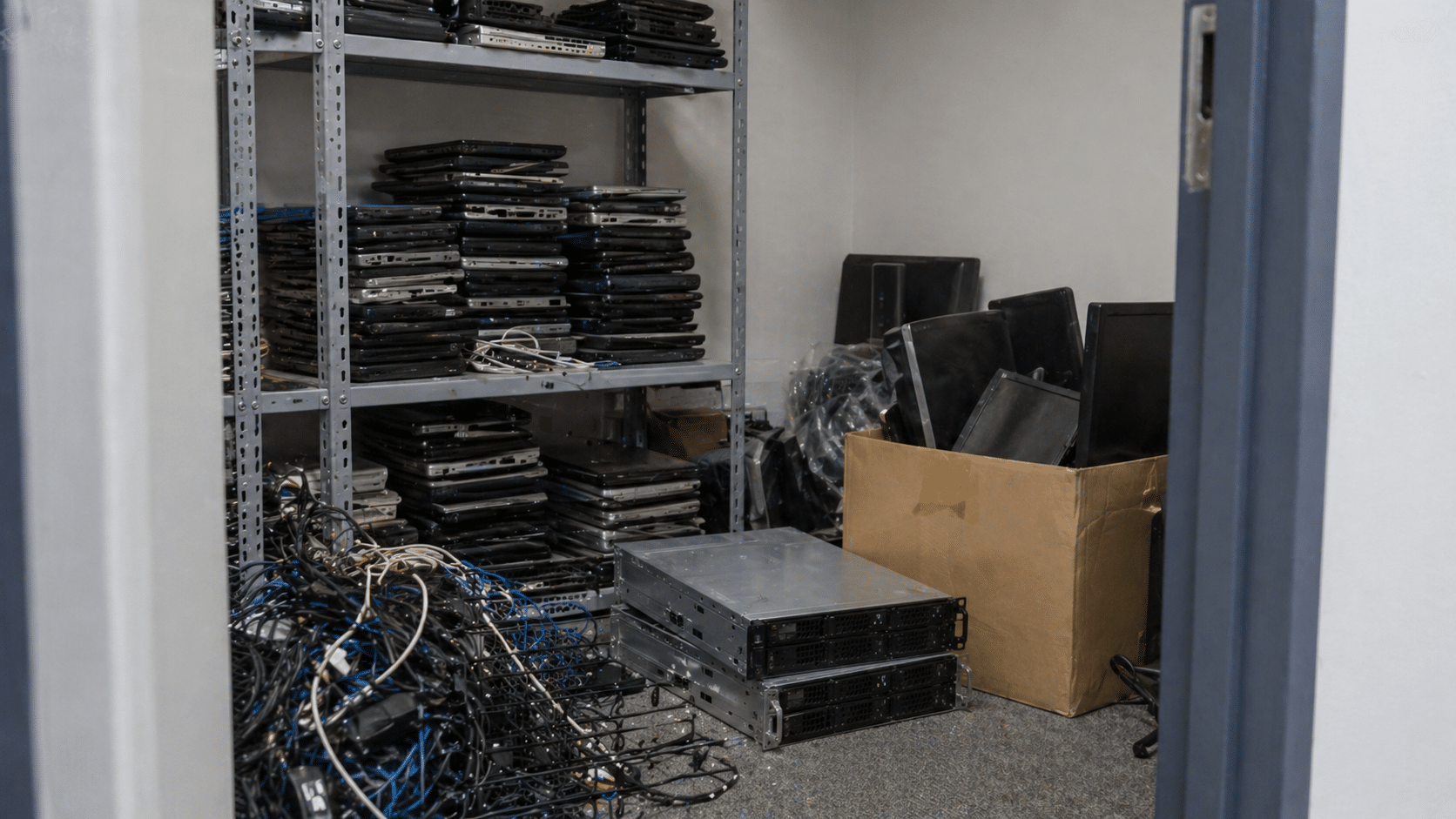
Almost no company in Tampa Bay has a formal e-waste management plan. What they have is a closet with old laptops, a rack with powered-off servers, a shelf full of cables no one knows where they came from, and a tacit agreement that “someone should do something about this at some point.”
That’s not a plan. That’s a compliance time bomb.
If your company handles customer data, equipment recorded as fixed assets, or has any regulatory obligation (HIPAA, GLBA, SOX, PCI-DSS), then it needs a documented plan. The question is not whether you need it, but how far you are from having one.
These 12 questions will tell you. Answer them honestly: every “no” is a crack where a fine or a breach can come through.
Not “more or less.” Exact number. If the answer is “like 30 or 40 laptops, I think,” there’s already a problem. Without inventory, there is no plan.
If no one is responsible, everyone is responsible. And that means nothing will get done until it’s too late.
An Excel sheet works. Formal asset management works better. What doesn’t work is relying on the IT manager’s memory.
“We run a formatter on it” is not a protocol. A protocol defines: what method is used depending on the media type, who executes it, and how it is documented.
If the answer is “it’s the same,” the protocol is broken. SSDs are not sanitized using HDD methods, and vice versa.
If you’ve never heard these terms, your auditor will use them when the time comes.
A generic certificate that says “we destroyed 50 items” is not enough to defend yourself in an audit. Every serial must be traceable.
If not, it’s not a vendor. It’s a transfer point. And your legal responsibility travels with the equipment all the way to its final destination.
Without this, you cannot prove where each drive ended up if you’re asked.
A one-page document signed by the CEO or COO. It doesn’t need to be a novel. It needs to exist.
If the answer is “they tell IT, and that’s it,” the policy is incomplete. Employees should know: where to leave it, what information to remove beforehand, and who confirms receipt.
That ratio is one of the most visible KPIs for corporate circular economy programs.
11 to 12 yes answers: your company has a functional plan. Maintain discipline and review annually.
7 to 10 yes answers: you have the foundation. The gaps are where the risks are. Identify the “no” answers and turn them into a quarterly project.
4 to 6 yes answers: you are improvising with luck. You’ve gone this long without an incident, but the probability increases every month. You need a formal plan before the end of the year.
0 to 3 yes answers: your company does not have an e-waste plan. What it has is exposure. The good news is it’s not complicated to build; the bad news is it won’t build itself.
An e-waste management plan is not an 80-page document. For a mid-sized company in Tampa Bay, it’s six well-made decisions:
Who is responsible? How inventory is tracked. What data destruction method is used? Who the certified recycling provider is. How each retirement is documented. When the plan is reviewed.
The hard part is not writing it. The hard part is executing it every time a device leaves use, not just when 50 of them pile up in a closet.
At eSmart Recycling, we help companies in Tampa Bay build the plan from scratch or audit the one they already have. If, after these 12 questions, you have more “no” answers than “yes,” reach out. The initial conversation costs nothing and usually saves far more than what a breach or a failed audit ends up costing.

The day it went into production. And the day it needs to be retired.
The first one is usually well-documented: rack number, configuration, IP address, and purpose. The second one rarely is. When it’s time to decommission servers in a company in Tampa, the uncomfortable questions show up. Who validates that the data was destroyed? What happens with drives in RAID? Do we have an auditable certification? Does the recycling vendor comply with HIPAA, GLBA, or SOX, depending on what applies?
This blog organizes the process so next time you don’t improvise. Server by server, step by step, with the standards your auditor will ask for.
A lot of people treat server retirement like a laptop with more RAM. That’s a mistake that gets expensive.
Servers have specific characteristics that change the entire sanitization process:
Treating a server with the same protocol as a laptop is the perfect recipe for a breach you won’t detect until the next audit.
NIST Special Publication 800-88 Revision 1 is the federal standard for media sanitization and the compliance base for HIPAA, GLBA, SOX, and PCI-DSS. It defines three levels:
For retired corporate servers, the practical rule is simple: if the drives are leaving your control, use Purge or Destroy. The exact level depends on data sensitivity. If you handle PHI under HIPAA, financial data under GLBA, or classified information under CMMC, Destroy is the path.
This is the workflow we follow at eSmart Recycling with clients in Tampa Bay:
Step five is the one your auditor checks first. If you don’t have certificates connecting each serial to the original server, everything else becomes questionable.
Before signing with any ITAD provider in Tampa, demand clear answers to this:
If any answer is vague, find another provider. The difference between a proper process and an improvised one is measured in fines that start in six figures when there’s a breach.
A B2B client in Tampa Bay, in the financial sector, contacted eSmart Recycling after a refresh cycle. Twelve Dell PowerEdge servers in production for six years, RAID 10 with enterprise SSDs, customer data under GLBA. The company had considered donating the servers to a regional office to extend their use.
Initial audit showed the SSDs did not support verifiable cryptographic erase and that the iDRAC consoles still had active credentials from three administrators who were no longer with the company. Donating them without full sanitization was not viable.
Final process: physical destruction of 48 SSDs at the eSmart Recycling warehouse, sanitization of iDRAC and BMC, R2v3 recycling of remaining hardware, and per-server certificates with each drive’s serial. Total time: 72 hours from pickup to documentation delivery.
Retiring servers costs time, money, and coordination. Doing it wrong costs fines, lawsuits, lost clients, and sleepless nights. The math is simple.
If your company in Tampa Bay has servers at end of life, hardware sitting from a past refresh cycle, or a datacenter being consolidated, the time to plan is now. The longer drives sit in a closet, the higher the chance someone moves them without protocol.
At eSmart Recycling, we handle everything from single-server retirements to full datacenter migrations. Audit, NIST 800-88 sanitization, serial-level certificates, R2v3 recycling, fully documented. Reach out before that closet turns into an audit finding.
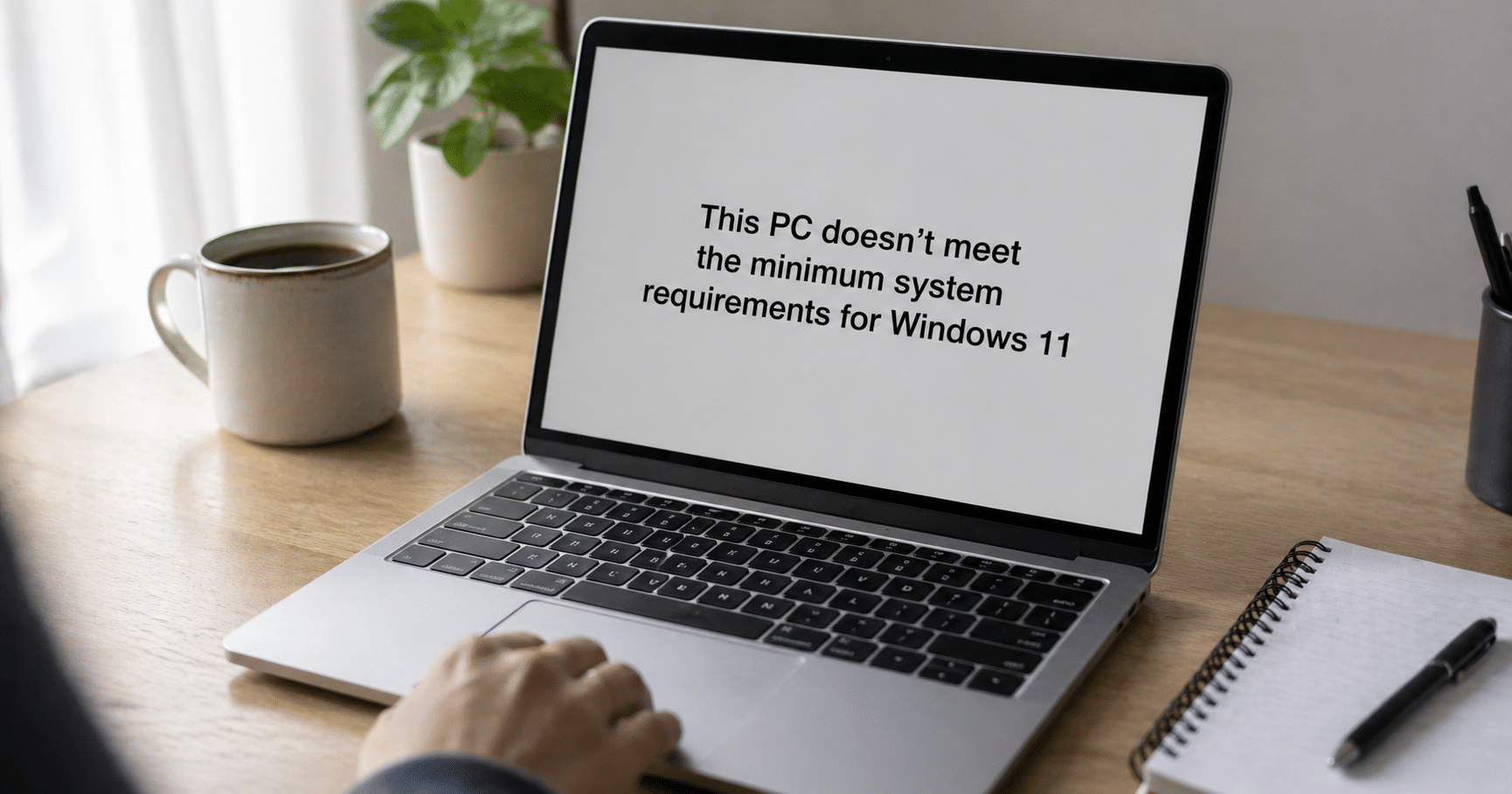
Microsoft ended support for Windows 10 on October 14, 2025. You stopped receiving security updates, patches, technical support. Nothing.
The logical move was to upgrade to Windows 11 and move on. But you opened the update menu, clicked, and got the message: “this PC doesn’t meet the minimum requirements.” Your PC is five years old, works fine, has never failed you. And now Microsoft tells you it’s no longer usable.
You’re not alone. At the time support ended, there were more than 400 million PCs worldwide running Windows 10, and a huge portion of those can’t upgrade to Windows 11 due to hardware requirements like TPM 2.0 or a compatible CPU.
Here are the four real options you have in Tampa, ordered from most conservative to most radical.
Microsoft offers the Extended Security Updates (ESU) program for consumers. It gives you security patches until October 13, 2026. One extra year, nothing more.
Three ways to access it:
Free if you agree to sync your PC settings with a Microsoft account
1,000 Microsoft Rewards points
One-time payment of $30 per Microsoft account (covers up to 10 devices)
What you get: critical and security patches. No new features, no technical support, no fixes for other bugs. It’s a delay, not a solution.
For companies it’s different: corporate ESU runs until October 2028, but pricing starts at $61 per device in the first year and doubles each following year. For an office with 50 machines, the math gets ugly fast.
If your device is already five or six years old, it probably doesn’t just fail Windows 11 requirements. Degraded battery, slow drive, noisy fans, insufficient memory for current workloads. ESU only delays the inevitable.
Buying new solves the problem at the root, but opens the next question: what do you do with the old machine?
Never throw it in the trash. PCs contain lithium in batteries, mercury in some displays, lead in board solder. Throwing them in the gray bin is illegal in Florida and contaminates soil and water. On top of that, the hard drive holds years of your data: accounts, photos, documents, saved passwords in your browser.
The clean option: take it to one of our Community Collection Partners in Tampa Bay. These are local businesses partnered with the eSmart program that accept devices with no paperwork, no ID. We destroy data following NIST SP 800-88 standards, and anything that can’t be reused goes to certified R2v3 recycling.
List of locations: esmartrecycling.com/community-collection-partner-program
If your PC works fine mechanically and only Windows is the issue, Linux is a real alternative. Distributions like Ubuntu, Linux Mint or Zorin OS run smoothly on hardware up to 10 years old, are free, and receive continuous security updates.
This path has trade-offs: a learning curve, incompatibility with some specific software (Adobe Creative Cloud, certain games, some US accounting software). But for browsing, email, documents, video calls, and streaming, it’s more than enough.
This route extends the device’s lifespan by 3 to 5 more years. It’s the most sustainable option if your usage is basic.
A Windows 10 PC without support can still work for tasks where security is not critical: a media center connected to your TV, a retro gaming console, a dedicated office printing machine with no internet access.
That said: disconnect it from public networks and your personal email. Without security patches, every new vulnerability discovered stays open.
Here the calculation changes completely. An office in Tampa with 50 Windows 10 machines is looking at three numbers at once: the cost of corporate ESU ($61 per PC year one, $122 year two), the cost of replacing hardware, and compliance risk if handling sensitive data under HIPAA, GLBA, or FERPA.
At eSmart, we help Tampa Bay companies make a structured transition: audit which machines can migrate to Windows 11, certified data destruction for those being retired, documentation for audits, and R2v3 recycling for what can’t be reused.
All four options are valid depending on your case. If your device is relatively new and works well, Linux gives you extra years without spending money. If you rely on it for everything and security matters, replacing it is the sensible move. If you’re not ready, ESU buys you time. If you want to turn it into a media center, go ahead.
The only bad option is leaving it connected to the internet, with your data inside, using it normally, and hoping nothing happens. Every month without security patches is another month of exposure.
Pick your path, execute it, move on. And if you decide to retire the device, don’t leave it in a drawer for another three years. Stop by a Community Collection Partner and close the loop.
This week, Costco pulled nearly 208,000 pairs of heated socks after reports of first- and second-degree burns. If you have a pair at home, you already know they need to be returned. But there’s one question the recall doesn’t answer: what should you do with the battery pack once the textile goes back to the store?
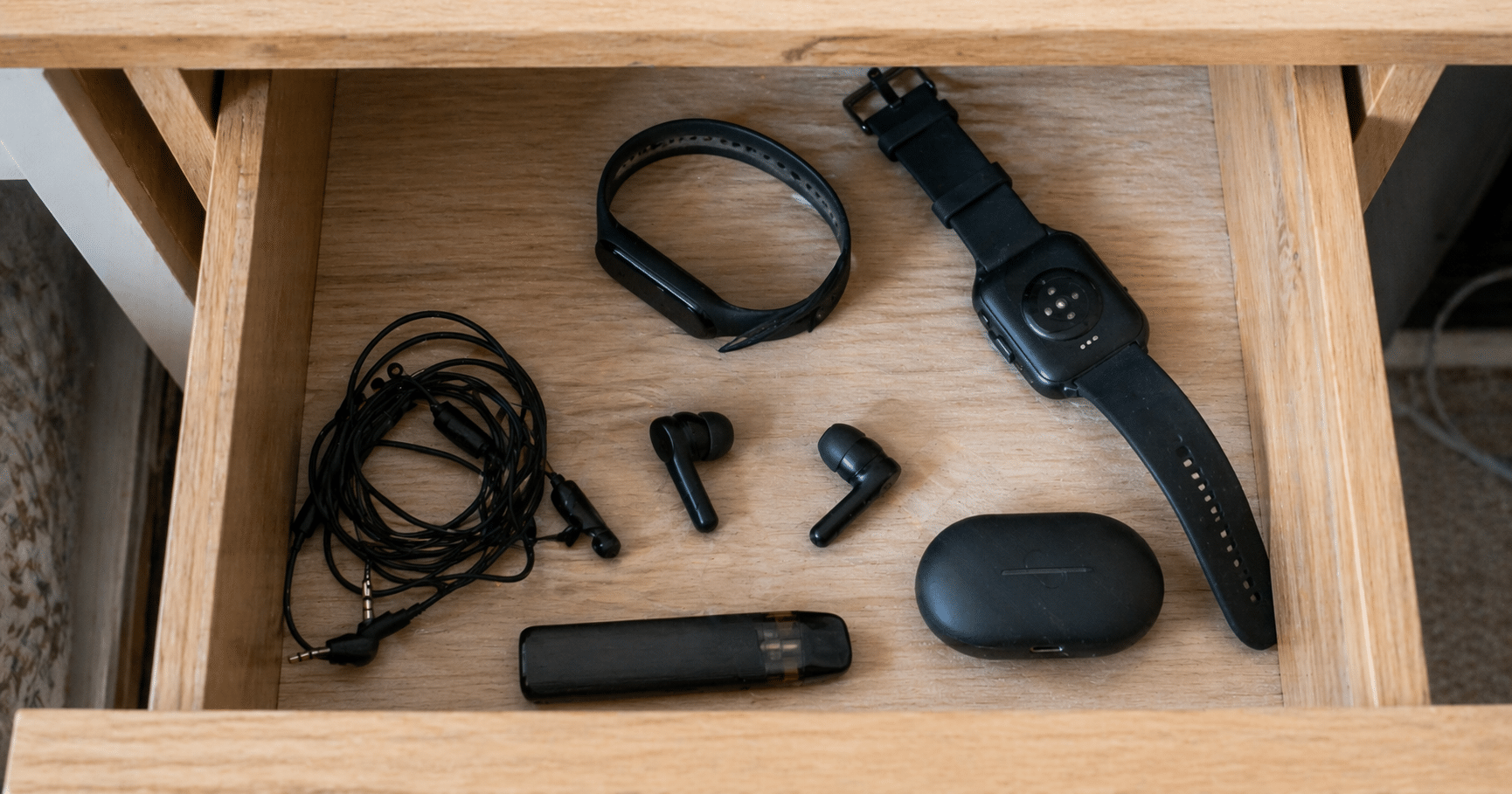
And if you open the drawer, the problem gets bigger. A smartwatch that won’t turn on, earbuds that no longer hold a charge, a fitness tracker from 2021 that no one uses. They’re all battery-powered wearables with lithium batteries. And all of them are a headache to dispose of properly.
Here’s how to do it in Hillsborough County without fines, without fires, and without leaving it for “someday.”
Lithium batteries are not regular waste. If they’re crushed, get wet, or are hit inside a garbage truck, they can catch fire. And it’s not theoretical: Hillsborough County Solid Waste reported more than 30 fires in garbage and recycling trucks over the past three years, all caused by improperly disposed batteries.
That’s why in October 2025 the county launched the Fire Prevention & Battery Recovery Campaign, the first program of its kind in the region. The rule is simple: rechargeable batteries never go in the gray or blue bin. Period.
If it has an integrated lithium battery or a battery pack, it falls into this category. Some examples so you can recognize them:
One detail: if the battery is removable (like in the recalled socks), separate it. If it’s integrated and sealed, like in a smartwatch, don’t try to remove it. Bring the whole device.
The easiest, fastest, no-paperwork option: take them to one of our Community Collection Partners.
These are local businesses and organizations in Tampa Bay that joined the eSmart program to receive electronic devices from residents. You can drop off your dead smartwatch, earbuds that no longer charge, the battery pack from the Costco recall, or any other battery-powered wearable. No ID, no tax receipt, no process. You just show up and leave it.
And there’s one key difference compared to other options in Hillsborough: the Partners are located in central areas of the city, with extended hours that fit any routine. Many are cafés, offices, or shops you already visit.
Updated list of locations: esmartrecycling.com/community-collection-partner-program
Three very concrete steps to make transport safe:
If it’s a wearable with a sealed battery, skip to step 2: individual bag and done. Do not force it open. Damaged batteries are the most dangerous.
The sock and the battery pack are separate pieces. The recommendation is to return the full set to Costco for a refund, as required by the official recall. But if for any reason you end up keeping the battery pack (lost packaging, store too far, whatever), that pack can be taken to any of our Community Collection Partners. Do not throw it in the trash.
Here the calculation changes. An office with 50 corporate smartwatches retired from a wellness program, or a gym with obsolete trackers, can’t simply bag each one and make multiple trips.
When volume increases, other considerations appear: certified data destruction if the devices were synced with sensitive information, documentation for audits, pickup logistics. At eSmart, we receive these types of inventories from Tampa Bay companies every week. Audit, data destruction, certificate, responsible recycling. All within 48 hours.
If you have one or two wearables: stop by a Community Collection Partner. If your company has dozens: contact us and we’ll coordinate pickup. Either path works. What doesn’t work is leaving them in the drawer.
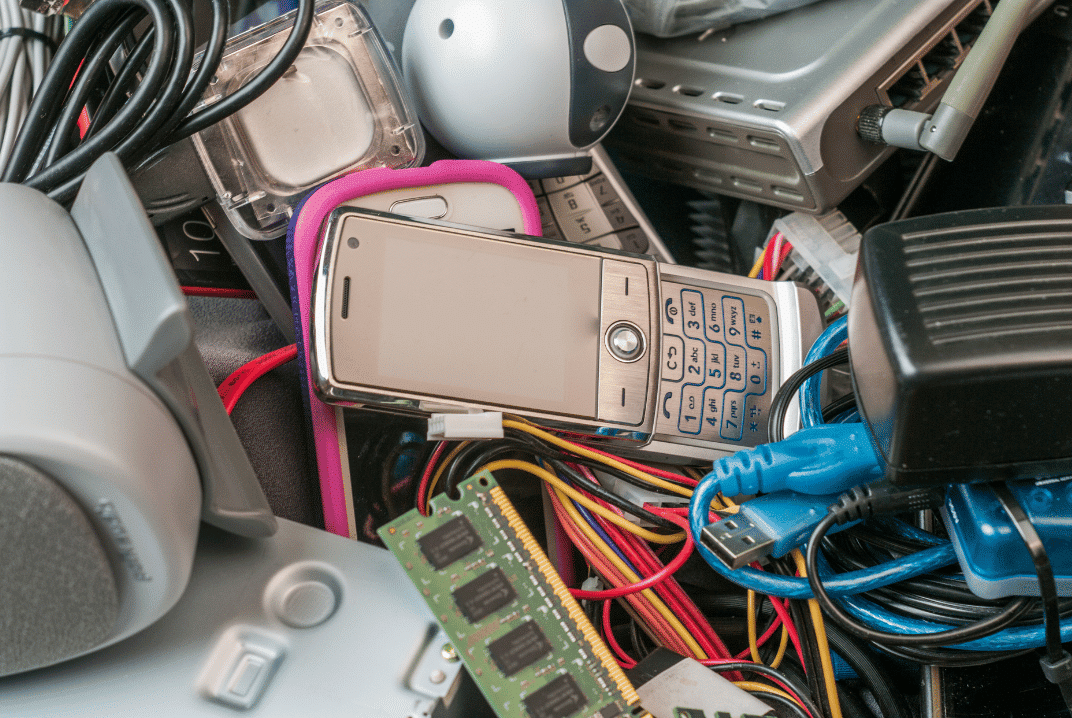
That 2015 laptop you’ve been keeping in the closet for two years weighs around 2 kilos. It looks harmless, sitting there collecting dust.
But if it ends up in a landfill, it can contaminate soil and groundwater for decades. Lead from the solder seeps out. Mercury from the screen spreads. Flame retardants in plastics slowly break down, releasing chemicals.
One laptop. Two kilos. Pollution that lasts longer than the device’s lifespan multiplied by ten.
Now multiply that by the 50 million tons of e-waste generated globally every year.
Laptops look simple on the outside. Metal, plastic, glass. But inside, there’s a complex mix of materials that shouldn’t end up in the ground.
Lead in circuit board solder. It leaches into soil and contaminates groundwater. Causes neurological problems in humans, especially children.
Mercury in LCD screens. Highly toxic. Persists in the environment and accumulates in the food chain.
Cadmium in older batteries and some components. Carcinogenic. Stays in the soil for decades.
Brominated flame retardants in plastics and circuits. Designed to prevent fires, but when they break down, they release dioxins that affect the hormonal system.
Beryllium in connectors and switches. Causes chronic lung disease when inhaled as dust.
None of these materials disappears. They remain, slowly leaking, moving through the soil, eventually reaching water sources.
Modern landfills in the United States have containment systems. Liners that prevent direct leakage into the soil. Leachate collection systems.
But no system is perfect long-term. Liners degrade over time. Leaks happen. And when they do, contaminants from e-waste start to move.
The biggest problem isn’t in Tampa or Florida. It’s in countries where e-waste ends up without regulation.
Around 80% of e-waste generated in developed countries is exported to developing countries. There, it ends up in informal landfills or is processed manually without protection.
Workers burn cables to recover copper. They inhale toxic smoke. Children dismantle circuit boards with their bare hands. The soil around these sites is so contaminated that nothing grows.
Ghana, Nigeria, India, China. Entire cities are dedicated to processing e-waste from the rest of the world. The pollution levels are so high that they affect the health of entire communities.
The ironic part of e-waste is that it contains valuable materials that get thrown away.
A ton of laptops contains more gold than a ton of gold ore. It also includes copper, silver, palladium, and platinum. Precious metals require energy and resources to extract.
When a laptop goes to a landfill, those materials are lost. More gold, copper, and silver need to be mined to produce new devices.
Proper recycling recovers these materials. They are melted, refined, and reused. The cycle closes instead of restarting over and over.
Beyond the economic value, there’s the environmental cost of mining. Extracting metals requires moving tons of earth, using chemicals, and consuming water. Recovering metals from e-waste is significantly less harmful than extracting them again.
When a laptop arrives at our warehouse in Tampa, it does not go to a landfill. It is fully dismantled.
Metals are separated by type: aluminum, copper, and steel. They go to certified smelters that process and reintroduce them as raw materials.
Plastics are also separated. Some can be recycled directly. Others require specialized processing.
Lithium batteries go to authorized hazardous material processors. They are handled under strict regulations because they can be dangerous.
Circuit boards that contain precious metals go to specialized refiners. They recover gold, silver, and palladium through controlled chemical processes.
LCD screens are processed to recover glass and safely remove mercury.
Each component has a certified destination. Nothing ends up in landfills. Everything is documented. You receive reports showing exactly how many kilos of each material were processed and where they went.
We are R2v3 certified for this reason. The R2 (Responsible Recycling) standard ensures that e-waste is handled in an environmentally responsible way at every step of the chain.
If your company has sustainability goals, e-waste is part of your environmental footprint.
Those 50 laptops sitting in a closet for two years represent around 100 kilos of material. If you recycle them properly, you prevent contamination, recover reusable metals, and reduce the need for new mining.
There’s also reputational value. Companies that document responsible e-waste recycling can include it in ESG (Environmental, Social, Governance) reports.
Investors, clients, and employees increasingly value environmental practices. Proper e-waste recycling is one of the most direct and measurable actions a company can take.
And if you work with us, you receive full documentation: weight of recycled materials, breakdown by category, and compliance certificates. Everything ready for audits or public reporting.
Not all e-waste ends up being broken down into components. Some equipment still works and can have a second life.
Through the Digital Education Foundation, we redistribute refurbished equipment to underserved communities. Laptops that a company in Tampa no longer uses can still be useful for a student without access to a computer.
We have distributed around 3,000 devices, benefiting more than 12,000 people. Those devices did not go to landfills or get dismantled. They were cleaned, reinstalled, and put into the hands of someone who needed them.
Extending the lifespan of a device is the most direct way to reduce e-waste. Before recycling, we ask: Does this still work? Can someone use it?
If yes, it gets refurbished. If not, it gets properly recycled.
If you have old laptops piling up in your company in Tampa, recycling them properly is simpler than it seems.
You don’t need to research what materials they contain or how they’re processed. You just need to call a certified provider that does it right.
We handle everything: pickup at your office, component separation, certified processing, and full documentation. You receive reports showing exactly what happened with every kilo of material.
We’re at 5100 Vivian Place, Tampa. You can contact us at (813) 501-7768 or info@esmartrecycling.com.
Those laptops in your closet are not going to recycle themselves. But you don’t need to become an e-waste expert to do the right thing.
You just need to take the step of calling. We handle the rest.







Did you enjoy our latest blog articles just above?
Subscribe to receive new stories, insights, and impact updates straight to your inbox.
We’ll send you curated content about our partners, recycling strategies, success stories, and how your involvement is driving change through technology access and digital empowerment.
💡 No spam, just the smart stuff.