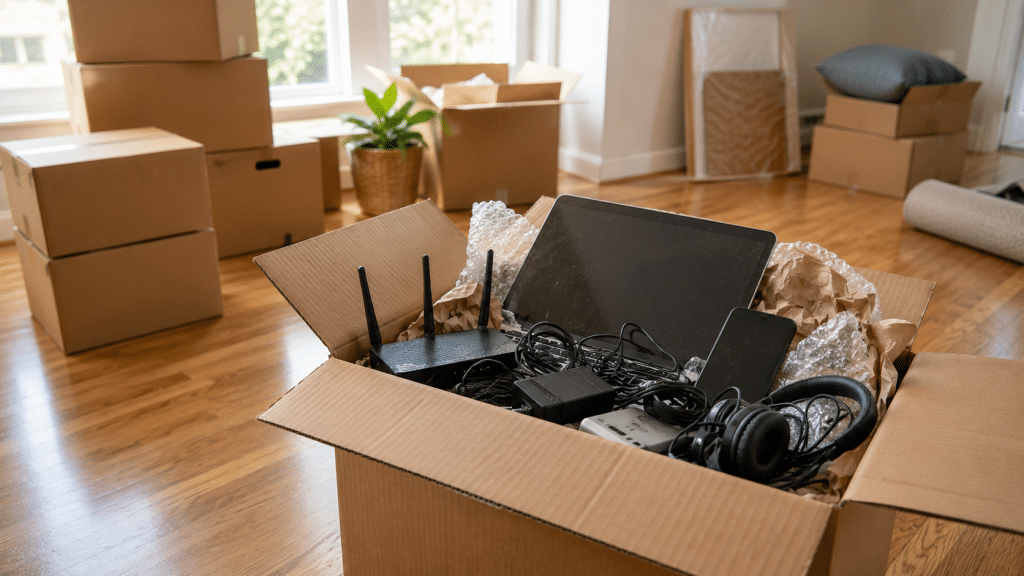
Moving has a way of bringing forgotten technology back into view. As closets, drawers, and storage shelves are emptied, old phones, Wi-Fi routers, laptops, cables, and printers suddenly reappear. These forgotten devices tell the story of how our technology changes over time—and they also remind us that every piece of tech eventually needs a new destination.
Moving to a new home has an unexpected side effect.
As furniture is pulled away from the walls and storage boxes come down from the highest shelves, objects that haven’t been touched in years suddenly return to everyday life. A forgotten box in the back of a closet. A drawer that hasn’t been opened since the last renovation. A shelf where old electronics quietly waited while newer devices took their place.
Before long, technology you had completely forgotten about is sitting on the floor, waiting to be packed.
It’s a familiar scene. Almost everyone who has moved recognizes it.
Moving changes the way we look at our belongings.
Instead of seeing individual objects, we begin noticing everything we’ve accumulated over the years. Electronics often become one of the biggest surprises.
Every phone upgrade, every new laptop, and every internet service replacement usually leaves another device behind. Rather than leaving the house immediately, those devices are placed in a drawer or closet with the idea that they might be useful someday.
That “someday” often turns into several years.
Packing everything into boxes simply forces us to ask a question we’ve postponed for a long time.
Do I still need to keep all of this?
It usually appears inside a drawer alongside old chargers and headphones that no longer match any current device. Many people kept it because it still worked or because it contained photos, messages, and personal files they never got around to organizing.
Changing internet providers or upgrading home networking equipment often leaves an older router behind. After a few years, it’s easy to forget where it came from or why it was saved in the first place.
It handled work projects, school assignments, family photos, and countless everyday tasks before a newer computer took its place. Even after years in storage, many of these laptops still contain important documents and personal information.
Almost every household has one.
Inside are HDMI cables, USB cables from different generations, power adapters, charging bricks, extension cords, and connectors whose original purpose is impossible to remember. Somehow, that box survives every move.
For years, it was an essential part of the home office. Then digital signatures, cloud storage, and paperless workflows became more common. The printer was unplugged one day with every intention of using it again, but it never returned to the desk.
Each one represents a different chapter of daily life.
An old phone may still hold photos from family vacations. A laptop might contain the first résumé someone ever wrote or documents from a business that no longer exists. Even an outdated router reminds us of the moment the household first became filled with connected devices.
That emotional connection explains why these devices often remain in storage long after they stop being useful.
At the same time, many still contain sensitive information. Personal documents, saved passwords, financial records, work files, and private photos often remain stored on devices that haven’t been powered on for years.
A move becomes the perfect opportunity to decide what deserves to stay and what has already completed its purpose.
Once the boxes are unpacked, it’s surprisingly easy to place those forgotten devices back into another closet and promise to deal with them later.
Many people do exactly that.
However, spending a little time sorting through old electronics can free up valuable storage space while ensuring that personal information is handled responsibly. Some devices may still have useful life left, while others contain materials that can be properly recovered instead of remaining forgotten for another decade.
At eSmart Recycling, we help households, businesses, schools, and organizations throughout Tampa Bay responsibly manage retired electronics. Smartphones, laptops, routers, printers, monitors, cables, and many other devices go through secure data handling and technical evaluation before determining whether they can be refurbished or responsibly recycled.
Moving doesn’t just change your address.
It also gives you the chance to rediscover pieces of your own digital history.
The forgotten phone tucked away in a drawer, the dusty laptop sitting on a shelf, and the mysterious box of cables all represent moments when new technology entered your life and quietly pushed something older aside.
Some of those devices still hold valuable memories. Others may still be useful. Many are simply waiting for someone to decide what comes next.
The next time a move uncovers a pile of forgotten electronics, the most interesting question may not be “Why did I keep this?” but “What should its next chapter be?”
Fill out the form below to request your electronics recycling pickup.
We’ll coordinate the schedule logistics and follow up with next steps.
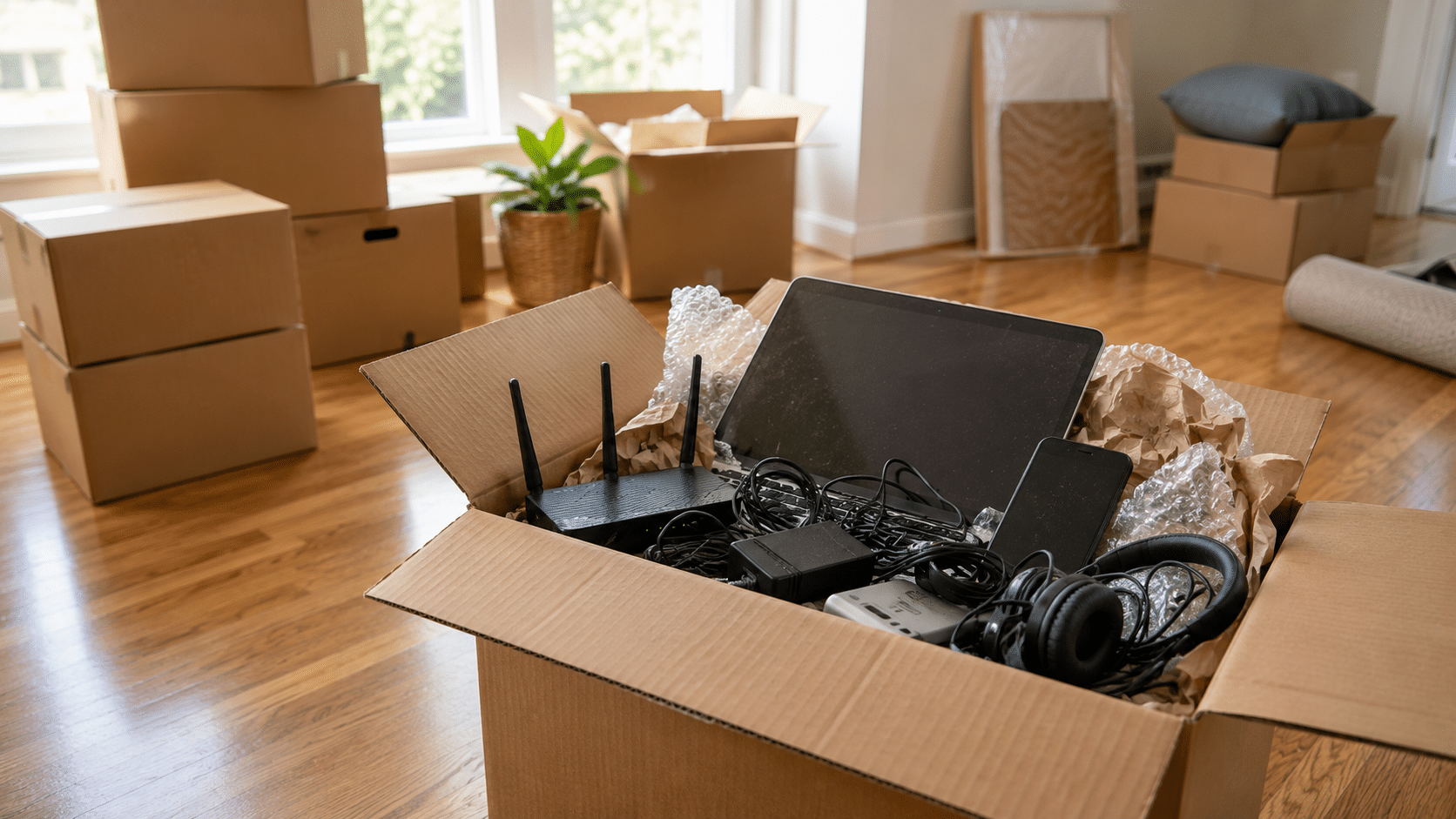
Moving has a way of bringing forgotten technology back into view. As closets, drawers, and storage shelves are emptied, old phones, Wi-Fi routers, laptops, cables, and printers suddenly reappear. These forgotten devices tell the story of how our technology changes over time—and they also remind us that every piece of tech eventually needs a new destination.
Moving to a new home has an unexpected side effect.
As furniture is pulled away from the walls and storage boxes come down from the highest shelves, objects that haven’t been touched in years suddenly return to everyday life. A forgotten box in the back of a closet. A drawer that hasn’t been opened since the last renovation. A shelf where old electronics quietly waited while newer devices took their place.
Before long, technology you had completely forgotten about is sitting on the floor, waiting to be packed.
It’s a familiar scene. Almost everyone who has moved recognizes it.
Moving changes the way we look at our belongings.
Instead of seeing individual objects, we begin noticing everything we’ve accumulated over the years. Electronics often become one of the biggest surprises.
Every phone upgrade, every new laptop, and every internet service replacement usually leaves another device behind. Rather than leaving the house immediately, those devices are placed in a drawer or closet with the idea that they might be useful someday.
That “someday” often turns into several years.
Packing everything into boxes simply forces us to ask a question we’ve postponed for a long time.
Do I still need to keep all of this?
It usually appears inside a drawer alongside old chargers and headphones that no longer match any current device. Many people kept it because it still worked or because it contained photos, messages, and personal files they never got around to organizing.
Changing internet providers or upgrading home networking equipment often leaves an older router behind. After a few years, it’s easy to forget where it came from or why it was saved in the first place.
It handled work projects, school assignments, family photos, and countless everyday tasks before a newer computer took its place. Even after years in storage, many of these laptops still contain important documents and personal information.
Almost every household has one.
Inside are HDMI cables, USB cables from different generations, power adapters, charging bricks, extension cords, and connectors whose original purpose is impossible to remember. Somehow, that box survives every move.
For years, it was an essential part of the home office. Then digital signatures, cloud storage, and paperless workflows became more common. The printer was unplugged one day with every intention of using it again, but it never returned to the desk.
Each one represents a different chapter of daily life.
An old phone may still hold photos from family vacations. A laptop might contain the first résumé someone ever wrote or documents from a business that no longer exists. Even an outdated router reminds us of the moment the household first became filled with connected devices.
That emotional connection explains why these devices often remain in storage long after they stop being useful.
At the same time, many still contain sensitive information. Personal documents, saved passwords, financial records, work files, and private photos often remain stored on devices that haven’t been powered on for years.
A move becomes the perfect opportunity to decide what deserves to stay and what has already completed its purpose.
Once the boxes are unpacked, it’s surprisingly easy to place those forgotten devices back into another closet and promise to deal with them later.
Many people do exactly that.
However, spending a little time sorting through old electronics can free up valuable storage space while ensuring that personal information is handled responsibly. Some devices may still have useful life left, while others contain materials that can be properly recovered instead of remaining forgotten for another decade.
At eSmart Recycling, we help households, businesses, schools, and organizations throughout Tampa Bay responsibly manage retired electronics. Smartphones, laptops, routers, printers, monitors, cables, and many other devices go through secure data handling and technical evaluation before determining whether they can be refurbished or responsibly recycled.
Moving doesn’t just change your address.
It also gives you the chance to rediscover pieces of your own digital history.
The forgotten phone tucked away in a drawer, the dusty laptop sitting on a shelf, and the mysterious box of cables all represent moments when new technology entered your life and quietly pushed something older aside.
Some of those devices still hold valuable memories. Others may still be useful. Many are simply waiting for someone to decide what comes next.
The next time a move uncovers a pile of forgotten electronics, the most interesting question may not be “Why did I keep this?” but “What should its next chapter be?”
Yes, you could spend a day without them. But that day would look very different from the one you’re used to. Your smartphone, Wi-Fi router, and laptop quietly support dozens of everyday activities, from the moment you wake up until the end of the day. Their importance becomes obvious only when they are no longer there.
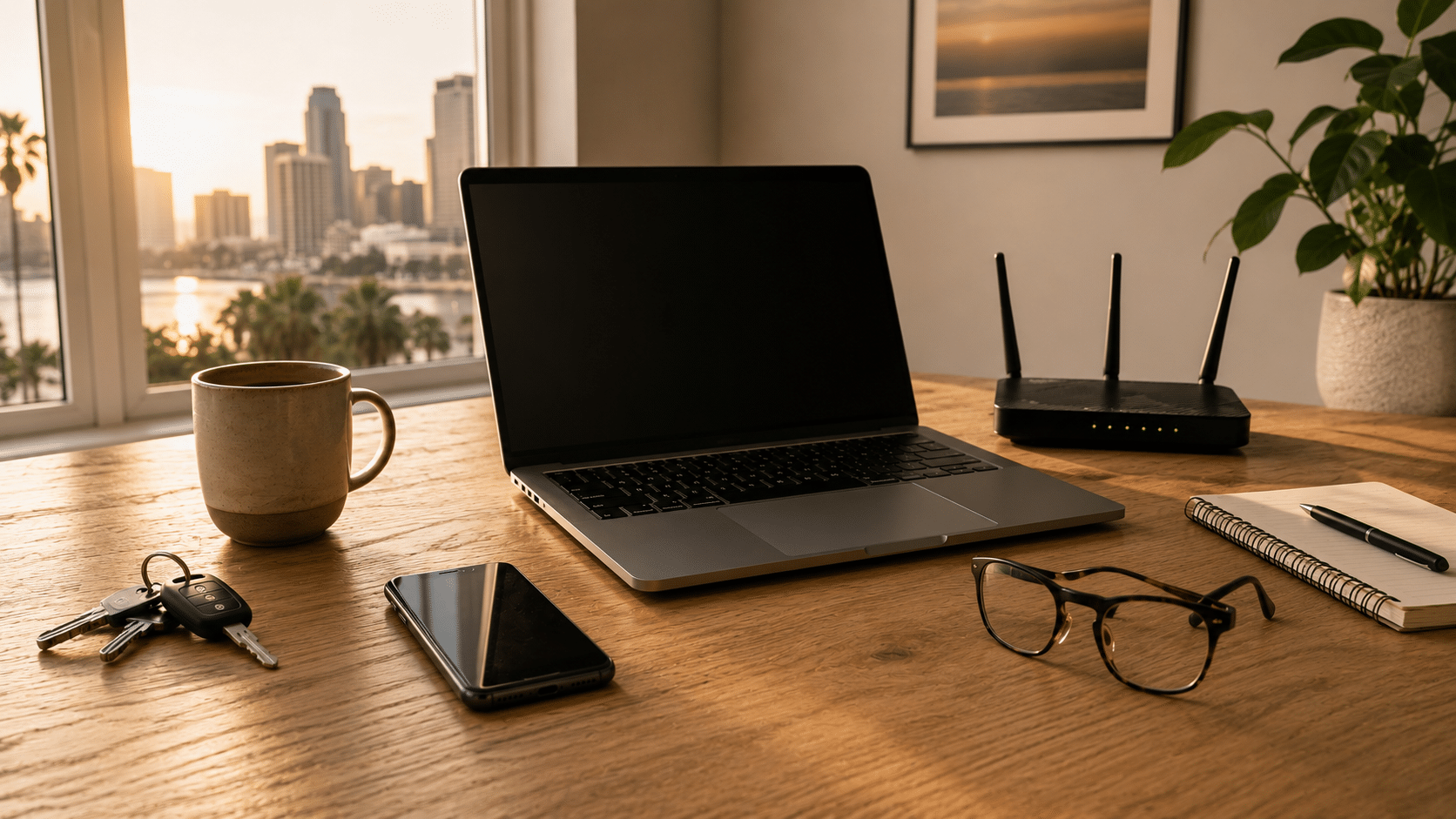
It’s seven o’clock on a weekday morning in Tampa Bay, and a simple experiment is about to begin. For the next 24 hours, your smartphone stays in a drawer, the Wi-Fi router remains unplugged, and your laptop never leaves its bag.
At first, it doesn’t sound like much of a challenge.
Then the morning starts.
The alarm never rings because it was set on your phone. You wake up later than expected and instinctively reach toward the nightstand, only to remember the experiment. There’s no weather forecast before getting dressed, no overnight messages waiting to be read, no traffic update before leaving the house. The day continues, but it already feels slightly unfamiliar.
That’s when something interesting happens.
You don’t necessarily miss the devices themselves. You miss the small habits that quietly formed around them over the years.
Most people think of their smartphone as a communication device, but it quietly handles much more than calls and messages. It serves as an alarm clock, calendar, GPS, digital wallet, camera, music player, authentication key, calculator, flashlight, and gateway to countless services.
Many of those interactions last only a few seconds. They happen so naturally that they almost disappear from memory. Few people could accurately estimate how many times they unlock their phone during a typical day because the gesture has become part of everyday life.
Without it, none of those activities would become impossible. They simply require different solutions. Looking up directions takes longer. A quick payment becomes less convenient. A reminder stored inside an app no longer appears at the right moment. Small adjustments begin adding up until the rhythm of the day feels noticeably different.
By the time you return home, the second part of the experiment begins.
The router is still unplugged.
The television struggles to load a movie. Security cameras lose their connection. A scheduled video call never starts. Smart speakers remain silent, and several connected devices simply wait for a signal that never arrives.
The Wi-Fi router has an unusual role inside most homes. It does its job without asking for attention. As long as everything works, it’s easy to forget that it’s even there.
Yet that small box quietly coordinates much of the digital activity happening inside the house. It connects computers, streaming devices, phones, tablets, gaming consoles, printers, and countless smart home products that many families now rely on every day.
Its absence quickly reminds us how connected modern life has become.
For years, many people believed smartphones would eventually replace laptops.
Instead, each device found its own purpose.
Phones became the perfect tool for quick interactions, while laptops remained the preferred space for work that requires focus, larger screens, and the ability to manage multiple tasks at once.
Presentations are built there. Reports are written there. Businesses are managed there. Students complete assignments, designers create content, and professionals spend hours working on projects that simply feel more comfortable on a computer.
Even households where every family member owns a smartphone often continue sharing one or more laptops because they support activities that benefit from a keyboard, a larger display, and greater processing power.
During this experiment, many of those tasks would simply have to wait.
The answer is still yes.
People lived for generations without smartphones, wireless internet, or laptops.
The more interesting question is how many routines would quietly change during those twenty-four hours.
You might postpone a virtual meeting, delay responding to an important email, struggle to access documents stored online, or discover that a recipe, boarding pass, or medical appointment was saved inside a device that’s no longer available.
None of these situations would ruin the day on their own.
Together, however, they reveal how deeply these technologies have become woven into everyday life.
Perhaps that’s why replacing them isn’t always as simple as buying something new.
Every device eventually reaches a point where it is replaced by something newer.
The smartphone moves into a drawer. The laptop is stored in a closet “just in case.” The old router ends up inside a box filled with cables that nobody remembers collecting.
Months become years, and those forgotten devices begin telling the story of how technology accumulates inside our homes.
Many still contain family photos, financial information, work documents, passwords, or personal files. Some continue working perfectly well and could serve another purpose. Others have reached the end of their useful life but still contain valuable materials that deserve proper recovery.
At eSmart Recycling, we receive these devices every day from homes, businesses, schools, and organizations throughout Tampa Bay. Each one goes through secure data handling and technical evaluation before determining whether it should be refurbished or responsibly recycled.
Every device deserves a thoughtful ending, just as it once played an important role in someone’s everyday life.
The question that opened this article seemed simple: Could you spend a day without these three devices?
After following that experiment from morning to night, the answer remains yes. Yet it also becomes clear that our routines have quietly adapted to the presence of these technologies over many years.
Your phone, router, and laptop are more than electronic devices. They help organize schedules, connect families, support education, enable remote work, and make hundreds of everyday tasks feel effortless. Their greatest achievement may be that they work so seamlessly we rarely stop to notice them.
That same familiarity often explains why old devices remain stored away long after they’ve been replaced. A forgotten laptop may still hold years of memories. An old smartphone may contain personal information. A router that once connected an entire household becomes another object sitting on a shelf.
Technology shapes our daily lives while we use it, but its story doesn’t end when we unplug it.
Choosing what happens next is part of that story, too.
If your earbuds have stopped charging, it may be worth checking a few things before replacing them. In many cases, the issue is related to the charging case, the charging contacts, or normal battery wear over time. And when it finally comes time to part with them, earbuds can be recycled alongside other electronics you no longer use.
Earbuds have one major advantage over most devices: they’re small, lightweight, and easy to carry everywhere.
They also come with a small drawback.
Because they’re so easy to carry, they tend to become part of everyday life without us giving them much thought.
They travel in pockets, backpacks, gym bags, and car cup holders. They come to work, on trips, and on daily walks. That’s why it feels a little surprising when one suddenly stops charging. It worked perfectly yesterday, and today it seems to have completely given up.
The first reaction is usually the same. Try a different cable. Switch outlets. Check the case. Give it one more try.
And honestly, that makes sense. Sometimes the problem is exactly one of those things.
The most common causes are often less dramatic than people expect.
Over time, dust and debris can build up on the charging contacts where the earbuds connect to the case. It’s a normal consequence of carrying them around every day.
The charging case can also be part of the story. After all, it contains a battery too, and that battery works every time you use your earbuds.
Then there’s simple battery aging. Earbuds go through hundreds of charging cycles during their lifetime. Eventually, the batteries begin holding less energy than they once did. The same thing happens with phones, tablets, laptops, and virtually every portable electronic device.
When people stop using their earbuds, they rarely make a big decision about them.
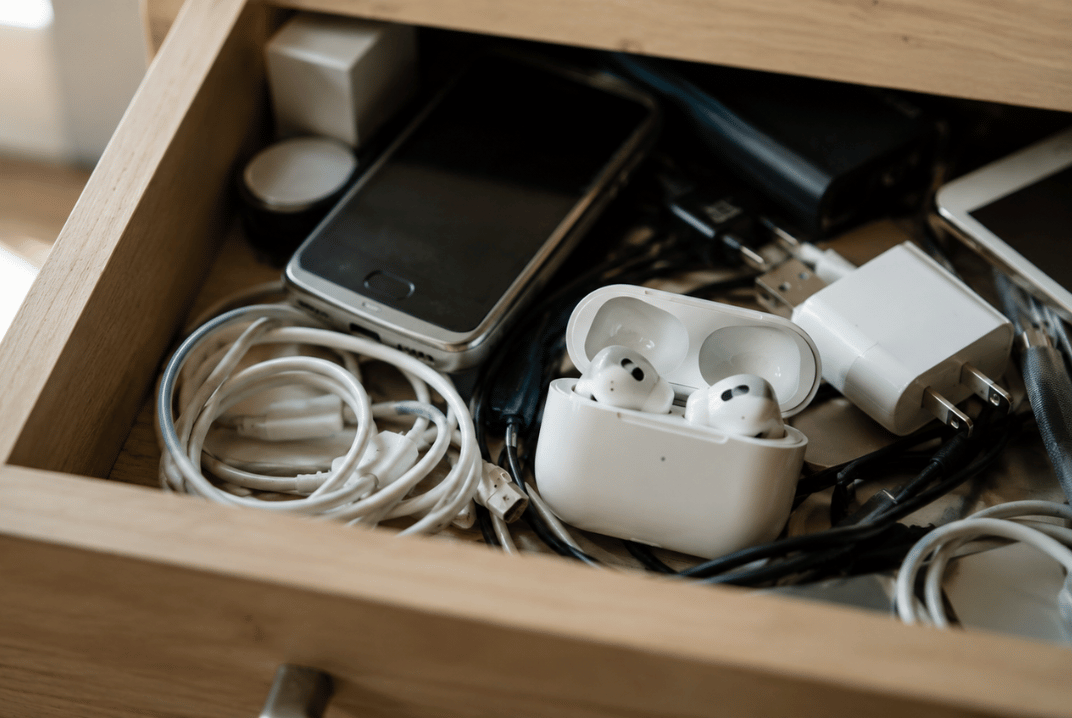
Most of the time, they end up in a drawer.
What’s interesting is that they rarely end up there alone.
At eSmart Recycling, we see the same situation all the time. Someone decides to clean out a room, organize a closet, or clear space in a home office. They start looking for an old laptop or monitor and end up discovering much more than they expected.
Old smartphones show up. Forgotten tablets. Charging cables. Power adapters. Routers. Keyboards. Accessories from devices that haven’t been used in years.
And somewhere in that collection, there is often a pair of earbuds that quietly disappeared from daily life a long time ago.
Small electronics have a remarkable ability to stay with us simply because they take up so little space.
Yes, and many people are surprised to learn that.
Even though they are small, earbuds contain batteries and electronic components that should be handled properly when they reach the end of their useful life. The same applies to the charging case.
Many people associate electronics recycling with computers, monitors, or printers. In reality, a large portion of the devices we receive are everyday electronics and accessories that gradually accumulated over the years.
That’s why it’s common to find earbuds in the same box as old phones, tablets, chargers, and cables.
If they still work, they may be useful to someone else.
If they have reached the end of their lifespan, they can be recycled along with other electronics you have stored at home.
And if you haven’t looked through that drawer in a while, there’s a good chance your earbuds aren’t the only devices waiting there.
It can be caused by dirty charging contacts, battery wear, or issues with the charging case.
Yes. The case contains electronic components and its own battery, so it can experience wear over time.
Yes. Most earbuds use lithium-ion batteries.
We accept computers, laptops, phones, tablets, monitors, printers, routers, cables, chargers, and many other electronic devices.
You can bring them to eSmart Recycling along with other electronics for proper end-of-life management.
Earbuds are often one of the first things people find when they start going through old electronics at home. And more often than not, they become a reminder of something bigger: how much technology we keep long after we’ve stopped using it.
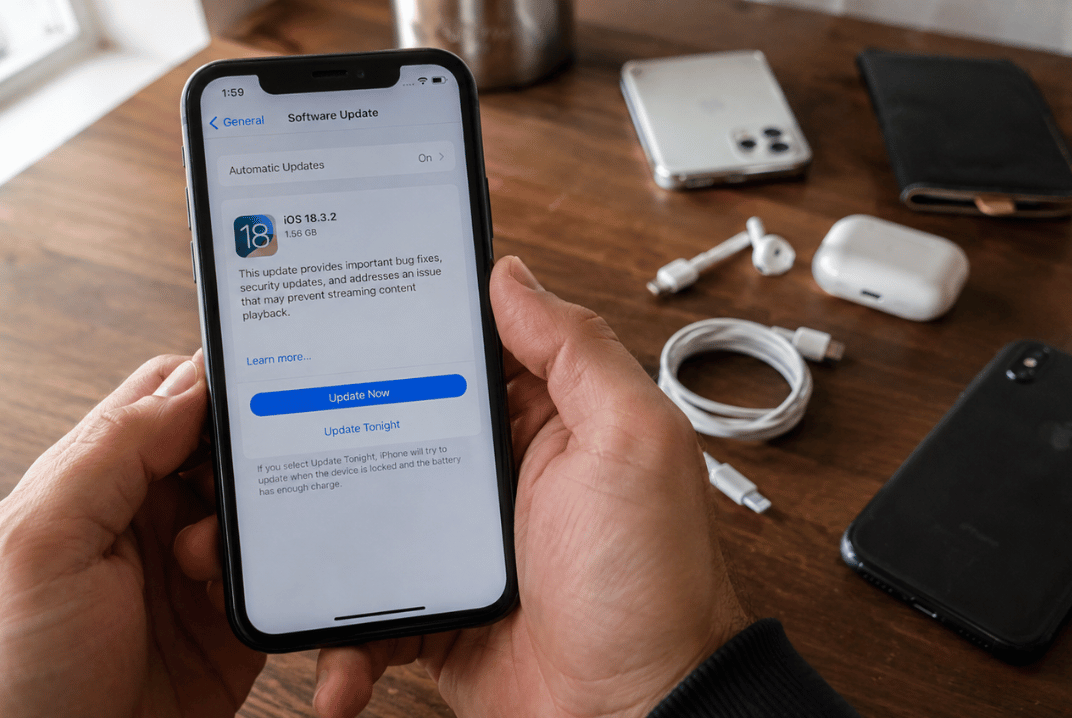
Users of the iPhone XR, iPhone XS, and iPhone XS Max discovered something new when Apple introduced iOS 26: those models are no longer included on the list of compatible devices. These phones will continue serving their owners just as they did before, but the new features arriving with iOS 26 will be available on newer models. The announcement also opens an interesting conversation about the lifespan of technology and what happens to devices when it’s time to move on.
The scene repeats itself every year.
Apple unveils a new version of iOS. New features appear. Videos start circulating. Screenshots fill social media. Then someone opens Google and types a very simple question:
“Is my iPhone compatible?”
This year, many owners of the iPhone XR, XS, and XS Max found themselves checking that list a little more carefully.
Apple confirmed that iOS 26 will be available for the iPhone 11 lineup and newer models.
That means the iPhone XR, iPhone XS, and iPhone XS Max have reached the end of a long chapter in Apple’s update cycle.
And honestly, that is a pretty impressive run.
The iPhone XR arrived in 2018. Since then, it has received years of software updates, security improvements, design changes, and new features. For a smartphone, that is a remarkably long lifespan.
The answer is simpler than many expect.
The phone you had yesterday is still the phone you have today.
Your photos are still there. Your messages are still there. Your apps continue working, and the device continues handling the tasks it performs every day.
The difference is that the new features introduced with iOS 26 will be reserved for devices that support the update.
For many users, that does not immediately change their daily routine.
In fact, plenty of people continue using their phones for years after their last major software update because the device still does exactly what they need it to do.
That depends on how it is used.
Some people mainly rely on their phones for calls, messaging, email, and photos. Others use them for work, content creation, or more demanding applications.
What makes this interesting is that a device’s useful life often extends well beyond its update cycle.
A phone can continue being a reliable companion simply because it still performs the tasks that matter to its owner.
That helps explain why iPhone XR devices remain common in homes, offices, schools, and small businesses.
A familiar image comes to mind.
A drawer.
Inside are old chargers, mystery cables, and often one or two smartphones that worked perfectly well when they were put away.
Every new generation of devices adds a few more to that collection.
Phones tend to stay stored because they contain photos, account access, documents, and years of personal memories.
That is why people often take time to back up their information before deciding what comes next.
Some devices are passed along to family members.
Some become backup phones.
Many find a second life through technology reuse programs.
Others enter electronics recycling streams where valuable materials and components can be recovered and used again.
Because it reflects something larger about the way we use technology.
Devices stay with us for years. They collect memories, conversations, contacts, and daily habits.
Every major software update becomes a reminder of that relationship.
The story is not just about software.
It is also about how long we keep our devices, how we extend their usefulness, and what choices we make when it is finally time for something new.
Yes. The device continues performing its everyday functions and can remain useful for many common tasks.
For many users, absolutely. It depends on the apps and activities that are part of their routine.
You can find it under Settings > General > About.
Apple confirmed compatibility beginning with the iPhone 11 family and newer models.
You can keep it, pass it along to someone else, donate it, or send it through a certified electronics recycling program.
Perhaps the most interesting part of this story is that many phones continue serving a purpose long after they leave someone’s pocket. Some help another user. Some contribute materials that can be recovered and reused. And quite a few are still waiting in that familiar drawer, sitting next to cables that seemed important enough to save years ago.
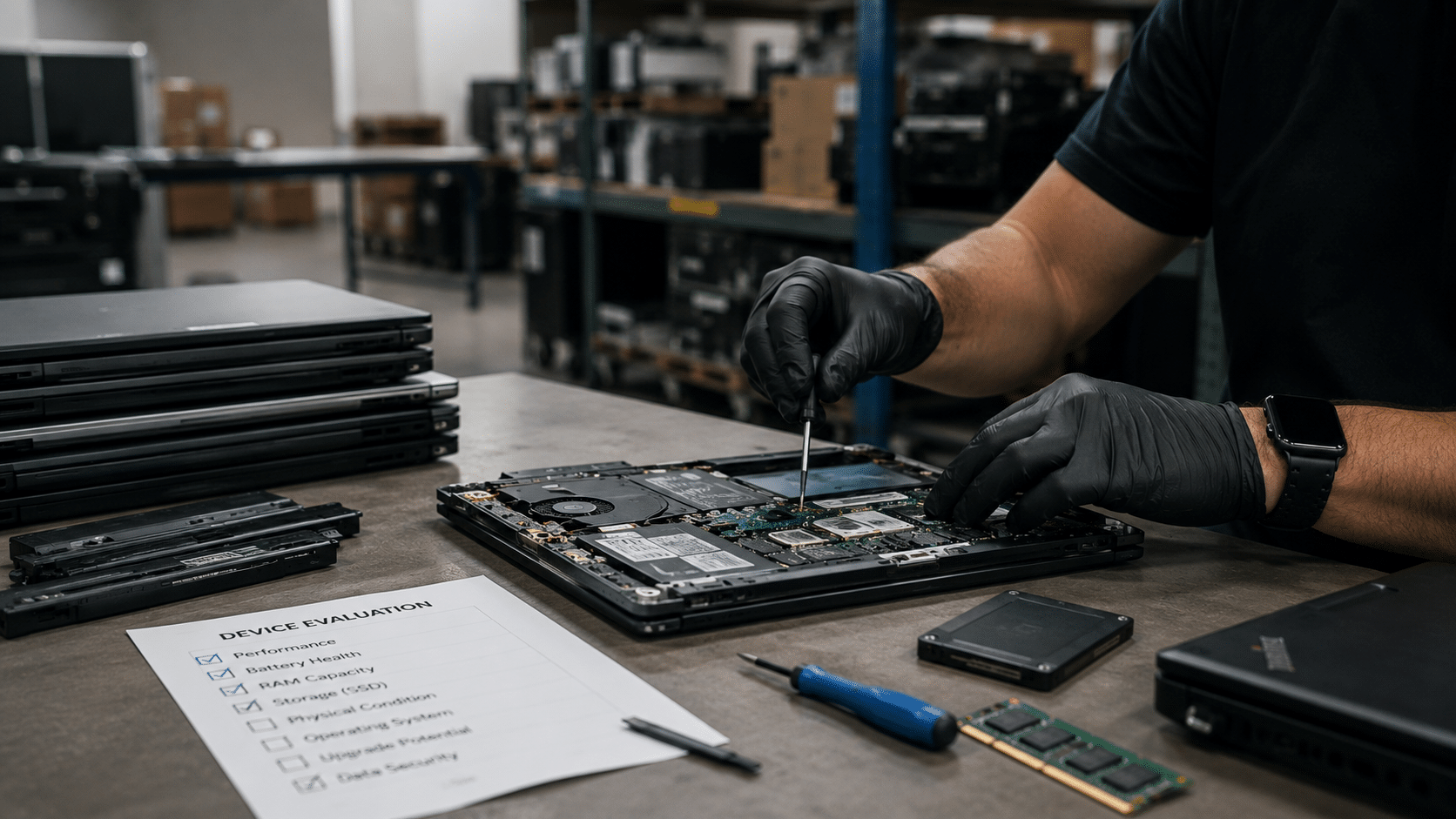
Extending the life of corporate laptops can help reduce costs before replacing an entire fleet. In many Tampa Bay companies, replacing a battery, upgrading RAM, or installing a new SSD can keep devices running for another one to three years. Recycling usually enters the conversation when the hardware starts creating constant issues, compatibility problems, or risks related to the data still stored inside those devices.
In a lot of offices, the situation starts pretty quietly. A couple of laptops get stored “for now,” then old chargers start piling up, disconnected docking stations appear, and a few monitors nobody uses anymore end up in the same corner. A few months later, that small area turns into an improvised storage room full of technology where nobody is completely sure what still works, what contains sensitive data, and what should already be removed from circulation.
That is usually when the IT team gets the question: Should these devices be repaired, or is it finally time to recycle them?
Most corporate laptops have an average lifespan of three to five years, although many business-grade models can last longer with proper maintenance.
And in many cases, the issue is not the entire laptop. It is one specific component limiting performance.
An outdated SSD can make an otherwise solid laptop feel painfully slow. A degraded battery can affect an employee’s entire workday even when the rest of the hardware still performs well. The same thing happens with devices still running on 8GB RAM, while current corporate software demands much more than it did a few years ago.
In those situations, extending the laptop’s life can absolutely make financial and operational sense.
Especially when finance teams are reviewing budgets, and IT managers need to justify why certain devices can remain in use without affecting productivity.
Some laptops start showing warning signs long before they completely stop working.
Devices taking several minutes to boot up, fans running constantly, failed software updates, or employees avoiding certain programs because they already know the system will freeze again.
Then another issue appears, and it is usually more serious: the information still stored inside those devices.
We receive corporate laptops that still contain active logins, financial documents, internal files, and customer data sitting inside drives that have spent years forgotten inside closets or office storage rooms.
That is why this decision rarely depends only on the physical condition of the device.
It also depends on operational risk and how much control the company still has over its information.
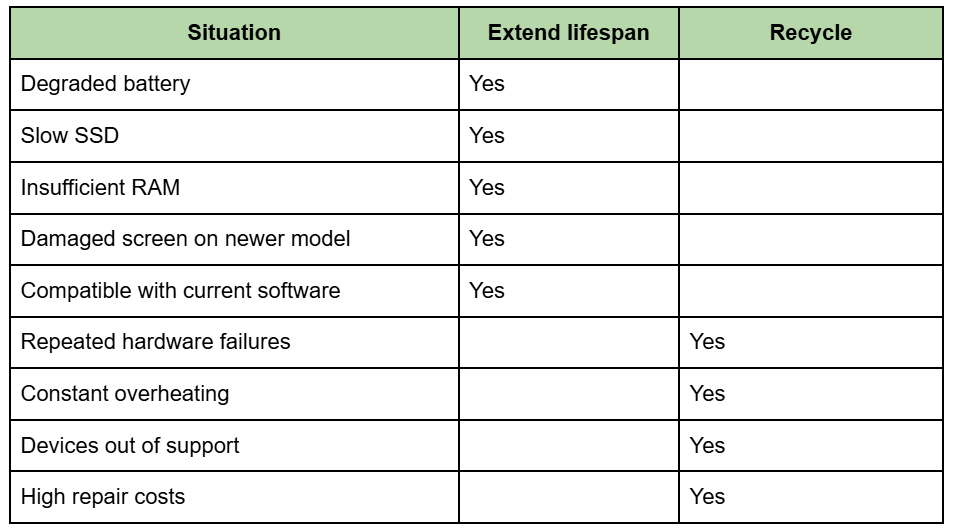
Once several of those issues start appearing together, the conversation usually changes pretty quickly.
In Tampa Bay, we see this situation all the time. Companies keep devices stored away for years because they technically still “work,” even though they already create operational problems every single day.
And there is an important difference there.
A laptop can still power on perfectly, but it no longer makes sense for a modern corporate environment.
Most IT managers end up evaluating four main things:
Once several of those factors start declining at the same time, extending the device’s lifespan usually stops making sense for the company.
We help companies manage the full lifecycle of corporate devices, from pickup and inventory to secure data destruction.
Some organizations still reuse part of their fleet after simple upgrades. Others need to remove hundreds of laptops before a technology refresh, office relocation, or internal audit.
In both situations, we work with:
And yes, many times we find devices that could remain in service after basic maintenance. That is why reviewing equipment before recycling still matters.
Technology stored for too long slowly loses traceability.
Nobody remembers who last used the laptop. Nobody knows exactly what information was left inside. And the longer devices stay outside inventory systems, the harder it becomes to reconstruct what happened to each one.
That is usually when urgency starts showing up.
Because at that point, it is no longer only about freeing up office space. It becomes a question of recovering control over assets, information, and internal processes.
Most corporate laptops last between three and five years, although many business models can continue operating longer with proper maintenance.
Yes. In many cases, those upgrades can extend a laptop’s useful life by one to three additional years.
Yes. We coordinate corporate pickups throughout Tampa and other areas of Tampa Bay.
We apply secure data destruction processes and provide certificates once the process is completed.
Depending on the evaluation, some devices may continue being used or enter responsible reuse programs.
Corporate laptops rarely become useless overnight. Usually, the process happens gradually: small performance issues start appearing, some devices get stored away “to review later” and, by the time they show up again, they have already spent years collecting dust, data, and space inside the office.
Extending the life of those devices can help significantly when the hardware still performs well, and the costs continue making sense for the operation. But eventually, storing aging equipment starts creating more disorganization, less control over information, and more wasted time for IT teams.
And in most companies, that conversation arrives much earlier than people expect.
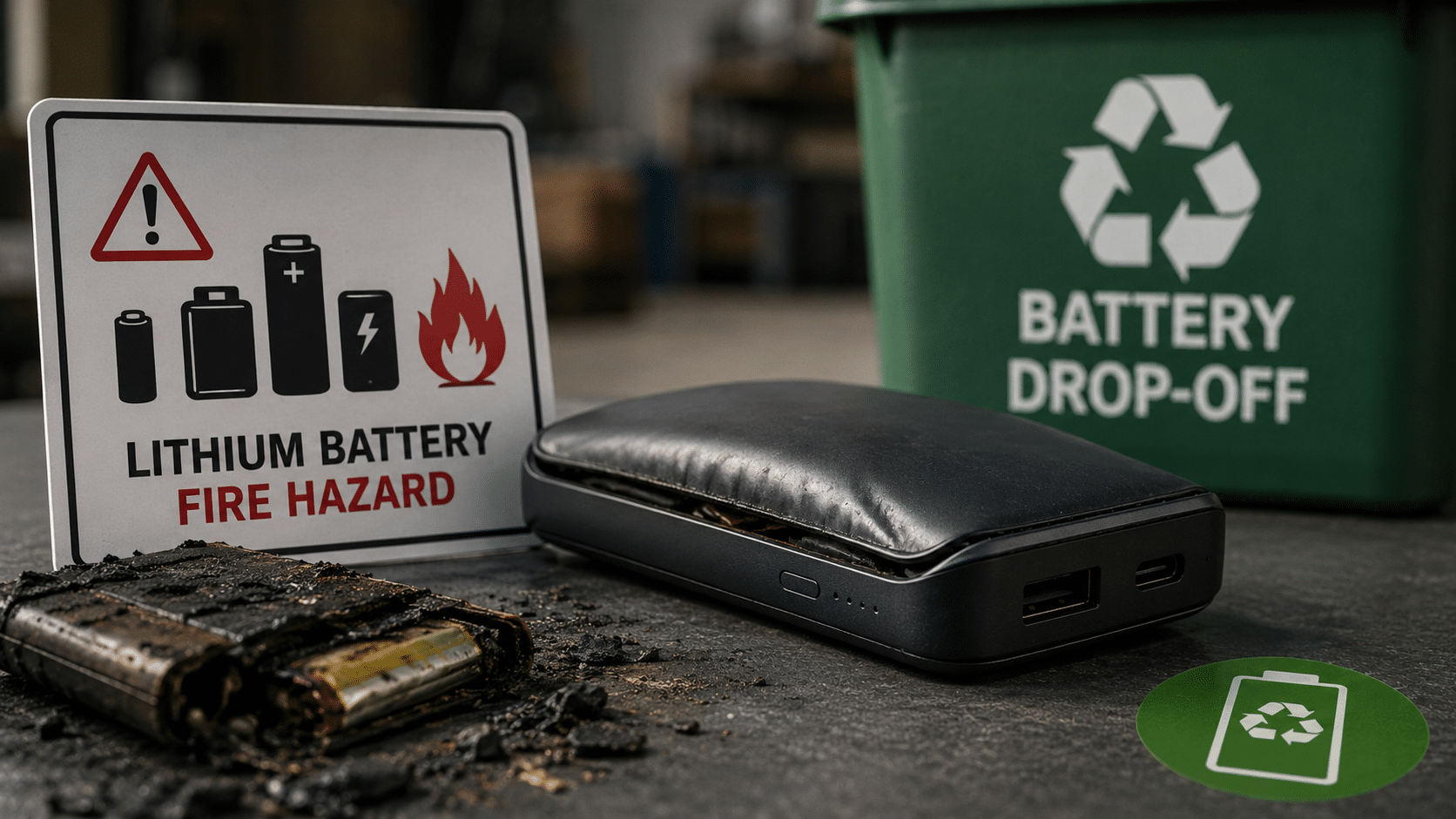
A power bank thrown into regular trash is a documented fire hazard. The lithium battery inside can trigger a chain reaction called thermal runaway when compressed inside a garbage truck or buried in a landfill. In Tampa Bay, Hillsborough and Pinellas County both have free drop-off locations for rechargeable batteries. At our warehouse at 5100 Vivian Place, Tampa, we also accept them as part of the electronics recycling process.
That swollen power bank that no longer charges. The one with the deformed casing that has been sitting in a drawer for months, because throwing it away feels wrong, but you also do not know exactly where to take it. That is the most dangerous one of all.
The lithium battery inside a power bank stores chemical energy. When that battery suffers mechanical damage, like the type caused when garbage is compacted inside a truck, it can trigger what is known as thermal runaway: a chain reaction where heat creates more heat until the cell releases toxic gas, catches fire, or explodes.
Thermal runaway is a chain reaction where heat inside the battery generates even more heat until the cell ignites or violently ruptures. According to FAA testing, these fires can exceed 1,000°F (538°C). The gases released are toxic and flammable.
What makes power banks particularly dangerous compared to other devices is that their purpose is to store the highest possible amount of energy in the smallest possible space. More energy density means more risk if the cell fails.
In 2025, 448 publicly reported fires were recorded at waste and recycling facilities across the United States and Canada, surpassing the previous record of 430 in 2024 and nearly 25% above the annual average of 360 fires. Lithium batteries embedded in everyday consumer products have become the leading cause of fires at these facilities. Amdea
Some batteries can spark and ignite fires when crushed inside garbage or recycling trucks. These fires endanger workers, destroy expensive equipment, and ruin perfectly recyclable materials. euronews
Not all old power banks are dangerous in the same way. These are the clear signs that yours should no longer stay in a drawer.
Swollen or deformed casing: the internal cell is generating gases. This is the most urgent warning sign.
Excessive heat during charging: a healthy battery charges at room temperature.
No longer holds a charge: if it retains less than 20% of its original capacity, its lifecycle is over.
Chemical or metallic smell: indicates that internal gases are escaping.
Problems happen when users do not recognize warning signs such as swelling, excessive heat, or visible damage, or when devices are exposed to extreme temperatures, physical stress, or compression. Awareness Days
A swollen power bank should not be stored, charged, or thrown into regular trash. It should be taken directly to a damaged battery disposal location.
If the power bank comes together with other devices you are discarding, such as laptops, tablets, or phones, we accept everything at 5100 Vivian Place, Tampa, FL 33619. No cost, no sorting by type, and no special preparation required.
Two common mistakes that increase the risk:
Try opening it or manually removing the battery. Hillsborough County explicitly warns residents not to attempt to remove or dismantle these batteries. A damaged cell handled without specialized equipment can trigger immediate ignition.
Storing it indefinitely. A swollen battery stored in an enclosed space, especially during Tampa’s hot summers, has a higher risk of spontaneous failure. Heat accelerates internal degradation.
No. Rechargeable lithium batteries can explode when compressed, so they should never be placed in curbside recycling or regular trash containers. They require a designated drop-off location. ITU AbsorbTech
It is urgent. A deformed casing means the internal cell is actively generating gases. The longer it sits, the greater the risk of spontaneous ignition, especially in high temperatures.
We accept power banks together with all other e-waste: laptops, phones, tablets, cables, and printers. Everything can be dropped off together in Tampa.
At Hillsborough Community Collection Centers and Pinellas battery drop-off locations, rechargeable battery disposal is free for residents with a county-issued ID.
Lithium cells are processed to recover lithium, cobalt, nickel, and copper. Those materials return to the manufacturing cycle for new batteries and electronic components.
That drawer has more than one old power bank in it. The hardest part is already done if you made it this far. The next step is taking it somewhere safe, not storing it.


Did you enjoy our latest blog articles just above?
Subscribe to receive new stories, insights, and impact updates straight to your inbox.
We’ll send you curated content about our partners, recycling strategies, success stories, and how your involvement is driving change through technology access and digital empowerment.
💡 No spam, just the smart stuff.