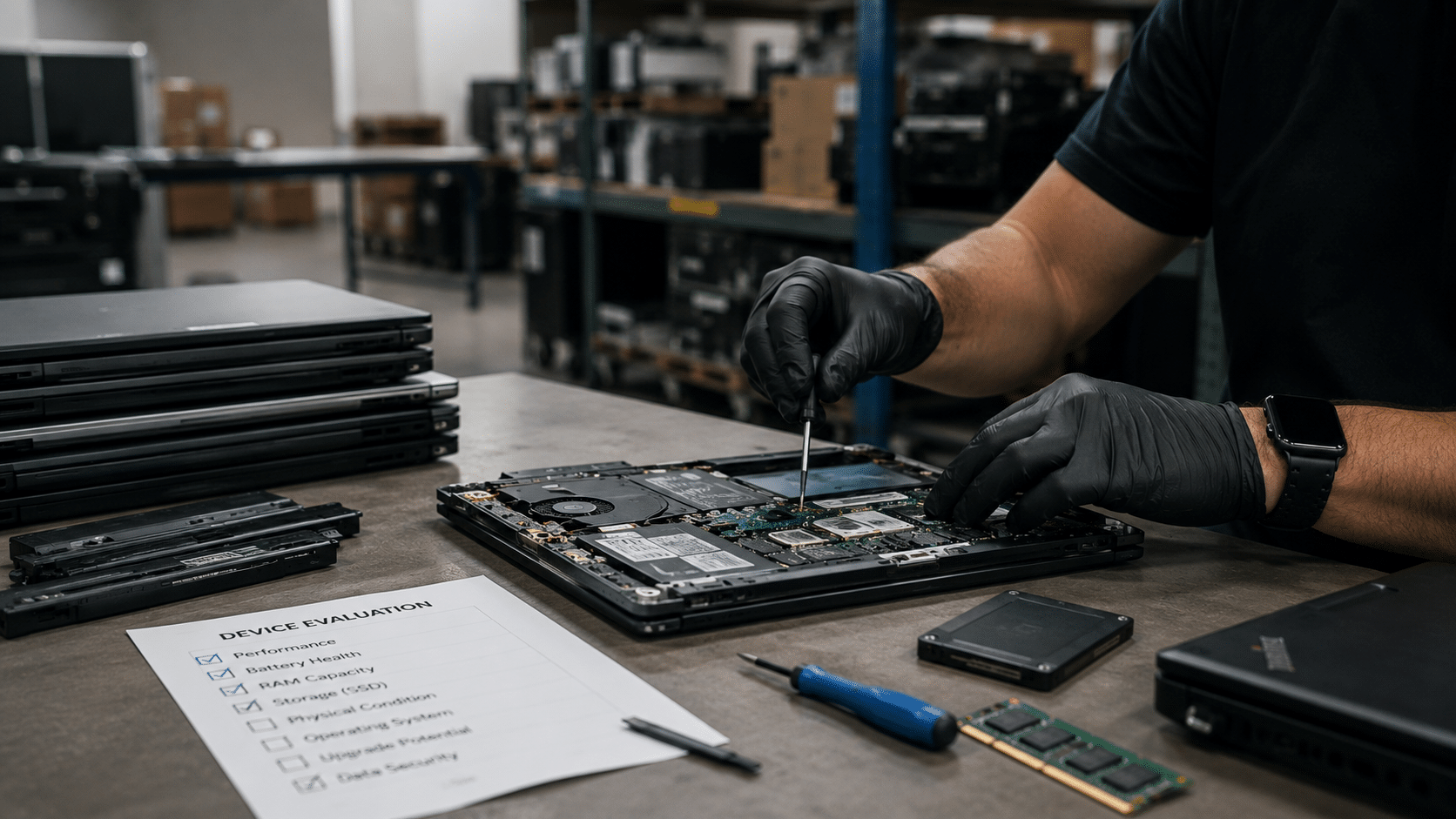
Where recycled office computers really end up in the US

Recycled office computers in the United States do not all share the same destination. Some are reused, others are dismantled for materials, and a portion is destroyed under controlled processes. What determines where these devices end up is not only their condition, but how the recycling process is managed from the start.

For businesses, knowing where office computers go after recycling matters. It impacts data security, regulatory compliance, and the management of technology assets once they leave the workplace.

What happens first when office computers are recycled

The recycling process begins with identification and tracking. Before any technical work takes place, each computer is reviewed, logged, and associated with an inventory record. This step allows businesses to maintain visibility over devices that once stored internal data.

Responsible recyclers treat this phase as a control point. Without proper inventory, computers can move through informal channels, increasing the risk of data exposure or loss of accountability.

When we receive office computers, every unit is documented before it moves forward.

How data is handled before computers leave the system

Office computers often store years of internal information. Emails, user credentials, financial files, and access tokens can remain on devices long after they stop being used.

Because of this, no computer should be reused or processed before its data is fully addressed. Storage media is handled based on device condition and reuse criteria. In some cases, data is permanently removed so the device can be reused. In others, storage components are physically destroyed.

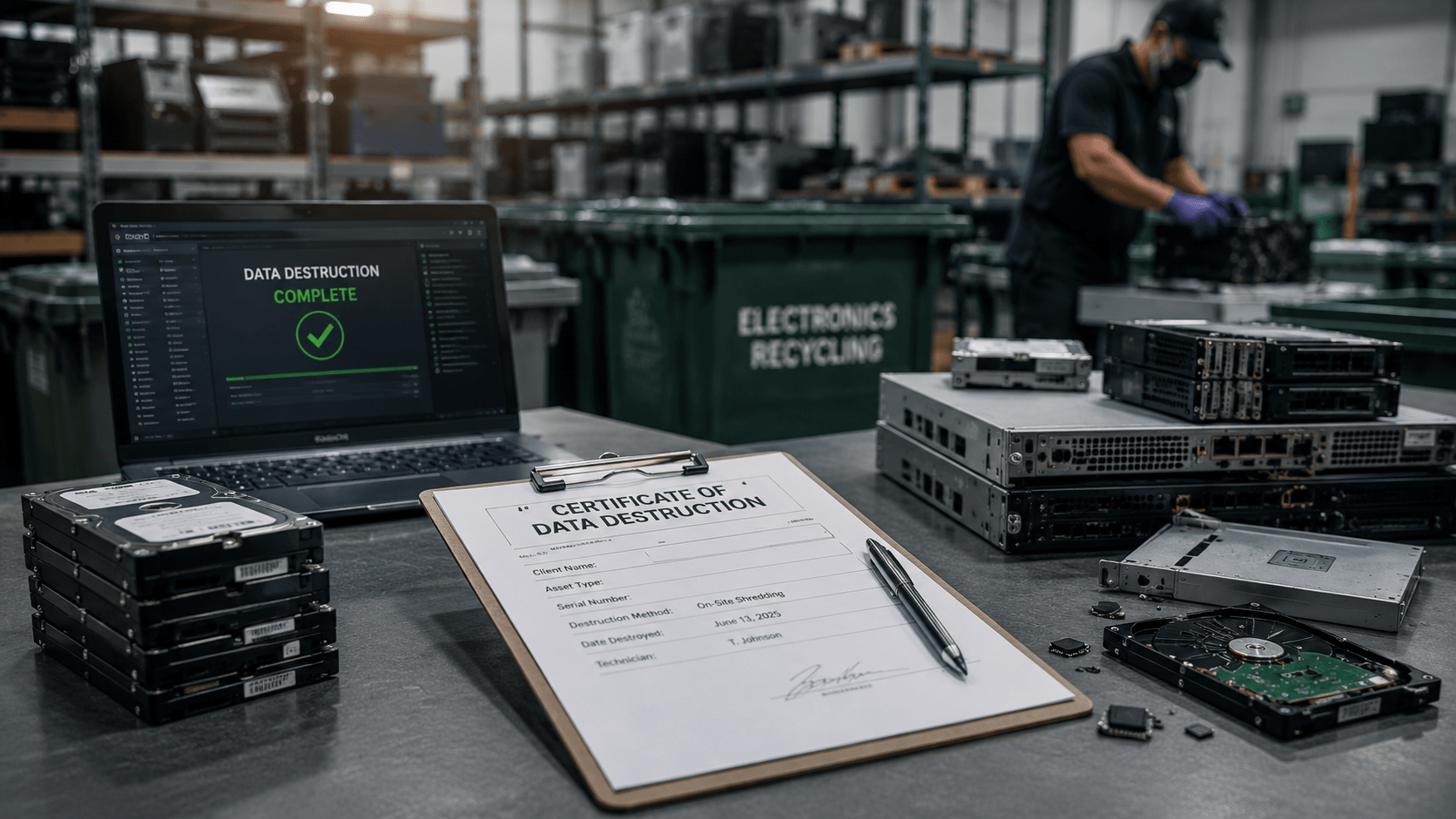
What matters for businesses is not the technical method, but the assurance that data cannot be recovered and that the process is documented.

This step is what separates responsible recycling from basic disposal.

Where reusable office computers usually go

A portion of recycled office computers in the US is suitable for reuse. Devices that pass inspection and data handling requirements may be refurbished and returned to service through controlled channels.

Reuse can take several forms. Some computers are redeployed internally by organizations. Others enter secondary markets or structured donation programs. In all cases, reuse only happens after data has been fully addressed.

The Environmental Protection Agency confirms that reuse reduces demand for raw materials and extends the useful life of electronics.

For businesses, reuse works when downstream partners are known and properly managed.

What happens when computers cannot be reused

Not every office computer qualifies for reuse. Older models, damaged units, or devices with outdated components are usually dismantled.

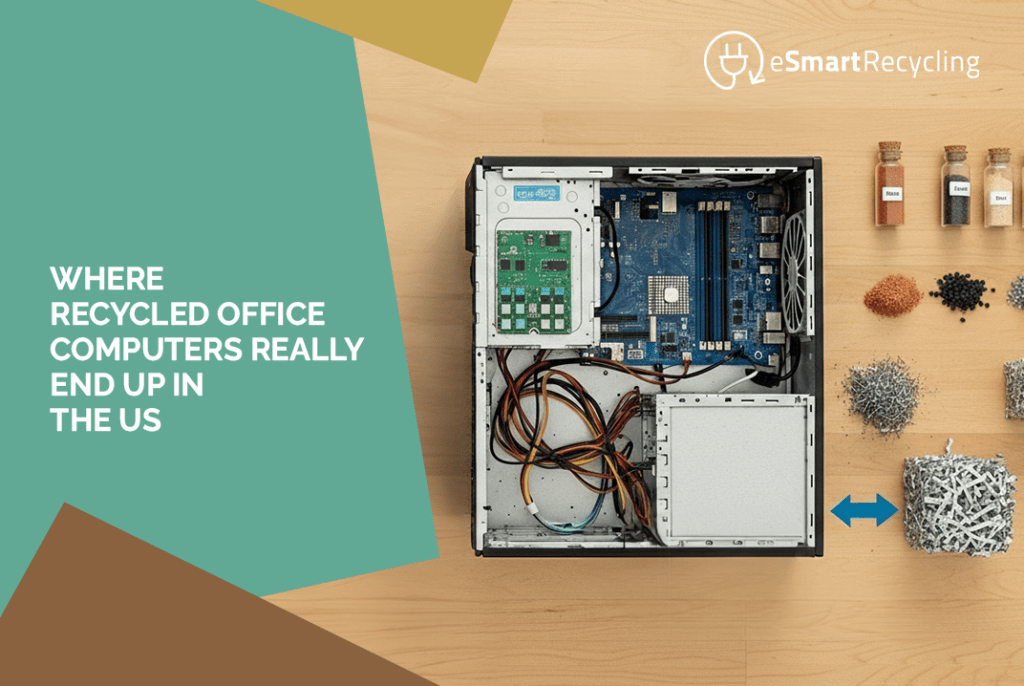
During dismantling, computers are separated into material categories. Metals, plastics, circuit boards, and glass are processed by specialized facilities. Valuable materials such as copper and precious metals are recovered, while hazardous substances are handled under environmental controls.

This stage is where transparency becomes critical. Without oversight, materials can be mismanaged or exported without proper safeguards.

Domestic processing and export concerns

One common question businesses ask is whether recycled computers stay in the US or are sent overseas.

Export of electronic waste is regulated and closely monitored when handled correctly. Issues arise when recycling lacks oversight or when downstream vendors are not properly vetted.

International agreements like the Basel Convention highlight the risks associated with uncontrolled electronic waste movement.

Certified recyclers are required to document downstream partners and ensure materials are processed in approved facilities, whether domestic or international.

Why R2v3 certification changes where computers end up

R2v3 certification plays a central role in determining the final destination of recycled office computers. The standard is managed by Sustainable Electronics Recycling International and applies strict requirements to data handling, material processing, and downstream accountability.

Under R2v3-certified operations, recyclers must prove where equipment goes, how materials are handled, and how data risks are controlled. These requirements are verified through independent audits.

We operate under R2v3 certification because businesses need clarity, not assumptions, about what happens after recycling.

More information about the standard is available here:
https://sustainableelectronics.org/r2v3/

What businesses receive at the end of the process

For businesses, the final destination of office computers should never be a mystery. Proper recycling includes documentation that supports every step of the process.

This usually includes asset inventories, confirmation of data handling, and recycling or processing reports. These records support internal audits, sustainability reporting, and compliance reviews.

We make sure that businesses receive clear documentation showing what happened to each device.

Common questions about recycled office computers

Are recycled office computers always reused

No. Reuse depends on condition, age, and handling requirements. Many devices are dismantled instead.

Do recycled computers end up in landfills?

Properly recycled computers should not. Certified processes direct materials to approved processors.

Can businesses track where computers go

Yes. Tracking is possible when recyclers provide downstream transparency and reporting.

Does certification affect outcomes?

Yes. Certification defines how devices are processed and where materials are allowed to go.

Why this matters for US businesses

Where office computers end up after recycling is not a technical detail. It is a business decision that affects data responsibility, reporting, and trust. Once devices leave the office, the company is still accountable for what happens next.

Businesses that understand this do not look for the fastest exit for old equipment. They look for clarity. They want to know whether computers are reused, dismantled, or processed as materials, and they want records that support those outcomes.

Working with an R2v3-certified recycler provides that clarity. It establishes rules, traceability, and verification across the entire process. There are no assumptions, no loose ends, and no unanswered questions.

For us, recycling office computers is about closing the loop properly. Devices leave the workplace, but responsibility does not disappear with them. A clear process, backed by certification, is what ensures that old office computers end up exactly where they should.


Request a Pickup – We’ll Take It From Here

Fill out the form below to request your electronics recycling pickup.
We’ll coordinate the schedule logistics and follow up with next steps.

Recent posts

June 8, 2026

If your earbuds have stopped charging, it may be worth checking a few things before replacing them. In many cases, the issue is related to the charging case, the charging contacts, or normal battery wear over time. And when it finally comes time to part with them, earbuds can be recycled alongside other electronics you no longer use.

Earbuds have one major advantage over most devices: they’re small, lightweight, and easy to carry everywhere.

They also come with a small drawback.

Because they’re so easy to carry, they tend to become part of everyday life without us giving them much thought.

They travel in pockets, backpacks, gym bags, and car cup holders. They come to work, on trips, and on daily walks. That’s why it feels a little surprising when one suddenly stops charging. It worked perfectly yesterday, and today it seems to have completely given up.

The first reaction is usually the same. Try a different cable. Switch outlets. Check the case. Give it one more try.

And honestly, that makes sense. Sometimes the problem is exactly one of those things.

What usually happens when an earbud stops charging?

The most common causes are often less dramatic than people expect.

Over time, dust and debris can build up on the charging contacts where the earbuds connect to the case. It’s a normal consequence of carrying them around every day.

The charging case can also be part of the story. After all, it contains a battery too, and that battery works every time you use your earbuds.

Then there’s simple battery aging. Earbuds go through hundreds of charging cycles during their lifetime. Eventually, the batteries begin holding less energy than they once did. The same thing happens with phones, tablets, laptops, and virtually every portable electronic device.

The moment earbuds stop being part of the routine

When people stop using their earbuds, they rarely make a big decision about them.

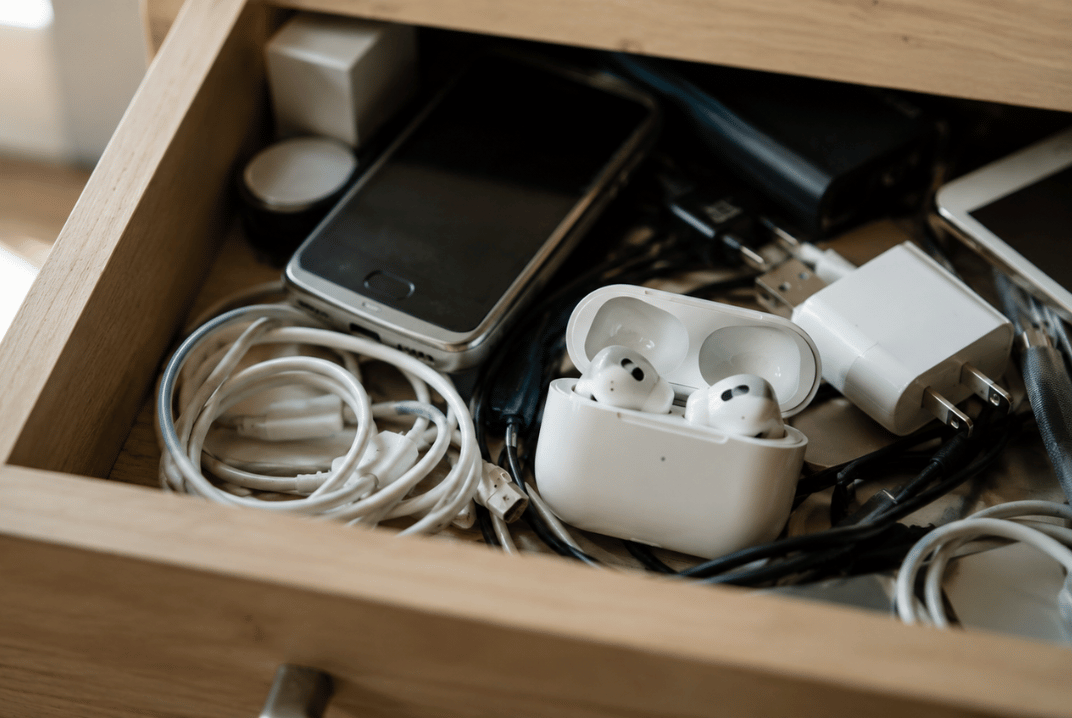
Most of the time, they end up in a drawer.

What’s interesting is that they rarely end up there alone.

At eSmart Recycling, we see the same situation all the time. Someone decides to clean out a room, organize a closet, or clear space in a home office. They start looking for an old laptop or monitor and end up discovering much more than they expected.

Old smartphones show up. Forgotten tablets. Charging cables. Power adapters. Routers. Keyboards. Accessories from devices that haven’t been used in years.

And somewhere in that collection, there is often a pair of earbuds that quietly disappeared from daily life a long time ago.

Small electronics have a remarkable ability to stay with us simply because they take up so little space.

Can earbuds be recycled?

Yes, and many people are surprised to learn that.

Even though they are small, earbuds contain batteries and electronic components that should be handled properly when they reach the end of their useful life. The same applies to the charging case.

Many people associate electronics recycling with computers, monitors, or printers. In reality, a large portion of the devices we receive are everyday electronics and accessories that gradually accumulated over the years.

That’s why it’s common to find earbuds in the same box as old phones, tablets, chargers, and cables.

What should you do with earbuds you no longer use?

If they still work, they may be useful to someone else.

If they have reached the end of their lifespan, they can be recycled along with other electronics you have stored at home.

And if you haven’t looked through that drawer in a while, there’s a good chance your earbuds aren’t the only devices waiting there.

Why does only one earbud stop charging?

It can be caused by dirty charging contacts, battery wear, or issues with the charging case.

Can the charging case stop working too?

Yes. The case contains electronic components and its own battery, so it can experience wear over time.

Do earbuds contain rechargeable batteries?

Yes. Most earbuds use lithium-ion batteries.

What other devices does eSmart Recycling accept?

We accept computers, laptops, phones, tablets, monitors, printers, routers, cables, chargers, and many other electronic devices.

Where can I recycle earbuds in Tampa?

You can bring them to eSmart Recycling along with other electronics for proper end-of-life management.

Earbuds are often one of the first things people find when they start going through old electronics at home. And more often than not, they become a reminder of something bigger: how much technology we keep long after we’ve stopped using it.

June 8, 2026

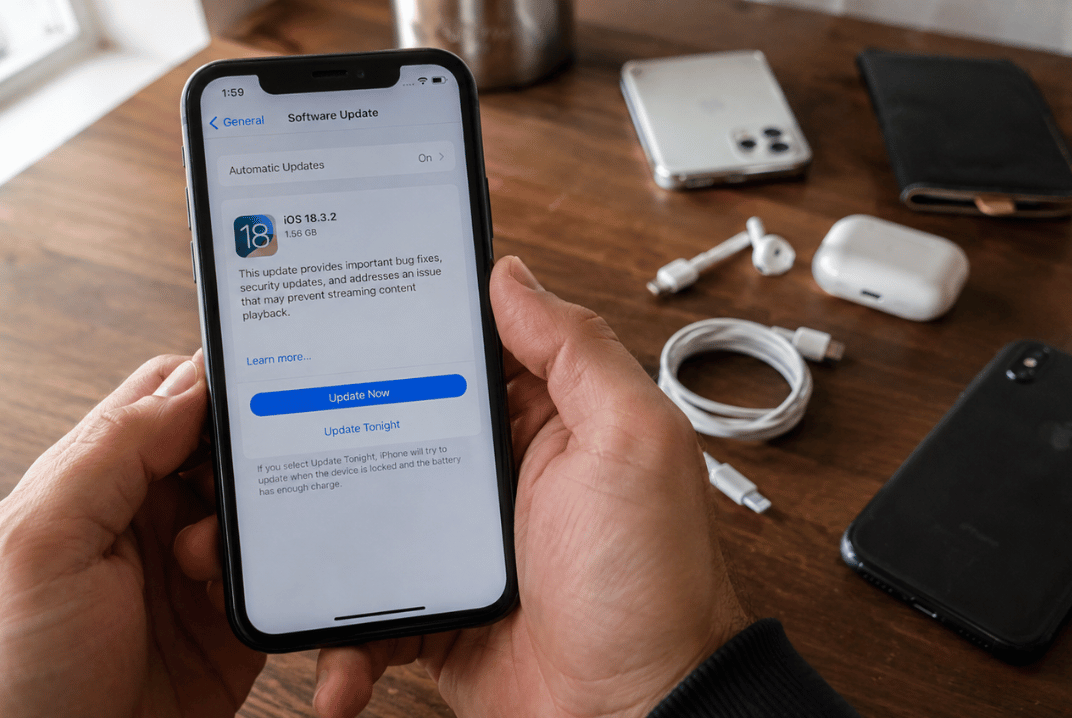
Users of the iPhone XR, iPhone XS, and iPhone XS Max discovered something new when Apple introduced iOS 26: those models are no longer included on the list of compatible devices. These phones will continue serving their owners just as they did before, but the new features arriving with iOS 26 will be available on newer models. The announcement also opens an interesting conversation about the lifespan of technology and what happens to devices when it’s time to move on.

The scene repeats itself every year.

Apple unveils a new version of iOS. New features appear. Videos start circulating. Screenshots fill social media. Then someone opens Google and types a very simple question:

“Is my iPhone compatible?”

This year, many owners of the iPhone XR, XS, and XS Max found themselves checking that list a little more carefully.

Which iPhones are compatible with iOS 26?

Apple confirmed that iOS 26 will be available for the iPhone 11 lineup and newer models.

That means the iPhone XR, iPhone XS, and iPhone XS Max have reached the end of a long chapter in Apple’s update cycle.

And honestly, that is a pretty impressive run.

The iPhone XR arrived in 2018. Since then, it has received years of software updates, security improvements, design changes, and new features. For a smartphone, that is a remarkably long lifespan.

What changes for people using these models?

The answer is simpler than many expect.

The phone you had yesterday is still the phone you have today.

Your photos are still there. Your messages are still there. Your apps continue working, and the device continues handling the tasks it performs every day.

The difference is that the new features introduced with iOS 26 will be reserved for devices that support the update.

For many users, that does not immediately change their daily routine.

In fact, plenty of people continue using their phones for years after their last major software update because the device still does exactly what they need it to do.

How long can an iPhone last after its final major update?

That depends on how it is used.

Some people mainly rely on their phones for calls, messaging, email, and photos. Others use them for work, content creation, or more demanding applications.

What makes this interesting is that a device’s useful life often extends well beyond its update cycle.

A phone can continue being a reliable companion simply because it still performs the tasks that matter to its owner.

That helps explain why iPhone XR devices remain common in homes, offices, schools, and small businesses.

What usually happens when people replace their phones?

A familiar image comes to mind.

A drawer.

Inside are old chargers, mystery cables, and often one or two smartphones that worked perfectly well when they were put away.

Every new generation of devices adds a few more to that collection.

Phones tend to stay stored because they contain photos, account access, documents, and years of personal memories.

That is why people often take time to back up their information before deciding what comes next.

Some devices are passed along to family members.

Some become backup phones.

Many find a second life through technology reuse programs.

Others enter electronics recycling streams where valuable materials and components can be recovered and used again.

Why does this news matter?

Because it reflects something larger about the way we use technology.

Devices stay with us for years. They collect memories, conversations, contacts, and daily habits.

Every major software update becomes a reminder of that relationship.

The story is not just about software.

It is also about how long we keep our devices, how we extend their usefulness, and what choices we make when it is finally time for something new.

Does my iPhone XR still work if it does not receive iOS 26?

Yes. The device continues performing its everyday functions and can remain useful for many common tasks.

Is the iPhone XS still good for daily use?

For many users, absolutely. It depends on the apps and activities that are part of their routine.

How can I check which iPhone model I have?

You can find it under Settings > General > About.

Which iPhones support iOS 26?

Apple confirmed compatibility beginning with the iPhone 11 family and newer models.

What can I do with an iPhone I no longer use?

You can keep it, pass it along to someone else, donate it, or send it through a certified electronics recycling program.

Perhaps the most interesting part of this story is that many phones continue serving a purpose long after they leave someone’s pocket. Some help another user. Some contribute materials that can be recovered and reused. And quite a few are still waiting in that familiar drawer, sitting next to cables that seemed important enough to save years ago.

May 24, 2026

Extending the life of corporate laptops can help reduce costs before replacing an entire fleet. In many Tampa Bay companies, replacing a battery, upgrading RAM, or installing a new SSD can keep devices running for another one to three years. Recycling usually enters the conversation when the hardware starts creating constant issues, compatibility problems, or risks related to the data still stored inside those devices.

In a lot of offices, the situation starts pretty quietly. A couple of laptops get stored “for now,” then old chargers start piling up, disconnected docking stations appear, and a few monitors nobody uses anymore end up in the same corner. A few months later, that small area turns into an improvised storage room full of technology where nobody is completely sure what still works, what contains sensitive data, and what should already be removed from circulation.

That is usually when the IT team gets the question: Should these devices be repaired, or is it finally time to recycle them?

When is it worth extending the life of a corporate laptop?

Most corporate laptops have an average lifespan of three to five years, although many business-grade models can last longer with proper maintenance.

And in many cases, the issue is not the entire laptop. It is one specific component limiting performance.

An outdated SSD can make an otherwise solid laptop feel painfully slow. A degraded battery can affect an employee’s entire workday even when the rest of the hardware still performs well. The same thing happens with devices still running on 8GB RAM, while current corporate software demands much more than it did a few years ago.

In those situations, extending the laptop’s life can absolutely make financial and operational sense.

Especially when finance teams are reviewing budgets, and IT managers need to justify why certain devices can remain in use without affecting productivity.

What signs show it is finally time to recycle?

Some laptops start showing warning signs long before they completely stop working.

Devices taking several minutes to boot up, fans running constantly, failed software updates, or employees avoiding certain programs because they already know the system will freeze again.

Then another issue appears, and it is usually more serious: the information still stored inside those devices.

We receive corporate laptops that still contain active logins, financial documents, internal files, and customer data sitting inside drives that have spent years forgotten inside closets or office storage rooms.

That is why this decision rarely depends only on the physical condition of the device.

It also depends on operational risk and how much control the company still has over its information.
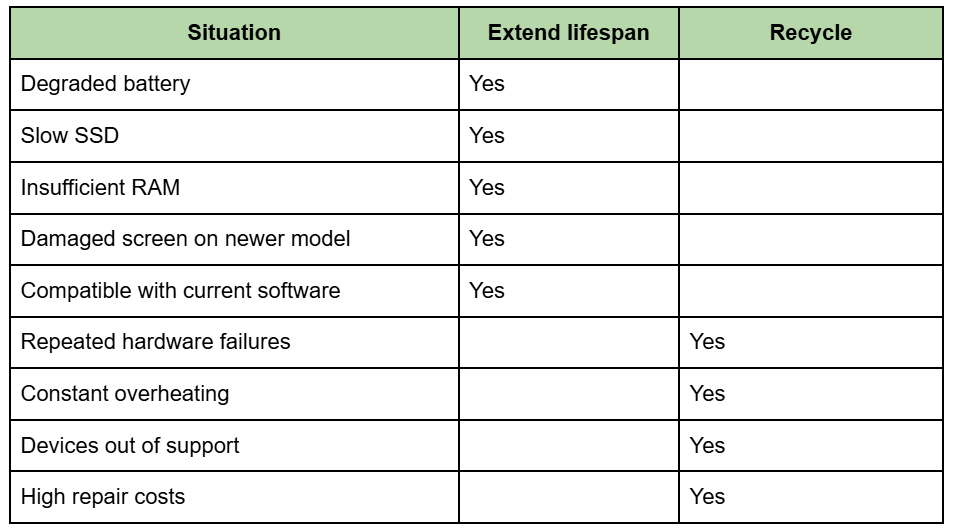
Once several of those issues start appearing together, the conversation usually changes pretty quickly.

How do IT managers usually make this decision?

In Tampa Bay, we see this situation all the time. Companies keep devices stored away for years because they technically still “work,” even though they already create operational problems every single day.

And there is an important difference there.

A laptop can still power on perfectly, but it no longer makes sense for a modern corporate environment.

Most IT managers end up evaluating four main things:

  • Repair costs
  • Compatibility with current software
  • Employee productivity
  • Risks related to stored data

Once several of those factors start declining at the same time, extending the device’s lifespan usually stops making sense for the company.

Where do we enter the process?

We help companies manage the full lifecycle of corporate devices, from pickup and inventory to secure data destruction.

Some organizations still reuse part of their fleet after simple upgrades. Others need to remove hundreds of laptops before a technology refresh, office relocation, or internal audit.

In both situations, we work with:

  • Asset inventory
  • Corporate pickups
  • Secure data destruction
  • Certificates of destruction
  • R2v3 and HIPAA processing standards
  • Responsible reuse evaluations

And yes, many times we find devices that could remain in service after basic maintenance. That is why reviewing equipment before recycling still matters.

The problem with storing laptops “just in case.”

Technology stored for too long slowly loses traceability.

Nobody remembers who last used the laptop. Nobody knows exactly what information was left inside. And the longer devices stay outside inventory systems, the harder it becomes to reconstruct what happened to each one.

That is usually when urgency starts showing up.

Because at that point, it is no longer only about freeing up office space. It becomes a question of recovering control over assets, information, and internal processes.

How long can a corporate laptop last?

Most corporate laptops last between three and five years, although many business models can continue operating longer with proper maintenance.

Is replacing RAM and batteries worth it?

Yes. In many cases, those upgrades can extend a laptop’s useful life by one to three additional years.

Do we offer corporate pickups in Tampa Bay?

Yes. We coordinate corporate pickups throughout Tampa and other areas of Tampa Bay.

What do we do with the data before recycling?

We apply secure data destruction processes and provide certificates once the process is completed.

What happens to laptops that still work?

Depending on the evaluation, some devices may continue being used or enter responsible reuse programs.

Corporate laptops rarely become useless overnight. Usually, the process happens gradually: small performance issues start appearing, some devices get stored away “to review later” and, by the time they show up again, they have already spent years collecting dust, data, and space inside the office.

Extending the life of those devices can help significantly when the hardware still performs well, and the costs continue making sense for the operation. But eventually, storing aging equipment starts creating more disorganization, less control over information, and more wasted time for IT teams.

And in most companies, that conversation arrives much earlier than people expect.
May 24, 2026

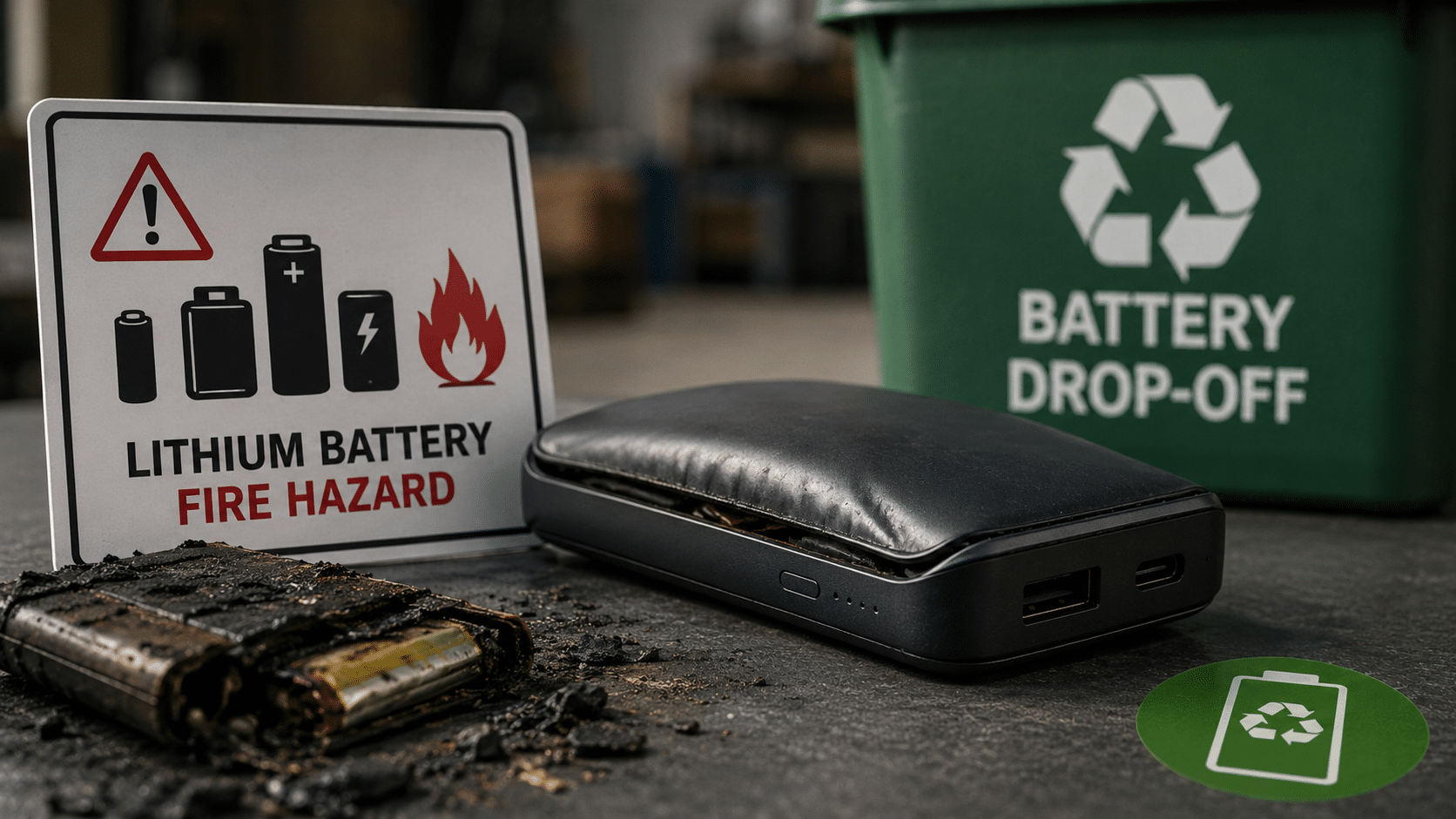
A power bank thrown into regular trash is a documented fire hazard. The lithium battery inside can trigger a chain reaction called thermal runaway when compressed inside a garbage truck or buried in a landfill. In Tampa Bay, Hillsborough and Pinellas County both have free drop-off locations for rechargeable batteries. At our warehouse at 5100 Vivian Place, Tampa, we also accept them as part of the electronics recycling process.

That swollen power bank that no longer charges. The one with the deformed casing that has been sitting in a drawer for months, because throwing it away feels wrong, but you also do not know exactly where to take it. That is the most dangerous one of all.

Why can a power bank in the trash start a fire?

The lithium battery inside a power bank stores chemical energy. When that battery suffers mechanical damage, like the type caused when garbage is compacted inside a truck, it can trigger what is known as thermal runaway: a chain reaction where heat creates more heat until the cell releases toxic gas, catches fire, or explodes.

Thermal runaway is a chain reaction where heat inside the battery generates even more heat until the cell ignites or violently ruptures. According to FAA testing, these fires can exceed 1,000°F (538°C). The gases released are toxic and flammable.

What makes power banks particularly dangerous compared to other devices is that their purpose is to store the highest possible amount of energy in the smallest possible space. More energy density means more risk if the cell fails.

In 2025, 448 publicly reported fires were recorded at waste and recycling facilities across the United States and Canada, surpassing the previous record of 430 in 2024 and nearly 25% above the annual average of 360 fires. Lithium batteries embedded in everyday consumer products have become the leading cause of fires at these facilities. Amdea

Some batteries can spark and ignite fires when crushed inside garbage or recycling trucks. These fires endanger workers, destroy expensive equipment, and ruin perfectly recyclable materials. euronews

How to know if your power bank has reached the end of its lifespan

Not all old power banks are dangerous in the same way. These are the clear signs that yours should no longer stay in a drawer.

Physical signs of deterioration:

  • Swollen or deformed casing: the internal cell is generating gases. This is the most urgent warning sign.
  • Excessive heat during charging: a healthy battery charges at room temperature.
  • No longer holds a charge: if it retains less than 20% of its original capacity, its lifecycle is over.
  • Chemical or metallic smell: indicates that internal gases are escaping.

Swollen or deformed casing: the internal cell is generating gases. This is the most urgent warning sign.

Excessive heat during charging: a healthy battery charges at room temperature.

No longer holds a charge: if it retains less than 20% of its original capacity, its lifecycle is over.

Chemical or metallic smell: indicates that internal gases are escaping.

Problems happen when users do not recognize warning signs such as swelling, excessive heat, or visible damage, or when devices are exposed to extreme temperatures, physical stress, or compression. Awareness Days

A swollen power bank should not be stored, charged, or thrown into regular trash. It should be taken directly to a damaged battery disposal location.


Drop off in Tampa with us

If the power bank comes together with other devices you are discarding, such as laptops, tablets, or phones, we accept everything at 5100 Vivian Place, Tampa, FL 33619. No cost, no sorting by type, and no special preparation required.

What you should not do with a damaged power bank

Two common mistakes that increase the risk:

  • Try opening it or manually removing the battery. Hillsborough County explicitly warns residents not to attempt to remove or dismantle these batteries. A damaged cell handled without specialized equipment can trigger immediate ignition.
  • Storing it indefinitely. A swollen battery stored in an enclosed space, especially during Tampa’s hot summers, has a higher risk of spontaneous failure. Heat accelerates internal degradation.

Try opening it or manually removing the battery. Hillsborough County explicitly warns residents not to attempt to remove or dismantle these batteries. A damaged cell handled without specialized equipment can trigger immediate ignition.

Storing it indefinitely. A swollen battery stored in an enclosed space, especially during Tampa’s hot summers, has a higher risk of spontaneous failure. Heat accelerates internal degradation.

Frequently asked questions about power banks and battery recycling

Can I throw a power bank into curbside recycling?

No. Rechargeable lithium batteries can explode when compressed, so they should never be placed in curbside recycling or regular trash containers. They require a designated drop-off location. ITU AbsorbTech

Is a swollen power bank urgent, or can I wait?

It is urgent. A deformed casing means the internal cell is actively generating gases. The longer it sits, the greater the risk of spontaneous ignition, especially in high temperatures.

Do you only accept power banks or also other battery-powered devices?

We accept power banks together with all other e-waste: laptops, phones, tablets, cables, and printers. Everything can be dropped off together in Tampa.

Is there a cost for dropping off a power bank at county locations?

At Hillsborough Community Collection Centers and Pinellas battery drop-off locations, rechargeable battery disposal is free for residents with a county-issued ID.

What happens to the materials inside the power bank after I drop it off?

Lithium cells are processed to recover lithium, cobalt, nickel, and copper. Those materials return to the manufacturing cycle for new batteries and electronic components.

That drawer has more than one old power bank in it. The hardest part is already done if you made it this far. The next step is taking it somewhere safe, not storing it.

May 24, 2026

Companies across the Tampa Bay metropolitan area have different options depending on the county where they operate. Hillsborough has the most accessible processes for businesses based in Tampa. Pinellas has specific monthly events for businesses, with variable costs depending on volume. Pasco offers occasional events mainly focused on residents, leaving businesses in the northern part of the metro area with fewer local alternatives. An R2v3-certified provider like eSmart Recycling covers all three counties with scheduled pickups and complete documentation.

Your headquarters matters less than it seems when it comes to recycling corporate equipment. What matters is understanding which options your company has based on where it is located, and which of those options generate the documentation you need for compliance.

What options does your company have depending on the county where it operates?

Hillsborough County: the most direct option for companies in Tampa

Hillsborough County Community Collection Centers are available for residents, but businesses are not authorized to use them. That eliminates the county’s free route for any company.

The county’s electronics recycling contract requires that data be securely erased and destroyed. What it does not require is documentation for the client company proving that process, because the program is designed for residents, not organizations with compliance requirements.

For a company in Tampa, Seffner, Brandon, or Plant City, the most direct route is a certified provider with a local presence in the county. We are located at 5100 Vivian Place, Tampa, FL 33619, with pickup capabilities throughout Hillsborough County. The process includes serialized inventory tracking, certified data destruction, and chain of custody reporting.

Hillsborough summary: no public channel for businesses, with full coverage available through R2v3-certified providers in Tampa.

Pinellas County: monthly events for businesses, with conditions

Pinellas County hosts electronics and chemical collection events specifically for businesses on the second Wednesday of every month. Businesses must qualify as a Very Small Quantity Generator (VSQG) of hazardous waste, meaning they generate less than 220 pounds of hazardous waste per month.

That covers many small businesses, but not companies retiring an entire laptop fleet or clearing out an IT room that has accumulated equipment for years. In addition, pricing is negotiated with the contractor Republic Services and subject to change, so businesses are advised to call (813) 319-3400 before attending to confirm fees and packaging restrictions.

The volume limitations and lack of data destruction documentation make this channel insufficient for companies with HIPAA, PCI-DSS, or security audit requirements. For organizations in St. Pete, Clearwater, or Largo, the only option that generates certificates of destruction with serial-number traceability is an R2v3-certified provider.

Pinellas summary: monthly events available for small businesses, without certificates of data destruction and with volume limits.

Pasco County: the county with the least corporate infrastructure

Pasco County organizes mobile hazardous waste and electronics collection events on an occasional basis. Those events charge a $5 fee for desktop computers, laptops, and monitors.

Pasco’s permanent disposal facilities accept electronics at two hazardous waste collection centers. However, none of these channels are designed for corporate-scale volumes or provide data destruction documentation.

For companies in Wesley Chapel, Land O’ Lakes, Lutz, or Zephyrhills, the gap is noticeable. The county’s public infrastructure serves residents. Businesses with accumulated equipment and compliance requirements need a provider that comes directly to them.

Pasco summary: no structured corporate channel, occasional resident-focused events, and no data destruction documentation.

What all three counties have in common

The pattern is consistent: public programs are designed for residents or very small volumes and do not provide documentation of data destruction. For any company with more than ten devices to remove, or with audit requirements, the only route that closes the process with verifiable documentation is an R2v3-certified provider operating across the metropolitan area.

We coordinate pickups across Hillsborough, Pinellas, and Pasco as a single process. If you have equipment in more than one county, we collect everything in one route and consolidate all documentation into a single report.

Frequently asked questions about corporate recycling in Tampa Bay

Does eSmart Recycling collect equipment outside Hillsborough County?

Yes. We coordinate pickups across Hillsborough, Pinellas, and Pasco. You can contact us at eSmart Recycling Contact Page or by calling (813) 501-7768 to schedule service from your location.

How many devices do I need to request a pickup?

There is no fixed minimum. We work with everything from small batches to full fleets. Volume determines logistics, not whether we can assist you.

Do county events provide certificates of data destruction?

In Hillsborough, Pinellas, and Pasco, public e-waste programs do not issue certificates of destruction with serial-number traceability. That documentation is generated exclusively by an R2v3-certified provider.

How long does the process take from pickup request to receiving documentation?

In most cases, between 24 and 48 hours from pickup to issuance of the certificate of destruction.

What happens if my company has equipment in more than one county?

We coordinate everything as a single process. We handle the multi-location pickup route and consolidate all documentation into one unified report.

Three counties, different rules, same problem: nobody wants to be responsible for that batch of laptops when it shows up during an audit. Contact us, and we will handle it from wherever you are.

May 24, 2026

R2v3 is the most rigorous standard for corporate electronics recycling, developed by Sustainable Electronics Recycling International (SERI). It certifies that a provider protects the data stored on incoming devices, handles hazardous materials properly, and subjects its operations to annual independent audits. For a company in Tampa Bay, choosing a recycler without R2v3 means taking on a level of data risk that certified documentation is designed to eliminate.

That retired server has been sitting in the back room for nine months. Nobody touched it because nobody wants to be responsible for what happens next. That is exactly the moment when your vendor’s certification stops being a procurement detail and becomes the only thing protecting your company during an audit.

What does an R2v3 certification actually audit?

R2v3 requires recyclers to identify and track the materials and equipment they process, prioritize reuse and refurbishment before recycling, maintain certified environmental and health-and-safety management systems, and comply with all applicable labor, environmental, and data security laws.

R2v3-certified facilities also undergo strict annual audits performed by an independent third-party certification body. These audits verify that the company follows industry best practices for data security, electronics recycling, and sustainability.

What that means in practice is simple: this is not a certification a company earns once and hangs on a wall forever. Every year, an outside auditor reviews the entire process. If the provider changes how it handles materials or data and no longer meets the requirements, the certification can be revoked.

Companies regularly hand over old computers without properly wiping them, send servers to recyclers without verifying destruction methods, or dispose of hard drives without considering the sensitive information stored inside them.

Every one of those mistakes has consequences. Cybercriminals and identity thieves actively search for improperly discarded IT assets, monitoring e-waste collection points and online auctions. Some even pose as electronics recyclers.

The numbers behind that risk are very real. The average cost of a data breach in U.S. companies reached $10.22 million in 2025, marking a 9% increase and a new record high.

Documented cases include:

  • Morgan Stanley was fined $60 million by the OCC after improperly decommissioned data center equipment containing unencrypted customer information was found on devices that should have been destroyed.
  • The UK National Health Service (NHS), where hard drives containing patient data from a dismantled server were later sold on eBay, resulting in a £325,000 fine.

Morgan Stanley was fined $60 million by the OCC after improperly decommissioned data center equipment containing unencrypted customer information was found on devices that should have been destroyed.

The UK National Health Service (NHS), where hard drives containing patient data from a dismantled server were later sold on eBay, resulting in a £325,000 fine.

In both situations, the failure point was the same: a vendor without a certified process capable of proving exactly what happened to each device after it left the company.

This is the part every IT manager should fully understand before speaking with legal teams or the CFO.

An R2v3-certified recycler generates:

  • Serialized inventory reports: every device is logged by serial number before processing.
  • Certificates of data destruction: linking each drive to its destruction method, date, and responsible technician.
  • Chain of custody reports: documenting every stage from pickup to final downstream processing.
  • Environmental impact reporting: measuring recovered materials and avoided CO₂ emissions, useful for ESG reporting.

Serialized inventory reports: every device is logged by serial number before processing.

Certificates of data destruction: linking each drive to its destruction method, date, and responsible technician.

Chain of custody reports: documenting every stage from pickup to final downstream processing.

Environmental impact reporting: measuring recovered materials and avoided CO₂ emissions, useful for ESG reporting.

A recycler without certification may provide little more than a receipt. That is not enough protection during a compliance audit or regulatory investigation.

How to verify whether a Tampa Bay provider has an active R2v3 certification

SERI maintains a public searchable directory of accredited facilities worldwide. Any company can verify whether a recycler currently holds an active certification, which facility is certified, and when that certification expires.

At eSmart Recycling, we are listed there. If you have doubts, verify it before you call.

What is the difference between R2v3 and the previous R2:2013 standard?

In 2020, SERI introduced R2v3 as a significantly more comprehensive version of the standard, focused on improving downstream accountability, strengthening data security, and aligning ITAD practices with circular economy goals. All companies certified under R2:2013 were required to migrate to R2v3 before 2024 to maintain certification.

Does R2v3 cover data destruction or only material recycling?

Both. R2v3 requires secure data sanitization processes that comply with regulations such as HIPAA while also establishing strict procedures for handling hazardous electronic materials.

How many R2v3 recyclers operate in Tampa Bay?

Very few. The certification requires ongoing annual audit and maintenance costs, which naturally filters out vendors without formal operational processes. Checking the SERI directory before choosing a recycler is one of the simplest ways to reduce risk.

Does a small company really need an R2v3-certified provider?

Yes. Data risk does not scale with company size. A hard drive containing customer information from a ten-person business can create the same type of breach exposure as one from a thousand-person corporation. The provider’s certification matters regardless of how many devices you recycle.

How can we schedule a pickup with eSmart Recycling in Tampa?

You can contact us directly through eSmart Recycling Contact Page or by calling (813) 501-7768. We coordinate pickups across Tampa Bay and provide full documentation once the process is complete.

That server sitting in the back room is not going to disappear on its own. But the documentation proving who processed it and how absolutely can show up during an audit. Reach out to us, and we will help you handle it correctly.

Join the E-Revolution

Did you enjoy our latest blog articles just above?

Subscribe to receive new stories, insights, and impact updates straight to your inbox.

We’ll send you curated content about our partners, recycling strategies, success stories, and how your involvement is driving change through technology access and digital empowerment.

💡 No spam, just the smart stuff.

Request your 
Pickup

Or call us: 813-501-7768