

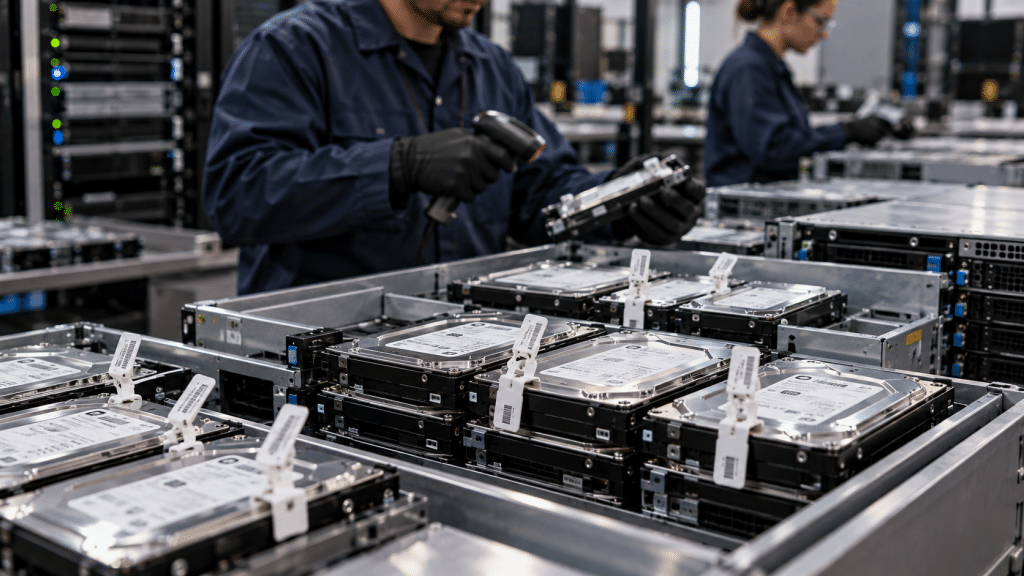
When a bank retires a server, storage array, or terminal, the IT work may seem finished once the equipment leaves the rack. For Compliance and Information Security, another part of the process begins at that point: knowing which asset left, who received it, how its data was protected, and what happened to the device through final disposition.
In Tampa Bay and other areas where financial institutions operate, these projects can involve hundreds of devices during a technology refresh, infrastructure migration, or facility closure.
The question is straightforward:
Can the organization demonstrate what happened to every piece of equipment after it left the facility?
The same device may have stored different types of information and, depending on the institution and its activities, may be connected to different regulatory requirements.
The Gramm-Leach-Bliley Act (GLBA) establishes requirements for protecting customers’ financial information through administrative, technical, and physical safeguards. The Safeguards Rule also addresses the secure disposal of customer information.
For companies subject to Sarbanes-Oxley (SOX), Section 404 addresses internal controls over financial reporting. This can make the traceability of certain technology assets part of an organization’s internal control environment. SOX itself does not establish a specific procedure for destroying servers or drives.
For broker-dealers and other entities subject to certain SEC requirements, Rule 17a-4 establishes requirements for the retention and preservation of certain records. The rules also address technical requirements for systems used to preserve those records.
That is why financial hardware retirement often involves several teams.
IT may be responsible for the decommissioning. Security may define requirements for storage media. Asset Management needs to reconcile the equipment. Compliance needs supporting documentation. And the provider handling the retirement needs to document what physically happened to the assets.
Each part creates a different record of the same process.
The first control is straightforward: knowing exactly what left.
A retirement inventory can include the serial number, asset tag, manufacturer, model, location, and asset status. Depending on the organization, it may also be connected to the CMDB or internal asset management system.
Then comes the physical transfer.
Records may include the pickup date, who received the equipment, the origin location, the destination, and the different custody transfers throughout the process. The specific controls depend on the institution’s security policies and applicable requirements.
Some organizations use security seals, locked containers, delivery and receiving records, or vehicle tracking.
What matters is that the documentation allows the asset’s movement to be reconstructed.
For example:
Server → pickup → transportation → receiving → processing → final disposition.
If the serial number appears in the initial inventory, appears again during receiving, and is ultimately linked to a sanitization or destruction record, Compliance has a much clearer documentary trail.
The chain of custody becomes part of the asset’s history rather than a standalone document.
This is where media sanitization comes in.
NIST published SP 800-88 Rev. 2, Guidelines for Media Sanitization, in September 2025. It replaced Rev. 1 and provides guidance for developing media sanitization programs based on factors such as information sensitivity, media type, and the intended outcome of the process.
The appropriate method depends on the device and its destination.
Equipment intended for reuse may require a sanitization process that prepares the media for another use according to the organization’s policies.
A device whose storage media is being permanently removed from service may require physical destruction.
This matters particularly with modern infrastructure. A server may contain HDDs, SSDs, storage modules, or other media with different technical characteristics. A procedure used for one type of storage may not produce the same result on another.
It is also important to distinguish between deleting files, resetting a device, and sanitizing storage media.
These are different actions with different results.
The process should therefore begin with a clear understanding of the asset, the information it contains, and its intended destination.
This is where the physical process and the documentation come together.
Depending on the organization’s policies, Compliance may need records that connect the asset to the procedure performed. These can include:
The value of these records becomes particularly clear when someone needs to review an asset months after it was retired.
Suppose an auditor asks about a server that was taken out of production during an infrastructure refresh.
The responsible team should be able to locate its record and answer a few straightforward questions:
What server was it?
When did it leave?
Who received it?
Where was it processed?
What procedure was performed?
What was its final disposition?
When those answers are connected within the same record, reviewing the retirement process becomes much easier.
Financial infrastructure retirement often involves several internal teams: IT, Security, Compliance, Procurement, and Asset Management.
An ITAD provider can manage the physical and documentation side of the process according to the institution’s requirements.
At eSmart Recycling, the process begins with receiving and inventorying equipment and continues with evaluation and processing for reuse, recycling, or disposition, depending on the characteristics of each asset.
For a financial organization, this can connect the physical management of equipment with the information required by asset management and compliance teams.
The central question is fairly simple:
Can we demonstrate what happened to every asset we retired?
Answering that requires more than collecting the equipment.
It requires connecting the inventory to custody, custody to processing, and processing to final disposition.
That record can also make things easier for the people who may need to review those assets later, including auditors, Compliance teams, Information Security, or Asset Management.
A server can leave a data center in a matter of hours. The responsibility for what it contained and what happened afterward requires much more traceability.
For financial institutions, documenting each stage of the retirement process helps maintain a clear connection between the assets, custody, sanitization, and final disposition.
At eSmart Recycling, we work with organizations that need to retire technology securely and with clear documentation, from initial inventory through final processing.
Have servers, storage equipment, or other financial technology ready for retirement?
Talk with our team about your hardware disposition needs and build a retirement process that can be documented from start to finish.
Fill out the form below to request your electronics recycling pickup.
We’ll coordinate the schedule logistics and follow up with next steps.
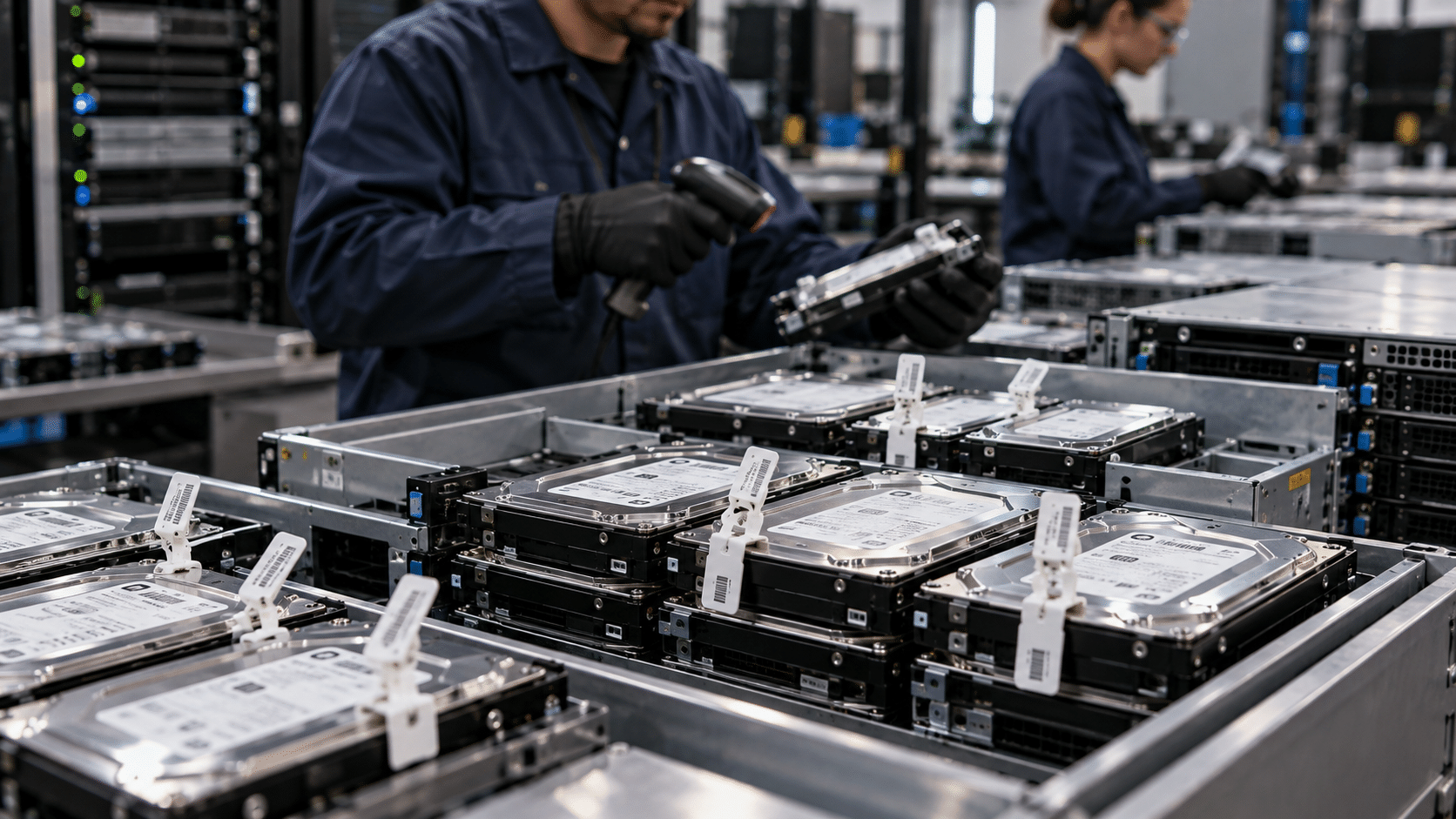
When a bank retires a server, storage array, or terminal, the IT work may seem finished once the equipment leaves the rack. For Compliance and Information Security, another part of the process begins at that point: knowing which asset left, who received it, how its data was protected, and what happened to the device through final disposition.
In Tampa Bay and other areas where financial institutions operate, these projects can involve hundreds of devices during a technology refresh, infrastructure migration, or facility closure.
The question is straightforward:
Can the organization demonstrate what happened to every piece of equipment after it left the facility?
The same device may have stored different types of information and, depending on the institution and its activities, may be connected to different regulatory requirements.
The Gramm-Leach-Bliley Act (GLBA) establishes requirements for protecting customers’ financial information through administrative, technical, and physical safeguards. The Safeguards Rule also addresses the secure disposal of customer information.
For companies subject to Sarbanes-Oxley (SOX), Section 404 addresses internal controls over financial reporting. This can make the traceability of certain technology assets part of an organization’s internal control environment. SOX itself does not establish a specific procedure for destroying servers or drives.
For broker-dealers and other entities subject to certain SEC requirements, Rule 17a-4 establishes requirements for the retention and preservation of certain records. The rules also address technical requirements for systems used to preserve those records.
That is why financial hardware retirement often involves several teams.
IT may be responsible for the decommissioning. Security may define requirements for storage media. Asset Management needs to reconcile the equipment. Compliance needs supporting documentation. And the provider handling the retirement needs to document what physically happened to the assets.
Each part creates a different record of the same process.
The first control is straightforward: knowing exactly what left.
A retirement inventory can include the serial number, asset tag, manufacturer, model, location, and asset status. Depending on the organization, it may also be connected to the CMDB or internal asset management system.
Then comes the physical transfer.
Records may include the pickup date, who received the equipment, the origin location, the destination, and the different custody transfers throughout the process. The specific controls depend on the institution’s security policies and applicable requirements.
Some organizations use security seals, locked containers, delivery and receiving records, or vehicle tracking.
What matters is that the documentation allows the asset’s movement to be reconstructed.
For example:
Server → pickup → transportation → receiving → processing → final disposition.
If the serial number appears in the initial inventory, appears again during receiving, and is ultimately linked to a sanitization or destruction record, Compliance has a much clearer documentary trail.
The chain of custody becomes part of the asset’s history rather than a standalone document.
This is where media sanitization comes in.
NIST published SP 800-88 Rev. 2, Guidelines for Media Sanitization, in September 2025. It replaced Rev. 1 and provides guidance for developing media sanitization programs based on factors such as information sensitivity, media type, and the intended outcome of the process.
The appropriate method depends on the device and its destination.
Equipment intended for reuse may require a sanitization process that prepares the media for another use according to the organization’s policies.
A device whose storage media is being permanently removed from service may require physical destruction.
This matters particularly with modern infrastructure. A server may contain HDDs, SSDs, storage modules, or other media with different technical characteristics. A procedure used for one type of storage may not produce the same result on another.
It is also important to distinguish between deleting files, resetting a device, and sanitizing storage media.
These are different actions with different results.
The process should therefore begin with a clear understanding of the asset, the information it contains, and its intended destination.
This is where the physical process and the documentation come together.
Depending on the organization’s policies, Compliance may need records that connect the asset to the procedure performed. These can include:
The value of these records becomes particularly clear when someone needs to review an asset months after it was retired.
Suppose an auditor asks about a server that was taken out of production during an infrastructure refresh.
The responsible team should be able to locate its record and answer a few straightforward questions:
What server was it?
When did it leave?
Who received it?
Where was it processed?
What procedure was performed?
What was its final disposition?
When those answers are connected within the same record, reviewing the retirement process becomes much easier.
Financial infrastructure retirement often involves several internal teams: IT, Security, Compliance, Procurement, and Asset Management.
An ITAD provider can manage the physical and documentation side of the process according to the institution’s requirements.
At eSmart Recycling, the process begins with receiving and inventorying equipment and continues with evaluation and processing for reuse, recycling, or disposition, depending on the characteristics of each asset.
For a financial organization, this can connect the physical management of equipment with the information required by asset management and compliance teams.
The central question is fairly simple:
Can we demonstrate what happened to every asset we retired?
Answering that requires more than collecting the equipment.
It requires connecting the inventory to custody, custody to processing, and processing to final disposition.
That record can also make things easier for the people who may need to review those assets later, including auditors, Compliance teams, Information Security, or Asset Management.
A server can leave a data center in a matter of hours. The responsibility for what it contained and what happened afterward requires much more traceability.
For financial institutions, documenting each stage of the retirement process helps maintain a clear connection between the assets, custody, sanitization, and final disposition.
At eSmart Recycling, we work with organizations that need to retire technology securely and with clear documentation, from initial inventory through final processing.
Have servers, storage equipment, or other financial technology ready for retirement?
Talk with our team about your hardware disposition needs and build a retirement process that can be documented from start to finish.

60 senior students at Cristo Rey Tampa received laptops during a deployment organized by eSmart Recycling alongside the Sheriff’s Hispanic Advisory Council. The computers are now available for classes, assignments, presentations, projects, and the everyday schoolwork that fills the final years of high school.
When the 60 laptops were delivered to Cristo Rey Tampa, there was something especially simple about the moment: students were receiving a computer that would soon become part of their everyday school routine.
A laptop can become many things during a school year. It can be where a student prepares a presentation, writes an assignment, researches a project, or finishes a paper before a deadline. For seniors, who are getting closer to graduation, having access to a computer can support a lot of the work that comes with this stage of their education.
That is what happened at Cristo Rey Tampa, where eSmart Recycling completed a deployment of 60 laptops alongside the Sheriff’s Hispanic Advisory Council. Students received their computers and shared the moment with their classmates, teachers, and members of the community who helped make the delivery possible.
For a student, a computer is a tool that can become part of everyday school life. It is there when they need to prepare a presentation, look up information, write an assignment, or work on a project with classmates. It can also be the computer that stays open on a desk while a student finishes one more assignment before calling it a night.
That is why providing a laptop can mean more than simply handing someone a device. The computer becomes part of a student’s routine and supports the work that takes place throughout the school year.
At Cristo Rey Tampa, the 60 students who received these laptops can now use them for their academic work and have a computer available as they move through an important stage of their education.
The photos from the deployment capture that moment. Students received their boxes, looked over their new computers, and shared the experience with their classmates. They show the practical result of a deployment like this: technology reaching the people who are going to use it.
A piece of technology can continue being useful long after an organization has finished using it.
When a computer is retired, it can be assessed to determine what can happen next. At eSmart Recycling, collected equipment is audited, inventoried, and evaluated, while the company also provides secure technology disposal services for its partners.
Part of that work involves finding new possibilities for equipment that can still be used. eSmart Recycling’s mission includes providing secure technology disposal while bringing technology to children and communities that need access to these resources.
The deployment at Cristo Rey Tampa is a direct example of that process. The laptops moved beyond their previous use and were prepared to reach students who can now use them for school.
A computer can move from a corporate desk to a classroom and continue being a useful tool for someone else.
The delivery brought together senior students from Cristo Rey Tampa, the team involved in the deployment, and representatives from the Sheriff’s Hispanic Advisory Council. During the event, students received their laptops and shared the moment with their classmates.
For eSmart Recycling, deployments like this connect two important parts of our work: responsible technology management and giving usable equipment another chapter.
Renewing technology and giving it a new purpose is part of eSmart Recycling’s identity. The company describes its work as renewing old technology, giving it a new purpose, and reducing its environmental impact.
This time, that new purpose arrived directly in a Tampa school community.
By the end of the deployment, 60 Cristo Rey Tampa seniors had a laptop they could add to their school routine. For some, it may be the computer they use to prepare their next presentation. For others, it may be where they finish an assignment, work on a project, or research for class.
That is what makes these deployments meaningful. Once technology leaves its first place of use, there can still be plenty of life ahead for it.
Thank you to the Sheriff’s Hispanic Advisory Council for working alongside eSmart Recycling and for sharing the photos from this day, and to Cristo Rey Tampa for welcoming us and allowing us to be part of this delivery.
The 60 laptops arrived at a new place.
Now, they have 60 new stories ahead of them.

Corporate ESG and Corporate Social Responsibility programs often include ambitious goals around community support and digital inclusion. The challenge is making those efforts tangible for employees, families, and the communities they serve.
At the same time, many organizations have dozens of computers and laptops sitting in storage rooms. The equipment still works, but it has been replaced simply because it no longer fits the company’s three-year technology refresh cycle.
This is where circular technology can make a real difference. Outgoing corporate equipment can become educational technology for children, young people, and families facing the digital divide in our communities.
Access to a computer with reliable internet can significantly expand a household’s academic and career opportunities.
However, moving corporate technology into community settings requires a rigorous model that protects the donating company’s security while delivering equipment that is genuinely useful to the receiving organization:
Connecting IT asset management with community social initiatives can provide measurable benefits:
Evaluation committees and international investors value programs where corporate resources contribute directly to measurable human development, including the number of students trained, hours of digital access provided, and community labs established.
Employees can feel a strong connection when they see the tools they used in their day-to-day work receive a second life as educational resources in community centers and local schools.
Every computer refurbished for a digital classroom represents several kilograms of electronic waste that remain in productive use, reducing the need to manufacture new equipment and conserving valuable water and energy resources globally.
Through our Florida program, organizations can channel their technology retirements toward co-funding and equipping digital classrooms (Tech Hubs) in collaboration with community organizations and digital education foundations.
We handle the entire technical and documentation process: asset tracking, data destruction, refurbishment, and social impact reports ready for your sustainability report.
Extending the useful life of corporate hardware through educational initiatives connects operational excellence with tangible social benefits. Turning an infrastructure refresh into real opportunities for digital learning strengthens your company’s purpose and creates a lasting contribution to the community.
Visit the Digital Education Foundation’s channels to learn how partner companies are turning computer refreshes into fully equipped community digital classrooms.
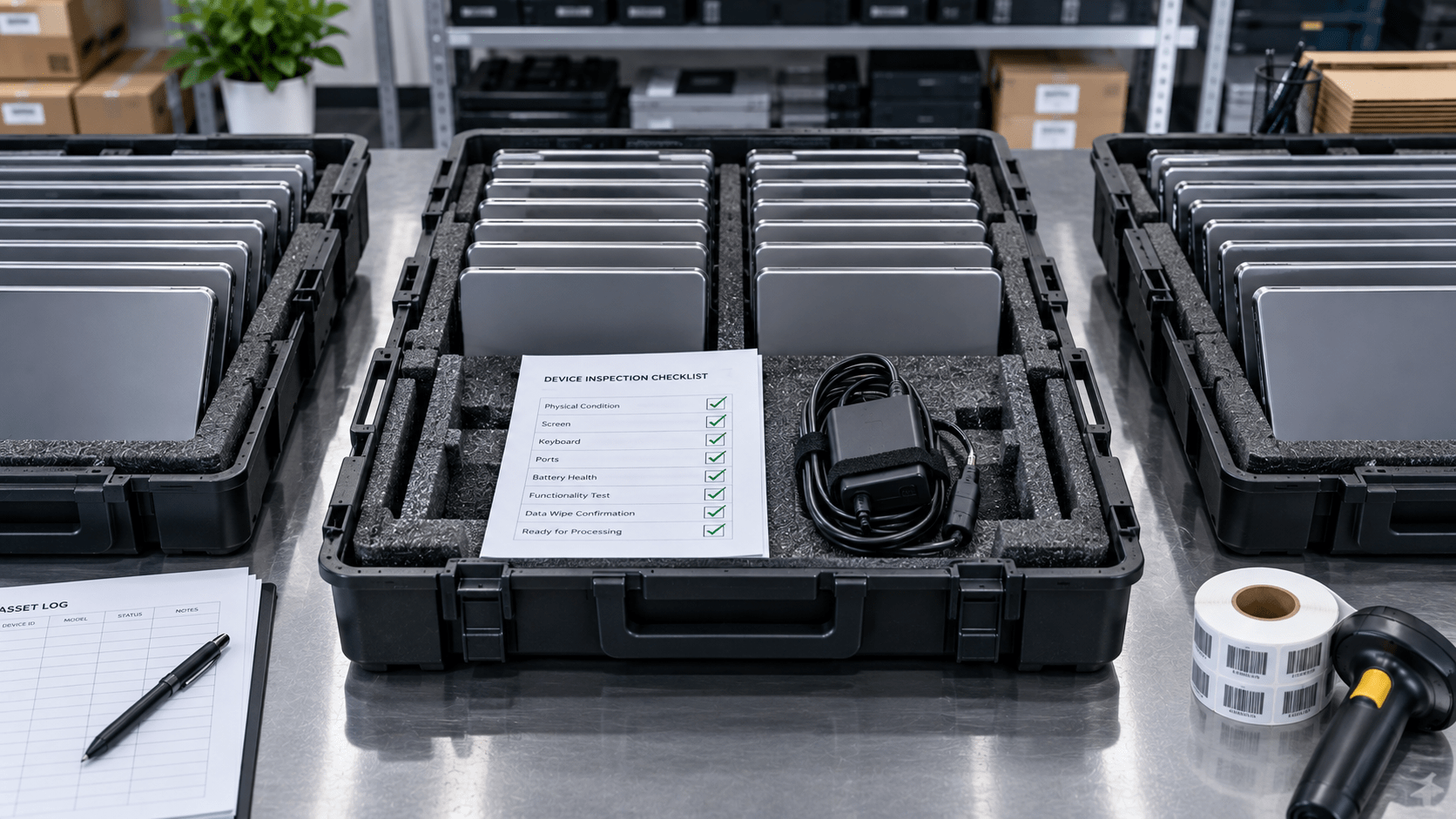
If your company finances its IT infrastructure through operating lease agreements, you know the dilemma that comes up when the 36- or 48-month contract ends: formally returning the equipment to the leasing company, or Lease Return.
Returning hundreds of laptops, servers, and displays in the condition specified by the contract can quickly become an administrative challenge. Any discrepancy in serial numbers, missing accessories such as chargers, adapters, or original cables, or cosmetic damage can result in costly financial penalties or unwanted automatic extensions of lease payments.
Leasing companies conduct detailed receiving inspections. The most common reasons for additional charges include:
Implementing a preventive protocol 60 days before the contract expiration helps ensure a clean and complete return:
Compare the original lease contract list with the assets actually located at your offices and with remote employees. Identify missing accessories in advance so they can be replaced with approved, cost-effective alternatives before the final delivery.
Remove BIOS security locks and administrative credentials, and deactivate endpoint management tools such as Microsoft Intune or Jamf. Perform certified data erasure while preserving the base operating system if required by the contract.
Improper transportation is responsible for many cosmetic-damage penalties. Use boxes with individual air-suspension inserts or padded rolling cages to help ensure the hardware arrives intact at the leasing company’s facility.
Document the cosmetic condition of each batch with photographs before sealing the containers. This evidence file supports your organization in the event of any dispute raised by the leasing company’s receiving center.
At eSmart Recycling, we support financial and IT leaders throughout the Lease Return process, handling cosmetic inspection, accessory completion, secure data sanitization, and scheduled transportation to the leasing company’s facilities.
Planning an IT hardware lease return with a professional protocol protects corporate cash flow and helps streamline the closeout of financial contracts. A pre-return technical review and certified packaging make the end of a lease more predictable, organized, and less likely to result in unexpected charges.
Contact us or schedule a preventive technical call 60 days before your IT lease expires to audit your equipment and help ensure a penalty-free return.
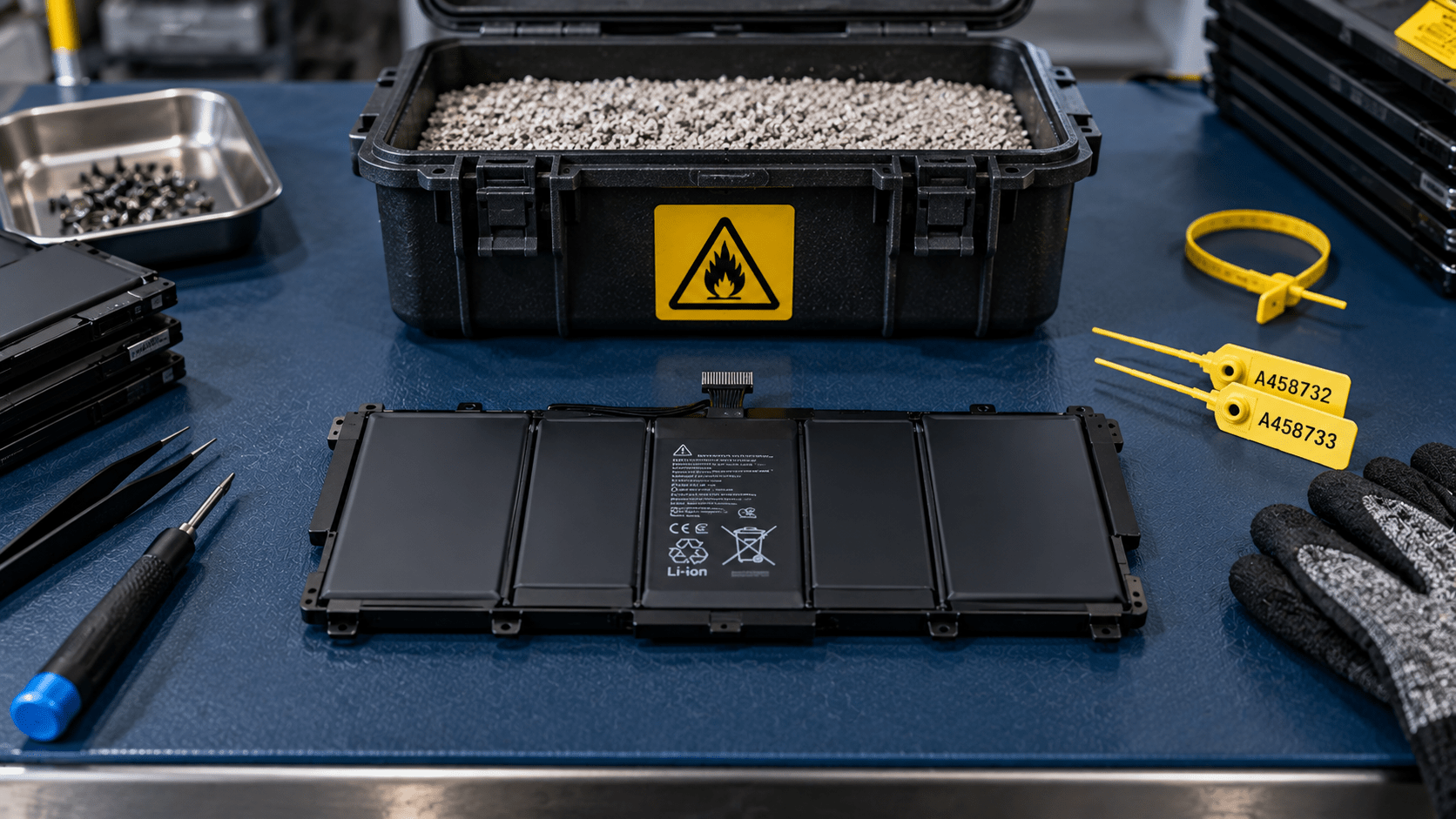
Let’s be honest when it comes to physical safety in the office: in the drawer of practically every IT support department, there are retired laptops whose batteries have started to visibly swell, deforming the keyboard or the lower aluminum chassis.
Lithium-ion (Li-ion) batteries that power executive laptops, corporate tablets, and smartphones represent remarkable energy technology, but informal storage and careless transportation create real thermal risks that IT and Facility Management teams need to manage according to professional standards.
Lithium-ion cells store high energy density in a small space. Several conditions require operational attention:
To protect your employees and comply with environmental regulations, adopt these guidelines:
Immediately separate any device showing visible chassis swelling or unusual heat. Use fire-resistant metal containers with expanded vermiculite or non-combustible mineral absorbent material, placing them in ventilated areas away from flammable materials.
For removed batteries, seal exposed electrical contacts with non-conductive insulating tape. This simple measure helps prevent accidental short circuits during handling and consolidation of equipment in storage.
Large-scale battery transportation should be carried out under specialized hazardous-waste transportation guidelines and through qualified operators. At eSmart Recycling, we provide approved technical drums and manage collection with personnel trained in safe transportation regulations.
Professional lithium battery recycling allows valuable elements such as cobalt, nickel, lithium, and high-purity copper to be returned to the production chain. This recovery helps reduce the environmental burden associated with extractive mining and significantly lowers the carbon footprint associated with producing new technology.
Implementing safety and formal recycling protocols for lithium-ion batteries protects the integrity of corporate facilities and strengthens the company’s environmental management policy. Working with certified channels ensures that every battery cell receives safe, legally compliant treatment while supporting the recovery of strategic minerals.
Follow us on social media (@esmartrecycling) to see visual demonstrations and infographics about fire-resistant storage and regulated lithium battery transportation.
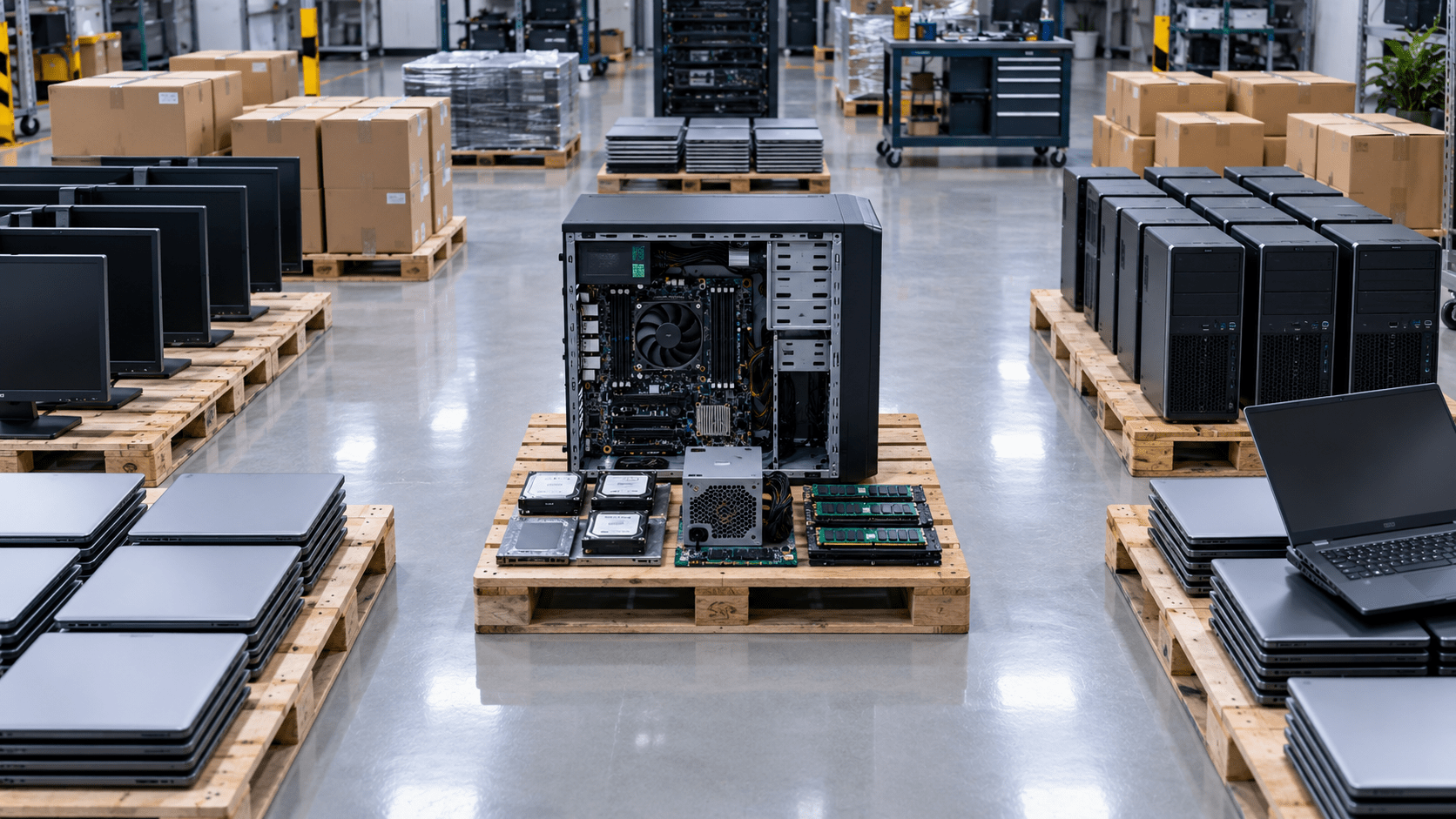
If you lead IT infrastructure or systems, you eventually reach a familiar moment: a platform reaches the end of support, and the organization needs to move an entire computer fleet to newer systems with updated security requirements, such as TPM 2.0 and Secure Boot.
Deploying hundreds or thousands of new devices takes careful planning. At the same time, someone has to deal with the outgoing fleet: collecting replaced workstations, sanitizing their data, and recovering value from the hardware before its market value declines further.
A major hardware refresh across multiple offices or a hybrid workforce can create several problems at once:
Running the retirement process alongside the deployment of new equipment keeps both sides of the refresh moving together.
Start by sorting the current fleet according to age, specifications, and condition.
Devices that still have enough performance for everyday business tasks can be prepared for remarketing. Older or heavily worn equipment can be directed toward parts recovery or material recycling.
Plan equipment collection around the deployment of new devices.
An employee can return the previous computer as the replacement device is delivered and configured, keeping the retired asset under documented custody from the start.
Apply data sanitization procedures based on NIST 800-88 at a centralized processing facility.
When appropriate, cryptographic erasure can preserve the storage drive for continued use, allowing the device to retain more of its resale value.
Refurbished equipment can be directed toward institutional buyers and qualified distribution channels.
Recovered funds can then support licenses, peripherals, or other technology infrastructure needs.
A large fleet refresh becomes easier to manage when collection, packaging, processing, and disposition are coordinated as one operation.
eSmart Recycling coordinates high-volume collections for companies across Tampa Bay, Florida, and the Southeast, including on-site industrial packaging and streamlined disposition of replaced hardware.
A well-planned ITAD program keeps the hardware retirement process moving at the same time as the technology rollout.
The new devices arrive.
Employees transition to the updated systems.
The previous equipment is collected, documented, sanitized, and evaluated for its next destination.
That sequence helps protect corporate information, clear valuable workspace, and recover value from equipment while the organization moves forward with its technology refresh.
Planning a large-scale IT fleet refresh? Contact our team to discuss hardware collection, data sanitization, and disposition for your next migration.







Did you enjoy our latest blog articles just above?
Subscribe to receive new stories, insights, and impact updates straight to your inbox.
We’ll send you curated content about our partners, recycling strategies, success stories, and how your involvement is driving change through technology access and digital empowerment.
💡 No spam, just the smart stuff.