


You spent years paying bills online, downloading statements, filing tax returns, and communicating via email with your bank, your doctor, and your accountant. Most of that happened on a computer that’s now sitting in a closet, a drawer, or somewhere in your home waiting for someone to decide what to do with it.
And it’s still there. With everything inside.
This is one of the most common security risks among retirees in the Tampa Bay area, and almost no one talks about it. Not because it’s hard to understand, but because no one stops to check. Here’s what you need to know before that laptop leaves your home.
Searches related to fraud warnings and scams targeting retirees have increased significantly in recent weeks. This isn’t random. Scammers go where the money is, and Florida has one of the largest retired populations in the country.
Most of these scams start with a phone call or an email. But a surprising number begin with a device that was carelessly discarded: sold at a garage sale, given away without wiping data, or simply thrown in the trash.
Your laptop knows things about you that your phone doesn’t. It stores saved passwords in your browser. Downloaded tax returns. Bank statements. Emails with your Social Security number. Software licenses tied to your name.
That information doesn’t disappear just because you stopped using the device.
Here’s the part most people don’t expect: deleting a file doesn’t actually remove it. Not even emptying the recycle bin does.
When you delete a file, your computer removes the index that points to it, which means it disappears from your folders. But the actual data remains on the hard drive until it’s overwritten. On an old laptop that hasn’t been heavily used in years, those files can remain recoverable for a long time.
Anyone with basic data recovery software, which costs less than $50 and requires no technical expertise, can recover files from a device that has been “deleted” or factory reset.
That includes your tax returns, bank statements, medical records, and anything else you’ve stored locally.
Software wiping
Some programs overwrite the disk multiple times, which is more secure than simply deleting files. It works reasonably well on traditional hard drives (HDD). On solid-state drives (SSD), it’s less reliable due to how those drives manage storage internally.
Factory reset
This restores the operating system to its original state but does not securely remove your personal data. It’s useful for preparing a device for another user, not for protecting your information.
Physical destruction
This is the only method that makes data recovery truly impossible. At eSmart Recycling, we physically destroy hard drives as part of every process and issue a certificate of destruction so you have documented proof it was done correctly.
If you’ve used a personal laptop for more than a few years, there’s a good chance it contains some of the following:
Most of this information is never intentionally deleted. It simply accumulates over time.
Before dropping off your device or scheduling a pickup, there are a few things worth doing:
eSmart Recycling is located at 5100 Vivian Place, Tampa, FL 33619. We accept laptops and other electronic devices from individuals and businesses across the Tampa Bay area, including St. Petersburg, Clearwater, Brandon, and Hillsborough County.
Every device that arrives at our facility goes through a documented process: intake, data destruction, and then refurbishment or responsible recycling. You receive a certificate of destruction and the peace of mind that your data no longer exists.
Have questions? Email us at info@esmartrecycling.com or call (813) 501-7768.
Fill out the form below to request your electronics recycling pickup.
We’ll coordinate the schedule logistics and follow up with next steps.
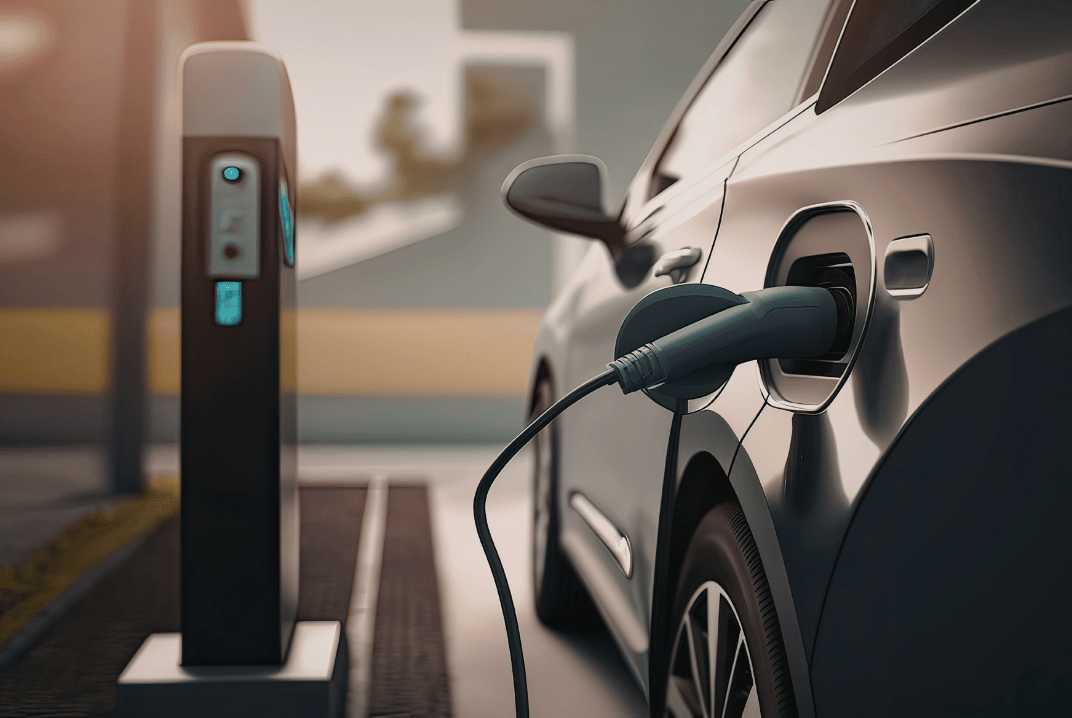
Florida sold over half a million electric vehicles by the end of 2025. In just the third quarter, one out of every eight cars sold in the state was electric. Tampa Bay is part of that trend, and it’s not slowing down.
It makes sense. Gas prices keep rising, technology keeps improving, and electric vehicles no longer feel like a risky bet. But there’s one part of the conversation almost no one has before buying: what happens to the battery when it reaches the end of its life?
This isn’t a minor detail. The battery is the most expensive component of the vehicle and also the most complex to handle at the end of its lifecycle. Here’s what you need to know before you sign.
Most manufacturers warranty their batteries for 8 to 10 years, or between 100,000 and 150,000 miles, whichever comes first. Under normal conditions, a battery can last between 10 and 15 years before its capacity drops enough to require replacement.
What changes over time isn’t that the battery suddenly stops working, but that it gradually loses capacity. A car that once reached 300 miles on a full charge might only reach 240 miles after several years. At some point, the range is no longer practical for the owner, even if the battery still technically works.
That’s when the question of what to do with it becomes real.
A typical electric vehicle battery contains lithium, cobalt, nickel, manganese, and copper, among other materials. Some of these metals are scarce and expensive to extract. Others are directly hazardous if they end up in a landfill.
The good news is that those same materials can be recovered and reused almost indefinitely through recycling. Lithium recovered from an old battery can end up in a new one. The same goes for cobalt and nickel.
The problem is that to get there, the battery has to go through a certified recycling process. And that’s where many EV owners don’t know what to do.
No. And in Florida, doing so has legal consequences.
Lithium batteries are classified as hazardous waste. They can’t go in regular trash, neighborhood recycling bins, or standard landfills. If damaged or punctured, they can cause fires that are extremely difficult to extinguish.
Hillsborough County has drop-off points for small lithium batteries, like those in laptops and phones. But large EV batteries are a different category. They require certified facilities with specialized equipment to handle them safely.
Return to the manufacturer or dealership
Some manufacturers offer end-of-life return programs. Audi, for example, has partnered with Redwood Materials to recover lithium batteries and devices. If you purchased your EV through a local dealership, it’s worth asking if they have an active program.
Recycle through a certified recycler
This is the most direct and documented route. A certified R2v3 recycler like eSmart Recycling can coordinate pickup, safe handling, and proper processing of electronic equipment, including lithium battery components. The process generates documentation you can keep as proof of responsible disposal.
Second life as energy storage
Some batteries that are no longer suitable for vehicles still have enough capacity for other uses, such as solar energy storage in homes or businesses. This is a growing market, especially in Florida where solar adoption is strong.
Because buying an electric vehicle in 2026 comes with questions that go beyond price and range. Federal tax credits ended in September 2025. Tariffs are increasing the cost of some imported models. And total cost of ownership now includes a question no one used to ask: how much does it cost to properly dispose of the battery when the time comes?
It’s not a cost you’ll face tomorrow, but it’s a real one. Some estimates place battery replacement between $5,000 and $20,000, depending on the model, although prices have dropped in recent years. End-of-life recycling also carries a cost, depending on the size of the battery and who handles it.
Knowing this before you buy is part of making an informed decision.
The global EV battery recycling market is growing fast. In January 2026, Redwood Materials opened a facility in South Carolina capable of processing the equivalent of 10 gigawatt-hours of battery waste per year.
In Florida, infrastructure for large battery recycling is still developing. There are multiple drop-off points for small lithium batteries across the Tampa Bay area, but for EV batteries, coordination needs to be done directly with certified facilities.
At eSmart Recycling, we work with all types of electronic equipment across the Tampa Bay area. If you have questions about handling battery components or electronics related to your EV, we can guide you through the available options.
Can you recycle an EV battery for free in Tampa?
It depends on the size and type of battery. Small lithium batteries often have free drop-off points at local retailers. Large EV batteries usually involve handling and processing costs. Some manufacturers absorb those costs as part of extended responsibility programs.
What happens to the battery when I sell my used EV?
The battery stays with the vehicle. The new owner assumes responsibility at the end of its lifecycle. That’s why it’s important to review battery health and charge cycle history before buying a used EV in Tampa Bay.
How fast do EV batteries degrade in Florida’s climate?
Heat accelerates lithium battery degradation. Florida is one of the states where this factor matters most. Frequently charging to 100% and leaving the car exposed to heat for long periods can shorten battery life faster than in colder climates. Manufacturers typically recommend keeping charge levels between 20% and 80% to maximize longevity.
Buying an electric vehicle in 2026 in Florida still makes sense for many drivers, especially with rising gas prices and expanding charging infrastructure across the state. But the full decision includes understanding what happens to the car—and its battery—10 or 15 years down the line.

Samsung Messages is being discontinued in 2026. If you’re still using a Samsung device and haven’t switched to Google Messages, you will soon. And that change is making a lot of people look at their old phone and think: what do I do with this now?
Some go into a drawer. Others get passed down to kids or family members. And many just sit on a nightstand while the person decides.
Here’s a straightforward breakdown of your options, and why the one most people choose is also the worst for your data security.
What most people do when they get a new phone is… nothing with the old one.
They migrate contacts, set up apps, and the previous phone gets forgotten. It ends up in a drawer, a box in the closet, or the bottom of a bag.
The problem is that the phone still has everything. Your text messages. Your Gmail account is possibly still active. Photos. Saved passwords in the browser. Banking apps that may still be authenticated.
That device isn’t harmless just because you don’t use it anymore. It’s a snapshot of your digital life from the day you stopped using it.
Trade-in for credit
Samsung and most carriers offer trade-in programs. You get credit toward your next device, and they handle the rest. If you go this route, make sure you do a factory reset AND remove your accounts before handing it over. Trade-in processes don’t always include proper data destruction.
Pass it to someone you trust
Giving it to a family member is fine, but do a factory reset first. Manually log out of every account: Google, Samsung, email, banking apps, everything. Don’t assume the reset does it all automatically.
Recycle it responsibly
This is the cleanest option if the phone is old, damaged, or just not worth passing on. At eSmart Recycling, we accept smartphones and other electronic devices, securely remove the data, and then evaluate whether the device can be refurbished and redistributed to families and students in the Tampa Bay area through the Digital Education Foundation.
Your old phone doesn’t have to become e-waste.
Sell it
Platforms like Facebook Marketplace or eBay can get you some money. Make sure data destruction is done before the phone changes hands. A factory reset alone is not enough when selling to a stranger.
If you’re handling it yourself, here’s what to do, in order:
Not directly. The discontinuation means the app stops working and is replaced by Google Messages. Your old messages from Samsung Messages may not transfer automatically, but they can still exist as cached data on the device if you haven’t wiped it.
That’s a good reason to deal with your old phone now instead of later. Data doesn’t expire or clean itself up. It stays there until something actively removes it.
Smartphones contain lithium, cobalt, gold, copper, and other materials that are valuable and potentially hazardous when they end up in a landfill. Florida has specific regulations around e-waste disposal, and simply throwing a phone in the trash is neither legal nor safe.
Recycling through a certified facility like eSmart Recycling ensures those materials are properly recovered, and the device either gets a second life or is processed without environmental harm.
eSmart Recycling is located at 5100 Vivian Place, Tampa, FL 33619. We accept phones, tablets, laptops, and other electronic devices from individuals and businesses across Hillsborough County and the Tampa Bay area.
You can drop it off during business hours or contact us to schedule a pickup if you have multiple devices.
Email us at info@esmartrecycling.com or call (813) 501-7768.

You spent years paying bills online, downloading statements, filing tax returns, and communicating via email with your bank, your doctor, and your accountant. Most of that happened on a computer that’s now sitting in a closet, a drawer, or somewhere in your home waiting for someone to decide what to do with it.
And it’s still there. With everything inside.
This is one of the most common security risks among retirees in the Tampa Bay area, and almost no one talks about it. Not because it’s hard to understand, but because no one stops to check. Here’s what you need to know before that laptop leaves your home.
Searches related to fraud warnings and scams targeting retirees have increased significantly in recent weeks. This isn’t random. Scammers go where the money is, and Florida has one of the largest retired populations in the country.
Most of these scams start with a phone call or an email. But a surprising number begin with a device that was carelessly discarded: sold at a garage sale, given away without wiping data, or simply thrown in the trash.
Your laptop knows things about you that your phone doesn’t. It stores saved passwords in your browser. Downloaded tax returns. Bank statements. Emails with your Social Security number. Software licenses tied to your name.
That information doesn’t disappear just because you stopped using the device.
Here’s the part most people don’t expect: deleting a file doesn’t actually remove it. Not even emptying the recycle bin does.
When you delete a file, your computer removes the index that points to it, which means it disappears from your folders. But the actual data remains on the hard drive until it’s overwritten. On an old laptop that hasn’t been heavily used in years, those files can remain recoverable for a long time.
Anyone with basic data recovery software, which costs less than $50 and requires no technical expertise, can recover files from a device that has been “deleted” or factory reset.
That includes your tax returns, bank statements, medical records, and anything else you’ve stored locally.
Software wiping
Some programs overwrite the disk multiple times, which is more secure than simply deleting files. It works reasonably well on traditional hard drives (HDD). On solid-state drives (SSD), it’s less reliable due to how those drives manage storage internally.
Factory reset
This restores the operating system to its original state but does not securely remove your personal data. It’s useful for preparing a device for another user, not for protecting your information.
Physical destruction
This is the only method that makes data recovery truly impossible. At eSmart Recycling, we physically destroy hard drives as part of every process and issue a certificate of destruction so you have documented proof it was done correctly.
If you’ve used a personal laptop for more than a few years, there’s a good chance it contains some of the following:
Most of this information is never intentionally deleted. It simply accumulates over time.
Before dropping off your device or scheduling a pickup, there are a few things worth doing:
eSmart Recycling is located at 5100 Vivian Place, Tampa, FL 33619. We accept laptops and other electronic devices from individuals and businesses across the Tampa Bay area, including St. Petersburg, Clearwater, Brandon, and Hillsborough County.
Every device that arrives at our facility goes through a documented process: intake, data destruction, and then refurbishment or responsible recycling. You receive a certificate of destruction and the peace of mind that your data no longer exists.
Have questions? Email us at info@esmartrecycling.com or call (813) 501-7768.
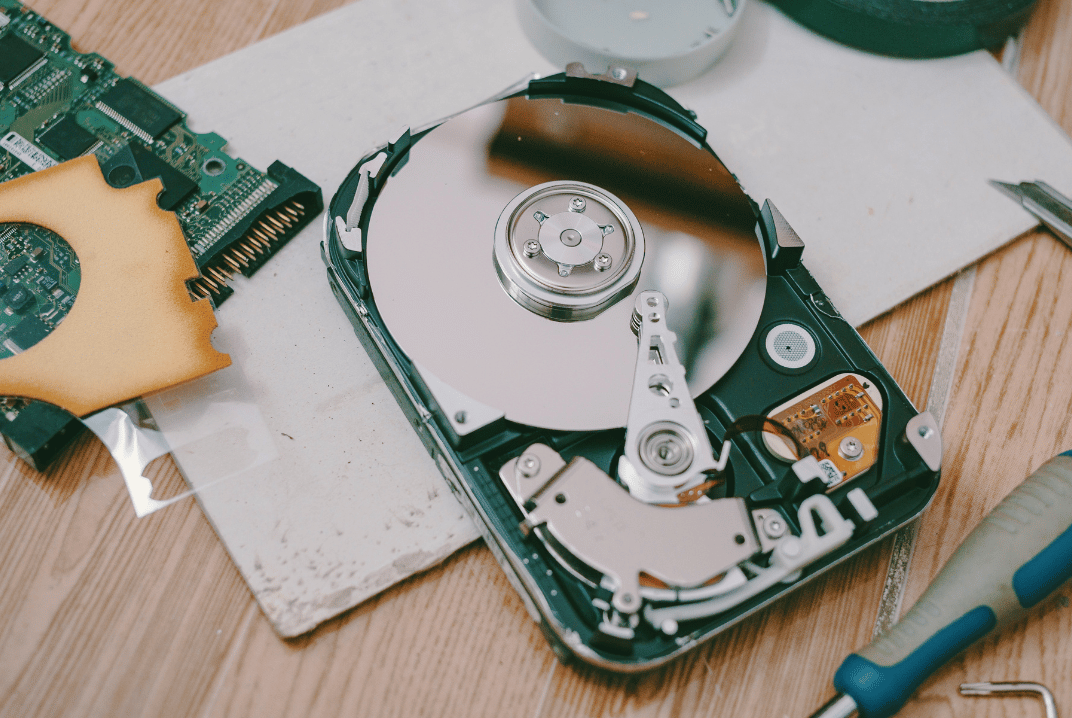
The most common question we get about medical technology recycling in Tampa: Do we have to destroy hard drives physically, or is software wiping enough?
Morgan Stanley paid $60 million when they sold equipment without properly wiping the data. 15 million customers were exposed because they assumed the vendor would do the job correctly.
Here’s what HIPAA actually says and how we handle it.
HIPAA does not say anywhere, “you must shred all hard drives.”
What it says is more vague: you need documented policies for disposing of electronic medical information and the devices where it is stored. And it uses a word that creates a lot of confusion: addressable.
Addressable basically means “you have to do something reasonable to protect the data.” The problem is that “reasonable” is not clearly defined.
And here’s the key point: if physical destruction is available, choosing only software can start to look less reasonable. Especially if something goes wrong later.
We use certified software that complies with NIST SP 800-88, the U.S. government standard for media sanitization. Each device receives an individual certificate documenting the process.
We can also perform physical hard drive destruction when needed.
Because even when software does its job, there are always areas of the drive that may not be fully erased.
Damaged sectors, firmware-remapped areas, that kind of thing.
The chance of recovering data is low, but it exists.
With physical destruction, there is no drive.
There is no possibility.
Even though HIPAA technically lets you choose the method, penalties for negligence can exceed $2 million per year.
And each exposed patient record in a breach can cost between $100 and $50,000.
The difference between doing it right and doing it wrong can be measured in millions.
We handle HIPAA-compliant data destruction, issue certificates of destruction, and make sure every piece of equipment is audited and inventoried before it leaves your hands.
The certificate includes serial numbers for all processed equipment, the method used, and the documentation required for audits.
Clients receive data destruction certificates that meet internal audit and regulatory requirements. They also receive detailed reports on how much material was recycled, reused, and how many pounds of CO₂ were avoided.
We offer pickup service for businesses, schools, and institutions in Tampa. Whether it’s 5 laptops or 500 monitors, we coordinate the day, go to your office or warehouse, and take everything.
You can schedule a pickup by calling (813) 501-7768 or filling out the form at esmartrecycling.com.
If you prefer to bring the equipment yourself, we also accept drop-offs at our Tampa location. We’re at 5100 Vivian Place, Tampa, FL 33619. You can come Monday through Friday and drop off what you need to recycle. No appointment needed. You arrive, unload, and receive the same data destruction certificate and responsible recycling documentation as scheduled pickups.
To process equipment with medical data, we need to coordinate three things:
We adjust to your schedule.
Certified NIST software or physical hard drive destruction.
No need to wipe anything beforehand or remove the drives.
We coordinate the pickup, inventory of every asset, and provide documented data destruction.
The real question is: can you explain to an auditor why you chose the less secure method when the safer one was available?
HIPAA technically gives you options. But when you have patient data on equipment leaving your control, using the safest method is the logical choice.
Morgan Stanley hired someone to wipe data from equipment they were going to auction. That didn’t happen. The devices were resold with everything still inside. Between fines and lawsuits, they paid more than $66 million.
When someone asked about data security during a warehouse visit, Tony Selvaggio was direct: every device that enters the warehouse goes through a destruction process. “All information is 100% secure.” eSmart has the certifications to support it.
If you have equipment you need to recycle, email us at info@esmartrecycling.com or call (813) 501-7768.
No commitment, no follow-up sales calls. Just the information you need to make a decision.

Florida doesn’t stop growing. More people, more construction, more companies opening offices, more infrastructure going up. And with all that growth comes something that rarely gets mentioned: more technology that eventually becomes obsolete, more equipment nobody knows what to do with, more pressure on the systems that handle what’s no longer being used.
The conversation about sustainability tends to stay at the level of big declarations. Corporate commitments, 2030 targets, annual reports. But there’s a much more concrete, much more everyday moment that almost nobody talks about: the moment a company has to decide what to do with 200 old laptops, servers they no longer use, cables, and devices piling up in a room that’s been closed for months.
That moment isn’t a communication problem. It’s an operational one.
At eSmart Recycling, we work exactly at that moment. We collect technology, audit the equipment, securely destroy the data, and reintegrate devices that still have useful life into communities that need them. It’s not a campaign. It’s a process.
That’s the conversation our founder, Tony Selvaggio, will bring to the Green Tech: Sustainability as Infrastructure panel at Tampa Bay Tech Week on April 8th, at Embarc Collective, alongside other leaders who are building concrete systems to tackle these challenges from the inside.
Talking about sustainability is easy. The hard part is dealing with the room full of equipment that’s been waiting for months. Real sustainability doesn’t start with a corporate declaration. It starts when someone on the team says: We need to fix this today. And acts on it.

When a company moves, the problem isn’t just the boxes. It’s the stacked laptops, monitors nobody’s used since 2019, ownerless cables, and that printer that “still works” but nobody wants to take. If you’re coordinating an office relocation in Tampa and staring at 15, 30, or 50 electronic devices, wondering what to do with them, this article is for you.
Most companies don’t have a plan for their equipment when changing locations. According to the EPA, only 15-20% of electronic devices in the United States are properly recycled. The rest ends up in landfills or stored “just in case” at the new office.
The main fear isn’t the space they take up. It’s what they contain: sensitive business data. Emails, contracts, customer information, system access credentials. Throwing a laptop in the trash without wiping that data can cost you more than the move itself.
In 2023, Morgan Stanley paid a $35 million fine for failing to properly destroy data on discarded equipment. It wasn’t a hack. It was carelessness in the recycling process.
If your laptops are less than 5 years old and only need cleaning or updates, they might work for new employees, administrative areas, or occasional remote work.
Before reassigning them:
This only works if you have IT staff available and time. During a move, you rarely have both.
Some companies buy batches of used corporate equipment. Gazelle, for example, offers quotes for Apple equipment and some PC brands.
The problem: the process takes time, requires individual evaluation of each device, and prices are usually low. For a company moving in two weeks, it’s not practical.
This is where professional electronics recycling comes in. We at eSmart Recycling handle this process daily for companies in Tampa.
Here’s how it works:
The main difference: you don’t have to touch the equipment. Just tell us when and where to pick up.
This is the question that stops most companies. And it’s valid.
When you delete files or format a disk, the data is still there. Recovery programs can access that information in minutes. Secure data destruction requires overwriting the entire disk multiple times with specific patterns or physically destroying the hard drive.
We use certified software that complies with NIST SP 800-88, the U.S. government standard for media sanitization. Each device receives an individual certificate documenting the process.
If you handle health information, this isn’t optional. HIPAA requires complete documentation of how data was destroyed on any device that stored it.
Many companies choose the easiest route during moves: take everything to the new office. Old equipment ends up in a “temporary” closet that becomes permanent.
The real cost of this:
In Florida, throwing electronic equipment in regular trash violates state regulations. Fines start at $500 per violation.
If you’ve already decided to recycle, these steps make the process easier:
One week before the move:
Three days before:
Pickup day:
You don’t need to wipe anything yourself. Actually, it’s better if you don’t try. If something goes wrong with manual wiping, you can leave the equipment unusable but with partially recoverable data.
Laptops are just part of the problem. A typical business move generates:
All of this gets recycled together. You don’t need to separate by type. We sort at our facilities.
Monitors require special handling because of the materials they contain. They can’t go in regular trash under any circumstances in Florida.
Timing is critical. If you pick up too early, you might need those devices. Too late, and it interferes with the main move.
The ideal moment: 3-5 days before the physical move.
You’ve finished migrating data to the new equipment, but you still have access to the facilities and staff available to coordinate.
Avoid scheduling pickup the same day as the move. You’ll have enough things happening.
Each laptop contains valuable materials: gold, silver, copper, and aluminum. It also contains toxic materials: lead, mercury, and cadmium.
When these devices are properly recycled:
We work with the Digital Education Foundation to redistribute functional equipment to schools and families. Approximately 30% of the equipment we receive qualifies for refurbishment.
Your move can generate something more than trash.
How long does the pickup process take? For an average office (20-50 devices), between 30 and 60 minutes. Includes inventory and loading.
Do I need to be present during pickup? Yes. We need someone authorized to sign the inventory and documentation.
Can I recycle equipment that doesn’t turn on? Absolutely. In fact, those require special attention because we can’t do digital wiping. The drives are physically destroyed.
What if I find more equipment after pickup? We can schedule a second pickup or you can bring them to our Tampa facilities.
Does the service have a cost? Depends on the volume and type of equipment. For business moves with 15+ devices, there’s generally no pickup cost. Contact us for a specific quote.
Florida doesn’t have a specific state electronics recycling law, but several counties have their own regulations. Hillsborough County explicitly prohibits electronic equipment in landfills.
If your company handles health, financial, or educational data, you have additional federal requirements under HIPAA, GLBA, or FERPA. All require certified and documented destruction.
Not having that documentation during an audit can result in six-figure fines.
Throwing in the trash: Illegal in most Florida counties. Damages the environment. Legal risk.
Storing indefinitely: Wastes space. Creates a security risk. Only postpones the decision.
Letting employees take equipment home: Without certified data destruction, your company is still responsible for any breach. Also creates inventory and liability problems.
Regular moving services: Not trained for data handling. Don’t have the required certifications. Don’t assume responsibility for privacy.
If you have a scheduled move and electronic equipment piling up, the next step is simple:
We handle companies from 5 to 500 devices. The process is the same: pickup, certified data destruction, and responsible recycling.
Your move is already complicated enough. Old laptops shouldn’t be part of the problem.






Did you enjoy our latest blog articles just above?
Subscribe to receive new stories, insights, and impact updates straight to your inbox.
We’ll send you curated content about our partners, recycling strategies, success stories, and how your involvement is driving change through technology access and digital empowerment.
💡 No spam, just the smart stuff.