


A laptop doesn’t come with an expiration date. Some remain reliable for four years, while others continue performing well for eight or more. What matters most isn’t the number of birthdays it has celebrated, but whether it still meets your needs, receives security updates and delivers the performance your daily work requires.
A laptop sits quietly on a desk.
It has been there through online meetings, school projects, tax returns, vacations, coffee spills and thousands of emails. Its keyboard has become familiar. The screen has opened and closed thousands of times. Somewhere inside, years of memories, files, and work are stored.
Then one morning it feels slower than usual.
That simple moment often raises the same question:
Is it finally time for a new laptop?
Not even close.
The life of a laptop depends on how it was built, how it’s used, and how well it’s maintained.
A business laptop used for emails and office applications may remain productive for many years. A gaming laptop that runs demanding software every day experiences much heavier workloads. Heat, dust, battery wear, and accidental drops all influence how a device ages over time.
Software also plays an important role. As operating systems and applications become more demanding, older hardware eventually reaches a point where keeping up becomes difficult.
That’s why two laptops purchased on the same day can have completely different lifespans. Industry guidance often places the useful life of a laptop somewhere between four and eight years, although premium business models can continue performing well beyond that with proper care.
A slower computer doesn’t automatically mean it’s ready for retirement.
Many performance problems have surprisingly simple solutions.
Replacing an aging battery restores mobility. Upgrading from a hard drive to a solid-state drive can make an older laptop feel dramatically faster. Adding more memory often improves multitasking without replacing the entire device.
If the laptop still receives security updates, supports the software you rely on, and continues handling your daily workload comfortably, extending its life may be the smartest decision.
Sometimes a small upgrade delivers several more years of reliable service.
Eventually, every device reaches a point where replacement makes more sense than another repair.
Several signs point in that direction:
Security updates are no longer available.
Essential software no longer runs properly.
Repairs become frequent or increasingly expensive.
Replacement parts are difficult to obtain.
Performance limits begin affecting productivity every day.
For businesses, replacement cycles often happen after three to five years, largely because of security requirements, manufacturer support, and operational planning rather than complete hardware failure.
Looking at these factors together provides a much clearer answer than simply asking how old the laptop is.
For many devices, retirement doesn’t mean the end.
A laptop that no longer meets the needs of one organization may still serve another user after professional refurbishment. Others provide valuable components and materials that can be recovered through responsible recycling. Researchers continue exploring better ways to recover critical materials because modern electronics contain valuable resources that shouldn’t be lost.
Before any laptop changes hands, one step deserves special attention.
The information stored inside.
Personal files, financial records, passwords, and company data often remain recoverable even after files are deleted or a factory reset is performed. Proper data sanitization helps protect that information before refurbishment, donation, or recycling.
At eSmart Recycling, every retired laptop follows that kind of evaluation. Some begin a second life through refurbishment. Others are responsibly recycled after certified data destruction, ensuring both the device and the information it contains receive the care they deserve.
That laptop on your desk has probably been part of thousands of ordinary moments.
Its value isn’t measured only by its age.
It’s measured by how well it continues supporting the work, creativity, and connections that happen every day.
When it finally reaches the end of that chapter, giving it a responsible next step helps both the information inside and the materials that remain valuable long after the screen closes for the last time.
Fill out the form below to request your electronics recycling pickup.
We’ll coordinate the schedule logistics and follow up with next steps.

A laptop doesn’t come with an expiration date. Some remain reliable for four years, while others continue performing well for eight or more. What matters most isn’t the number of birthdays it has celebrated, but whether it still meets your needs, receives security updates and delivers the performance your daily work requires.
A laptop sits quietly on a desk.
It has been there through online meetings, school projects, tax returns, vacations, coffee spills and thousands of emails. Its keyboard has become familiar. The screen has opened and closed thousands of times. Somewhere inside, years of memories, files, and work are stored.
Then one morning it feels slower than usual.
That simple moment often raises the same question:
Is it finally time for a new laptop?
Not even close.
The life of a laptop depends on how it was built, how it’s used, and how well it’s maintained.
A business laptop used for emails and office applications may remain productive for many years. A gaming laptop that runs demanding software every day experiences much heavier workloads. Heat, dust, battery wear, and accidental drops all influence how a device ages over time.
Software also plays an important role. As operating systems and applications become more demanding, older hardware eventually reaches a point where keeping up becomes difficult.
That’s why two laptops purchased on the same day can have completely different lifespans. Industry guidance often places the useful life of a laptop somewhere between four and eight years, although premium business models can continue performing well beyond that with proper care.
A slower computer doesn’t automatically mean it’s ready for retirement.
Many performance problems have surprisingly simple solutions.
Replacing an aging battery restores mobility. Upgrading from a hard drive to a solid-state drive can make an older laptop feel dramatically faster. Adding more memory often improves multitasking without replacing the entire device.
If the laptop still receives security updates, supports the software you rely on, and continues handling your daily workload comfortably, extending its life may be the smartest decision.
Sometimes a small upgrade delivers several more years of reliable service.
Eventually, every device reaches a point where replacement makes more sense than another repair.
Several signs point in that direction:
Security updates are no longer available.
Essential software no longer runs properly.
Repairs become frequent or increasingly expensive.
Replacement parts are difficult to obtain.
Performance limits begin affecting productivity every day.
For businesses, replacement cycles often happen after three to five years, largely because of security requirements, manufacturer support, and operational planning rather than complete hardware failure.
Looking at these factors together provides a much clearer answer than simply asking how old the laptop is.
For many devices, retirement doesn’t mean the end.
A laptop that no longer meets the needs of one organization may still serve another user after professional refurbishment. Others provide valuable components and materials that can be recovered through responsible recycling. Researchers continue exploring better ways to recover critical materials because modern electronics contain valuable resources that shouldn’t be lost.
Before any laptop changes hands, one step deserves special attention.
The information stored inside.
Personal files, financial records, passwords, and company data often remain recoverable even after files are deleted or a factory reset is performed. Proper data sanitization helps protect that information before refurbishment, donation, or recycling.
At eSmart Recycling, every retired laptop follows that kind of evaluation. Some begin a second life through refurbishment. Others are responsibly recycled after certified data destruction, ensuring both the device and the information it contains receive the care they deserve.
That laptop on your desk has probably been part of thousands of ordinary moments.
Its value isn’t measured only by its age.
It’s measured by how well it continues supporting the work, creativity, and connections that happen every day.
When it finally reaches the end of that chapter, giving it a responsible next step helps both the information inside and the materials that remain valuable long after the screen closes for the last time.

Your everyday routine relies on dozens of connected technologies, even when you don’t notice them. From the alarm that wakes you up to the servers that process your payments and the networks that keep traffic lights working, much of daily life depends on technology operating quietly in the background. Understanding that dependence also helps us appreciate the full lifecycle of every device we use.
Your alarm goes off. You reach for your phone to turn it off. You check the weather before getting out of bed, start the coffee maker, reply to a message, and head out the door. Within just a few minutes, you’ve already relied on several devices and digital services, probably without giving them much thought.
Technology has become so familiar that it rarely stands out anymore. It’s woven into small habits, invisible systems, and everyday routines. Most of the time, everything simply works. It’s only when something stops working that a different question comes to mind: how much technology made this moment possible?
The answer goes far beyond your smartphone or laptop.
When you pay with a credit card, your transaction travels through servers, communication networks and data centers before being approved in a matter of seconds. When a package arrives at your door, logistics platforms, GPS systems, barcode scanners and software coordinate every step along the way.
Even simple actions like entering an office building with an access card, taking public transportation or joining a video call depend on a vast technological infrastructure that remains almost completely invisible.
A typical day also includes devices you may never think of as “technology”: your home router, a smart TV, a smartwatch, a voice assistant, the office printer, an ATM, grocery store scanners and the sensors that regulate temperatures inside buildings.
Each one performs a specific task. Together, they create the network that keeps your day moving.
Think back to the last time your internet connection went down for a few hours.
Video calls froze. Payments failed. Files became inaccessible. Messages never arrived. Many tasks could still be completed, but they suddenly took longer, required workarounds, or simply had to wait.
The same thing happens when a computer fails inside a business. Behind a single device there may be years of documents, financial records, customer information, internal systems and ongoing projects.
That’s why every device often plays a much bigger role than it appears to from the desk it sits on.
Eventually, a phone begins running out of storage. A laptop takes several minutes to start up. A monitor no longer meets the needs of a growing business. For many people, that’s where the device’s story ends.
In reality, it may just be entering a new chapter.
Many devices still contain functional components, valuable materials, and, perhaps most importantly, sensitive information that deserves proper handling before any refurbishment or recycling.
For organizations, retiring technology also means protecting data, managing inventories, and determining which devices can continue serving another purpose and which have reached the end of their useful life.
It’s a part of technology that most people never see, even though it’s just as important as purchasing the device in the first place.
Every device represents raw materials, manufacturing, transportation, energy and years of daily use.
Extending a product’s useful life whenever possible, recovering valuable materials at the end of its lifecycle and securely destroying sensitive data all help make that investment go further.
It also creates opportunities for refurbished equipment to support schools, nonprofit organizations and families that can continue using reliable technology for years to come.
At eSmart Recycling, we see that journey every day. Devices that once powered businesses arrive at our warehouse to be evaluated, securely processed and prepared for their next chapter. Some are refurbished for continued use. Others are responsibly recycled after certified data destruction, ensuring every device receives the handling it deserves.
Tomorrow morning you’ll silence your alarm, check your messages, connect to the internet and go through dozens of small moments that feel completely ordinary.
The difference is that you may notice them a little differently.
Because behind an everyday routine is an entire network of technology working quietly in the background. And every laptop, phone, server and device that helped make those moments possible deserves responsible handling when its job is finally done.

If the internet suddenly disappeared, millions of people would immediately lose access to tools they use every day. Remote work, online banking, shopping, entertainment, and most forms of digital communication would be disrupted within minutes. Even so, many computers would continue working just fine, reminding us that a computer and the internet are two very different things.
Most of us use the internet dozens, if not hundreds, of times every day without giving it a second thought. We check our email before work, send messages from our phones, look up directions before driving somewhere, stream music while we work, and save files to the cloud with a single click.
Being connected has become so normal that it feels almost invisible. We rarely stop to think about the network that makes all of this possible until something goes wrong. A brief outage is frustrating enough, but what if the internet didn’t come back for hours—or even an entire day?
The effects would become noticeable almost immediately. Messaging apps would stop syncing conversations, emails would remain unsent, and video conferencing platforms would become inaccessible. Tasks that normally take a few seconds would suddenly become impossible.
For many businesses, the workday would change dramatically. Teams relying on cloud-based platforms would lose access to shared documents, project management systems, and collaboration tools. Online stores would stop receiving new orders, while many retailers would struggle to process digital payments.
Life at home would change as well. Smart assistants would stop responding to requests, streaming services would no longer load new content, and many mobile apps would simply display a connection error.
Today’s economy depends on constant connectivity. Hospitals use digital systems to access patient records, banks process millions of financial transactions every hour, and schools rely on online platforms to distribute assignments and communicate with students and parents.
That doesn’t mean every institution would immediately stop operating. Most have backup systems and contingency plans designed to keep critical services running. However, many processes would become slower, and access to information would be much more limited.
In a region like Tampa Bay, where thousands of businesses depend on cloud services to manage operations, inventory, and customer support, even a relatively short outage would have visible consequences across multiple industries.
Yes.
Many people think of a computer as something that only works when connected to the internet, but they’re actually separate technologies. Your computer would still open locally installed software, edit documents, organize files, play videos, process spreadsheets, and run professional applications without any problem.
Devices connected directly to your computer, such as printers, external hard drives and local servers, would also continue working normally.
The biggest difference would involve online services. Files stored exclusively in cloud platforms would remain safe on remote servers, but you wouldn’t be able to access them until the connection returned.
Every search, email, online purchase, and video call depends on a massive global infrastructure that most people never see. Thousands of data centers continuously process information while an extensive network of undersea fiber-optic cables carries enormous amounts of data between continents every second.
Internet service providers, communication towers, network exchanges, and backup systems all work together to make opening a website feel almost instantaneous.
Ironically, one of the internet’s greatest achievements is how invisible it has become. Because it works so reliably most of the time, we rarely stop to appreciate the complexity behind every click.
Thinking about a world without internet helps put our relationship with technology into perspective. It reminds us that computers still have tremendous value even when they’re temporarily disconnected and that the usefulness of a device depends on much more than its ability to go online.
It also highlights the importance of extending the life of technology whenever possible. Many computers retired by businesses still have years of useful life ahead of them and can continue serving students, nonprofit organizations, and families that need reliable access to technology.
When a device truly reaches the end of its lifecycle, responsible recycling helps recover valuable materials while keeping electronic waste out of landfills. At eSmart Recycling, we see this every day. Some devices are refurbished and prepared for a second life, while others are responsibly recycled so their materials can be used again in future products.
The internet has become part of almost everything we do, yet its constant presence makes it easy to forget the incredible infrastructure that keeps it running. A day without connectivity would remind us just how much our daily routines depend on that invisible network while also highlighting the lasting value of the devices we use every day.
Understanding technology isn’t only about knowing how to use it. It’s also about making informed decisions about how we maintain our devices, extend their lifespan, and responsibly manage them when it’s time for an upgrade.
If your organization is planning to replace computers, laptops, or other IT equipment, having a secure and responsible disposition strategy is just as important as choosing the new technology. At eSmart Recycling, we help businesses protect sensitive data, extend the value of technology whenever possible, and responsibly recycle equipment that has reached the end of its lifecycle.
Ready to plan your next IT refresh? Contact eSmart Recycling to learn how we can help your organization manage retired technology securely and sustainably.
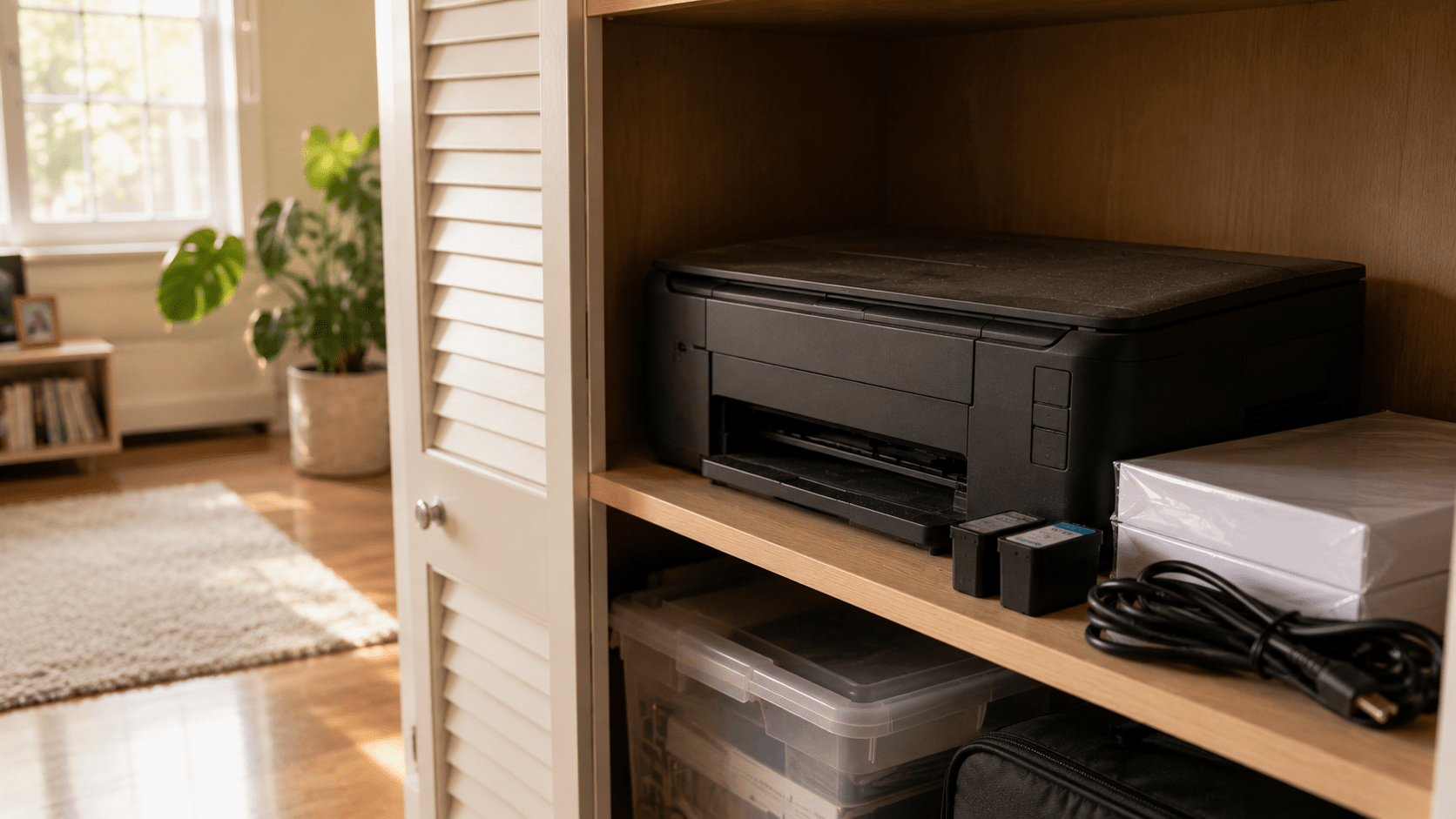
A printer that still works doesn’t automatically need to be replaced. The better question is whether it still has a place in your daily routine. Many printers spend years sitting in closets or garages as the way we work and study changes. If yours hasn’t been used in a long time, it may be time to decide whether it belongs in your home—or whether it’s ready for its next chapter.
Walk into almost any garage or storage closet, and there’s a good chance you’ll find a printer quietly waiting on a shelf.
The power cable is still wrapped around it. There’s probably a stack of unused paper nearby and maybe even a few unopened ink cartridges. Nothing appears to be wrong with it. If you plugged it in today, it would probably print just as it did years ago.
And yet it hasn’t been part of your routine for a very long time.
Unlike a broken appliance, a working printer creates a different kind of question. Throwing it away doesn’t seem right, but keeping it forever doesn’t feel like the perfect answer either.
There was a time when printers were essential in almost every home. Homework, travel itineraries, recipes, tax documents, family photos, and permission slips all seemed to pass through them at one point.
Then, everyday habits slowly changed.
Cloud storage replaced filing cabinets. Digital signatures became widely accepted. Schools and businesses adopted online platforms, and many forms that once required paper moved to a screen instead. Even airline tickets and restaurant menus became something we carried on our phones instead of in our hands.
The printer didn’t stop working.
Our routines simply stopped asking for it every day.
That’s why so many households still own perfectly functional printers that haven’t been turned on in years. They weren’t retired because they failed. They were quietly left behind as everyday life evolved.
The answer depends less on the printer and more on your routine.
Some families still print school assignments every week. Home offices regularly need invoices, contracts, shipping labels, or signed paperwork. Photographers, artists, and small businesses may rely on printed materials every day.
For those situations, keeping a reliable printer makes complete sense.
For many other households, however, printing has become an occasional task. A nearby shipping center, office supply store, library, or workplace may already cover those needs. If your printer hasn’t been used for several years, it’s worth asking whether you’re keeping it because it’s useful—or simply because nobody has decided what to do with it.
Many people are surprised to learn that some printers store information.
Depending on the model, a printer may contain Wi-Fi settings, saved network credentials, print history, scanned documents, address books, or internal memory used to process print jobs. Business printers and multifunction devices often store even more information than home models.
Before letting a printer leave your home or office, it’s worth reviewing the manufacturer’s instructions to reset or erase stored data whenever that option is available.
Once that’s done, the next step is deciding where the printer should go.
At eSmart Recycling, we accept inkjet printers, laser printers, all-in-one printers, commercial office printers, and multifunction devices, along with computers, laptops, networking equipment, monitors, phones, cables, and many other electronics. Every printer is evaluated individually to determine whether it can continue serving another purpose or whether its materials should be responsibly recovered. For devices that store information, secure data handling is also part of the process.
Many people assume the story ends once the printer leaves the house.
In reality, that’s where a different process begins.
Some printers still have years of useful life ahead of them and may be suitable for refurbishment. Others contain metals, plastics, and electronic components that can be recovered and returned to manufacturing instead of remaining in storage or ending up in a landfill.
Giving a printer a responsible destination isn’t only about clearing shelf space. It’s also about making sure the materials and information it contains are handled appropriately.
A printer that still works isn’t automatically a printer you still need.
Technology changes alongside our habits, and a device that once played an important role may quietly become something we rarely think about. That doesn’t mean it has lost its value. It simply means its purpose may have changed.
If your printer still supports your work, your business, or your family’s daily routine, it has earned its place. If it has spent years collecting dust on a shelf, it may be time to let it begin a different chapter.
Sometimes the best question isn’t “Does it still work?”
It’s “Does it still have a job to do?”

Most people would answer with their smartphone or laptop. Yet the device that quietly supports much of daily life is usually the one that receives the least attention. A Wi-Fi router connects phones, computers, TVs, security cameras, and dozens of other devices at the same time. As long as it works, nobody thinks about it. The moment it stops, the entire routine begins to change.
Try a simple exercise.
Look around your home and ask yourself which device matters the most. Your first answer will probably be your smartphone. Maybe it’s your laptop because you work from it every day. Some people might even choose the television because it’s where the family gathers at the end of the day.
All of those answers make sense. They’re the devices we interact with the most, the ones we touch, carry, and rely on from morning until night.
But there’s another device quietly sitting on a shelf, behind a piece of furniture, or next to your modem. You probably haven’t looked at it today. In fact, you may not remember the last time you thought about it at all.
Few pieces of technology have become as central to everyday life as the smartphone. It wakes us up in the morning, checks the weather, guides us through traffic, stores our boarding passes, lets us pay for groceries, keeps us in touch with family, and captures thousands of photos along the way.
Because it’s always within reach, it naturally feels like the center of our digital lives.
Yet many of those everyday actions depend on something we rarely notice. Maps need an internet connection. Video calls rely on stable networks. Streaming music, cloud backups, smart home controls, and countless apps all work best when another device quietly keeps everything connected.
That invisible partner is the Wi-Fi router.
The router succeeds because it stays out of the spotlight.
Unlike a phone or laptop, it isn’t designed to attract attention. Its entire purpose is to create connections between every internet-enabled device inside the house. Phones, computers, gaming consoles, streaming services, printers, smart speakers, security systems, and tablets all depend on it without ever acknowledging its role.
Then one afternoon, the connection disappears.
The television stops buffering. Video meetings freeze. Security cameras go offline. Smart speakers suddenly become silent. Even the phone in your pocket begins to lose many of the features you rely on every day.
That’s usually the moment people remember exactly where the router is located.
While smartphones became the tool for quick interactions, laptops remained the place where ideas take shape.
Reports are written there. Businesses are managed there. Students complete assignments, designers edit images, developers build software, and professionals spend hours working on projects that simply feel more comfortable on a larger screen with a physical keyboard.
Rather than competing with smartphones, laptops complement them. Each device serves a different purpose, and together they create the workflow many households depend on every day.
Remove one, and adjustments become necessary.
Remove all three, and the rhythm of the day changes completely.
There may not be a single correct answer.
If the question is based on usage, the smartphone probably wins. If productivity matters most, many people would choose the laptop. But if the goal is keeping every connected device working together, the router quietly becomes one of the most important pieces of technology in the entire house.
Perhaps the better question isn’t which device matters most.
Perhaps it’s which one you notice only after it’s gone.
That answer says a great deal about the way modern homes work.
Eventually, every device reaches the end of its everyday role. A new phone replaces the old one. A faster laptop arrives. A more powerful router takes over as more connected devices fill the house.
The previous equipment rarely leaves immediately.
Instead, it finds a place inside a drawer, a closet, or a storage box alongside cables and accessories collected over the years. Many of those devices still contain family photos, work documents, saved passwords, network settings, or other personal information. Some still work perfectly well and could continue serving another purpose.
At eSmart Recycling, we help families, businesses, schools, and organizations throughout Tampa Bay securely manage those retired devices. Every piece of equipment goes through data handling and technical evaluation before determining whether it can be refurbished or responsibly recycled.
The answer to this question will probably be different in every home.
Some people will always choose their smartphone because it never leaves their side. Others will point to their laptop because it’s where they study, work, or create. Yet there’s another device quietly supporting all of them without asking for recognition.
The Wi-Fi router rarely appears in conversations about technology, but it makes much of modern life possible.
Sometimes the most important device isn’t the one you use the most.
It’s the one that keeps everything else connected.
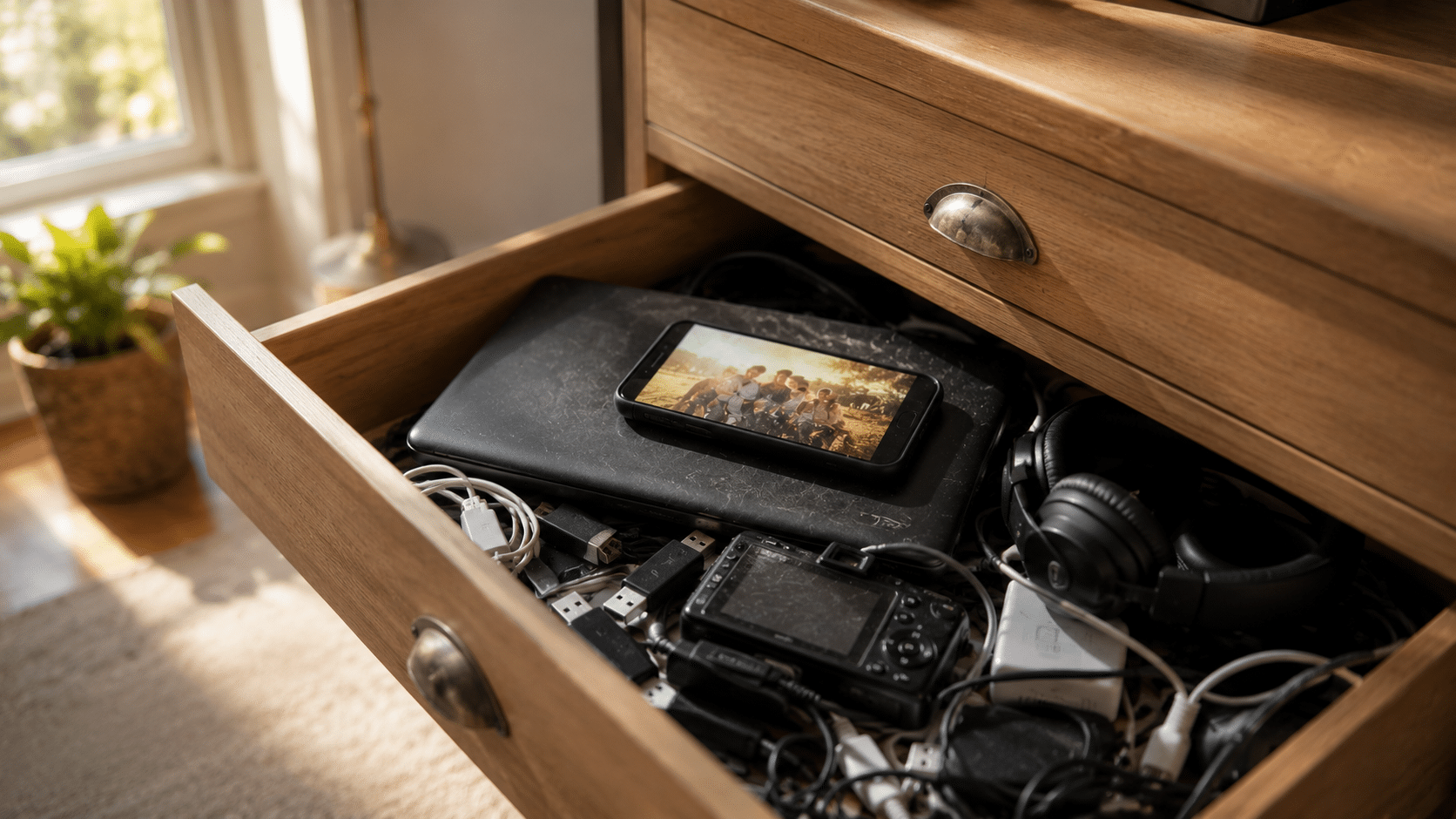
Holding onto an old phone or a retired laptop rarely has anything to do with the space it takes up. These devices often hold photos, documents, conversations, and memories that have become part of our lives. They also represent a significant investment and the feeling that they might still be useful someday. Together, those reasons explain why millions of electronic devices remain tucked away in drawers and closets for years.
You’re looking for a spare battery when you come across an old smartphone you had completely forgotten about. Out of curiosity, you press the power button. The screen lights up, and within seconds, you’re looking at photos from nearly a decade ago. A few more taps reveal old conversations, family trips, birthdays, and people you haven’t spoken to in years.
In that moment, the phone stops feeling like a piece of technology.
It becomes a small time capsule.
Scenes like this happen every day in homes across the country. They also explain why getting rid of old technology often feels much harder than expected, even when those devices haven’t been used in years.
At first glance, it looks like we’re keeping an old phone, a laptop, or a digital camera.
In reality, we’re often holding onto the moments that happened while those devices were part of our lives. A laptop may contain the first résumé we ever wrote, college assignments, or thousands of family photos. A smartphone may hold years of conversations, contacts, and milestones that helped shape important chapters of our lives.
That’s why an old phone rarely feels like an ordinary object.
Its value isn’t measured by the materials it’s made from. It’s measured by the memories attached to it.
Even when those files have already been backed up somewhere else, the original device often carries an emotional weight that’s difficult to explain.
Almost every forgotten device shares the same story.
“I’ll keep it… just in case.”
The decision makes perfect sense. Technology represents a meaningful purchase, and if a device still works, keeping it feels like the responsible choice. Maybe a family member will need it. Maybe it will become a backup computer. It may be useful for a future project.
Then life moves on.
A newer phone replaces the old one. A faster laptop arrives. The internet provider installs a new router. The previous device quietly moves from the desk to a drawer, from the drawer to a closet, and eventually into a storage box.
Without realizing it, many households begin building a quiet collection of technology that no longer plays a role in everyday life.
Absolutely.
Many people know their old devices still contain personal information, but they aren’t sure how to remove it safely. Family photos, financial records, work documents, saved passwords, emails, and personal accounts may all remain inside a laptop or smartphone that hasn’t been powered on in years.
That uncertainty often delays the decision.
Leaving the device in a drawer feels easier than figuring out what to do next.
The problem is that time doesn’t erase the information stored inside. Even after years of sitting untouched, those files are often still there, waiting for someone to decide their future.
For many people, the answer is simple.
During a move.
Or while cleaning out a garage.
Or when renovating a home.
That’s when forgotten smartphones, dusty laptops, retired Wi-Fi routers, external hard drives, and boxes full of tangled cables suddenly return to view. What seemed like a single forgotten device turns out to be years of technology quietly stored away.
It’s also the moment when one question naturally comes to mind.
Do I really need to keep all of this?
At eSmart Recycling, we hear that question every day. Families and businesses throughout Tampa Bay often arrive with boxes filled with electronics they’ve been meaning to sort through for years. Every device undergoes secure data handling and technical evaluation to determine whether it can be refurbished or responsibly recycled.
Perhaps the reason it’s so difficult to let go of old technology has very little to do with technology itself.
A smartphone represents a chapter of life. A laptop may hold years of work, learning, creativity, and family memories. Even an old Wi-Fi router can remind us of the time our home first became filled with connected devices.
Keeping those items for a while is perfectly understandable. The challenge begins when “for a while” quietly turns into years, and drawers slowly fill with devices that have already completed their purpose.
The next time you discover an old phone at the back of a drawer, you probably won’t just remember the moments you shared with it.
You may also start thinking about what the next chapter should be.







Did you enjoy our latest blog articles just above?
Subscribe to receive new stories, insights, and impact updates straight to your inbox.
We’ll send you curated content about our partners, recycling strategies, success stories, and how your involvement is driving change through technology access and digital empowerment.
💡 No spam, just the smart stuff.